
مقدمة
Thank you for choosing the Monster Clarity 700dB AirLinks Wireless Earbuds. These earbuds are designed to provide a premium audio experience with features like HiFi Sound, AptX support, and Active Noise Cancellation. This manual will guide you through the setup, operation, and maintenance of your new earbuds to ensure optimal performance and longevity.
ماذا يوجد في الصندوق
- Monster Clarity 700dB AirLinks Wireless Earbuds (Left and Right)
- حافظة الشحن اللاسلكي
- كابل شحن USB
- أحجام متعددة من أطراف الأذن
- دليل المستخدم
يثبت
1. شحن سماعات الأذن والعلبة
Before first use, fully charge the earbuds and the charging case. Place the earbuds into the charging case. Connect the USB charging cable to the charging port on the case and to a power source. The indicator lights on the case will show the charging status. A full charge provides over 100 hours of playtime with the case.

Image: High-capacity charging case for Monster Clarity 700dB AirLinks Wireless Earbuds, illustrating its ability to fully charge the earphones multiple times and extend playtime to over 100 hours. It also highlights a 5-minute quick charge feature for an hour of playtime.
2. الاقتران بجهازك
- افتح علبة الشحن. ستدخل سماعات الأذن تلقائيًا في وضع الاقتران.
- على جهازك (الهاتف الذكي، الجهاز اللوحي، وما إلى ذلك)، انتقل إلى إعدادات البلوتوث.
- Select 'Monster Clarity 700dB' from the list of available devices.
- بمجرد الاتصال، سوف تسمع تأكيدًا صوتيًا.
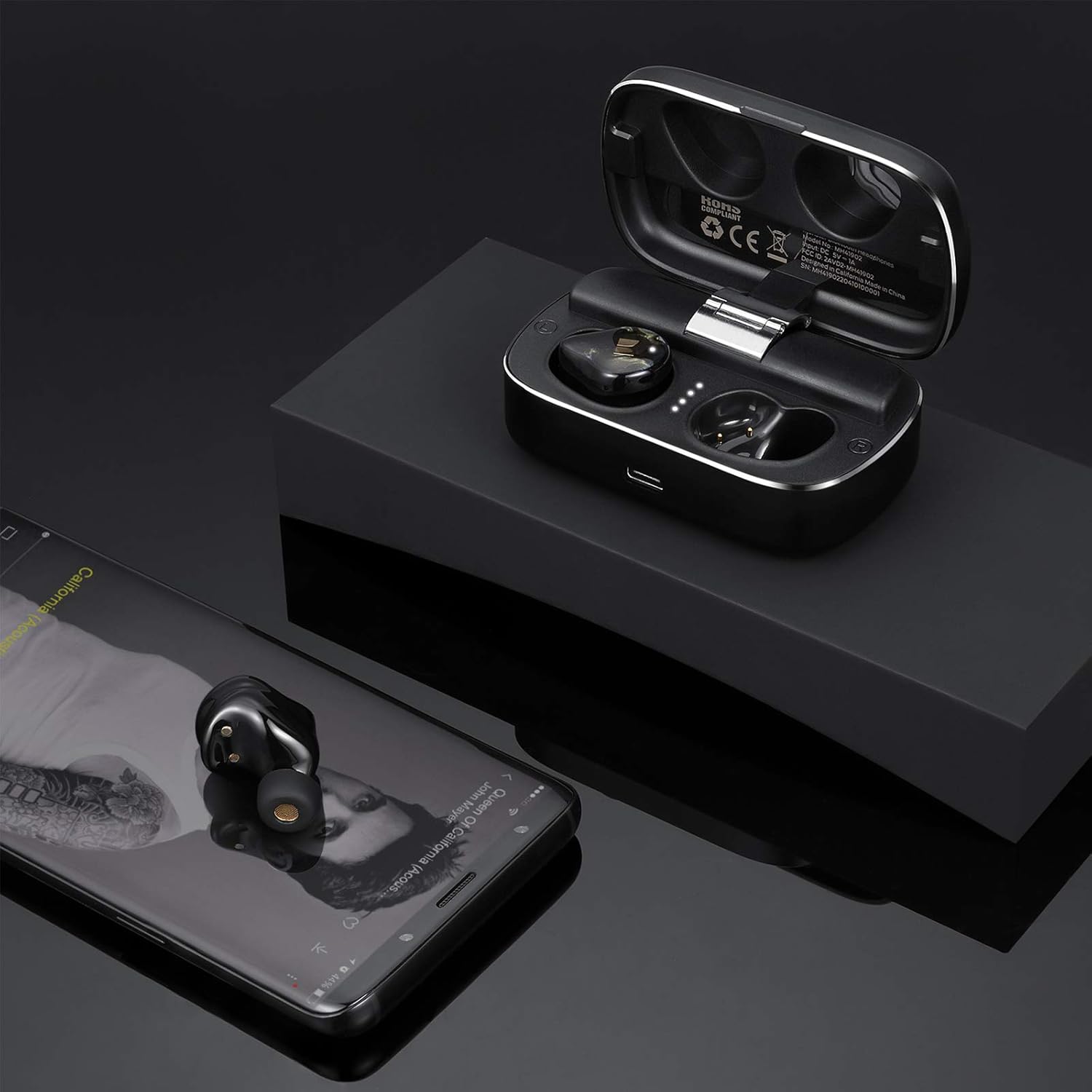
Image: Monster Clarity 700dB AirLinks Wireless Earbuds shown with their charging case and a smartphone, demonstrating the earbuds' readiness for use after pairing with a device for audio playback.
3. تركيب سماعات الأذن
Choose the ear tips that provide the most comfortable and secure fit for your ears. A proper fit is crucial for optimal sound quality and noise cancellation. Gently insert the earbuds into your ear canal and twist slightly to secure them.

Image: An illustration detailing the ergonomic design of the Monster Clarity 700dB AirLinks Wireless Earbuds, showing how they are engineered for a comfortable and secure fit within the ear, even during physical activities.
تعليمات التشغيل
عناصر التحكم باللمس
The Monster Clarity 700dB AirLinks feature multi-function touch controls on each earbud. Specific functions may vary slightly depending on your device and application, but common controls include:
- تشغيل/إيقاف مؤقت: ضغطة واحدة على أي سماعة أذن.
- المسار التالي: اضغط مرتين على سماعة الأذن اليمنى.
- المسار السابق: اضغط مرتين على سماعة الأذن اليسرى.
- الرد/إنهاء المكالمة: اضغط مرة واحدة على سماعة الأذن أثناء مكالمة واردة أو مكالمة نشطة.
- رفض المكالمة: اضغط مع الاستمرار على أي سماعة أذن لمدة ثانيتين أثناء المكالمة الواردة.
- تفعيل المساعد الصوتي (Siri/Google Assistant): اضغط ثلاث مرات على أي سماعة أذن.
- تشغيل/إيقاف خاصية إلغاء الضوضاء النشطة (ANC): اضغط مع الاستمرار على سماعة الأذن اليسرى لمدة ثانيتين.

Image: A visual representation of the multi-function touch interface on the Monster Clarity 700dB AirLinks Wireless Earbuds, detailing the various touch gestures for controlling music playback, calls, and activating voice assistants.
استخدام الميكروفون
The earbuds are equipped with an integrated microphone for hands-free calling. Ensure the earbuds are properly connected to your device to use the microphone function during calls.
إلغاء نشطة للضوضاء (ANC)
The Active Noise Cancellation feature helps reduce ambient noise for a more immersive listening experience. Activate or deactivate ANC using the touch controls as described above.
صيانة
مقاومة الماء (IPX5)
The Monster Clarity 700dB AirLinks are IPX5 water resistant, meaning they can withstand splashes and sweat. They are suitable for sports and exercise. However, they are not designed for submersion in water. Do not expose them to heavy rain or submerge them.

الصورة: لقطة مقربة view of the Monster Clarity 700dB AirLinks Wireless Earbuds with water droplets, visually confirming their IPX5 water-resistant rating, suitable for use during workouts or in light rain.
تنظيف
Regularly clean your earbuds and charging case with a soft, dry, lint-free cloth. Remove ear tips and clean them with mild soap and water, then dry thoroughly before reattaching. Avoid using abrasive materials or harsh chemicals.
استكشاف الأخطاء وإصلاحها
| مشكلة | السبب المحتمل | حل |
|---|---|---|
| سماعات الأذن لا تقترن | سماعات الأذن ليست في وضع الاقتران؛ البلوتوث غير موجود على الجهاز؛ تداخل. | Ensure earbuds are in pairing mode (open case). Turn Bluetooth off and on again on your device. Move closer to your device. |
| سماعة أذن واحدة فقط تقوم بتشغيل الصوت | سماعات الأذن غير متصلة ببعضها البعض أو بالجهاز بشكل صحيح. | Place both earbuds back in the charging case, close the lid, wait a few seconds, then open again to re-establish connection. Re-pair with your device if necessary. |
| Loud voice prompts ('pairing', 'paired', 'disconnected') | System volume for voice prompts is high. | This is a known characteristic. There is currently no user-adjustable setting for prompt volume. Ensure earbuds are in your ears before powering on or connecting to minimize discomfort. |
| Poor sound quality / No bass | Improper ear tip fit; low battery; source audio quality. | Ensure you have the correct size ear tips for a secure seal. Fully charge the earbuds. Try different audio sources or files. |
| سماعات الأذن لا تشحن | Charging cable or port issue; dirty contacts. | Check the charging cable and power source. Ensure charging contacts on earbuds and case are clean and dry. |
تحديد
| ميزة | التفاصيل |
|---|---|
| ماركة | وحش |
| رقم الموديل | إم إتش 41902 |
| وضع الأذن | في الأذن |
| عامل الشكل | في الأذن |
| التحكم في الضوضاء | إلغاء الضوضاء النشط |
| تكنولوجيا الاتصالات اللاسلكية | بلوتوث |
| الوسائط المدمجة | حافظة الشحن اللاسلكي |
| نطاق التردد | 20 هرتز - 20 كيلو هرتز |
| مميزات اضافية | Microphone Included, Noise Cancellation, USB connectivity, sports-and-exercise, water-resistant, wireless |
| مواد التغليف | بلاستيك |
| مستوى مقاومة الماء | مقاومة الماء (IPX5) |
| نوع التحكم | التحكم في وسائل الإعلام |
| الأبعاد (علبة) | حوالي 3.35 × 1.26 × 1.02 بوصة |
| الوزن (الإجمالي) | حوالي 10.58 أونصة |
فيديو المنتج الرسمي
فيديو: منتج رسميview of the Monster Clarity 700dB AirLinks Wireless Earbuds, highlighting key features such as water resistance, microphone, USB connectivity, noise-canceling capability, and suitability for sports and exercise. It also details the compact design and Bluetooth connectivity.
الضمان والدعم
Your Monster Clarity 700dB AirLinks Wireless Earbuds come with a manufacturer's warranty. Please refer to the warranty card included in your product packaging for specific terms and conditions. For technical support, troubleshooting assistance, or warranty claims, please visit the official Monster webالموقع أو الاتصال بقسم خدمة العملاء.