
1. المقدمة
This manual provides instructions for the installation, operation, and maintenance of your GIM KB-23 RGB Case Fan. Please read this manual thoroughly before installation and use to ensure proper function and safety.
The GIM KB-23 is a 120mm case fan designed to enhance airflow within your computer chassis while providing customizable RGB lighting effects.
2. معلومات السلامة
احرص دائمًا على مراعاة احتياطات السلامة التالية:
- Ensure your computer is powered off and unplugged from the wall outlet before installation or maintenance.
- قم بتفريغ أي كهرباء ساكنة من جسمك عن طريق لمس جسم معدني مؤرض قبل التعامل مع المكونات.
- Do not force connectors. Ensure proper alignment before connecting.
- Keep small parts, such as screws, away from children.
- تجنب لمس شفرات المروحة أثناء تشغيلها.
3. محتويات العبوة
تأكد من وجود جميع العناصر في الحزمة الخاصة بك:
- 1 x GIM KB-23 120mm RGB Case Fan
- 4 × مسامير التثبيت
4. الإعداد والتثبيت
Follow these steps to install your GIM KB-23 RGB Case Fan:
4.1 التحضير
- Power off your computer and unplug the power cable from the wall outlet.
- افتح علبة الكمبيوتر للوصول إلى أماكن تركيب المروحة.
- Identify an appropriate 120mm fan mounting position within your case. Consider airflow direction (intake or exhaust).
4.2 تركيب المروحة
Position the fan in the desired mounting location. Use the four included mounting screws to secure the fan to the case. Ensure the screws are tightened firmly but do not overtighten to avoid damaging the fan frame or case.
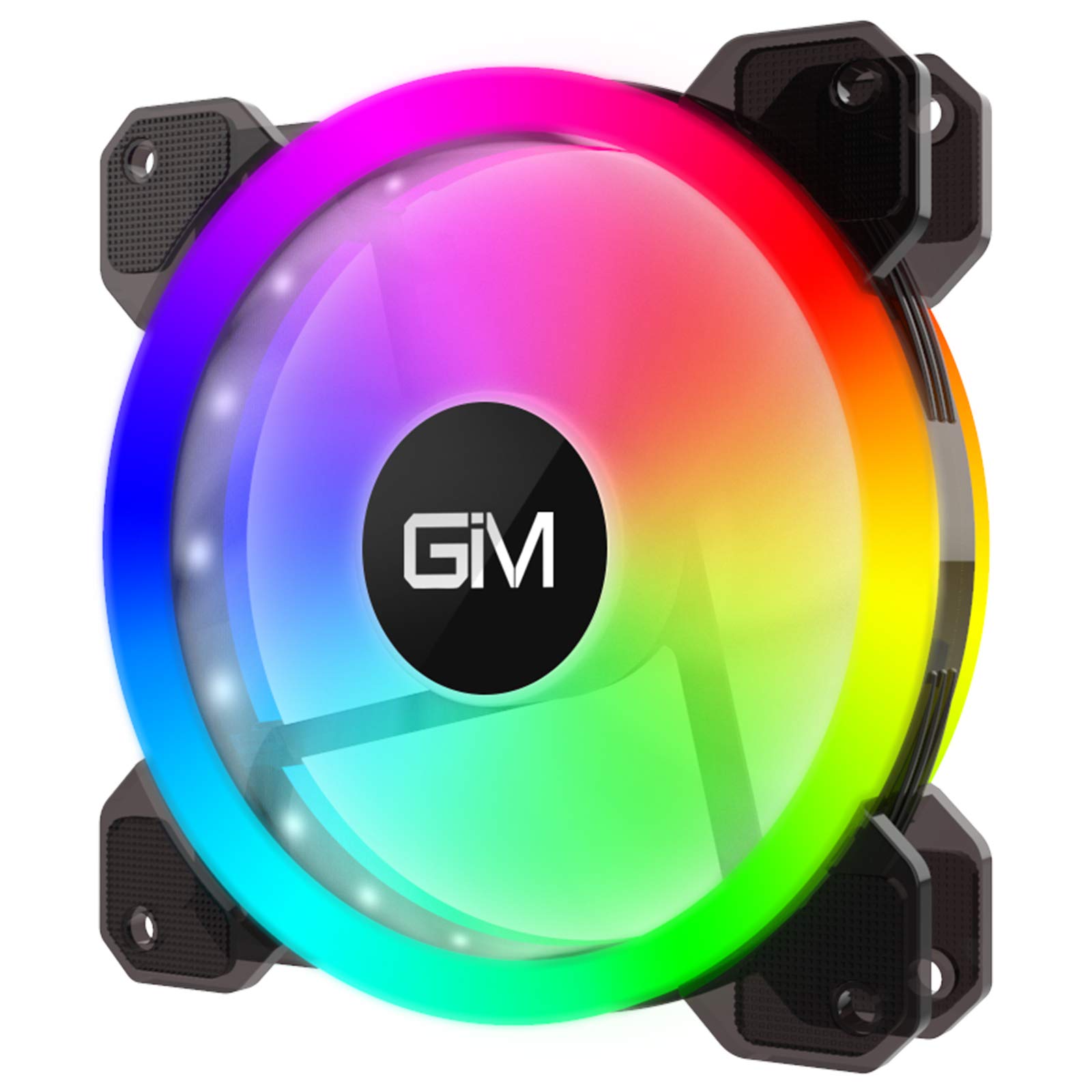
Image 1: GIM KB-23 RGB Case Fan. This image shows the fan's design and typical appearance when installed.
4.3 توصيل المروحة
Locate the 6-pin power connector on the GIM KB-23 fan cable. Connect this cable to a compatible GIM RGB fan controller (sold separately or included with multi-pack fan kits). The fan will not function or light up without a compatible controller.
Ensure the connector is fully seated. Route the cables neatly to maintain good airflow and aesthetics within your case.
5. تعليمات التشغيل
Once installed and connected to a compatible GIM RGB fan controller, the fan will begin operating when your computer is powered on.
- سرعة المروحة: The fan speed is typically controlled by the GIM RGB fan controller or motherboard software, depending on the controller's capabilities and how it's connected to your system.
- إضاءة RGB: The RGB lighting effects are managed through the GIM RGB fan controller. Refer to your GIM controller's manual for specific instructions on changing lighting modes, colors, and brightness.
6. الصيانة
تساعد الصيانة الدورية على ضمان الأداء الأمثل وطول عمر المروحة.
- تنظيف: Periodically clean the fan blades and frame to remove dust buildup. Use a can of compressed air or a soft, dry cloth. Ensure the computer is powered off and unplugged before cleaning.
- تقتيش: افحص الكابلات بحثًا عن أي علامات تآكل أو تلف. تأكد من أن جميع التوصيلات محكمة.
7. استكشاف الأخطاء وإصلاحها
If you encounter issues with your GIM KB-23 RGB Case Fan, refer to the following common problems and solutions:
| مشكلة | السبب المحتمل | حل |
|---|---|---|
| المروحة لا تدور |
|
|
| أضواء RGB لا تعمل |
|
|
| ضوضاء مفرطة |
|
|
8. المواصفات
| ميزة | التفاصيل |
|---|---|
| نموذج | KB-23 |
| الأبعاد (الطول × العرض × الارتفاع) | 4.72 بوصة × 0.98 بوصة × 4.72 بوصة (120 مم × 25 مم × 120 مم) |
| نوع موصل الطاقة | 6-Pin (Proprietary GIM) |
| المجلدtage | 12 فولت |
| واتtage | 1.96 واط |
| طريقة التبريد | هواء |
| الأجهزة المتوافقة | أجهزة الكمبيوتر المكتبية |
| مستوى الضوضاء | 25 ديسيبل (ديسيبل) |
| سرعة الدوران القصوى | 1300 دورة في الدقيقة |
9. الضمان والدعم
For warranty information or technical support, please contact GIM customer service through their official webالموقع أو المتجر الذي اشتريت منه المنتج. احتفظ بإثبات الشراء لطلبات الضمان.