
1. المقدمة
Thank you for choosing the Sharkoon CA300T ATX PC Case. This full tower case is designed for high-performance gaming systems, offering extensive compatibility, efficient cooling, and advanced cable management features. This manual provides essential information for the proper setup, operation, and maintenance of your new PC case.
2. معلومات السلامة
- افصل دائمًا مصدر الطاقة من مقبس الحائط قبل تركيب أو إزالة أي مكونات داخل علبة الكمبيوتر.
- تعامل مع المكونات بحرص لتجنب تلفها بسبب التفريغ الكهروستاتيكي. يُنصح باستخدام سوار معصم مضاد للكهرباء الساكنة.
- احتفظ بالأجزاء الصغيرة ومواد التغليف بعيدًا عن متناول الأطفال.
- Avoid placing the PC case in direct sunlight, near heat sources, or in environments with high humidity.
- Do not attempt to modify the case structure, as this may void your warranty and cause damage.
3. محتويات العبوة
يرجى التحقق من محتويات الحزمة للتأكد من وجود جميع العناصر:
- حقيبة شاركون CA300T ATX للكمبيوتر
- Accessory box (screws, cable ties, standoffs, etc.)
- RGB lighting controller (if applicable)
- دليل التعليمات (هذا المستند)
4. انتهى المنتجview والميزات
The Sharkoon CA300T is a premium full tower ATX PC case designed for enthusiasts. It features a modern design with robust construction, tempered glass panels, and advanced cooling options.
المميزات الرئيسية:
- Full Tower Design: Ample space for high-end components and custom liquid cooling solutions.
- ألواح زجاجية مقسّى: Side panels made of tempered glass for a clear view من المكونات الداخلية.
- إضاءة RGB: Integrated RGB lighting for customizable aesthetics.
- تدفق الهواء الأمثل: Includes three 120mm fans and supports multiple radiators for superior cooling.
- إدارة الكابلات المتقدمة: Features an openable cable pocket/channel and ample routing options for a clean build.
- فلاتر الغبار: Three-layer top plate with a dust filter to maintain system cleanliness.
- اتصال واسع النطاق: Front panel includes 2x USB 3.0 ports and additional USB ports.
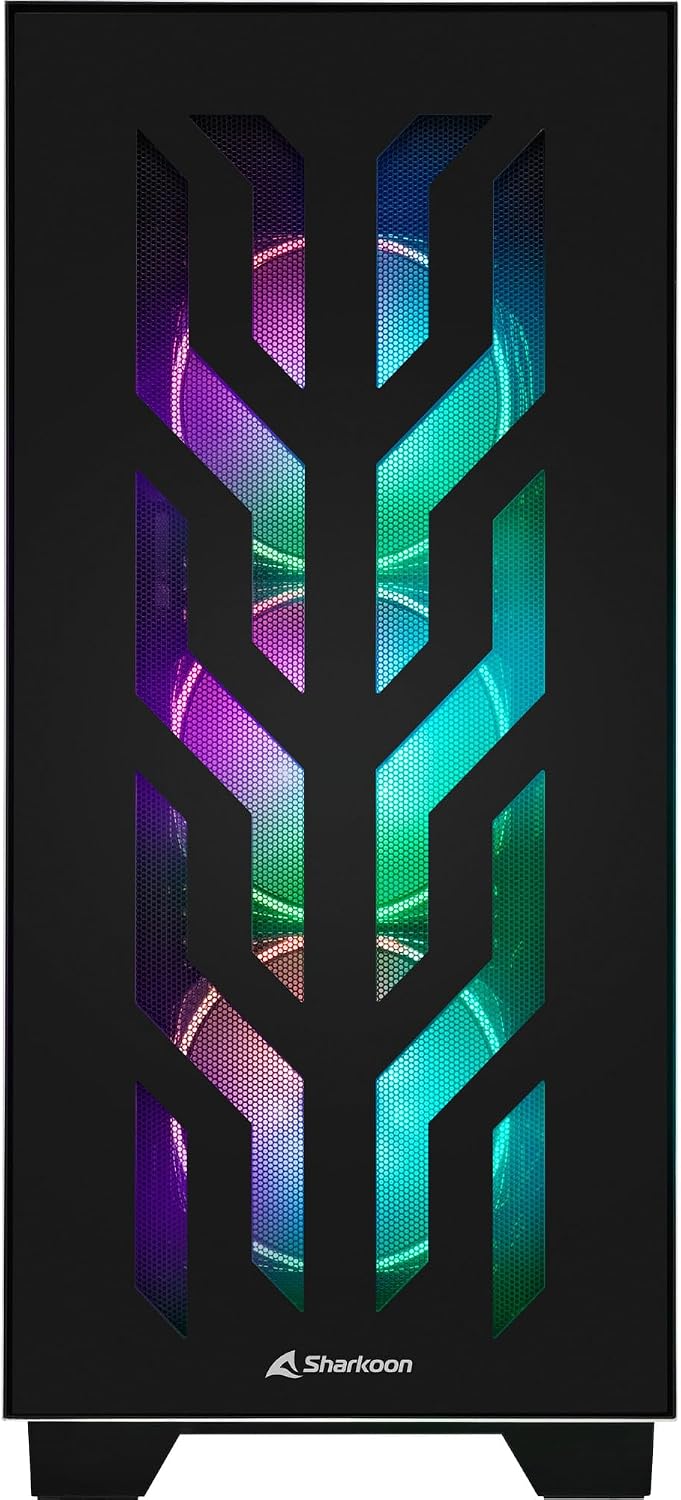
الشكل 4.1: الجبهة view of the Sharkoon CA300T PC case, showcasing the illuminated RGB fans behind the mesh panel.
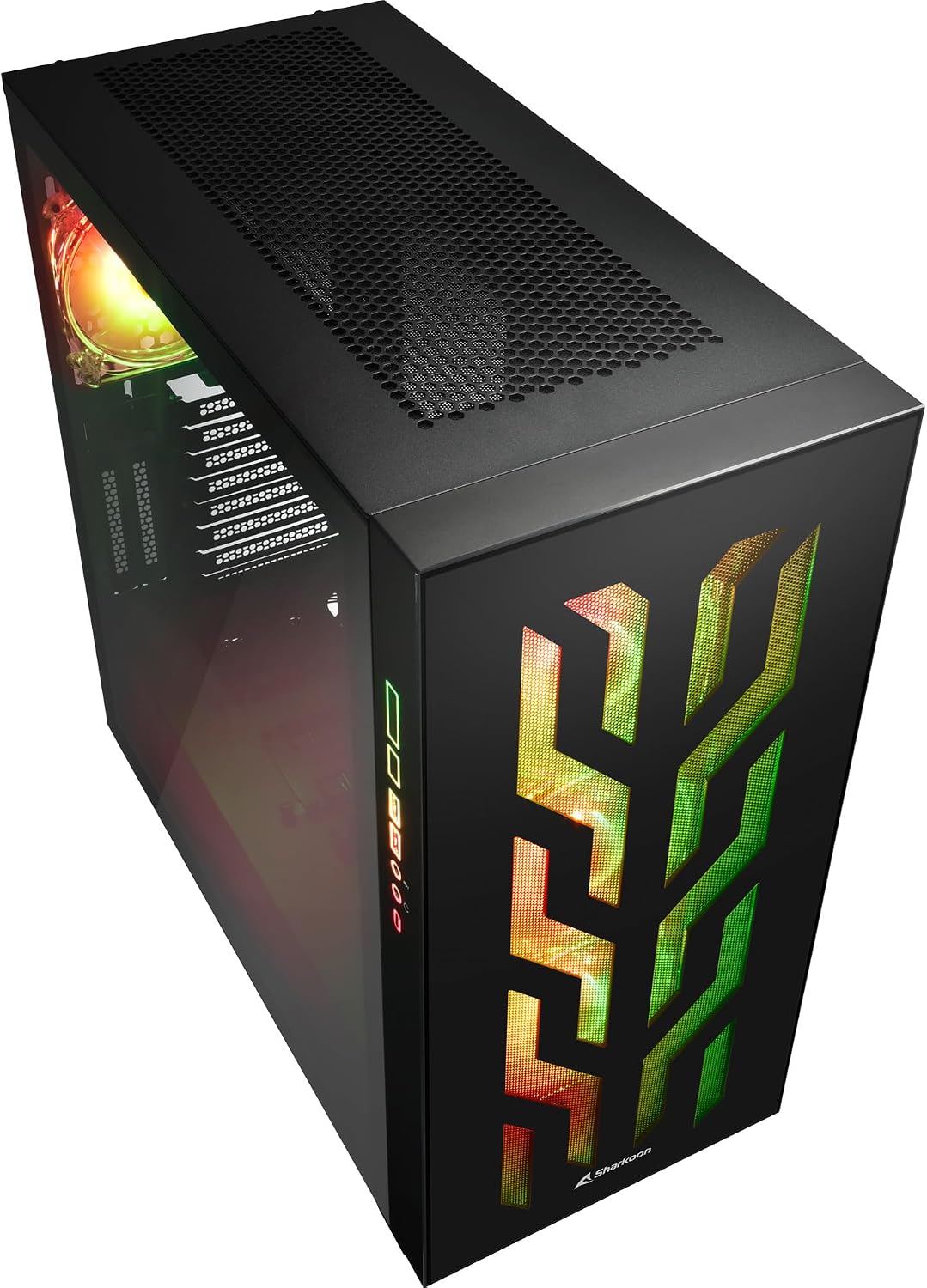
الشكل 4.2: بزاوية view of the Sharkoon CA300T PC case, showing the tempered glass side panel and the vibrant RGB lighting from the interior.
5. الإعداد
5.1 فك التعبئة
- قم بإزالة علبة الكمبيوتر الشخصي من عبوتها بعناية.
- افحص العلبة بحثًا عن أي علامات تلف أثناء النقل. تواصل مع البائع في حال وجود أي تلف.
- Locate the accessory box inside the case, which contains screws and other installation hardware.
5.2 إزالة الألواح الجانبية
The Sharkoon CA300T features tempered glass side panels for easy access to components.
- Locate the two screws on the rear of the case securing the side panel.
- قم بفك هذين المسامير.
- Gently pull the panel upwards and away from the case to remove it. Repeat for the other side if necessary.

الشكل 5.1: الداخلية view of the Sharkoon CA300T PC case, showing the main compartment with the left tempered glass panel removed, ready for component installation.

الشكل 5.2: الداخلية view of the Sharkoon CA300T PC case with the left side panel completely removed, exposing the motherboard tray and various mounting points.
5.3 تركيب اللوحة الأم
- Install the necessary standoffs onto the motherboard tray according to your ATX motherboard's screw holes.
- Carefully place your ATX motherboard onto the standoffs, aligning the screw holes.
- قم بتأمين اللوحة الأم باستخدام البراغي المتوفرة.
5.4 تركيب وحدة إمداد الطاقة (PSU)
The CA300T supports bottom-mounted power supplies.
- قم بإدخال وحدة إمداد الطاقة في الحجرة المخصصة لها في الجزء الخلفي السفلي من العلبة.
- Secure the PSU to the case with screws from the rear.
5.5 تركيب محرك الأقراص
The case provides internal bays for 3.5-inch and 2.5-inch drives.
- Locate the drive cages or mounting points for your 3.5-inch or 2.5-inch drives.
- Mount your drives using the appropriate screws or tool-less mechanisms.
5.6 تركيب بطاقة الرسومات وبطاقة التوسعة
The case offers multiple expansion slots and supports vertical GPU mounting.
- قم بإزالة أغطية فتحات التوسعة اللازمة من الجزء الخلفي للعلبة.
- أدخل بطاقة الرسومات أو بطاقات التوسعة الأخرى في فتحات PCIe الموجودة على اللوحة الأم.
- Secure the cards with screws. For vertical GPU mounting, an additional riser cable (not included) is required.
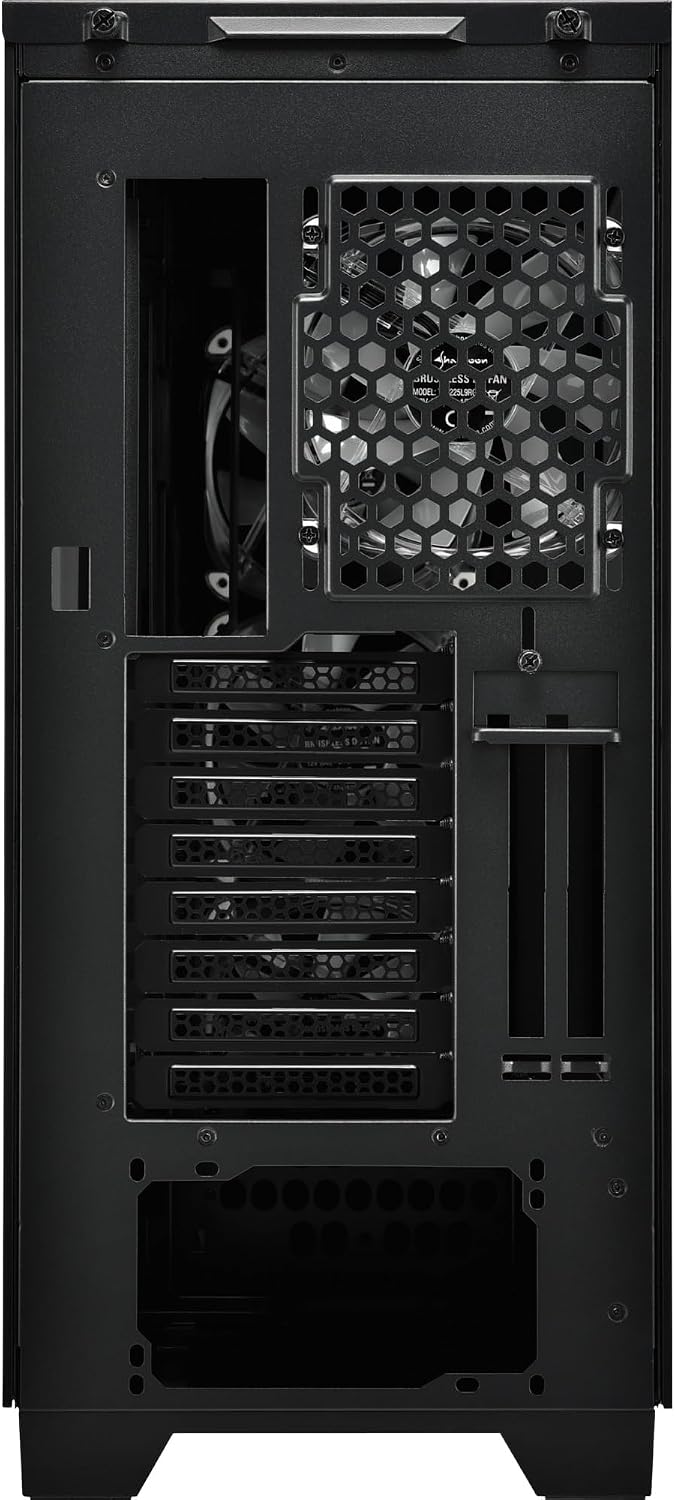
الشكل 5.3: خلفي view of the Sharkoon CA300T PC case, illustrating the expansion slots, rear fan mount, and PSU opening.
5.7 إدارة الكابلات
استخدم قنوات توجيه الكابلات ونقاط التثبيت الموجودة خلف صينية اللوحة الأم لتنظيم الكابلات من أجل تحسين تدفق الهواء والمظهر الجمالي.

الشكل 5.4: الجزء الخلفي الداخلي view of the Sharkoon CA300T PC case, highlighting the dedicated cable management area behind the motherboard tray.
6. التشغيل
6.1 تشغيل/إيقاف التشغيل
After all components are installed and cables are connected, press the power button on the front panel to turn on your system. Press it again to turn off, or use your operating system's shutdown function.
6.2 التحكم في إضاءة RGB
The integrated RGB lighting can be controlled via the dedicated RGB controller (if included) or through compatible motherboard software, depending on how the RGB components are connected. Refer to your motherboard manual for software control options.
7. الصيانة
7.1 تنظيف مرشحات الغبار
The Sharkoon CA300T features a three-layer top plate with a dust filter. Regularly clean all dust filters to maintain optimal airflow and cooling performance.
- Turn off and unplug your PC.
- Carefully remove the dust filters (e.g., from the top, front, and bottom).
- Clean the filters using compressed air or by gently washing them with water. Ensure they are completely dry before reinstallation.
7.2 العناية العامة
- امسح الجزء الخارجي من العلبة بقطعة قماش ناعمة و...amp قماش. تجنب المنظفات الكاشطة.
- Ensure all cables are securely connected and not obstructing airflow.
8. استكشاف الأخطاء وإصلاحها
إذا واجهت مشكلات في بناء جهاز الكمبيوتر الخاص بك، ففكر في خطوات استكشاف الأخطاء وإصلاحها الشائعة التالية:
- لا يوجد طاقة: Ensure the power supply is properly connected to the wall outlet and the motherboard. Check all power cables (24-pin, CPU, GPU).
- المراوح لا تدور: Verify that all fan headers are correctly connected to the motherboard or fan controller. Check BIOS settings for fan control.
- لا يوجد عرض: Confirm that your monitor is connected to the graphics card (not the motherboard's integrated graphics, unless intended). Reseat the graphics card and RAM modules.
- RGB Not Working: Check RGB cable connections to the motherboard or controller. Ensure any necessary software is installed and configured.
- ارتفاع درجة الحرارة: Ensure all fans are spinning correctly and dust filters are clean. Verify proper thermal paste application on the CPU cooler.
بالنسبة للمشاكل الأكثر تعقيدًا، راجع كتيبات مكونات جهازك الفردية (اللوحة الأم، وحدة معالجة الرسومات، وحدة تزويد الطاقة) أو اطلب مساعدة فنية متخصصة.
9. المواصفات
| ميزة | مواصفة |
|---|---|
| ماركة | شاركون |
| اسم الموديل | CA300T |
| نوع الحالة | برج كامل |
| التوافق مع اللوحة الأم | ايه تي اكس |
| الاستخدام الموصى به | الألعاب |
| لون | أسود |
| مادة | معدن |
| Power Supply Mount Type | التركيب السفلي |
| طريقة التبريد | هواء |
| حجم المروحة | 120 ملم |
| عدد المعجبين | 3 |
| Total Expansion Slots | 4 |
| Total USB 3.0 Ports | 2 |
| إجمالي منافذ USB | 3 |
| المميزات الخاصة | RGB Lighting, Openable Cable Pocket, Three-layer Top Plate with Dust Filter |
| HDD Bay Size | 3.5 بوصة |
| Number of Internal Bays | 4 |
| الأجهزة المتوافقة | ATX Motherboards, 3.5-inch Hard Drives |
| لون فاتح | اللون الأحمر والأخضر والأزرق |
| وزن العنصر | 14.7 كيلوغرام |
10. الضمان
The Sharkoon CA300T PC Case comes with a ضمان الشركة المصنعة لمدة عامين. Please retain your proof of purchase for warranty claims. The warranty covers defects in materials and workmanship under normal use. It does not cover damage caused by misuse, accidents, unauthorized modifications, or improper installation.
11. الدعم
For technical support, warranty inquiries, or further assistance, please visit the official Sharkoon website or contact their customer service department. You may find contact information and FAQs on their support pages.
رسمي Webموقع: www.sharkoon.com