
VENTION CHL-1
VENTION 4-Port USB 3.0 Hub (Model CHL-1) Instruction Manual
Model: CHL-1 | Brand: VENTION
1. المقدمة
Thank you for choosing the VENTION 4-Port USB 3.0 Hub. This ultra-slim data USB splitter is designed to expand your device's connectivity, offering high-speed data transfer and charging support. Please read this manual carefully to ensure proper use and optimal performance.
2. مواصفات المنتج
- 4 منافذ USB 3.0: Expands one USB port into four, supporting various USB peripherals.
- نقل البيانات بسرعة عالية: Up to 5Gbps, 10 times faster than USB 2.0.
- Charging Supported: يوفر الطاقة للأجهزة المتصلة.
- التوصيل والتشغيل: لا تتطلب معظم أنظمة التشغيل برامج تشغيل.
- تصميم صغير الحجم وقابل للحمل: Easy to carry for travel or daily use.
- التوافق الواسع: Supports Windows, Mac OS, Linux, and ChromeOS.
3. محتويات العبوة
تأكد من وجود جميع العناصر في العبوة:
- VENTION 4-Port USB 3.0 Hub (Model CHL-1)
- دليل التعليمات (هذا المستند)
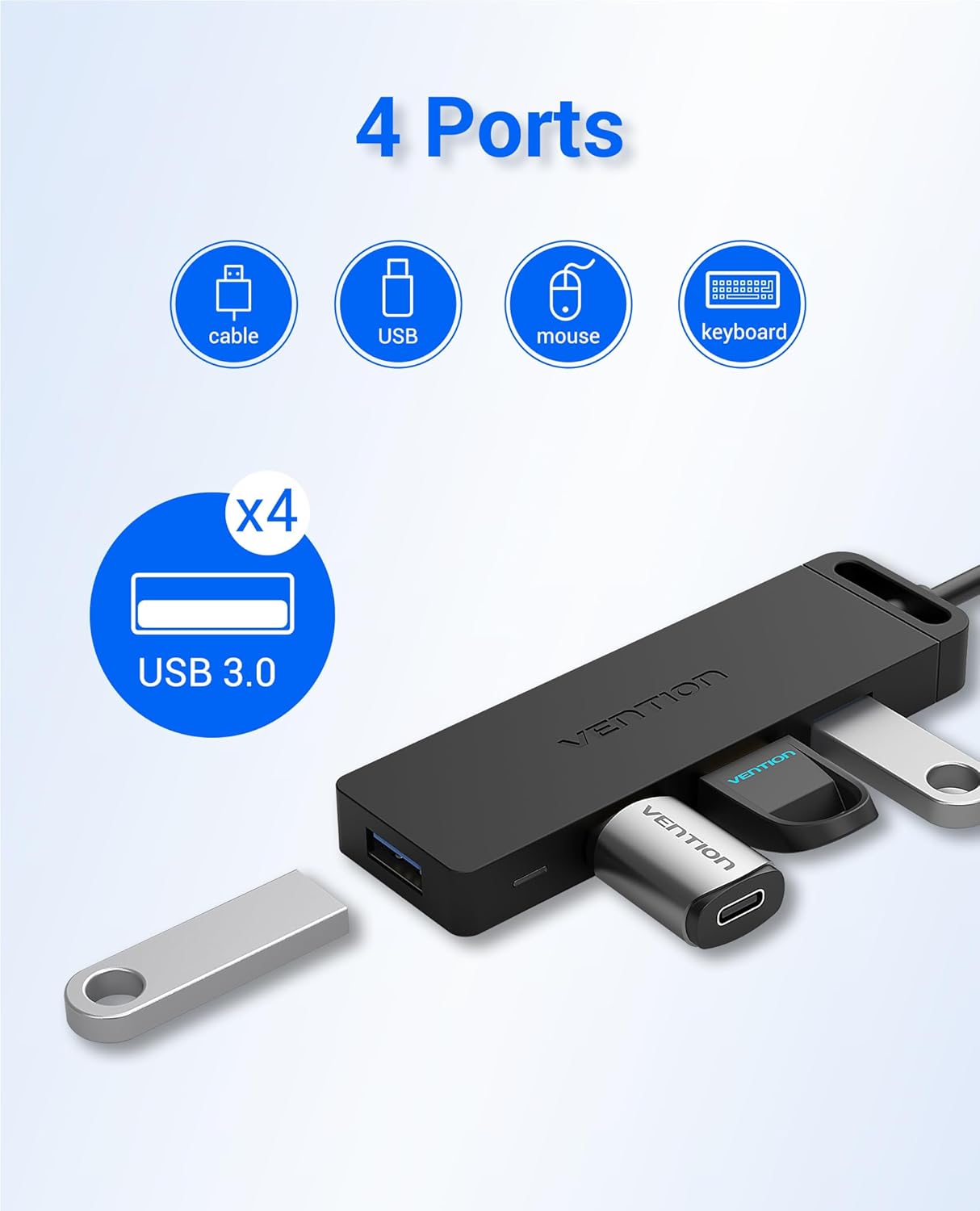
Image: The VENTION 4-Port USB 3.0 Hub, showcasing its compact design and four blue USB 3.0 ports. The integrated USB-A cable is visible.
4. تعليمات الإعداد
- قم بتوصيل المحور بجهازك:
Plug the USB-A connector of the VENTION Hub into an available USB 3.0 port on your computer (laptop, desktop, etc.).
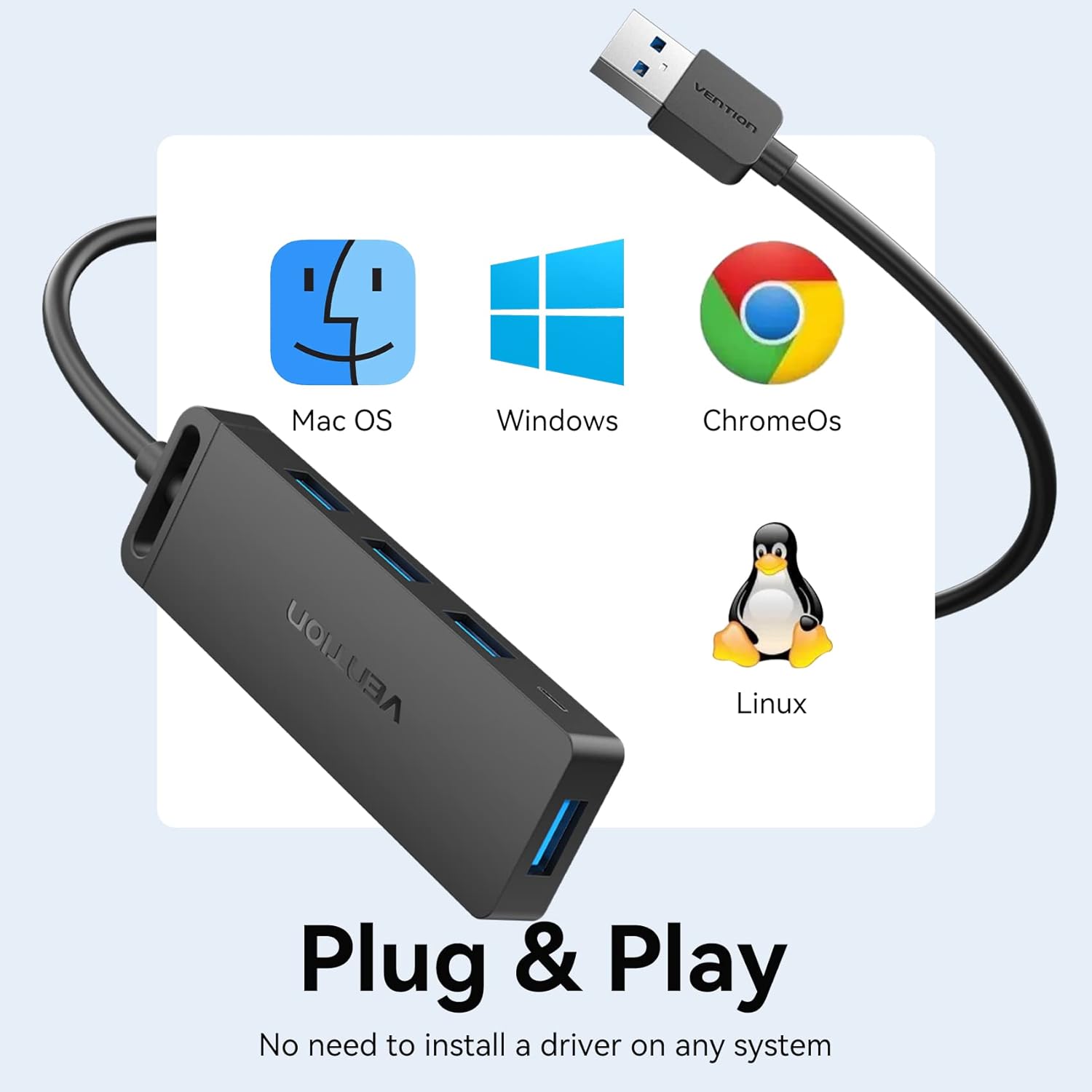
Image: The VENTION USB Hub connected to a laptop, illustrating the plug-and-play setup. A blue LED indicator light confirms power and connection.
- مؤشر الطاقة:
A blue LED indicator light on the hub will illuminate, confirming that the hub is powered and ready for use.

الصورة: لقطة مقربة view of the VENTION USB Hub, highlighting the blue LED indicator light when the device is active.
- مصدر طاقة خارجي اختياري (للأجهزة عالية الطاقة):
For power-hungry devices (e.g., external 8TB hard drives, printers), connect an external 5V/2A power adapter (not included) to the Micro USB port on the side of the hub. Do not connect power adapters exceeding 5V/2A.

Image: The VENTION USB Hub facilitating connections to a laptop and an external hard drive, with an additional Micro USB cable providing supplementary power to the hub for high-power devices.
5. تعليمات التشغيل
- توصيل أجهزة USB:
Insert your USB devices (flash drives, mouse, keyboard, printer, etc.) into the available USB 3.0 ports on the hub. The hub supports simultaneous connection of multiple devices.

Image: The VENTION USB Hub with various USB devices plugged in, demonstrating its ability to expand connectivity for multiple peripherals.
- نقل البيانات:
The hub supports data transfer speeds of up to 5Gbps. When transferring large fileلذا، تأكد من أن كلاً من جهاز المصدر وجهاز الوجهة يدعمان USB 3.0 للحصول على الأداء الأمثل.

Image: A visual representation of the 5Gbps data transfer capability of the USB 3.0 hub, highlighting its speed advantage over USB 2.0.
- وظيفة الشحن:
The USB 3.0 ports on the hub can provide power to charge compatible devices. For faster charging or multiple devices, consider using the optional external power supply.
Video: This video demonstrates the VENTION 4-Port USB 3.0 Hub's ability to expand USB ports and support data transfer and charging. It shows the hub connected to a laptop, with a blue indicator light, and a flash drive being used for data transfer. It also illustrates the hub providing stable power for charging multiple devices like smartphones.
6. التوافق
The VENTION 4-Port USB 3.0 Hub is widely compatible with:
- Operating Systems: Windows 10, 8, 7, Vista, XP, Mac OS x 10.6-10.12 or later, Linux 2.6.14 or later, ChromeOS.
- Devices: MacBook, Laptops, Surface Pro, PS4, PC, Flash Drives, Mobile HDDs, Keyboards, Mice, Printers, and other USB peripherals.

Image: The VENTION USB Hub displayed alongside logos for Mac OS, Windows, ChromeOS, and Linux, emphasizing its broad operating system compatibility.
7. الصيانة والعناية
- أبقِ المحور بعيدًا عن الماء والنار والمواد المسببة للتآكل.
- تجنب إسقاط المحور أو تعريضه لصدمات قوية.
- نظّف الجهاز بقطعة قماش ناعمة وجافة. لا تستخدم المنظفات السائلة.
- قم بتخزينه في مكان بارد وجاف عند عدم استخدامه.
8. استكشاف الأخطاء وإصلاحها
| مشكلة | السبب المحتمل | حل |
|---|---|---|
| الجهاز غير مُتعرف عليه. | Loose connection, incompatible device, or insufficient power. | Ensure the hub is securely plugged into a USB 3.0 port. Try a different USB port on your computer. If connecting a high-power device, use an external 5V/2A power adapter. |
| سرعة نقل البيانات بطيئة. | Connected device is USB 2.0, or the computer's port is USB 2.0. | Ensure both the hub and the connected device are plugged into USB 3.0 ports for optimal 5Gbps speeds. |
| الشحن بطيء أو لا يعمل. | Insufficient power from the host device, or high-power devices connected. | Connect an external 5V/2A power adapter to the Micro USB port on the hub. |
9. المواصفات
| ميزة | التفاصيل |
|---|---|
| ماركة | فينتيون |
| رقم الموديل | CHL-1 (0.5MZZ) |
| واجهة الأجهزة | يو اس بي 3.0 |
| إجمالي منافذ USB | 4 |
| سرعة نقل البيانات | تصل إلى 5 جيجابت في الثانية |
| حجم الإدخالtage | 5 فولت (تيار مستمر) |
| وزن العنصر | 48 جرام |
| Cable Length (Current Variant) | 1.5 قدم |
| رمز المنتج الموحد | 616859493230 |
10. الضمان والدعم
VENTION products typically come with a 1-year warranty. For any questions about our product, please feel free to contact our reliable customer service. We aim to reply within 24 hours.
Contact Information: Refer to the product packaging or the official VENTION website for the most up-to-date customer support details.
Ask a question about this manual
Ask about setup, troubleshooting, compatibility, parts, safety, or missing instructions. Manuals+ will review the question and use this page’s manual context to help answer it.