
مقدمة
The Lenovo ThinkPad X1 Carbon is a high-performance ultrabook designed for productivity and durability. This flagship notebook series is known for its lightweight design, robust construction, and advanced features. This manual provides essential information for setting up, operating, maintaining, and troubleshooting your device.

يثبت
التشغيل الأولي
To power on your ThinkPad X1 Carbon for the first time, ensure it is connected to a power source using the provided AC adapter. Press the power button, typically located on the side or top right of the keyboard deck. Follow the on-screen prompts to complete the initial operating system setup.
الاتصال بالشبكة
Your ThinkPad X1 Carbon supports WiFi 6 (802.11AX) for fast and reliable wireless connections. To connect to a Wi-Fi network:
- انقر فوق رمز الشبكة في شريط النظام (عادةً ما يكون أسفل يمين الشاشة).
- حدد شبكة Wi-Fi المطلوبة من القائمة.
- أدخل كلمة مرور الشبكة إذا طُلب منك ذلك.
- انقر فوق "اتصال".
المنافذ والتوصيلات
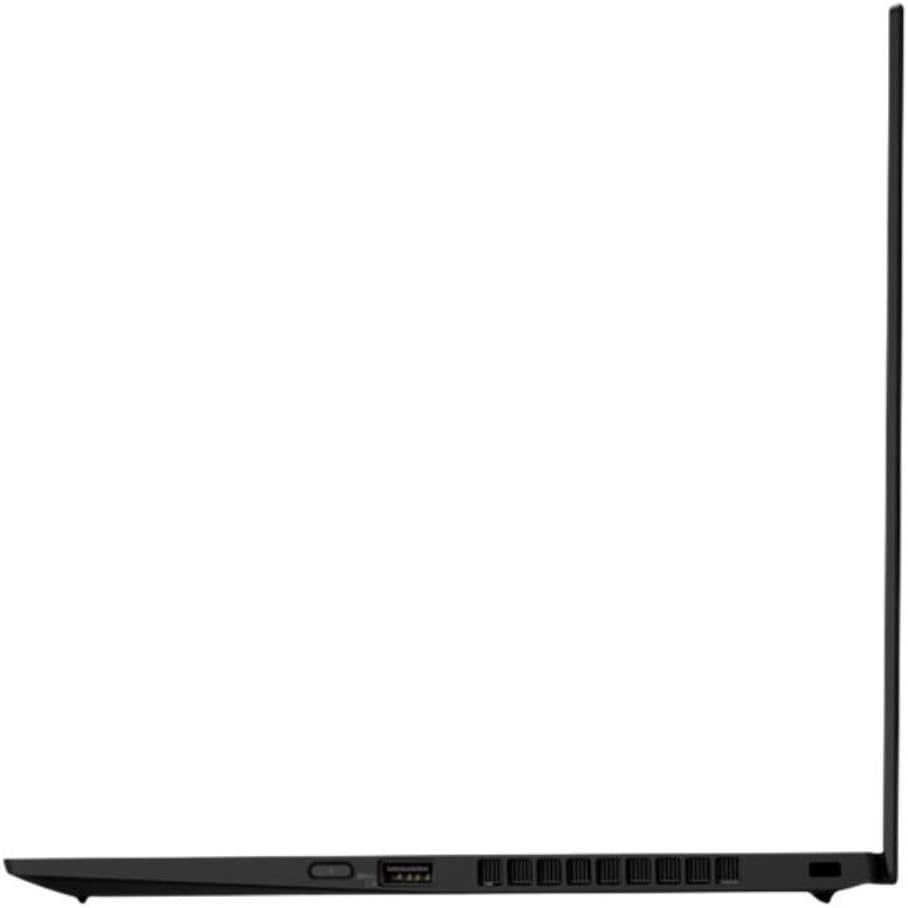
The ThinkPad X1 Carbon offers a variety of ports for connecting external devices:
- USB-C 3.2 (Gen 2) Intel Thunderbolt 3: Two ports for DisplayPort and high-speed data transfer.
- منفذ USB 3.2 (الجيل الأول): Two ports, one with Always On functionality for charging devices even when the laptop is off.
- HDMI 1.4: للاتصال بالشاشات الخارجية.
- Ethernet/Network Extension: For side mechanical docking.
- مقبس سماعة الرأس/الميكروفون المشترك: لإدخال وإخراج الصوت.

Operating Your ThinkPad X1 Carbon
لوحة المفاتيح ولوحة اللمس
The ThinkPad X1 Carbon features a backlit, spill-resistant US English QWERTY keyboard designed for comfortable and responsive typing. The touchpad provides smooth and precise cursor control. Ensure your hands are clean before use to maintain optimal performance.

قارئ بصمات الأصابع
For enhanced security and convenient login, your laptop includes a fingerprint reader. To set up biometric authentication, navigate to your operating system's security settings and follow the instructions to register your fingerprints.
Webكاميرا و مصراع الخصوصية
شاشة HD 720p المتكاملة webcam is equipped with a ThinkShutter privacy cover. This physical slider allows you to block the camera lens when not in use, ensuring your privacy. The laptop also features four 360-degree far-field microphones for clear audio during calls and recordings.

نظام الصوت
Experience rich audio with the Dolby Atmos speaker system. This technology enhances sound for an immersive listening experience, whether you're watching videos or participating in online meetings.
البطارية والشحن
The ThinkPad X1 Carbon features a long-lasting battery with Rapid Charge technology, allowing you to boost battery life up to 80% in approximately one hour. For optimal battery health, avoid frequently discharging the battery completely and store the device in a cool, dry place.
صيانة
تنظيف
للحفاظ على مظهر ووظائف جهاز الكمبيوتر المحمول الخاص بك:
- Use a soft, lint-free cloth to wipe the screen and chassis.
- بالنسبة للعلامات العنيدة، دampen the cloth slightly with water or a screen-safe cleaner.
- Avoid harsh chemicals, abrasive materials, and excessive moisture.
- Regularly clean the keyboard and touchpad to prevent debris buildup.
تحديثات البرامج
Keep your operating system and drivers updated to ensure optimal performance, security, and compatibility. Check for updates regularly through your operating system's settings or Lenovo's official support webموقع.
استكشاف الأخطاء وإصلاحها
القضايا الشائعة
- لا يوجد طاقة: Ensure the AC adapter is securely connected to both the laptop and a working power outlet. Try a different outlet or adapter if available.
- لا يوجد اتصال واي فاي: Verify that Wi-Fi is enabled in your operating system settings. Restart your router and the laptop. Check if other devices can connect to the network.
- الأداء البطيء: Close unnecessary applications. Check for background processes consuming high resources. Ensure your system is updated and free of malware.
- مشاكل العرض: If the screen is blank or flickering, try connecting an external monitor to determine if the issue is with the laptop's display or graphics card. Restart the laptop.
- لوحة المفاتيح/لوحة اللمس لا تستجيب: Restart the laptop. Ensure no external devices are interfering. Check device manager for driver issues.
المواصفات الفنية
| ميزة | مواصفة |
|---|---|
| ماركة | لينوفو |
| اسم الموديل | X1 Carbon 8th Generation (20U9005MUS) |
| حجم الشاشة | 14 بوصة |
| الدقة الأصلية | 1920x1080 Pixels (LCD) |
| نموذج وحدة المعالجة المركزية | Intel Core i7-10510U (10th Generation) |
| سرعة وحدة المعالجة المركزية | 1.8 GHz (Max 4.9 GHz) |
| حجم ذاكرة الوصول العشوائي (RAM) | 16 جيجا بايت DDR |
| سعة القرص الصلب | 1000 جيجا بايت SSD |
| أجهزة الرسومات | بطاقة رسومات Intel UHD مدمجة |
| نظام التشغيل | Android 10 (Note: This specification might be an error in the source data, as ThinkPads typically run Windows. Please verify.) |
| الاتصال اللاسلكي | Wi-Fi 6 AX201 (802.11AX), Bluetooth 5.2 |
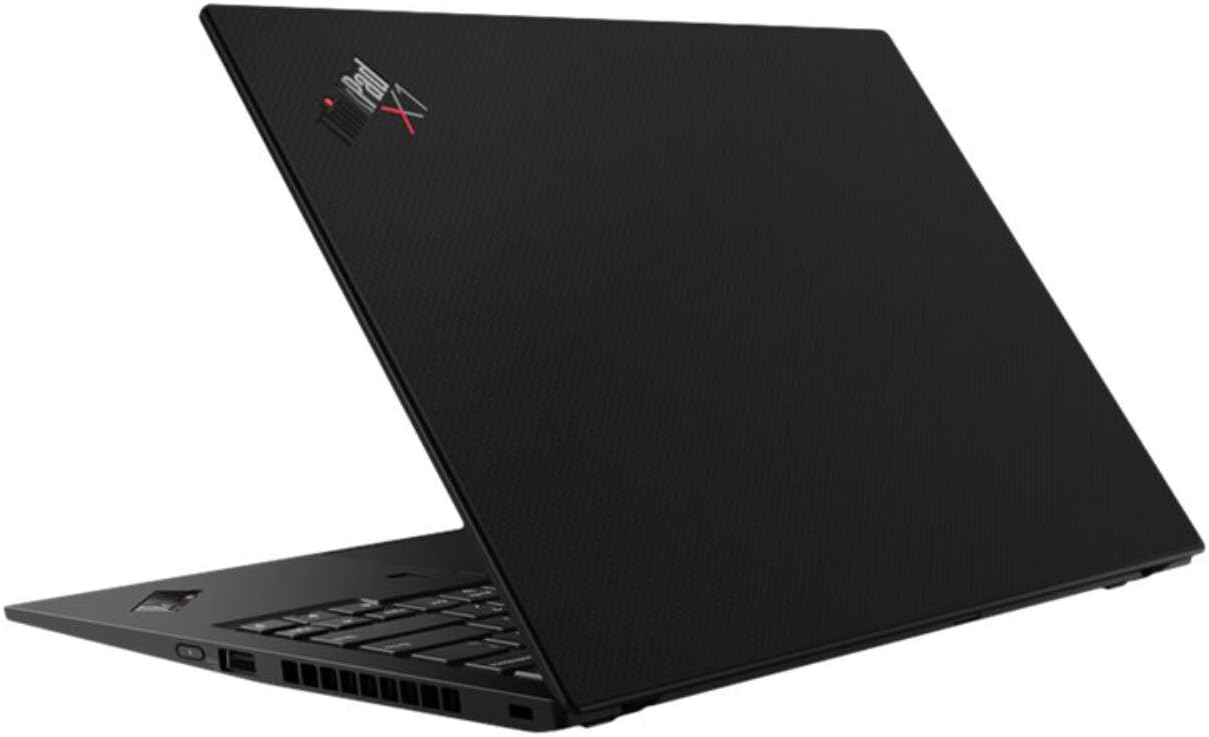
| الموانئ | 2x USB-C 3.2 (Gen 2) Thunderbolt 3, 2x USB 3.2 (Gen 1), 1x HDMI 1.4, Ethernet Extension, Headphone/Mic Combo |
| Webكاميرا | HD 720p with ThinkShutter privacy cover |
| المصادقة البيومترية | قارئ بصمات الأصابع |
| ميزات الصوت | Dolby Atmos Speaker System, 4x 360-degree far-field microphones |
| عمر البطارية | Up to 19 Hours (13.5 Hours standby) |
| وزن العنصر | 2.5 رطل (حوالي 1.13 كجم) |
| الأبعاد (الطول × العرض × الارتفاع) | 32.3 × 21.7 × 1.5 سم |
معلومات الضمان
Your Lenovo ThinkPad X1 Carbon is covered by a standard manufacturer's warranty. The specific terms and duration of the warranty may vary by region and purchase date. Please refer to the warranty card included with your product or visit the official Lenovo support webللحصول على معلومات مفصلة حول تغطية الضمان، يرجى زيارة الموقع الإلكتروني.
دعم العملاء
For technical assistance, troubleshooting, or service requests, please contact Lenovo customer support. You can find contact information, FAQs, and driver downloads on the official Lenovo support website. Have your product's serial number ready when contacting support to expedite the process.
دعم Lenovo Webموقع: support.lenovo.com