
مقدمة
The Wiko WiSHAKE Vibes are compact Bluetooth® stereo speakers designed for portable audio playback. They offer 360° stereo sound and can be magnetically connected to function as a single unit. Featuring a battery life of up to 8 hours on a single charge and colored LED lights, these speakers are suitable for various listening environments.
محتويات الحزمة
- Wiko WiSHAKE Vibes Bluetooth Stereo Speakers (2 units)
- Charging Cable (not explicitly listed but implied for battery-powered device)
- دليل المستخدم (هذا المستند)
يثبت
1. شحن السماعات
Before first use, fully charge both WiSHAKE Vibes speakers. Connect the charging cable (not included in the provided product components, but standard for such devices) to the charging port on each speaker and to a compatible USB power source. The LED indicator will show charging status and turn off or change color when fully charged.
2. تشغيل / إيقاف التشغيل
- لتشغيل: Press and hold the Power button on each speaker until the LED indicator lights up.
- لإيقاف التشغيل: اضغط مع الاستمرار على زر الطاقة في كل سماعة حتى ينطفئ مؤشر LED.
3. اقتران بلوتوث
- Ensure both speakers are powered on and within close proximity to your Bluetooth device (smartphone, tablet, etc.).
- على جهازك، انتقل إلى إعدادات البلوتوث وقم بتمكين البلوتوث.
- بحث عن available devices. The speakers should appear as 'Wiko WiSHAKE Vibes' or similar.
- Select the speaker name to initiate pairing. Once paired, a confirmation sound or LED indicator change will occur.
- If using both speakers for stereo sound, they should automatically connect to each other after being paired with your device. If not, ensure both are powered on and try re-pairing.
4. Magnetic Connection
The two WiSHAKE Vibes speakers can be magnetically connected to form a single unit, resembling a soundbar. Simply bring the flat sides of the speakers together; they will snap into place. This configuration maintains stereo sound output.
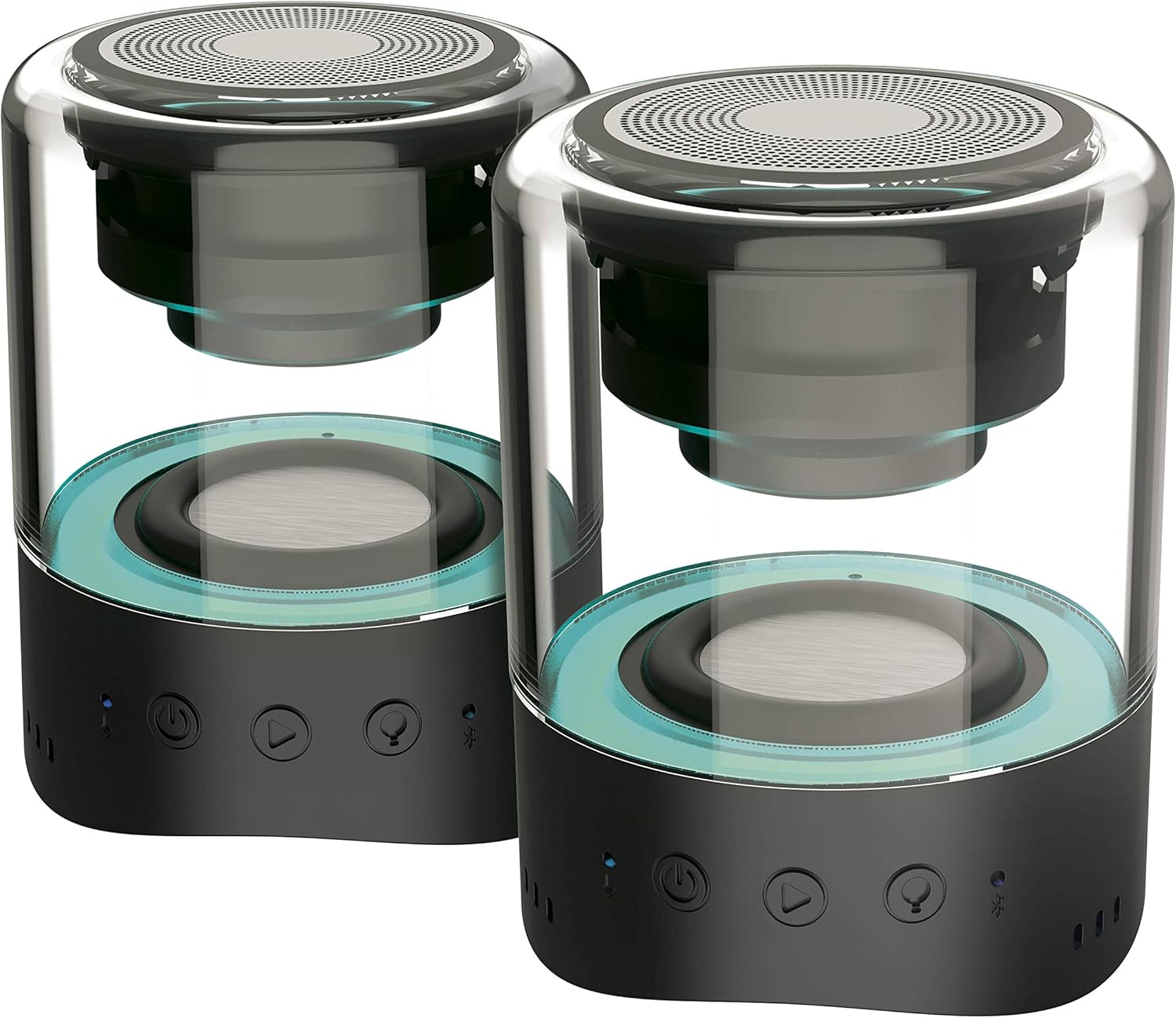
Image: Two Wiko WiSHAKE Vibes speakers magnetically connected, forming a single unit.
تشغيل مكبرات الصوت
1. تشغيل الصوت
Once paired, audio from your connected device will play through the WiSHAKE Vibes speakers. The speakers deliver 360° stereo sound.
2. أدوات التحكم التي تعمل باللمس
The speakers feature touch controls for various functions:
- تشغيل/إيقاف مؤقت: اضغط على زر التشغيل/الإيقاف المؤقت.
- رفع/خفض الصوت: استخدم أزرار الصوت (+/-).
- المسار التالي / السابق: Use the track skip buttons.
3. أضواء LED
The integrated colored LED lights can follow the rhythm of your music, adding a visual element to your listening experience. The specific control for LED modes may vary; refer to the quick start guide if included, or experiment with touch controls.

Image: Two Wiko WiSHAKE Vibes speakers on a wooden bench, showcasing their design and portability.
صيانة
1. التنظيف
Wipe the speakers with a soft, dry cloth. Do not use abrasive cleaners or solvents, as these can damage the surface.
2. التخزين
قم بتخزين السماعات في مكان بارد وجاف بعيدًا عن أشعة الشمس المباشرة ودرجات الحرارة القصوى عندما لا تكون قيد الاستخدام لفترات طويلة.
3. مقاومة الماء
The Wiko WiSHAKE Vibes speakers are NOT waterproof. Avoid exposure to water, rain, or excessive moisture to prevent damage.
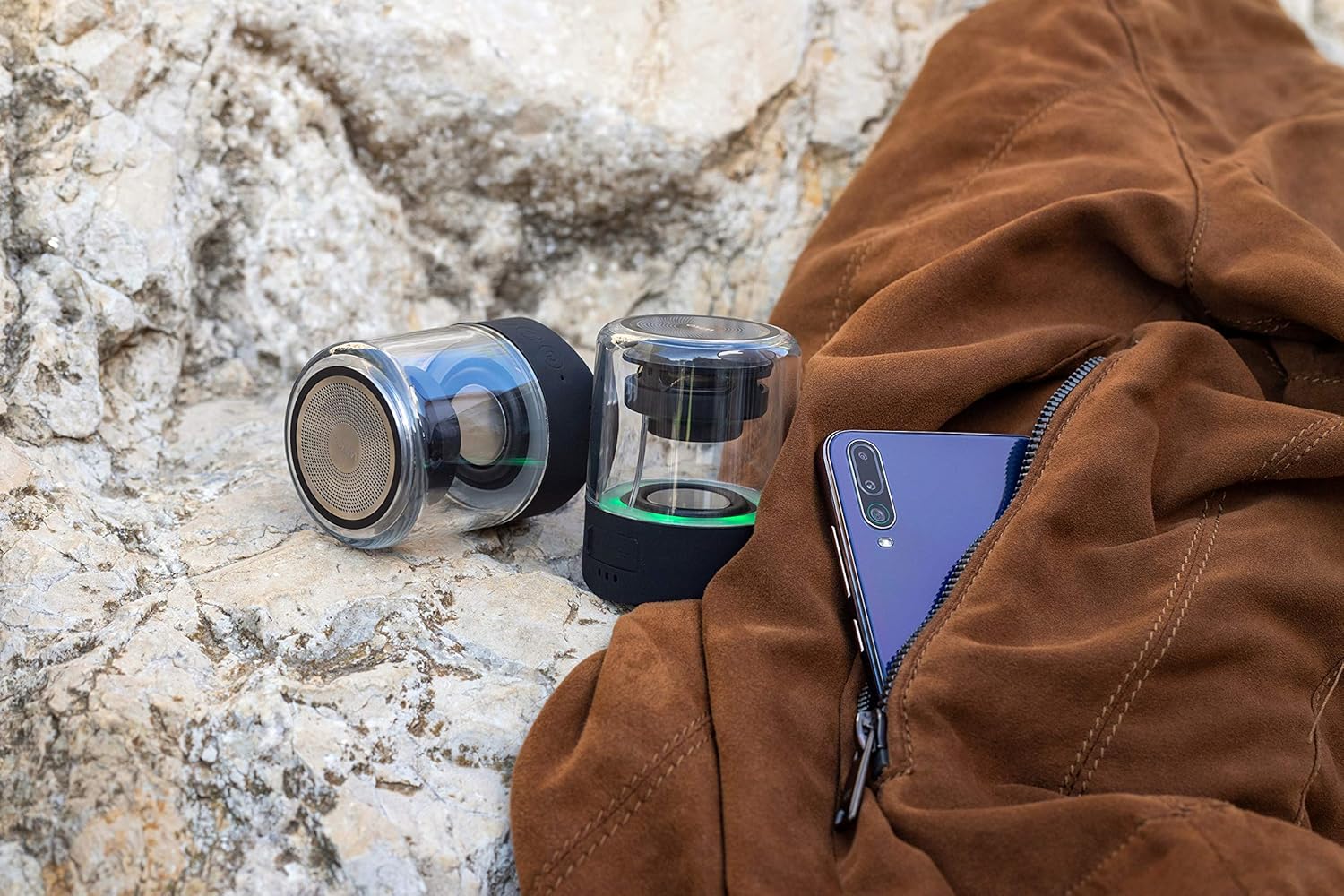
Image: Two Wiko WiSHAKE Vibes speakers placed on a rocky surface next to a jacket, illustrating their compact size and portability.
استكشاف الأخطاء وإصلاحها
- لا يوجد طاقة: Ensure the speakers are fully charged. Connect them to a power source and allow them to charge for at least 30 minutes before attempting to power on again.
- لا يوجد صوت:
- Check that the speakers are powered on and successfully paired with your device.
- Increase the volume on both the speakers and your connected device.
- Ensure no other Bluetooth devices are connected to the speakers.
- قضايا الاقتران:
- قم بإيقاف تشغيل البلوتوث على جهازك ثم قم بتشغيله.
- Power off and then power on the speakers.
- Forget the 'Wiko WiSHAKE Vibes' from your device's Bluetooth list and attempt to re-pair.
- Ensure the speakers are within the effective Bluetooth range (typically 10 meters/33 feet).
- الصوت المشوه:
- Move the speakers closer to your connected device.
- Ensure there are no obstructions or sources of interference (e.g., Wi-Fi routers, other Bluetooth devices) between the speakers and your device.
- Lower the volume on your device or the speakers if the distortion occurs at high volumes.
تحديد

الصورة: داخلية view of a single Wiko WiSHAKE Vibes speaker.
| ميزة | التفاصيل |
|---|---|
| ماركة | ويكو |
| رقم الموديل | WKAUNPKBWV |
| لون | أسود |
| أبعاد المنتج (الطول × العرض × الارتفاع) | 6 × 6 × 7.5 سم |
| وزن العنصر | 335 جرام |
| مصدر الطاقة | تعمل بالبطارية |
| نوع البطارية | 2 Lithium-polymer batteries required |
| التكنولوجيا اللاسلكية | بلوتوث 5.0 |
| طاقة خرج السماعة | 2 × 5 واط |
| وضع إخراج الصوت | ستيريو |
| حجم السماعة | 1 بوصة |
| Battery Life (Playback Time) | حتى ساعتين |
| طريقة التحكم | يلمس |
| المميزات الخاصة | 360° Stereo Sound, Magnetic Clip, Colored LED Lights |
| ضد للماء | لا |
| الاستخدامات الموصى بها | للهواتف الذكية أو الأجهزة اللوحية |
| الأجهزة المتوافقة | Game console, Smartphone, Tablet |
معلومات الضمان
The Wiko WiSHAKE Vibes speakers come with a ضمان مدى الحياة. Please retain your proof of purchase for any warranty claims. For specific terms and conditions, refer to the warranty card included with your product or contact Wiko customer support.
دعم العملاء
For further assistance, technical support, or warranty inquiries, please visit the official Wiko website or contact their customer service department. Contact information can typically be found on the Wiko webالموقع أو في عبوة المنتج.