
1. المقدمة
شكرا لك على الشراءasing the Monitor Audio Bronze W10 6G Series Subwoofer. This manual provides essential information for the safe and optimal operation of your new subwoofer. Please read these instructions thoroughly before installation and use, and retain them for future reference.
2. معلومات السلامة
يرجى دائمًا مراعاة احتياطات السلامة التالية لمنع حدوث صدمة كهربائية أو حريق أو تلف للجهاز:
- لا تعرض الوحدة للمطر أو الرطوبة.
- لا تفتح الصندوقasinز. إحالة جميع أعمال الصيانة إلى موظفين مؤهلين.
- تأكد من التهوية الجيدة. لا تسد فتحات التهوية.
- Disconnect the power cord from the wall outlet if the unit will be unused for a long period.
- Use only the power cord supplied or specified by the manufacturer.
- تجنب وضع الوحدة بالقرب من مصادر الحرارة أو في ضوء الشمس المباشر.
3. محتويات العبوة
تأكد من وجود جميع العناصر في العبوة:
- Monitor Audio Bronze W10 6G Series Subwoofer
- سلك الطاقة
- دليل المستخدم (هذا المستند)
4. انتهى المنتجview
4.1 الميزات الرئيسية
- Long-throw 10" driver featuring 'dished' C-CAM cone for powerful bass.
- 10" flat panel Auxiliary Bass Radiator (ABR) positioned underneath the unit for enhanced low-frequency extension.
- الصف د amplifier with high current Switch Mode Power Supply (SMPSU) for efficient power delivery.
- Amplifier Output: 220 Watts RMS.
- Power Consumption: Maximum 300 W, Standby <0.5 W (ErP compliance).
4.2 Subwoofer Components
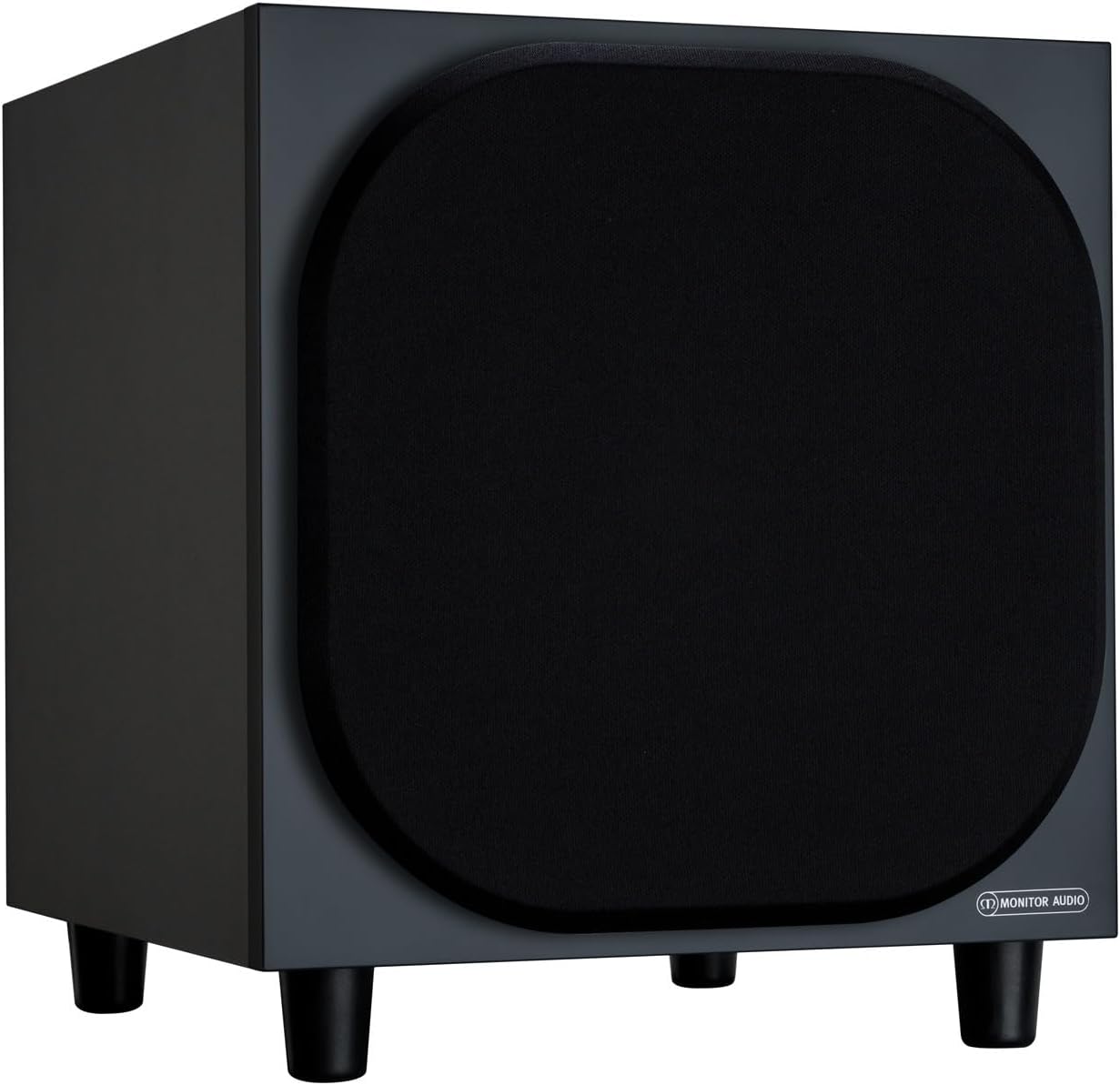
الشكل 4.2.1: الجبهة View of the Monitor Audio Bronze W10 Subwoofer. This image displays the front of the subwoofer with its protective grille, showcasing the compact and elegant design.

الشكل 4.2.2: بزاوية View of the Monitor Audio Bronze W10 Subwoofer. This image provides an angled perspective, highlighting the overall form factor and the four sturdy feet.

Figure 4.2.3: Rear Panel of the Monitor Audio Bronze W10 Subwoofer. This image details the rear panel, showing all input/output connections, control knobs for frequency, volume, and phase, and the power switch.
5. الإعداد
5.1 التنسيب
Optimal placement of the subwoofer is crucial for sound quality. Experiment with different positions in your listening room. Generally, placing the subwoofer in a corner can enhance bass output, while placing it along a wall can provide a more balanced response. Avoid placing it directly against a wall if possible, as this can lead to boomy bass.
5.2 الاتصالات
- مدخل الصوت: قم بتوصيل مكبر الصوت الفرعي بجهاز الاستقبال AV الخاص بك أو amplifier's LFE (Low-Frequency Effects) or Subwoofer output using an RCA cable. The Bronze W10 features both LFE and stereo RCA inputs.
- توصيل الطاقة: Ensure the subwoofer's power switch is in the 'Off' position. Connect the supplied power cord to the subwoofer's AC inlet and then to a suitable wall outlet. The unit supports AC 110-120V or 220-240V, selectable via a switch on the rear panel.
- 12V Trigger (Optional): If your AV receiver or amplifier has a 12V trigger output, connect it to the subwoofer's 12V Trigger input. This allows the subwoofer to power on/off automatically with your main system.
5.3 التشغيل الأولي
After making all connections, switch the subwoofer's power to 'On'. The power indicator light should illuminate. If using the 12V trigger, ensure your main system is powered on.
6. تعليمات التشغيل
6.1 عناصر التحكم
The rear panel of the Bronze W10 features several controls for fine-tuning its performance:
- مقدار: Adjusts the overall output level of the subwoofer. Start with a low setting and gradually increase until it blends seamlessly with your main speakers.
- Frequency (Crossover): Sets the upper frequency limit for the subwoofer. This should typically be set to match the low-frequency extension of your main speakers. Common settings range from 80Hz to 120Hz.
- مرحلة: Allows you to adjust the phase of the subwoofer's output relative to your main speakers (0° or 180°). This helps ensure that the subwoofer's sound waves are in sync with the main speakers, preventing cancellation or reinforcement at the crossover point. Experiment with both settings to find the one that produces the most coherent bass.
- وضع: Selects the power mode (On, Auto, 12V Trigger). 'Auto' mode will put the subwoofer into standby when no audio signal is detected and power it on when a signal is present.
- وضع الجهير: (Refer to Figure 4.2.3) This switch allows selection between different bass characteristics, such as 'Music' or 'Movie' modes, or a 'Bass Boost' setting, to optimize performance for various content.
6.2 Wireless Connectivity (Bluetooth)
The Bronze W10 features Bluetooth connectivity for wireless control or audio input (check specific model features for audio input capability). Refer to your source device's manual for pairing instructions. The Bluetooth range is approximately 10 meters.
7. الصيانة
7.1 التنظيف
To clean the subwoofer, use a soft, dry, lint-free cloth. Do not use abrasive cleaners, waxes, or solvents, as these can damage the finish. For stubborn marks, a slightly damp يمكن استخدام قطعة قماش، ثم قطعة قماش جافة.
7.2 الرعاية
- Avoid exposing the subwoofer to extreme temperatures or humidity.
- لا تضع أشياء ثقيلة فوق الوحدة.
- تأكد من وجود تدفق هواء كافٍ حول الوحدة لمنع ارتفاع درجة الحرارة.
8. استكشاف الأخطاء وإصلاحها
| مشكلة | السبب المحتمل | حل |
|---|---|---|
| لا يوجد صوت |
|
|
| صوت مشوه |
|
|
| ضجيج الطنين |
|
|
9. المواصفات
| ميزة | التفاصيل |
|---|---|
| اسم الموديل | SB6GW10B |
| نوع السماعة | مكبر الصوت الفرعي |
| قطر الصبووفر | 10 بوصة |
| Amplifier Output (RMS) | 220 واط |
| Speaker Maximum Output Power (Peak) | 600 واط |
| استجابة التردد (الحد الأدنى) | 25 هرتز |
| استهلاك الطاقة (الحد الأقصى) | 300 واط |
| استهلاك الطاقة (وضع الاستعداد) | <0.5 W (ErP compliance) |
| تكنولوجيا الاتصال | Auxiliary, RCA, Wireless (Bluetooth) |
| تكنولوجيا الاتصالات اللاسلكية | بلوتوث |
| مدى البلوتوث | 10 مترا |
| طريقة التحكم | Manual Knobs, Remote (if applicable) |
| أبعاد المنتج (العمق × العرض × الارتفاع) | 14.33 بوصة عمق × 12.64 بوصة عرض × 14.33 بوصة ارتفاع |
| وزن العنصر | 34.7 رطل (15.74 كجم) |
| نوع التركيب | جبل منضدية |
| لون | أسود |
10. معلومات الضمان
Monitor Audio products are designed and manufactured to the highest quality standards. This product is covered by a Limited Warranty. For specific warranty terms and conditions, please refer to the warranty card included with your product or visit the official Monitor Audio webيرجى الاحتفاظ بإثبات الشراء الخاص بك للمطالبة بالضمان.
11. الدعم
For further assistance, technical support, or service inquiries, please contact your authorized Monitor Audio dealer or visit the official Monitor Audio webموقع:
Webموقع: www.monitoraudio.com
Address: Monitor Audio Ltd, 24 Brook Road, Rayleigh, Essex, SS6 7XJ, United Kingdom