
1. المقدمة
Thank you for choosing the Refoss HomeKit Outdoor Smart Plug MSS620. This device allows you to control two outdoor electrical appliances independently or simultaneously using a smartphone app or voice commands. It is designed for outdoor use with an IP44 waterproof rating, making it suitable for various environments like gardens, patios, and garages. Please read this manual carefully before use to ensure proper installation and operation.

Image: The Refoss HomeKit Outdoor Smart Plug MSS620, showing its compact design with two outlets and a power cord.
2. معلومات السلامة
- تصنيف مقاومة الماء IP44: The outdoor socket is IP44 rated, providing protection against solid objects larger than 1mm and splashes of water from any direction. It includes a dustproof cover for added protection.
- لا تزج: The Refoss outdoor socket must not be immersed in water or flushed directly with water.
- التثبيت الصحيح: Ensure the device is installed in a location where it is protected from direct heavy rain or prolonged exposure to water.
- السلامة الكهربائية: Do not exceed the maximum load of 16A (3840W) per outlet. Overloading can cause damage to the device and pose a fire hazard.
- بيئة التشغيل: استخدم الجهاز ضمن نطاقات درجة الحرارة والرطوبة المحددة.
- الأطفال والحيوانات الأليفة: Keep the device out of reach of children and pets to prevent accidents.

Image: Diagram illustrating the IP44 splashproof design, showing that the device is safe for outdoor use with splashes but should not be immersed or flushed with water.
3. محتويات العبوة
يرجى التحقق من الحزمة للعناصر التالية:
- 1 x Refoss HomeKit Outdoor Smart Plug MSS620
- 1 × دليل المستخدم
4. مواصفات المنتج
- Dual Individual Outlets: Control two connected devices simultaneously or separately. Each outlet supports a maximum load of 16A, 3840W.
- جهاز التحكم عن بعد: Manage your outdoor appliances from anywhere using the eHomelife app or Apple Home app (iOS 13 or later).
- التحكم الصوتي: Compatible with Siri, Amazon Alexa, and Google Assistant for convenient hands-free operation.
- Scheduling & Timer Function: Set custom schedules to automatically turn devices on/off, optimizing energy usage and simplifying daily routines.
- IP44 مقاوم للماء: Designed for outdoor use with protection against splashes and dust.
- 2.4GHz Wi-Fi Support: Connects to your home network via 2.4GHz Wi-Fi (5GHz Wi-Fi networks are not supported).

Image: A user interacting with a smart home system, demonstrating voice control compatibility with Siri, Alexa, and Google Home for the outdoor smart plug.
5. تعليمات الإعداد
5.1 التثبيت المادي
- Choose a suitable outdoor location for the smart plug, ensuring it is protected from direct heavy rain.
- Plug the Refoss HomeKit Outdoor Smart Plug into a standard electrical outlet.
- Connect your outdoor appliances (e.g., garden lights, fountain pumps) to the two outlets of the smart plug.
5.2 تنزيل التطبيق وإقرانه
- تنزيل eHomelife app from the Apple App Store or Google Play Store. For Apple HomeKit users, you can also use the built-in تطبيق Apple Home.
- تأكد من أن هاتفك الذكي متصل بـ شبكة Wi-Fi 2.4 جيجا هرتز. The smart plug does not support 5GHz Wi-Fi.
- Open the eHomelife app and follow the on-screen instructions to add a new device. You may need to scan a QR code on the device or its packaging.
- During the pairing process, the app will guide you to connect the smart plug to your 2.4GHz Wi-Fi network.
- Once successfully paired, you can name the device and its individual outlets within the app.
5.3 Connecting to Voice Assistants
To enable voice control, link your eHomelife account with your Amazon Alexa or Google Assistant account through their respective apps. For Apple HomeKit, the device will automatically appear in the Home app after pairing.
6. تعليمات التشغيل
6.1 التحكم اليدوي
The smart plug has a physical button. Pressing this button will toggle the power for both outlets simultaneously.
6.2 التحكم في التطبيق
Open the eHomelife app or Apple Home app on your smartphone.
- Tap on the device icon to turn the entire smart plug on or off.
- To control individual outlets, tap on the device to access its detailed control interface. Here, you can toggle each outlet (e.g., 'Outlet 1', 'Outlet 2') independently.
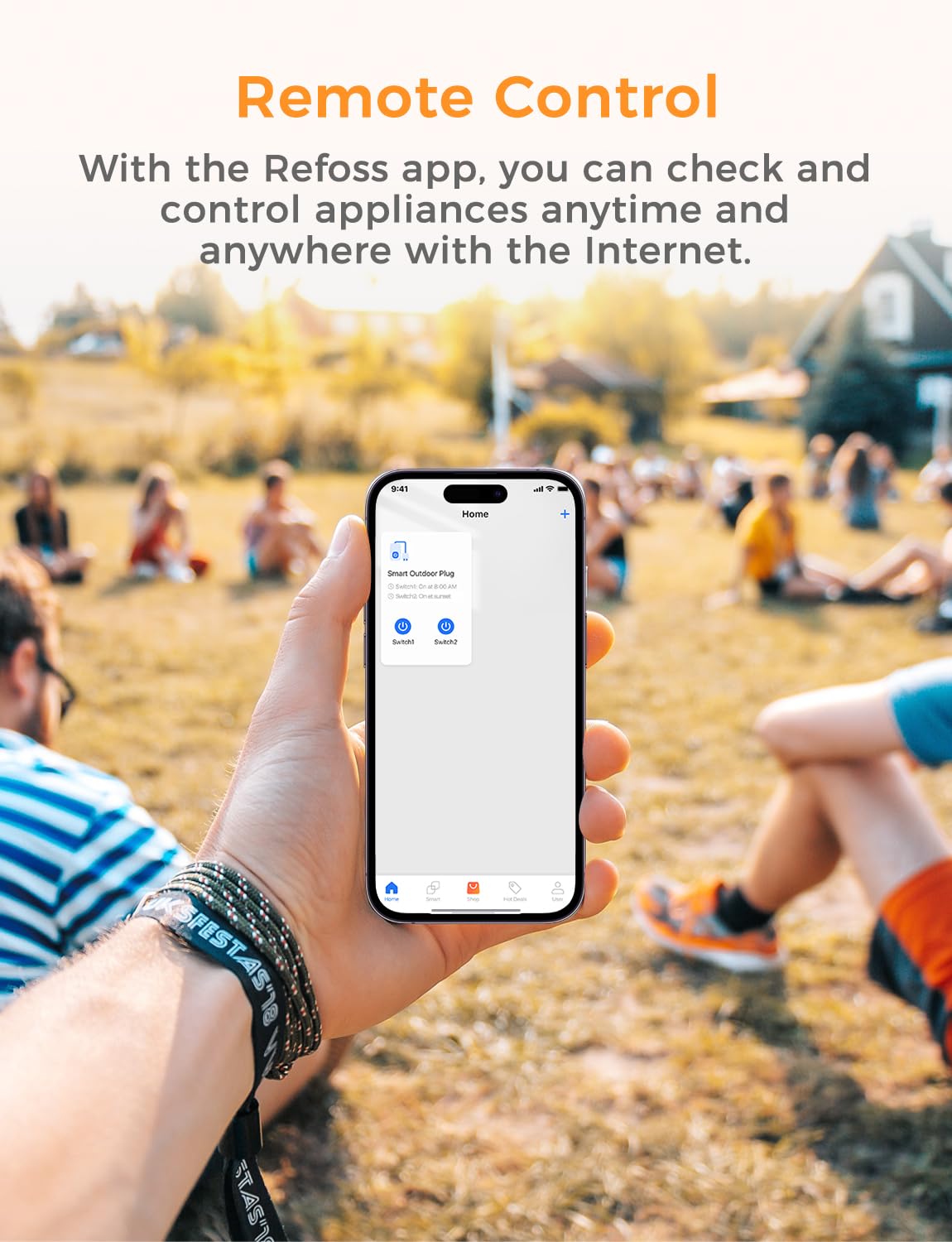
Image: A smartphone screen displaying the Refoss app interface, showing remote control functionality for a smart outdoor plug.

Image: An outdoor smart plug connected to two different light strings, illustrating the ability to control each outlet separately via the Refoss app.
6.3 التحكم الصوتي
Once linked, use voice commands with your preferred assistant:
- سيري: "Hey Siri, turn on the garden lights."
- اليكسا: "Alexa, turn off the outdoor fountain."
- مساعد جوجل: "Hey Google, set the patio heater to on."
6.4 الجدولة والمؤقتات
Within the eHomelife app, navigate to the 'Schedule' or 'Timer' section for your smart plug.
- Create custom schedules for specific times of day or days of the week.
- Set countdown timers for devices to turn off after a set duration.
- The scheduling function operates locally and will continue to work even if your internet connection is temporarily unavailable.
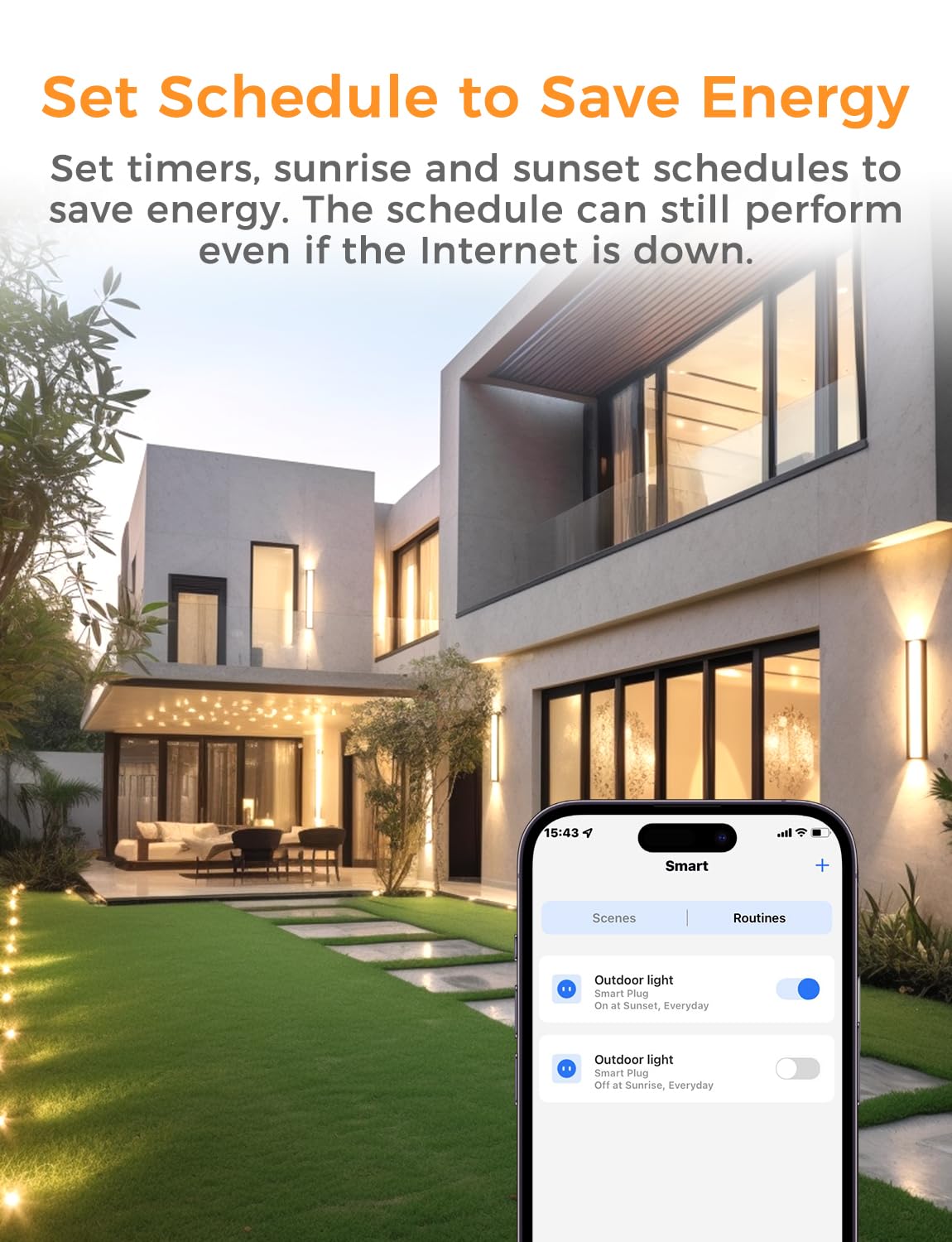
Image: A smartphone displaying the Refoss app's scheduling interface, showing options to set routines for outdoor lights to turn on and off at sunrise/sunset, helping to save energy.
7. الصيانة
- تنظيف: Disconnect the smart plug from power before cleaning. Use a soft, dry cloth to wipe the surface. Do not use liquid cleaners or immerse the device.
- تخزين: If not in use for an extended period, store the smart plug in a cool, dry place away from direct sunlight and moisture.
- تقتيش: Periodically check the power cord and plug for any signs of damage. Do not use if damaged.
8. استكشاف الأخطاء وإصلاحها
- الجهاز لا يستجيب:
- Check if the smart plug is properly plugged into a working power outlet.
- Verify your Wi-Fi network is active and the smart plug is within range.
- Ensure your smartphone is connected to the internet.
- Try restarting the smart plug by unplugging it for 10 seconds and plugging it back in.
- لا يمكن الاتصال بشبكة Wi-Fi:
- Confirm your Wi-Fi network is 2.4GHz. The device does not support 5GHz Wi-Fi.
- تأكد من صحة كلمة مرور شبكة الواي فاي الخاصة بك.
- Move the smart plug closer to your Wi-Fi router during setup.
- If using a mesh network, ensure your phone is connected to the 2.4GHz band during the initial pairing process.
- التحكم الصوتي لا يعمل:
- Ensure the smart plug is successfully linked to your voice assistant account (Siri, Alexa, Google Assistant).
- Check the device name in the app and use clear, correct commands.
9. المواصفات
| مواصفة | التفاصيل |
|---|---|
| رقم الموديل | إم إس إس 620 |
| الشركة المصنعة | إعادة الحفر |
| أبعاد المنتج (الطول × العرض × الارتفاع) | 15.1 × 8 × 5 سم |
| وزن | 417.6 جرام |
| حجم التشغيلtage | 240 فولت |
| Current Rating (Max per outlet) | 16 Ampهنا |
| Max Load (Max per outlet) | 3840 واط |
| وضع التشغيل | تشغيل/إيقاف |
| نوع الاتصال | المكونات الإضافية |
| نوع المفتاح | جهاز التحكم عن بعد |
| مادة | بولي فينيل كلوريد |
| تصنيف مقاومة الماء | IP44 |
| واي فاي القياسية | 2.4 جيجا هرتز فقط |
10. الضمان والدعم
ضمان: Refoss offers a free replacement for any product issues within two years from the date of purchase.
يدعم: If you encounter any problems or have questions regarding your Refoss HomeKit Outdoor Smart Plug MSS620, please contact Refoss customer support. Support will respond within 24 business hours to assist you.
For the latest support information and contact details, please visit the official Refoss webالموقع أو الرجوع إلى معلومات الاتصال المقدمة مع عبوة المنتج الخاص بك.