
مقدمة
Thank you for choosing the gorsun Kids Bluetooth Headphones, Model E61. These headphones are designed to provide a safe and enjoyable audio experience for children, featuring volume limiting technology and a comfortable, durable design. Please read this manual carefully before using the headphones to ensure proper operation and maintenance.
ماذا يوجد في الصندوق
- gorsun Kids Bluetooth Headphones (Model E61)
- كابل صوت 3.5 ملم
- كابل شحن USB-C
- آذان قطة قابلة للفصل
- حقيبة التخزين
- دليل المستخدم (هذا المستند)

Image: The contents of the gorsun Kids Bluetooth Headphones package, showing the headphones, a 3.5mm audio cable, a USB-C charging cable, detachable cat ears, and a storage bag.
يثبت
1. شحن سماعات الرأس
- حدد موقع منفذ الشحن USB-C الموجود على غطاء سماعة الرأس.
- Connect the provided USB-C charging cable to the headphone's charging port.
- قم بتوصيل الطرف الآخر من كابل USB-C بمصدر طاقة USB متوافق (مثل الكمبيوتر أو محول الحائط).
- The indicator light will illuminate during charging and turn off when fully charged. A full charge takes approximately 2 hours.
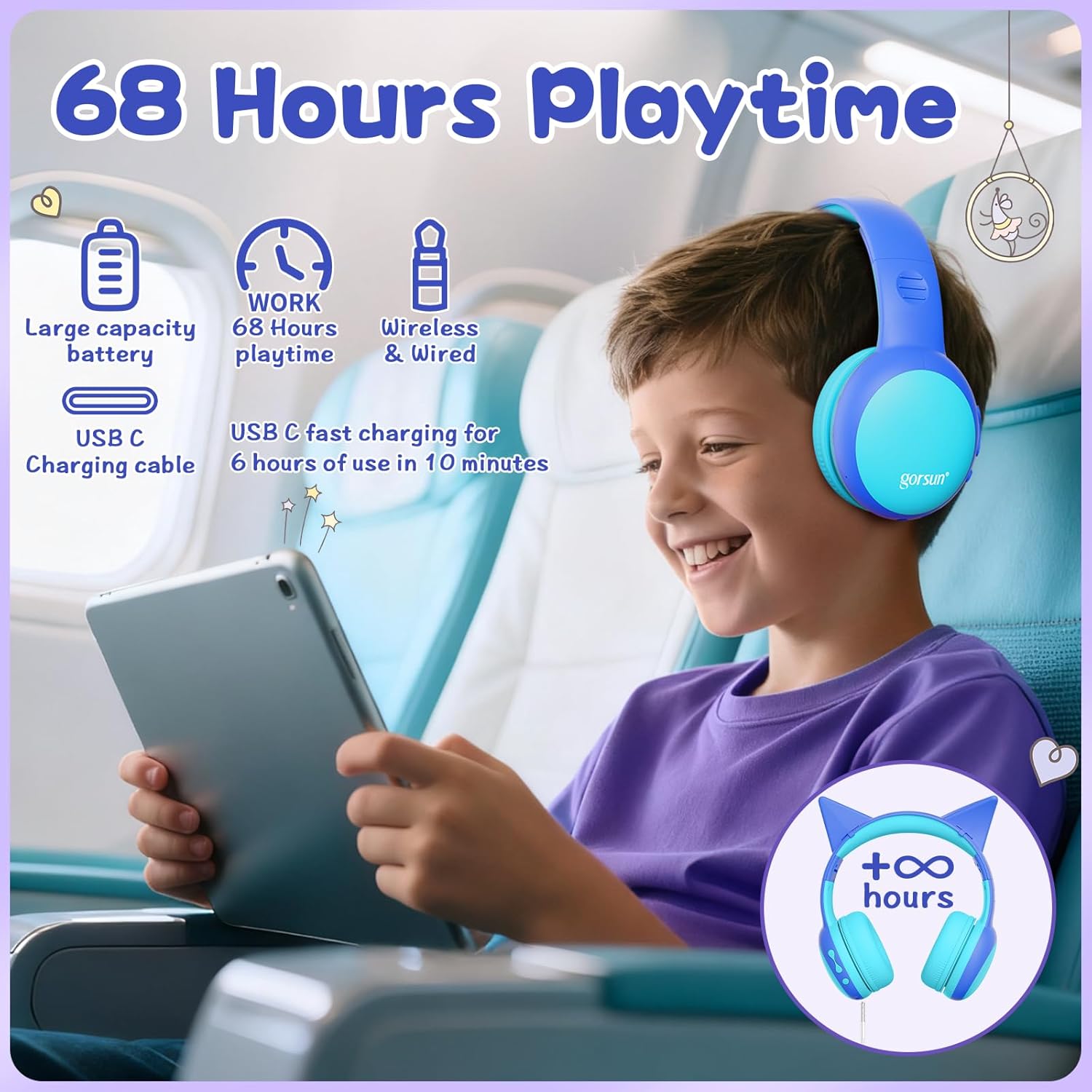
Image: A child wearing the gorsun headphones on an airplane, with visual cues indicating 68 hours of playtime and USB-C fast charging capabilities.
2. Attaching/Detaching Cat Ears (Optional)
- To attach: Align the base of the cat ears with the slots on the headband and gently push until they click into place.
- To detach: Gently pull the cat ears away from the headband.
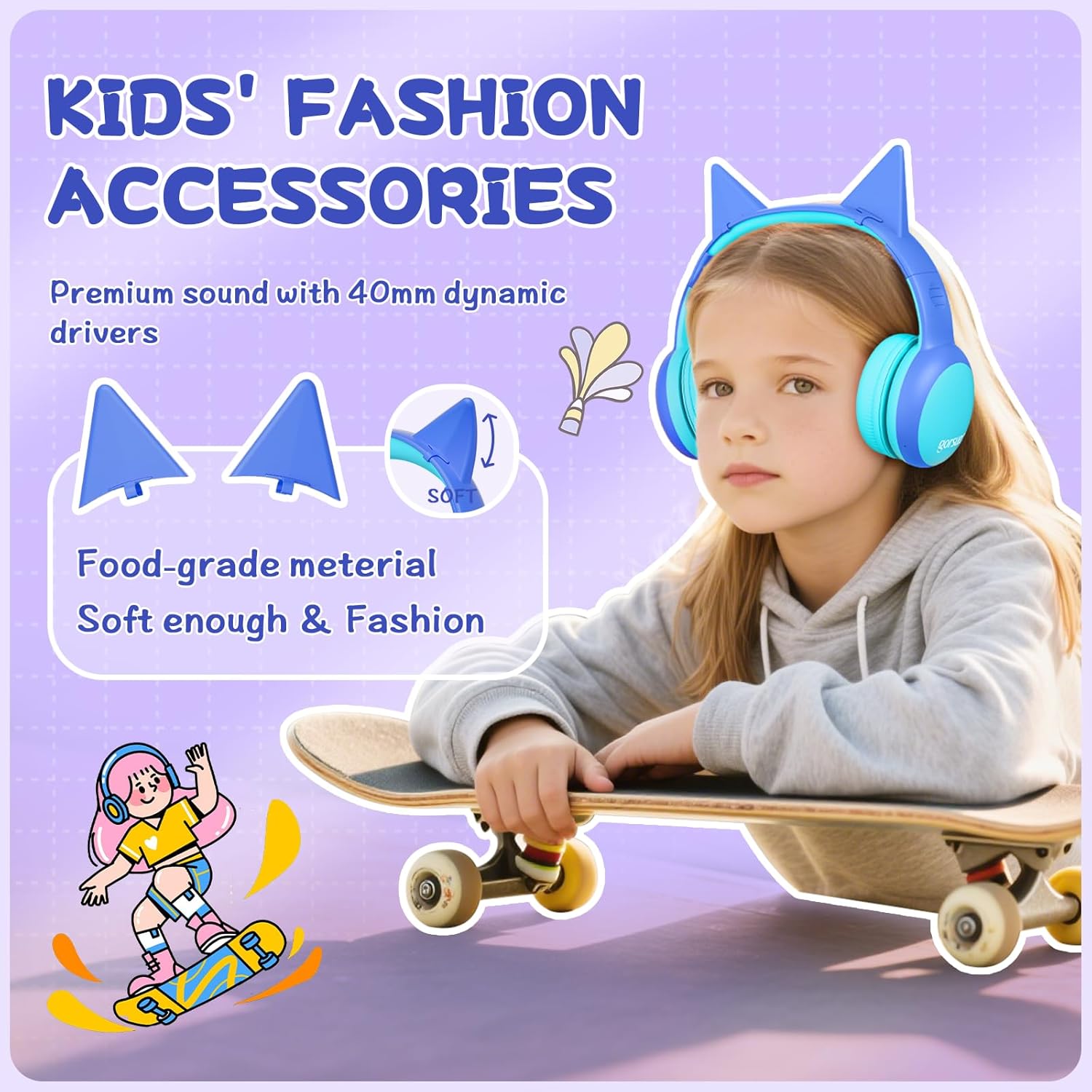
الصورة: تفصيلية view of the gorsun headphones, highlighting the detachable cat ears and the internal 40mm dynamic drivers for sound quality.
3. ضبط عصابة الرأس
The headband is 8-level adjustable. Gently slide the earcups up or down to find a comfortable and secure fit for the user's head.

Image: A visual representation of the gorsun headphones' comfort features, including the ±10° adaptive swivel earcups, 8-position adjustable headband, and skin-friendly soft earmuffs.
تعليمات التشغيل
1. تشغيل/إيقاف التشغيل
- To Power On: Press and hold the Power Button (MFB) until the indicator light flashes.
- To Power Off: Press and hold the Power Button (MFB) until the indicator light turns off.
2. اقتران بلوتوث
- تأكد من إيقاف تشغيل سماعات الرأس.
- Press and hold the Power Button (MFB) for approximately 5 seconds until the indicator light flashes red and blue alternately, indicating pairing mode.
- On your device (smartphone, tablet, laptop), enable Bluetooth and search for "gorsun E61" (or similar).
- Select "gorsun E61" to connect. Once paired, the indicator light will flash blue slowly.

Image: The gorsun headphones displayed alongside various compatible devices such as iPads, laptops, PCs, phones, and Nintendo Switch, emphasizing Bluetooth 5.1 connectivity.
3. الوضع السلكي
If the battery is low or Bluetooth is not available, you can use the provided 3.5mm audio cable:
- Plug one end of the 3.5mm audio cable into the headphone's 3.5mm audio input port.
- Plug the other end into your audio device's 3.5mm jack.
- سيتم تحويل سماعات الرأس تلقائيًا إلى الوضع السلكي.
4. التحكم في مستوى الصوت والتنقل بين المسارات
- رفع الصوت: اضغط لفترة قصيرة على زر "+".
- اخفض الصوت: اضغط لفترة قصيرة على زر "-".
- المسار التالي: اضغط لفترة طويلة على زر "+".
- المسار السابق: اضغط لفترة طويلة على زر "-".
- تشغيل/إيقاف مؤقت: Short press the Power Button (MFB).
5. الرد على المكالمات/إنهاؤها
- الرد/إنهاء المكالمة: Short press the Power Button (MFB).
- رفض المكالمة: Long press the Power Button (MFB).
6. Volume Limiting Modes (85dB/94dB)
The headphones feature dual volume limits for safe listening:
- Study Mode (85dB): Ideal for quieter environments.
- Travel Mode (94dB): Suitable for noisy environments.
- To switch between modes: Double-tap the Power Button (MFB). A voice prompt will confirm the mode change.

Image: A visual guide to the dual-mode volume control, showing a child using the headphones in "Travel Mode" (94dB) on an airplane and another child in "Study Mode" (85dB) while reading, with instructions to double-press the power button to switch modes.
صيانة
- تنظيف: استخدم قطعة قماش ناعمة وجافة لتنظيف سماعات الرأس. تجنب استخدام مواد كيميائية قاسية أو مواد كاشطة.
- تخزين: When not in use, fold the headphones and store them in the provided travel pouch to protect them from dust and damage.
- تجنب الرطوبة: Keep the headphones away from water and excessive humidity. They are not water-resistant.
- التعامل معها بحذر: تجنب إسقاط سماعات الرأس أو تعريضها لصدمات قوية.
استكشاف الأخطاء وإصلاحها
لا يوجد طاقة
- تأكد من شحن سماعات الرأس بالكامل. قم بتوصيلها بمصدر طاقة باستخدام كابل USB-C.
- Check if the charging cable and power source are working correctly.
لا يمكن الاقتران عبر البلوتوث
- Make sure the headphones are in pairing mode (indicator light flashing red and blue alternately).
- تأكد من تفعيل البلوتوث على جهازك وأن يكون على بعد 10 أمتار من سماعات الرأس.
- قم بإيقاف تشغيل وظيفة البلوتوث على جهازك ثم أعد تشغيلها، ثم حاول الاقتران مرة أخرى.
- إذا سبق إقران الجهاز، فحاول "نسيان" الجهاز من إعدادات البلوتوث في هاتفك وإعادة إقرانه.
لا يوجد صوت في وضع الاتصال السلكي
- Ensure the 3.5mm audio cable is securely plugged into both the headphones and your audio device.
- Check if the volume on both the headphones and your audio device is turned up.
- Test the audio cable with another device if possible to rule out a faulty cable.
Sound is Too Low/High
- Adjust the volume using the "+" and "-" buttons on the headphones.
- Check the volume settings on your connected audio device.
- Ensure the correct volume limiting mode (85dB/94dB) is selected by double-tapping the Power Button (MFB).
تحديد
| ميزة | التفاصيل |
|---|---|
| نموذج | إي61 |
| الاتصال | Bluetooth 5.1, 3.5mm AUX (Wired) |
| مدى البلوتوث | حتى 10 مترا (33 قدما) |
| حد الحجم | 85dB / 94dB (Switchable) |
| وقت اللعب | Up to 68 hours (Bluetooth) |
| وقت الشحن | حوالي 2 ساعات |
| منفذ الشحن | يو اس بي-سي |
| حجم السائق | محركات ديناميكية مقاس 40 مم |
| مقاومة | 32 أوم |
| حساسية | 85 ديسيبل |
| نطاق التردد | 20-20,000 هرتز |
| ميكروفون | ميكروفون مدمج عالي الدقة |
| وضع الأذن | فوق الأذن |
| مادة | أكريلونيتريل بوتادين ستايرين (ABS) |
| وزن | 0.3 كيلوغرام |
| سمات | Foldable, Adjustable Headband, Swivel Earcups, Detachable Cat Ears, Sound Isolation |
معلومات الضمان
gorsun provides a ضمان لمدة 12 شهرًا from the date of purchase against defects in materials and workmanship. This warranty does not cover damage caused by misuse, accident, unauthorized modification, or normal wear and tear. Please retain your proof of purchase for warranty claims.
دعم العملاء
For any questions, technical support, or warranty claims, please contact gorsun customer service through the retailer where you purchased the product or visit the official gorsun webموقع لمعلومات الاتصال.
We are committed to providing you with the best possible experience.