
1. المقدمة
Thank you for choosing the gorsun Kids Bluetooth Headphones. This manual provides essential information for the safe and effective use of your headphones. Please read it carefully before use and retain it for future reference.
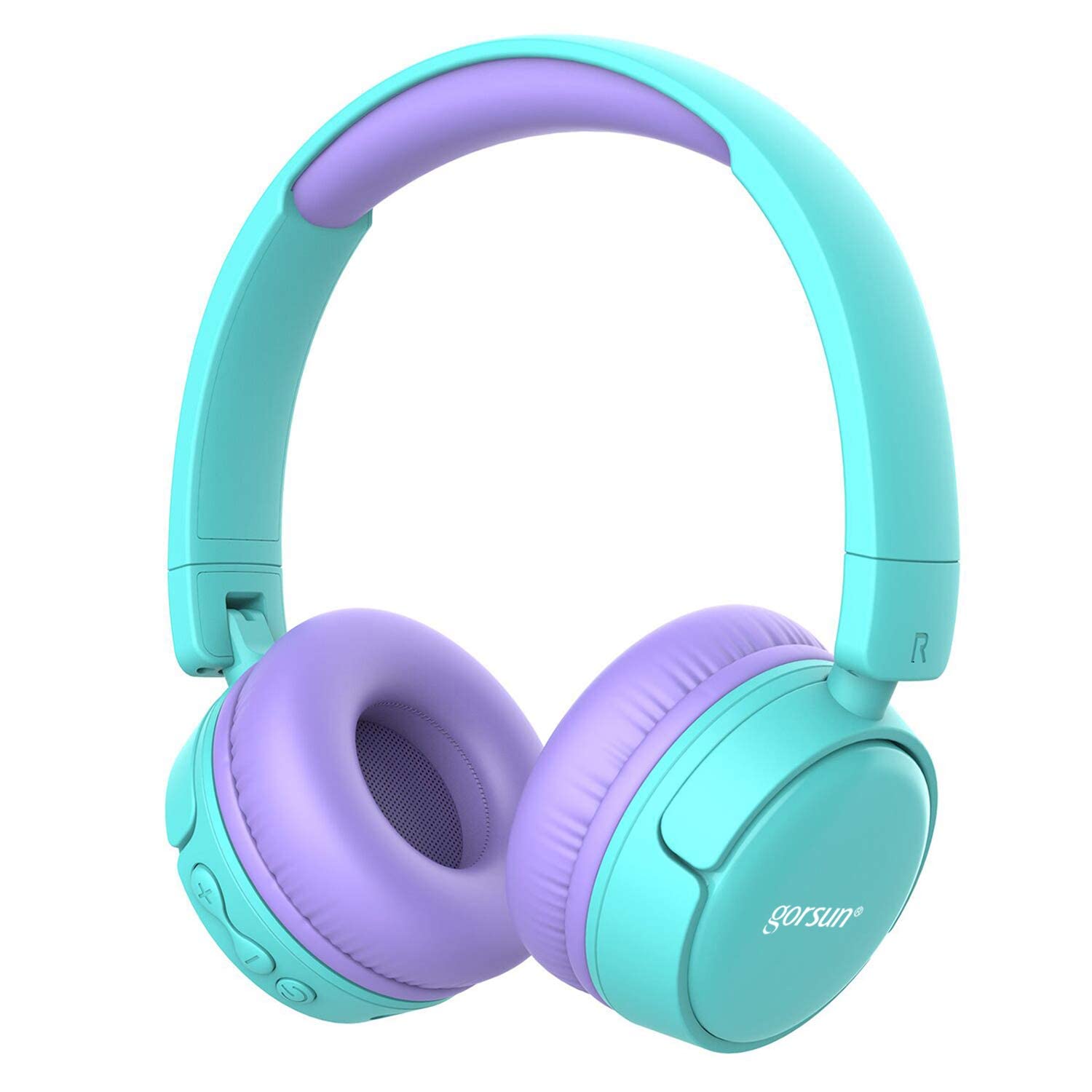
Image: gorsun Kids Bluetooth Headphones in purple and teal, showcasinز- التصميم العام.
2. محتويات العبوة
تأكد من وجود جميع العناصر في العبوة:
- 1 x gorsun Kids Bluetooth Headphones
- 1 × كابل شحن USB
- 1 × كابل صوت 3.5 ملم
- 1 × دليل المستخدم (هذه الوثيقة)
- 1 × حقيبة حمل

Image: The product box and its contents, including the headphones, USB charging cable, 3.5mm audio cable, and a black carrying bag.
3. الإعداد
3.1 شحن سماعات الرأس
Before first use, fully charge the headphones. Connect the small end of the USB charging cable to the charging port on the headphones and the larger end to a USB power source (e.g., computer, wall adapter). The charging indicator light will show the charging status. A full charge takes approximately 1 hour.
3.2 تشغيل/إيقاف التشغيل
- لتشغيل: اضغط مع الاستمرار على زر الطاقة لمدة 3 ثوانٍ تقريبًا حتى يومض مؤشر الضوء.
- لإيقاف التشغيل: اضغط مع الاستمرار على زر الطاقة لمدة 3 ثوانٍ تقريبًا حتى ينطفئ مؤشر الضوء.
3.3 اقتران بلوتوث
- تأكد من إيقاف تشغيل سماعات الرأس.
- Press and hold the Power button for about 5-7 seconds until the indicator light flashes red and blue alternately. This indicates pairing mode.
- على جهازك (الهاتف الذكي، الجهاز اللوحي، الكمبيوتر المحمول)، قم بتمكين البلوتوث وابحث عن الأجهزة المتاحة.
- Select "gorsun Kids Headphones" from the list of found devices.
- بمجرد الاقتران، سيومض ضوء المؤشر باللون الأزرق ببطء.
ستحاول سماعات الرأس تلقائيًا إعادة الاتصال بآخر جهاز مقترن بها عند تشغيلها.
3.4 اتصال سلكي
To use the headphones in wired mode, connect one end of the 3.5mm audio cable to the audio input jack on the headphones and the other end to your audio device's 3.5mm output jack. The Bluetooth function will automatically disable when the audio cable is connected.
3.5 Volume Limiter Adjustment
These headphones feature a volume limiter to protect children's hearing. You can switch between 85dB (Child Safety Mode) and 93dB (Flight Mode) depending on the environment.

الصورة: لقطة مقربة view of the gorsun Kids Bluetooth Headphones, highlighting the volume adjuster switch on the earcup, which allows selection between 85dB and 93dB modes.
Locate the volume adjuster switch on the earcup and slide it to your desired volume limit setting.
4. تعليمات التشغيل
4.1 الضوابط الأساسية
- تشغيل/إيقاف مؤقت: اضغط على زر التشغيل مرة واحدة.
- رفع الصوت: اضغط على زر "+".
- اخفض الصوت: اضغط على زر "-".
- المسار التالي: اضغط مع الاستمرار على زر "+".
- المسار السابق: اضغط مع الاستمرار على زر "-".
4.2 المكالمات الهاتفية
With the built-in microphone, you can manage phone calls when connected via Bluetooth:
- الرد/إنهاء المكالمة: اضغط على زر التشغيل مرة واحدة.
- رفض المكالمة: اضغط مع الاستمرار على زر الطاقة لمدة ثانيتين.
- إعادة الاتصال بالرقم الأخير: اضغط زر التشغيل مرتين.
4.3 Compatible Sharing Jack-Port
These headphones feature a sharing jack-port, allowing two or more headphones to be connected to a single audio source using standard 3.5mm Aux cables (one cable per additional headphone). This enables multiple users to listen to the same audio simultaneously.
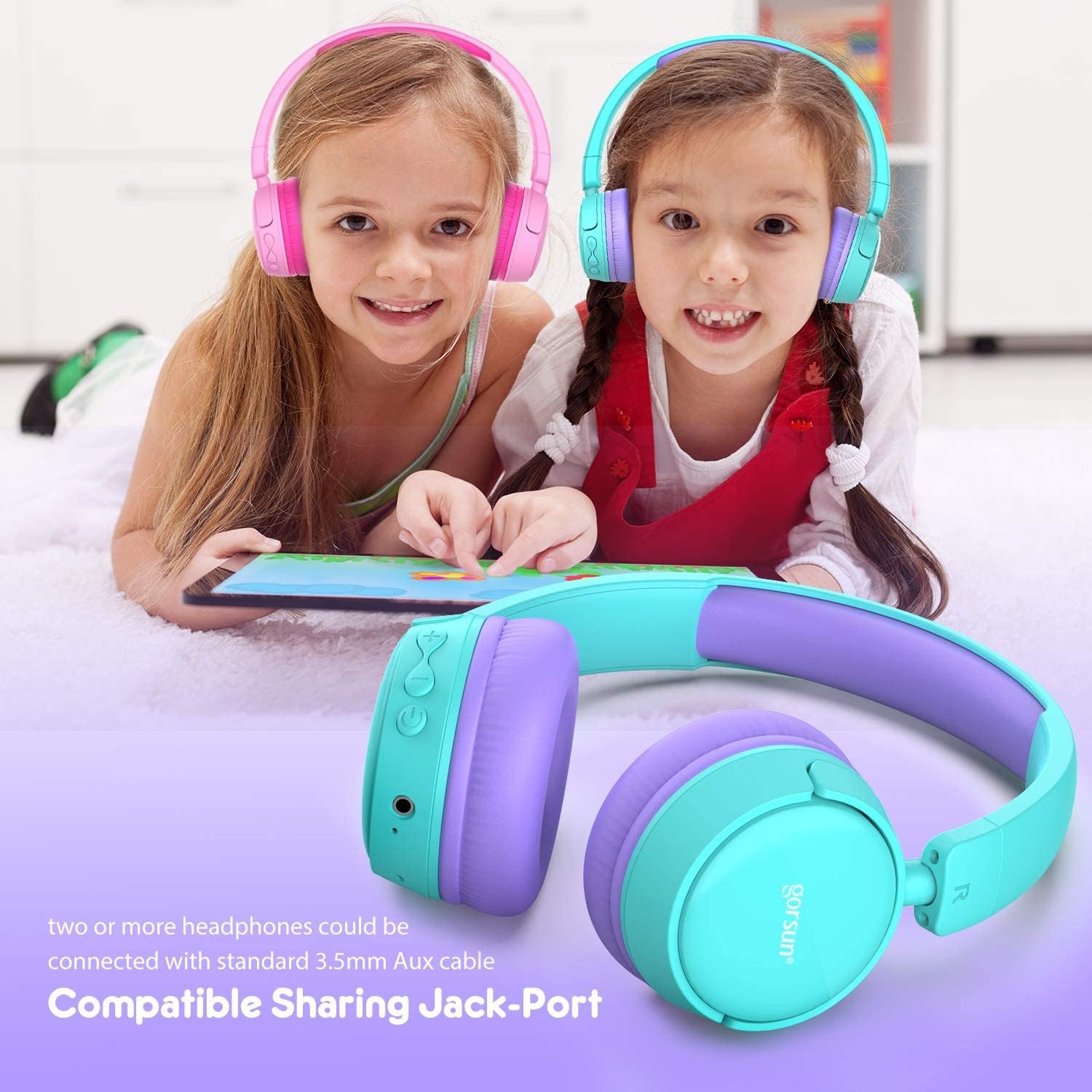
Image: Two children wearing gorsun Kids Bluetooth Headphones, connected together with an audio cable to share sound from a tablet, demonstrating the sharing jack-port feature.
5. الصيانة
5.1 التنظيف
Wipe the headphones with a soft, dry cloth. Do not use harsh chemicals or abrasive cleaners. Avoid getting moisture into any openings.
5.2 التخزين
When not in use, store the headphones in the provided carrying bag to protect them from dust and scratches. The headphones are foldable for compact storage.

Image: The gorsun Kids Bluetooth Headphones shown in a folded position, illustrating their compact design for easy storage and portability.
5.3 العناية بالبطارية
To prolong battery life, avoid fully discharging the headphones frequently. Charge them regularly, even if not in constant use. Store in a cool, dry place away from extreme temperatures.

Image: A detailed breakdown of the headphone's comfortable features, including protein sponge padding, an adjustable headband with numbered markings, soft protein ear cushions, and a polished outer casing.
6. استكشاف الأخطاء وإصلاحها
- سماعات الرأس لا تعمل: Ensure the headphones are charged. Connect to a power source using the USB cable.
- لا يمكن الاقتران عبر البلوتوث: Make sure the headphones are in pairing mode (red and blue flashing light). Ensure Bluetooth is enabled on your device and it is within 10 meters of the headphones. Turn off and on both devices and try again.
- لا يوجد صوت: Check the volume level on both the headphones and your connected device. Ensure the headphones are properly paired or the 3.5mm audio cable is fully inserted.
- جودة صوت رديئة أو انقطاعات في الاتصال: Move closer to your Bluetooth device to reduce interference. Ensure there are no obstacles between the headphones and the device. Disconnect and re-pair the headphones.
- الميكروفون لا يعمل: Ensure the headphones are properly connected via Bluetooth. Check your device's audio input settings to confirm the headphone microphone is selected.
7. المواصفات
| ميزة | مواصفة |
|---|---|
| رقم الموديل | f0b6f738-96a2-4a17-9d00-ed2fa798fbe0 |
| الاتصال | لاسلكي (بلوتوث 4.0)، سلكي (مدخل صوت 3.5 ملم) |
| مدى البلوتوث | حتى 10 مترا (33 قدما) |
| عمر البطارية | تصل إلى 15 ساعة |
| وقت الشحن | حوالي ساعة واحدة |
| محدد الصوت | 85dB (Child Safety Mode) / 93dB (Flight Mode) |
| استجابة التردد | 20 هرتز - 20 كيلو هرتز |
| مادة | البلاستيك والسيليكون |
| وزن العنصر | 10.6 أونصة (300 جرام) |
| أبعاد المنتج | 6.69 × 6.5 × 0.18 بوصة |
| المميزات الخاصة | Lightweight, Built-in Microphone, Foldable Design, Sharing Jack-Port |
8. معلومات الضمان
gorsun products are designed and manufactured to the highest quality standards. This product is covered by a limited warranty from the date of purchase. Please refer to the warranty card included in your package or contact customer support for detailed warranty terms and conditions.
9. دعم العملاء
For any questions, technical assistance, or warranty claims, please contact gorsun customer support through the retailer where you purchased the product or visit the official gorsun webموقع لمعلومات الاتصال.