
مقدمة
This manual provides instructions for the ZdalaMit NH000UD Replacement Remote Control, designed for use with various Emerson TV models including LC320EMFX, LC195EMX, LC320EMXF, LC320EMXFB2, and LC320EMX. This remote control is pre-programmed and requires no additional setup beyond battery installation.
يثبت
To begin using your NH000UD replacement remote control, follow these simple steps:
- افتح حجرة البطارية: Locate the battery compartment cover on the back of the remote control. Slide or press the latch to open it.
- أدخل البطاريات: Insert two (2) AAA alkaline batteries into the compartment. Ensure the positive (+) and negative (-) terminals of the batteries match the markings inside the compartment.
- أغلق حجرة البطارية: قم باستبدال غطاء حجرة البطارية، وتأكد من تثبيته بشكل آمن في مكانه.
- لا البرمجة المطلوبة: The NH000UD remote control is pre-programmed for compatible Emerson TV models. No additional programming or code entry is necessary. It is ready for use immediately after battery installation.
تعليمات التشغيل
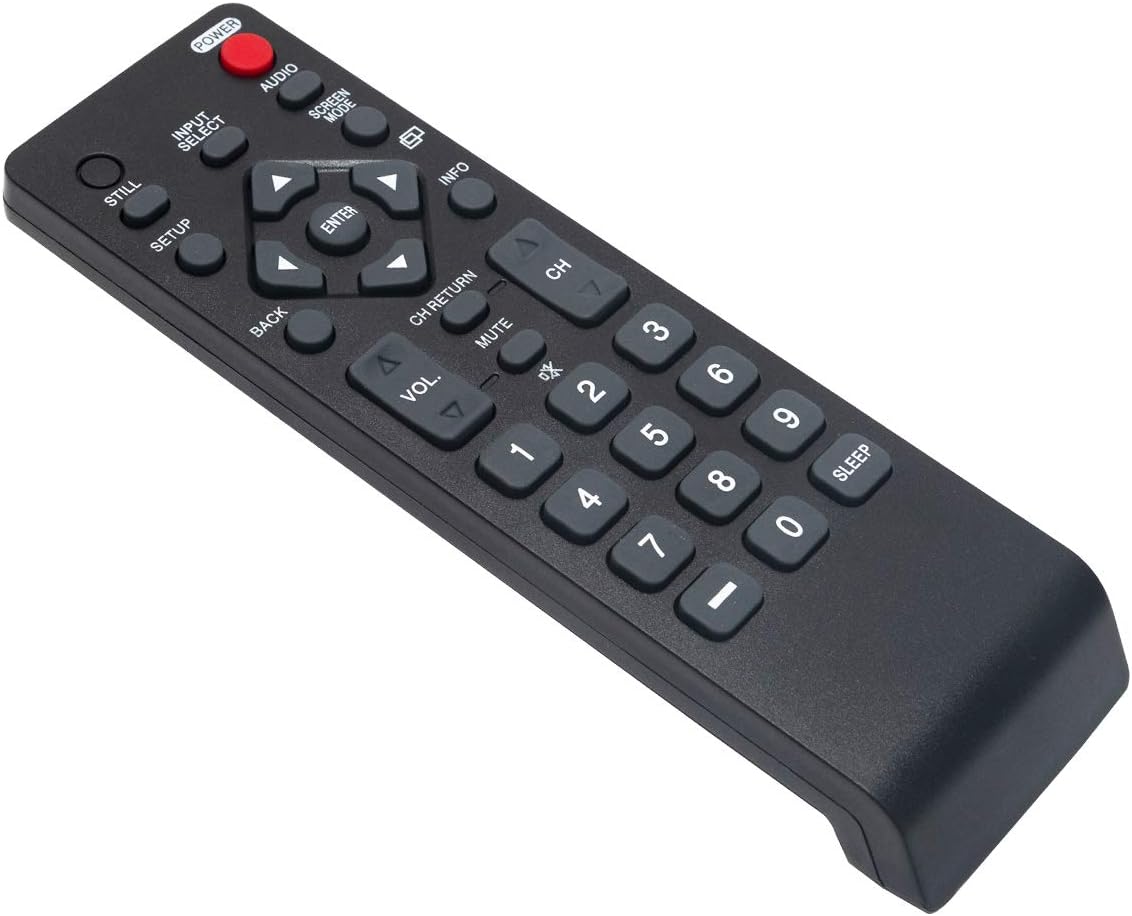
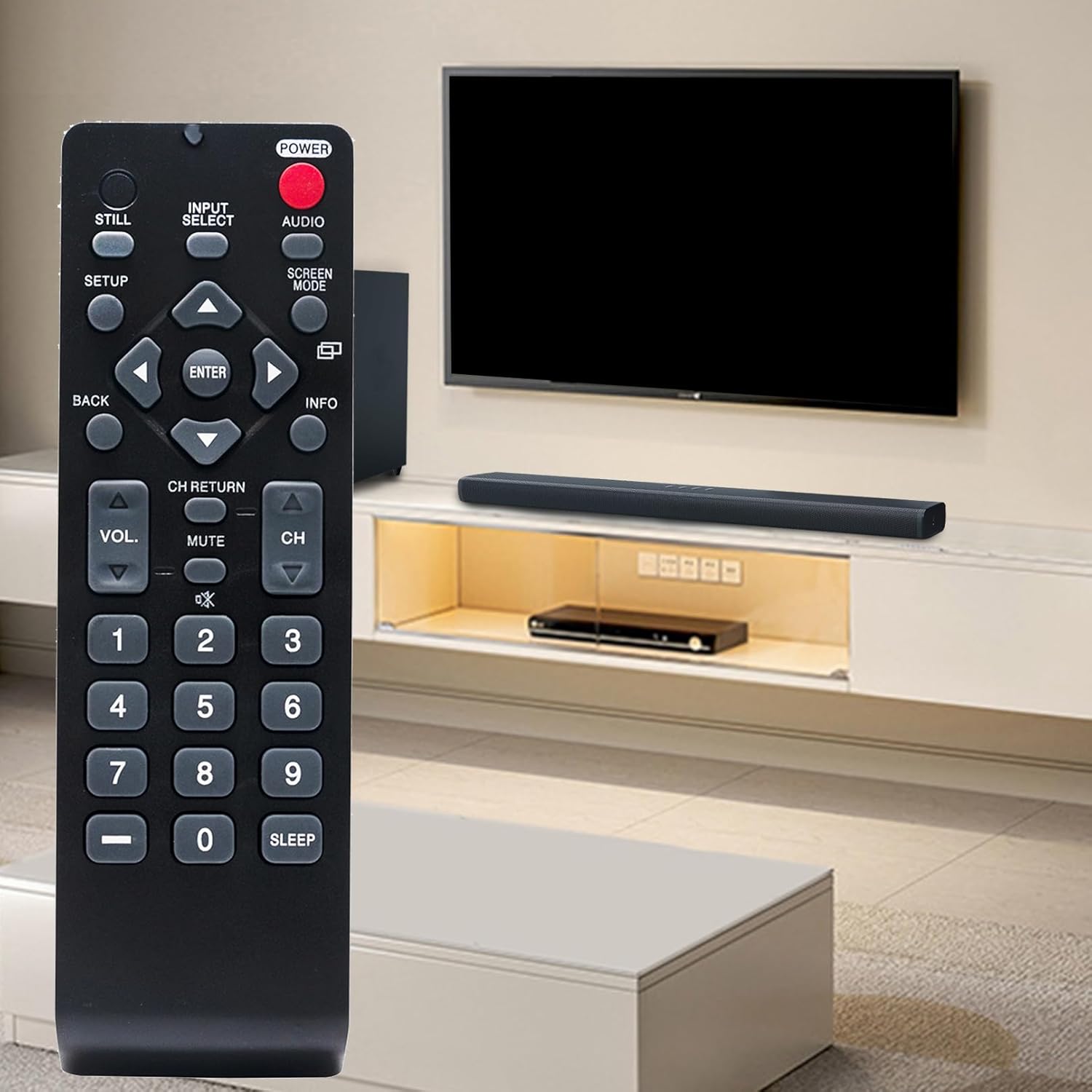
The NH000UD remote control provides full functionality for your compatible Emerson TV. Point the remote directly at the TV's infrared sensor for optimal performance.
- زر الطاقة (قوة): اضغط لتشغيل التلفزيون أو إيقاف تشغيله.
- Input Select (تحديد المدخلات): Cycles through available input sources (e.g., HDMI, AV, Component).
- التحكم في مستوى الصوت (المجلد +/-): يضبط مستوى صوت التلفزيون.
- التحكم في القناة (CH +/-): تغيير قنوات التلفزيون لأعلى أو لأسفل.
- صامت (كتم الصوت): Silences the TV audio. Press again to restore sound.
- Navigation Buttons (Arrows and يدخل): تُستخدم للتنقل بين القوائم وتأكيد الاختيارات.
- خلف (خلف): للعودة إلى القائمة أو الشاشة السابقة.
- معلومات (معلومات): يعرض معلومات حول البرنامج الحالي أو المدخلات.
- Screen Mode (نمط الشاشة): Adjusts the screen display mode.
- صوتي (صوتي): Selects audio tracks or modes.
- لوحة المفاتيح الرقمية (0-9): أدخل أرقام القنوات مباشرة.
- ينام (ينام): يضبط مؤقتًا لإيقاف تشغيل التلفزيون تلقائيًا.
صيانة
- استبدال البطارية: Replace batteries when the remote's range decreases or buttons become unresponsive. Always replace both batteries simultaneously with new AAA alkaline batteries. Do not mix old and new batteries, or different types of batteries.
- تنظيف: امسح جهاز التحكم عن بعد بقطعة قماش ناعمة وجافة. لا تستخدم المنظفات السائلة أو البخاخات أو المواد الكاشطة، لأنها قد تُتلف سطح جهاز التحكم أو مكوناته الداخلية.
- تخزين: خزّن جهاز التحكم عن بُعد في مكان بارد وجاف بعيدًا عن أشعة الشمس المباشرة ودرجات الحرارة القصوى. إذا لم يُستخدم جهاز التحكم لفترة طويلة، فقم بإزالة البطاريات لمنع التسرب.
استكشاف الأخطاء وإصلاحها
- جهاز التحكم عن بعد لا يستجيب:
- تأكد من إدخال البطاريات بشكل صحيح مع مراعاة القطبية الصحيحة.
- استبدل البطاريات القديمة ببطاريات قلوية جديدة من نوع AAA.
- تحقق من وجود أي عوائق بين جهاز التحكم عن بعد ومستشعر الأشعة تحت الحمراء الخاص بالتلفزيون.
- Ensure you are within the effective operating range (up to 33 feet) and pointing the remote directly at the TV.
- أزرار معينة لا تعمل:
- This may indicate low battery power. Try replacing the batteries.
- Inspect the button for any physical damage or debris that might be preventing it from pressing correctly.
تحديد
| ماركة | زدالا |
| اسم الموديل | NH000UD |
| رقم الموديل | NH000UD |
| الأجهزة المتوافقة | Emerson Televisions (e.g., LC320EMFX, LC195EMX, LC320EMXF, LC320EMXFB2, LC320EMX) |
| تكنولوجيا الاتصال | الأشعة تحت الحمراء |
| عدد الأزرار | 20 |
| الحد الأقصى للمدى | 33 أقدام |
| نوع البطارية | 2 بطاريات قلوية AAA (غير متضمنة) |
| أبعاد العنصر (الطول × العرض × الارتفاع) | 6.55 بوصة × 1.99 بوصة × 0.55 بوصة |
| وزن العنصر | 2.1 أونصة |

معلومات الضمان
This ZdalaMit NH000UD Replacement Remote Control comes with a ضمان لمدة 1 سنوات from the date of purchase. This warranty covers manufacturing defects under normal use. It does not cover damage caused by misuse, accidents, unauthorized modifications, or battery leakage. Please retain your proof of purchase for warranty claims.
دعم العملاء
Should you have any questions, require assistance, or encounter issues not covered in this manual, please do not hesitate to contact ZdalaMit customer support. Refer to your product packaging or the retailer's webالموقع للحصول على تفاصيل الاتصال المحددة.
For further information or support, you may visit the official ZdalaMit webالموقع أو المنصة التي تم شراء المنتج من خلالها.