
مقدمة
The Bietrun UMKF01 is a versatile USB condenser microphone designed for clear audio capture across various applications, including gaming, streaming, podcasting, and studio recording. Its plug-and-play functionality ensures easy setup, while features like noise cancellation, a cardioid pickup pattern, and integrated controls enhance the user experience. This manual provides detailed instructions for setting up, operating, and maintaining your microphone.
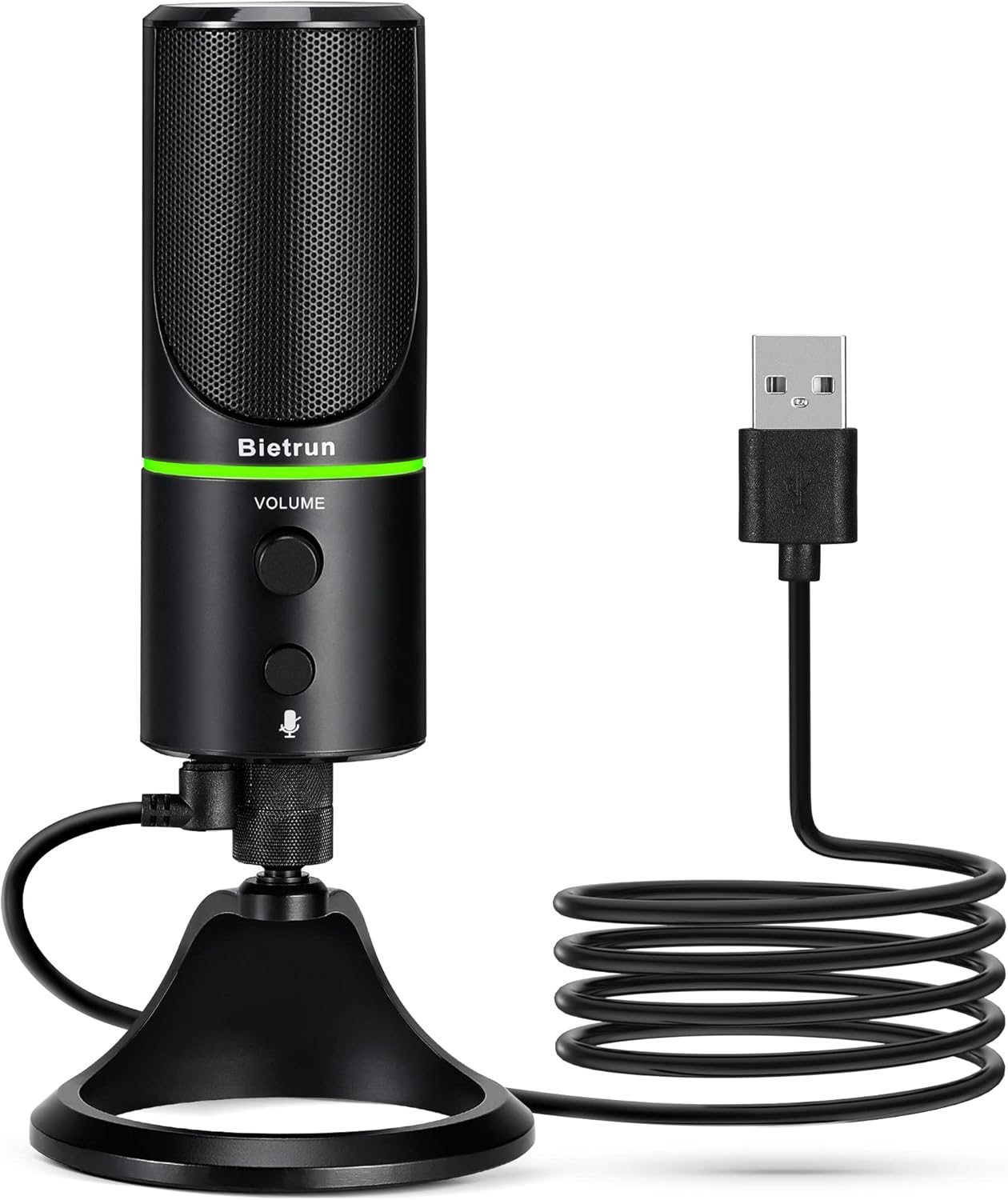
Figure 1: Bietrun UMKF01 USB Condenser Microphone
محتويات الحزمة
تأكد من وجود جميع العناصر في الحزمة الخاصة بك:
- ميكروفون أوسب
- كابل يو اس بي
- بطاقة الضمان

الشكل 2: محتويات العبوة
مميزات المنتج
- Plug and Play USB Microphone: Comes with a 59-inch (1.5m) USB cable, requiring no additional driver or software. Ideal for gaming, streaming, podcasting, recording, and online meetings.
- تقليل الضوضاء: Effectively reduces background noises such as typing, clicking, and ambient sounds, ensuring clear and crisp audio.
- نمط الالتقاط القلبي: Features a cardioid pickup pattern and a 16mm condenser capsule, providing focused vocal sound and minimizing off-axis noise.
- Headphone Jack & Mute Button: Allows for real-time voice monitoring via a headphone jack with adjustable volume. A dedicated button toggles between normal (green), noise-canceling (yellow), and mute (red) modes, indicated by an LED.
- Adjustable Heavy-Duty Stand: Ensures microphone stability and offers flexible angle adjustment. The microphone can also be detached and mounted on a boom arm with a 3/8" thread.
يثبت
- Attach the Microphone to the Stand: Screw the microphone onto the included desktop stand. Ensure it is securely fastened. The stand allows for 360° rotation for optimal positioning.
- قم بتوصيل كبل USB: Plug the micro-USB end of the provided cable into the port at the bottom of the microphone.
- الاتصال بالجهاز: Plug the USB-A end of the cable into an available USB port on your computer (Desktop/Laptop), PS4, or PS5. The microphone is plug-and-play and should be recognized automatically by your operating system.
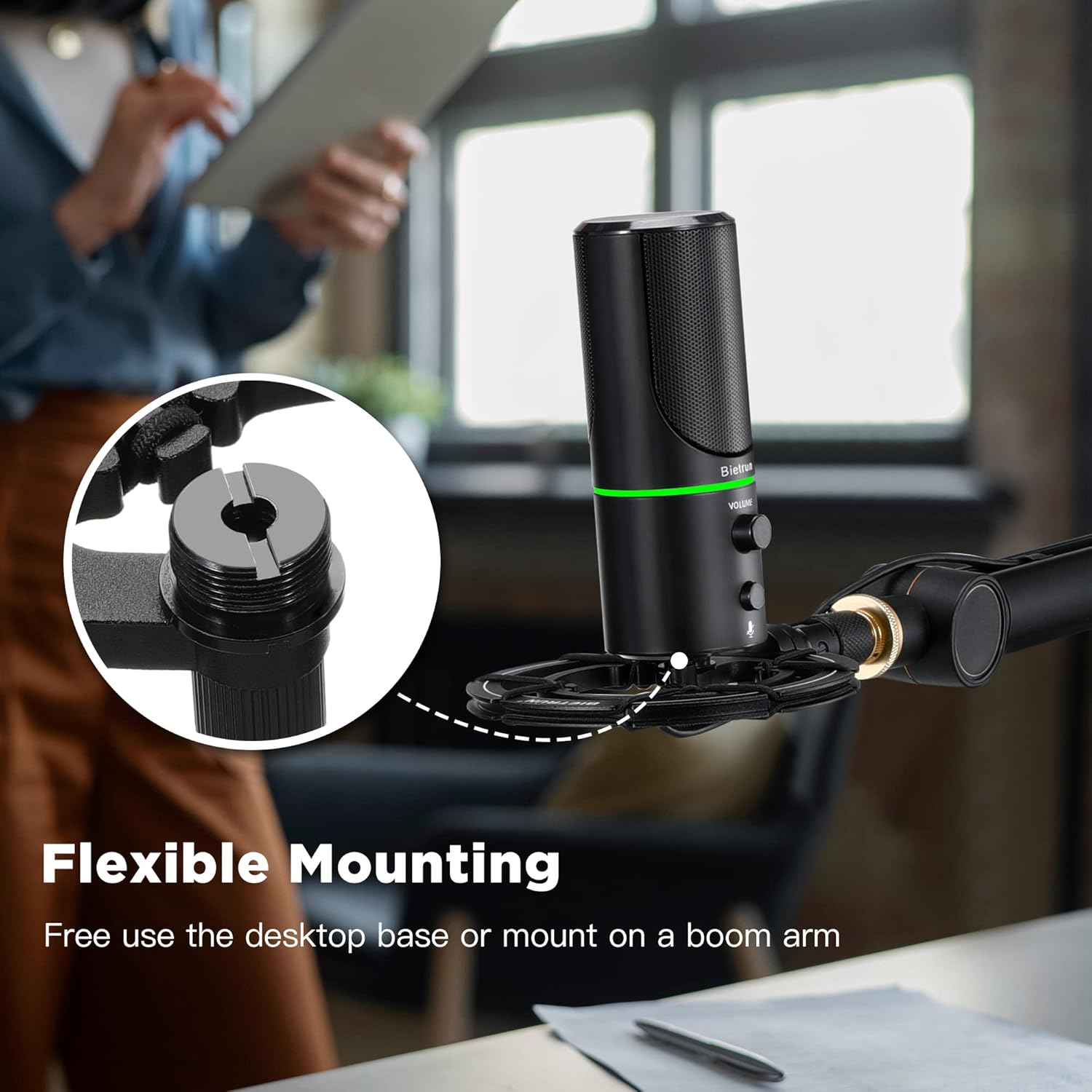
الشكل 3: خيارات التركيب المرنة

Figure 4: Plug & Play Multi-system Compatibility
تعليمات التشغيل
- تشغيل/إيقاف التشغيل واختيار الوضع: The microphone features an LED indicator that shows its status. Press the mute button (microphone icon) to cycle through modes:
- الصمام الأخضر: وضع التشغيل العادي.
- الصمام الأصفر: Noise-canceling mode.
- الصمام الأحمر: Muted mode.
- التحكم في مستوى الصوت: Rotate the 'VOLUME' knob on the microphone to adjust the output volume of your headphones connected to the microphone.
- مراقبة سماعة الرأس: Plug your headphones into the 3.5mm audio jack located at the bottom of the microphone to monitor your audio in real-time.

Figure 5: Microphone Controls and LED Indicators

Figure 6: Headphone Monitoring Jack
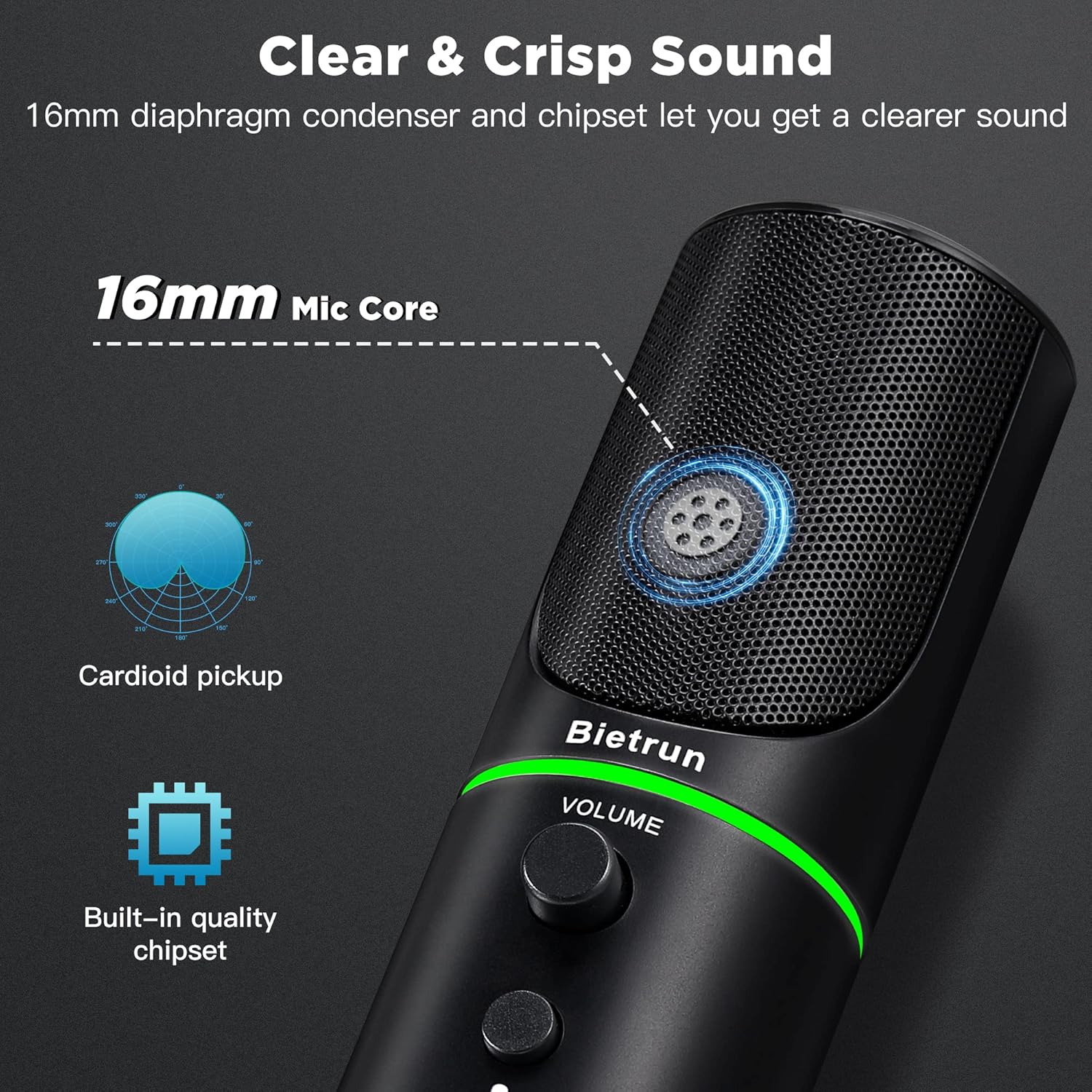
Figure 7: Cardioid Pickup Pattern for Clear Audio
Video 1: Demonstration of Noise Cancelling Feature
This video demonstrates the noise-canceling capabilities of the Bietrun UMKF01 USB Microphone, highlighting its effectiveness in reducing ambient sounds for clearer recordings and communication.
صيانة
- تنظيف: Use a soft, dry cloth to wipe the microphone's surface. Avoid using liquid cleaners or abrasive materials.
- تخزين: قم بتخزين الميكروفون في مكان بارد وجاف بعيدًا عن أشعة الشمس المباشرة ودرجات الحرارة القصوى عند عدم استخدامه.
- العناية بالكابلات: تجنب الانحناءات الحادة أو الانثناءات في كابل USB لمنع التلف.
استكشاف الأخطاء وإصلاحها
| مشكلة | الحل المحتمل |
|---|---|
| لم يتم التعرف على الميكروفون بواسطة الجهاز | Ensure the USB cable is securely connected to both the microphone and your device. Try a different USB port. Check your device's sound settings to ensure 'Bietrun UMKF01' is selected as the input device. |
| لا يوجد صوت أو مستوى صوت منخفض | Check if the microphone is muted (red LED). Adjust the volume knob on the microphone. Verify input levels in your device's sound settings. Ensure headphones are properly connected if monitoring. |
| Poor sound quality or background noise | Ensure the microphone is in noise-canceling mode (yellow LED). Position the microphone closer to your mouth. Minimize ambient noise in your environment. |
تحديد
| ميزة | التفاصيل |
|---|---|
| اسم الموديل | UMKF01 |
| تكنولوجيا الاتصال | USB |
| نوع الموصل | يو اس بي نوع ايه |
| النمط القطبي | أحادي الاتجاه (قلبي الشكل) |
| عامل شكل الميكروفون | مصفوفة الجدول |
| حساسية الصوت | 110 ديسيبل |
| إشارة إلى نسبة الضوضاء | 49 ديسيبل |
| استجابة التردد | 48 كيلو هرتز |
| الأجهزة المتوافقة | Laptop, PS4/5, Personal Computer |
| المميزات الخاصة | Mute Function, Volume Control, Noise Cancellation |
| لون | أسود |
| مادة | أكريلونيتريل بوتادين ستايرين ، معدن |
| وزن العنصر | 10.9 أونصة (310 جرامًا) |
| أبعاد المنتج (الطول × العرض × الارتفاع) | 3.54 × 3.54 × 7.68 بوصة |

Figure 8: Microphone Dimensions
الضمان والدعم
Your Bietrun UMKF01 USB Condenser Microphone comes with a warranty. Please refer to the included Warranty Card for specific terms and conditions. For technical support, troubleshooting assistance, or any inquiries regarding your product, please contact Bietrun customer service through their official channels.