
1. انتهى المنتجview
The Wipro 10 Amp Smart Plug allows you to control electrical appliances remotely via your smartphone or voice commands. It integrates seamlessly into your smart home ecosystem, offering features like scheduling and energy consumption monitoring for connected devices. This smart plug operates on a secured 2.4GHz Wi-Fi network and does not require a separate hub.
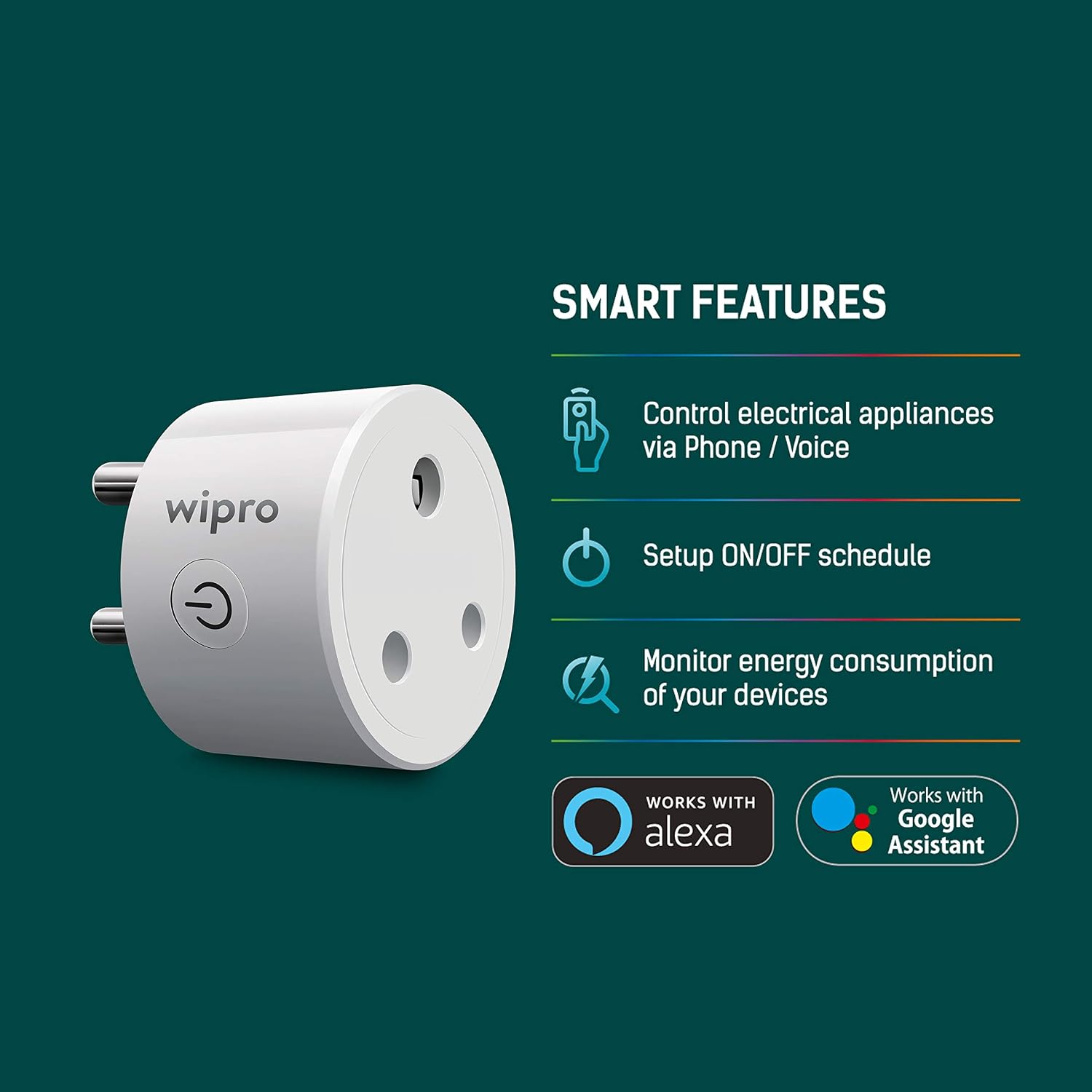
Image: Wipro 10 Amp Smart Plug highlighting its smart features including control via phone/voice, ON/OFF scheduling, and energy consumption monitoring.
المميزات الرئيسية:
- جهاز التحكم عن بعد: Control connected appliances from anywhere using the Wipro Smart app.
- الجدولة: Set up ON/OFF schedules, timers, and countdowns to automate device operation and optimize energy usage.
- التحكم الصوتي: متوافق مع Amazon Alexa و Google Assistant للتحكم بدون استخدام اليدين.
- مراقبة الطاقة: Monitor the energy consumption of devices plugged into the smart plug via the app.
- لا يوجد مركز مطلوب: يتصل مباشرة بشبكة الواي فاي الحالية بتردد 2.4 جيجاهرتز.
2. دليل الإعداد
Follow these steps to set up your Wipro 10 Amp Smart Plug:
- تنزيل التطبيق: Install and open the Wipro Next Smart Home app on your mobile device.
- التسجيل/تسجيل الدخول: Register with your email ID and follow the on-screen instructions to log in to the app.
- إضافة جهاز: Tap on "Add Device" or the "+" icon in the top right corner, then select "Add Device."
- قم بالتوصيل: Plug your Wipro Smart Plug into a power outlet. Ensure the device is in pairing mode (refer to the device's LED indicator for status).
- Device Detection: The app will automatically detect the device. If not, select the appropriate device from the available options.
- الاتصال بشبكة Wi-Fi: Confirm your 2.4GHz Wi-Fi network and enter the password. The smart plug only supports 2.4GHz Wi-Fi.
- إتمام الإعداد: Tap on "Add" and then the "+" icon next to the device name. Once connected, tap "Done" to complete the setup and begin using your smart plug.

Image: Step-by-step visual guide for setting up the Wipro Smart Plug using the Wipro Next Smart Home app.
3. تعليمات التشغيل
3.1. Using the Wipro Next Smart Home App
- تشغيل/إيقاف يدوي: Open the app, select your smart plug, and tap the power icon to turn the connected appliance on or off instantly.
- الجدولة: Navigate to the scheduling section within the device settings to create custom schedules, timers, or countdowns for automated operation.
- مراقبة الطاقة: Access the energy monitoring feature in the app to view real-time and historical power consumption data for the connected device.
3.2. التحكم الصوتي
The Wipro Smart Plug is compatible with Amazon Alexa and Google Assistant. To enable voice control:
- ربط الحسابات: In your Alexa or Google Home app, search for the "Wipro Next Smart Home" skill/service and link your Wipro account.
- اكتشاف الأجهزة: Once linked, ask Alexa or Google Assistant to discover new devices.
- الأوامر الصوتية: استخدم الأوامر مثل:
- "أليكسا، شغّلي [اسم الجهاز]"
- "يا جوجل، أوقف تشغيل [اسم الجهاز]"
- "Alexa, set [Device Name] to 50%" (if applicable for dimmable devices, though not for this plug)

Image: Illustration of using voice commands with Amazon Alexa and Google Assistant to control devices connected to the Wipro Smart Plug.
4. الصيانة
To ensure optimal performance and longevity of your Wipro 10 Amp Smart Plug:
- تنظيف: افصل القابس الذكي عن مأخذ الطاقة قبل التنظيف. استخدم قطعة قماش ناعمة وجافة لمسح السطح. لا تستخدم المنظفات السائلة أو البخاخات.
- بيئة: Keep the smart plug in a dry environment, away from water, moisture, and extreme temperatures.
- حماية من التحميل الزائد: لا تتجاوز الحد الأقصى للحمل وهو 10 Amps. Overloading can damage the device and pose a safety risk.
- تقتيش: Periodically inspect the plug for any signs of damage or wear. If damaged, discontinue use and contact customer support.
5. استكشاف الأخطاء وإصلاحها
If you encounter issues with your Wipro 10 Amp Smart Plug, refer to the following troubleshooting tips:
- الجهاز لا يتصل بشبكة Wi-Fi:
- تأكد من أن شبكة الواي فاي لديك تعمل بتردد 2.4 جيجاهرتز. لا يدعم القابس الذكي شبكات 5 جيجاهرتز.
- تأكد من إدخال كلمة مرور شبكة Wi-Fi الخاصة بك بشكل صحيح في التطبيق.
- قم بتقريب القابس الذكي من جهاز توجيه الواي فاي الخاص بك لتحسين قوة الإشارة.
- Restart your Wi-Fi router and try connecting again.
- الجهاز لا يستجيب:
- Verify that the smart plug is securely plugged into a working power outlet.
- Check if the connected appliance is powered on and functioning correctly.
- Unplug the smart plug for 10 seconds and then plug it back in to perform a soft reset.
- Ensure your Wipro Next Smart Home app is updated to the latest version.
- التحكم الصوتي لا يعمل:
- Confirm that your Wipro Next Smart Home account is correctly linked to your Alexa or Google Home app.
- Ensure the device name used in voice commands matches the name set in the Wipro app and the voice assistant app.
- Try rediscovering devices in your Alexa or Google Home app.
- Energy Monitoring Inaccurate/Not Displaying:
- Ensure the smart plug is continuously connected to Wi-Fi for data logging.
- تأكد من أن الجهاز المتصل يسحب الطاقة.
6. المواصفات

الصورة: الجبهة view of the Wipro 10 Amp Smart Plug, showing the power button and plug configuration.
| مواصفة | قيمة |
|---|---|
| ماركة | ويبرو |
| نموذج | 10 Amp القابس الذكي |
| لون | أسود |
| المجلدtage | 220 فولت |
| Ampإيراج | 10 Amps |
| مادة | الألومنيوم |
| نوع الموصل | قم بالتوصيل |
| عدد البولنديين | 2 |
| Number Of Wires | 3 |
| وزن العنصر | 72.6 جرام |
| المكونات المضمنة | 1 المكونات الذكية |
7. الضمان والدعم
7.1. معلومات الضمان
The Wipro 10 Amp Smart Plug comes with a ضمان لمدة 1 سنوات يسري هذا الضمان من تاريخ الشراء. ويغطي عيوب التصنيع في ظل الاستخدام العادي. يرجى الاحتفاظ بإيصال الشراء كإثبات للشراء عند تقديم مطالبات الضمان.
7.2. دعم العملاء
For technical assistance, warranty claims, or any other inquiries, please contact Wipro customer support:
- الشركة المصنعة: Wipro Enterprises (P) Ltd
- عنوان: Doddakanelli, Sarjapur Road, Bangalore-560035, India
- الرقم المجاني: 1-800-425-1969