
مقدمة
Thank you for choosing the DEPSTECH D04 1080P HD Webcam. This manual provides essential information for setting up, operating, and maintaining your webcam to ensure optimal performance. The D04 webcam is designed to deliver sharp, crystal-clear video and natural audio for various applications, including video conferencing, online teaching, streaming, and gaming.
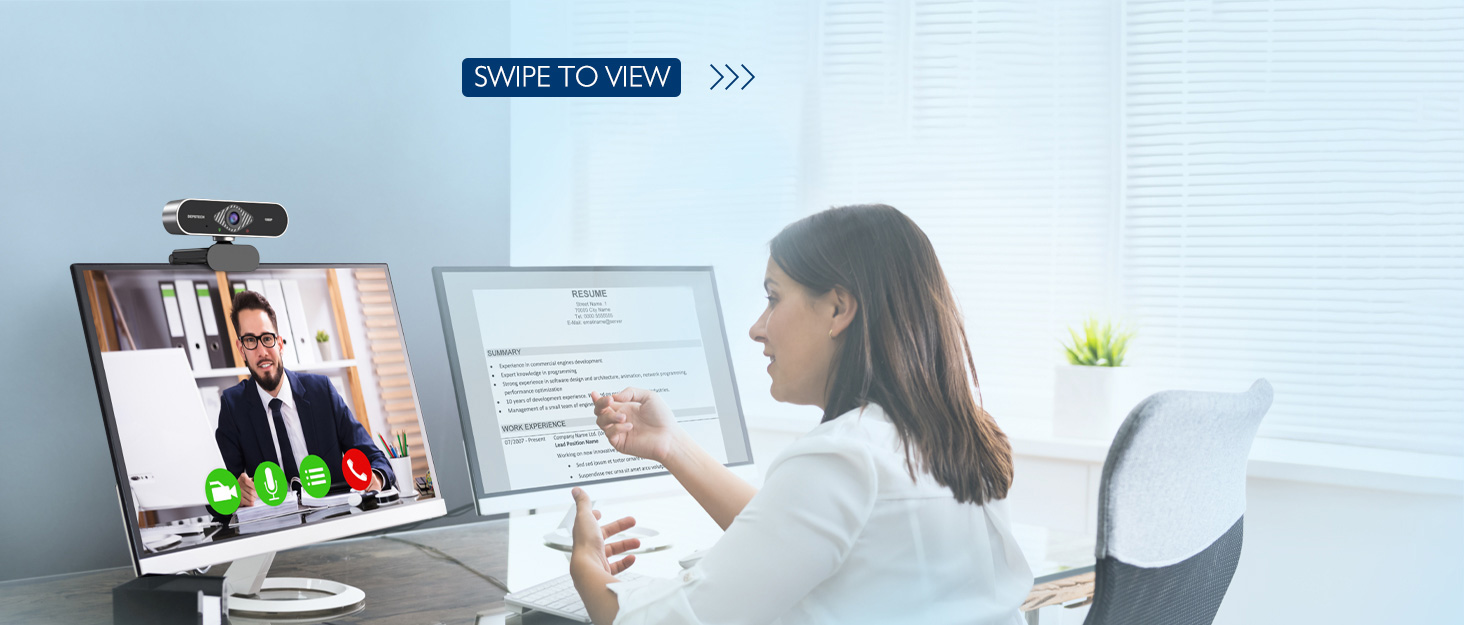
Image: DEPSTECH D04 Webcam in use for a video conference.
المميزات الرئيسية:
- Full HD 1080P Video: Delivers sharp and crystal-clear video at 30 frames per second with a 6-layer glass HD lens and 1/2.9” CMOS image sensor.
- Stereo Microphone with Noise Reduction: Features an automatic noise reduction function for clearer and more natural sound, even in noisy environments.
- Automatic Light Correction & HDR: Ensures excellent video quality even in dimly lit conditions.
- التوصيل والتشغيل: No additional drivers or software required for most operating systems.
- توافق واسع: Works with MAC OS, Windows XP/7/8/10, and popular applications like Skype, YouTube, Yahoo!, and Zoom.
محتويات الحزمة
- ديبستيك D04 Webكاميرا
- حامل ثلاثي صغير
- غطاء الخصوصية
- دليل المستخدم
تعليمات الإعداد
1. Placement of the Webكاميرا
الطراز DEPSTECH D04 webcam features a flexible mounting clip that allows it to be placed on various devices or surfaces.
- على شاشة الكمبيوتر/الكمبيوتر المحمول: افتح المقطع ثم ضعه webcam on top of your monitor or laptop screen. Adjust the angle so the camera is stable and facing you.
- على حامل ثلاثي القوائم: قم بإرفاق webcam to the included mini tripod using the universal screw mount at the bottom of the clip. Place the tripod on a flat surface.
- على سطح مستو: The clip can also be folded to create a stand, allowing the webcam to sit directly on your desk or shelf.

صورة: Webcam mounted on a laptop screen.

صورة: Webcam mounted on a tripod.
2. توصيل Webكاميرا
الطراز DEPSTECH D04 webcam is a plug-and-play device, requiring no additional driver installation for most operating systems.
- قم بتوصيل كابل USB من webcam to an available USB port on your computer (desktop or laptop).
- Wait for your operating system to automatically detect and install the device. This usually takes a few seconds.
- Once detected, the webcam is ready for use with your preferred video communication or recording software.

Image: USB connection for the webكام.
تعليمات التشغيل
1. استخدام Webcam with Software
After connecting, your DEPSTECH D04 webcam will be recognized as a standard video and audio input device by most applications.
- Open your desired video conferencing, streaming, or recording application (e.g., Zoom, Skype, OBS, YouTube, Facetime).
- Navigate to the application's settings or preferences, usually under 'Audio' and 'Video' sections.
- Select "DEPSTECH D04 Webcam" or "USB 2.0 Camera" as your video input device.
- Select "USB 2.0 Camera Audio" as your microphone input device.
- اضبط إعدادات الفيديو والصوت حسب الحاجة داخل التطبيق.

Image: User engaged in a video call with the webكام.
2. غطاء الخصوصية
ال webcam includes a privacy cover for enhanced security and peace of mind. Slide the cover over the lens when the webcam is not in use to prevent accidental recordings or unauthorized access.

صورة: Webcam with the privacy cover closed.
3. مصابيح المؤشر
ال webcam features indicator lights to show its status:
- الضوء الأخضر: Indicates the camera is active and in use by an application.
- الضوء الأحمر: يشير إلى webcam is powered on and connected.
صيانة
To ensure the longevity and optimal performance of your DEPSTECH D04 webاتبع إرشادات الصيانة التالية للكاميرا:
- تنظيف العدسة: امسح العدسة برفق بقطعة قماش ناعمة وخالية من الوبر. تجنب استخدام المواد الكيميائية القاسية أو المواد الكاشطة التي قد تخدش العدسة.
- تنظيف الجسم: استخدم قطعة قماش ناعمة وجافة لتنظيف الجزء الخارجي من الجهاز webكام.
- تخزين: عند عدم الاستخدام، وخاصة لفترات طويلة، قم بتخزين webcam in a clean, dry place. Use the privacy cover to protect the lens.
- تجنب الظروف القاسية: لا تعرض webالكاميرا تتحمل درجات الحرارة القصوى والرطوبة العالية وأشعة الشمس المباشرة.
استكشاف الأخطاء وإصلاحها
If you encounter issues with your DEPSTECH D04 webكام، راجع الحلول الشائعة التالية:
- Webلم يتم اكتشاف الكاميرا:
- حاول توصيل webقم بتوصيل الكاميرا بمنفذ USB مختلف على جهاز الكمبيوتر الخاص بك.
- أعد تشغيل الكمبيوتر الخاص بك.
- تأكد من توصيل كابل USB بشكل آمن.
- تحقق من إدارة الأجهزة في نظام التشغيل (ويندوز) أو معلومات النظام (ماك) لمعرفة ما إذا كان webالكاميرا مدرجة.
- لا يوجد فيديو/شاشة سوداء:
- تأكد من أن غطاء الخصوصية مفتوح.
- تأكد من أن webتم اختيار الكاميرا كجهاز إدخال الفيديو في إعدادات التطبيق الخاص بك.
- أغلق التطبيق ثم أعد فتحه.
- لا يوجد صوت/جودة صوت رديئة:
- Ensure "USB 2.0 Camera Audio" is selected as the microphone input in your application's settings.
- Check your computer's sound settings to ensure the microphone is enabled and not muted.
- Adjust the microphone input volume in your application or system settings.
- جودة الفيديو رديئة:
- تأكد من وجود إضاءة كافية في محيطك. webcam has auto light correction, but good ambient light helps.
- تنظيف webعدسة الكاميرا.
- Check your internet connection speed if streaming or video conferencing.
تحديد
| ماركة | ديبستيك |
| رقم الموديل | د04 |
| دقة التقاط الفيديو | 1080 بكسل |
| سرعة التقاط الصور | 30 إطارًا في الثانية |
| تقنية مستشعر الصور | CMOS (1/2.9” CMOS image sensor) |
| نوع التركيز | التركيز الثابت |
| نوع العدسة | زاوية واسعة |
| تكنولوجيا الاتصال | USB |
| تنسيق الصوت المدعوم | ستيريو |
| المميزات الخاصة | Auto Light Correction, Noise Canceling Microphone, Tripod and Privacy Cover Included |
| توافق نظام التشغيل | Mac OS, Windows XP/7/8/10 |
| لون | أسود |
معلومات الضمان
الطراز DEPSTECH D04 Webتأتي الكاميرا مع ضمان لمدة سنة واحدة from the date of purchase. This warranty covers manufacturing defects and ensures the product is free from defects in material and workmanship under normal use. Please retain your proof of purchase for warranty claims. The warranty does not cover damage caused by misuse, accident, unauthorized modification, or external causes.
يدعم
For further assistance, technical support, or warranty inquiries, please contact DEPSTECH customer service. You can typically find contact information on the official DEPSTECH webالموقع أو من خلال بائع التجزئة الذي اشتريت منه المنتج.
Please have your model number (D04) and proof of purchase ready when contacting support.