
1. انتهى المنتجview
The Symcode G3300W-2D is an omnidirectional, hands-free automatic barcode scanner designed for efficient and versatile scanning. It features dual-engine imaging technology, allowing it to capture both 1D and 2D barcodes from various surfaces, including LCD and OLED mobile phone screens. Its desktop design frees up your hands, enhancing operational efficiency in various environments.

Figure 1: Symcode G3300W-2D Omnidirectional Barcode Scanner with connectivity cables.
Video 1: Demonstration of the Symcode Omnidirectional Barcode Scanner, showcasing its physical features, unboxing, and scanning capabilities for both 1D and 2D barcodes from various items.
2. الميزات الرئيسية
- Omnidirectional Hands-Free Scanning: Allows for quick and convenient scanning without needing to hold the device.
- قدرة فائقة على فك التشفير: Capable of reading common 1D and 2D codes, including QR Code, Data Matrix, PDF417, UPC/EAN, Code39, Code 128, and more.
- مسح الشاشة: Efficiently captures barcodes from mobile phone and computer screens.
- الأداء القوي: Decodes blurring, damaged, distorted, colorful, or reflective barcodes at high speeds.
- التوصيل والتشغيل: No software or drivers required for most operating systems; connects via a single USB cable.
- التوافق الواسع: Works with Windows XP/7/8/10, Mac OS, Linux, and common software like Word and Excel.
- تصميم قابل للتعديل: The scanner head can be adjusted for optimal scanning angles.

Figure 2: The scanner's advanced decoding capabilities for various barcode types, including damaged and blurred codes.
3. محتويات العبوة
يرجى التأكد من وجود جميع العناصر في الحزمة الخاصة بك:
- Symcode G3300W-2D Barcode Scanner Unit
- USB Connection Cable (1.8m/5.9ft)
- دليل المستخدم

Figure 3: Contents included in the Symcode barcode scanner package.
4. تعليمات الإعداد
4.1 توصيل الماسح الضوئي
- Locate the USB connection port on the back of the scanner unit.
- Connect the smaller end of the provided USB cable to the scanner's port.
- Connect the larger USB-A end of the cable to an available USB port on your computer (PC, laptop, etc.).
- The scanner is designed for plug-and-play operation and should be automatically recognized by your operating system (Windows, Mac OS, Linux) without requiring additional driver installation.
- Once connected, the scanner will emit a short beep and the indicator light will turn on, signifying it is ready for use.
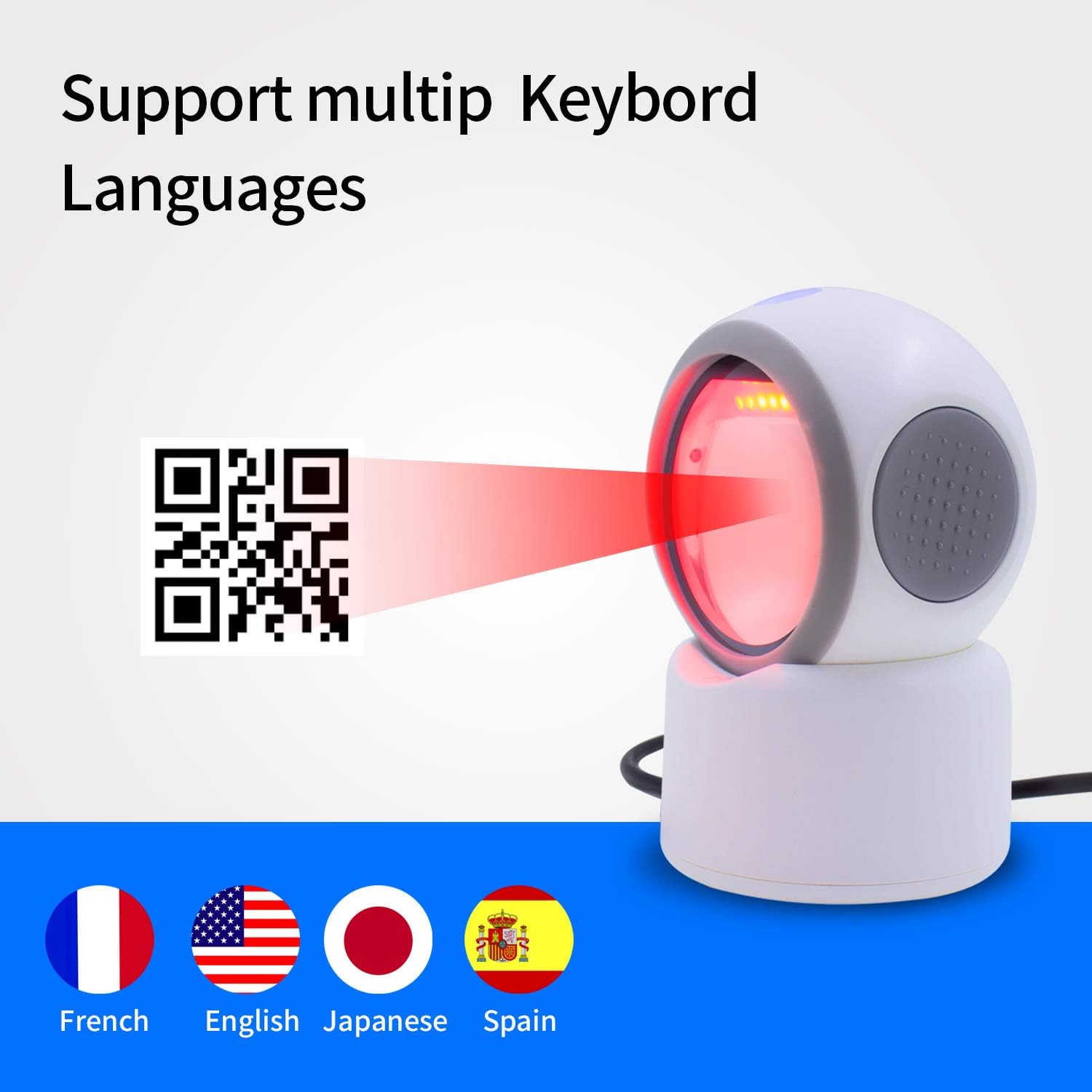
Figure 4: The scanner's broad compatibility with various devices and operating systems.
5. تعليمات التشغيل
The Symcode G3300W-2D scanner operates in an automatic, hands-free mode. Simply place the item with the barcode in front of the scanner's window.
5.1 1D Barcode Scanning
To scan a 1D barcode:
- تأكد من توصيل الماسح الضوئي وتشغيله.
- Position the 1D barcode within the scanner's field of view. The scanner will automatically detect and read the barcode.
- A successful scan will be indicated by a beep and the data appearing in your active application (e.g., text editor, POS software).
5.2 2D Barcode Scanning (QR, Data Matrix, PDF417)
To scan a 2D barcode:
- تأكد من توصيل الماسح الضوئي وتشغيله.
- Place the 2D barcode (e.g., QR code on a package or screen) in front of the scanner's window.
- The scanner's advanced imaging technology will quickly capture and decode the information.
- Confirm the successful scan by the audible beep and the data output.
5.3 Scanning from Mobile Phone and Computer Screens
The G3300W-2D is optimized to read barcodes directly from digital displays. For best results, ensure the screen brightness is adequate and avoid excessive glare.
6. Configuration and Customization
The scanner can be configured using special programming barcodes found in the full instruction manual. These barcodes allow you to adjust settings such as:
- Volume of the beep sound
- Keyboard language (e.g., English, French, Japanese, Spanish)
- أوضاع المسح
- إعدادات نقل البيانات
Refer to the detailed programming guide in your physical user manual for a complete list of configurable options and their corresponding barcodes.

Figure 5: The scanner supports various keyboard layouts for international use.

Figure 6: Design features including LED lighting and a non-slip base for stability.
7. الصيانة
To ensure optimal performance and longevity of your Symcode barcode scanner, follow these maintenance guidelines:
- تنظيف: Regularly wipe the scanner's window and exterior with a soft, dry, lint-free cloth. For stubborn smudges, a slightly dampened cloth with water or a mild, non-abrasive cleaner can be used. Avoid harsh chemicals or abrasive materials.
- تخزين: قم بتخزين الماسح الضوئي في مكان بارد وجاف بعيدًا عن أشعة الشمس المباشرة ودرجات الحرارة القصوى.
- التعامل: Handle the scanner with care to prevent drops or impacts that could damage internal components or the scanning window.
8. استكشاف المشكلات الشائعة وإصلاحها
إذا واجهت مشكلات مع الماسح الضوئي الخاص بك، فراجع المشكلات والحلول الشائعة التالية:
- لم يتم التعرف على الماسح الضوئي بواسطة الكمبيوتر:
- تأكد من توصيل كابل USB بشكل آمن بكل من الماسح الضوئي والكمبيوتر.
- حاول توصيل الماسح الضوئي بمنفذ USB مختلف على جهاز الكمبيوتر الخاص بك.
- أعد تشغيل الكمبيوتر الخاص بك.
- If the scanner becomes unresponsive after the computer idles or sleeps, unplug and re-plug the USB cable to re-establish the connection.
- تعذر مسح الرموز الشريطية:
- Verify that the scanner is powered on (indicator light is active).
- تأكد من أن الرمز الشريطي نظيف وغير تالف ويقع ضمن نطاق القراءة الأمثل للماسح الضوئي.
- Check for excessive glare on the barcode, especially when scanning from screens. Adjust the angle or lighting.
- Confirm that the barcode type is supported by the scanner (refer to Section 2: Key Features).
- إخراج بيانات غير صحيح:
- Check the keyboard language settings of your computer and ensure they match the scanner's configuration (refer to Section 6: Configuration and Customization).
- Ensure no other applications are interfering with the input.
- Scanner is Too Sensitive/Scans Multiple Times:
- Refer to the full user manual for programming barcodes that can adjust scanning sensitivity or trigger modes.
9. المواصفات الفنية
| مواصفة | التفاصيل |
|---|---|
| رقم الموديل | G3300W-2D |
| أبعاد المنتج | 5.43 × 4.13 × 2.36 بوصة |
| وزن العنصر | 1.06 رطل |
| تكنولوجيا الاتصال | يو اس بي 2.0 |
| الأجهزة المتوافقة | سطح المكتب، الكمبيوتر المحمول |
| مصدر الطاقة | USB بالطاقة |
| أنواع الباركود (أحادي الأبعاد) | UPC/EAN, Code39, Interleaved 2 of 5, Code93, Code 128, Codabar, Industry25, Matrix25, etc. |
| أنواع الباركود (أحادي الأبعاد) | PDF417، رمز الاستجابة السريعة، مصفوفة البيانات، إلخ. |
10. معلومات الضمان
Symcode products are manufactured to high-quality standards. This product typically comes with a standard manufacturer's warranty covering defects in materials and workmanship under normal use. For specific warranty terms, duration, and conditions, please refer to the warranty card included in your product packaging or contact Symcode customer support directly.
11. دعم العملاء
If you require further assistance, have questions about your product, or need technical support, please contact Symcode customer service through the following channels:
- متصل: Visit the official Symcode webموقع للأسئلة الشائعة، وموارد الدعم، ونماذج الاتصال.
- بريد إلكتروني: راجع عبوة المنتج أو الموقع الرسمي webموقع مخصص لعنوان البريد الإلكتروني لدعم العملاء.
- هاتف: Contact numbers may be available on the official Symcode webالموقع أو في وثائق المنتج الخاص بك.
When contacting support, please have your product model number (G3300W-2D) and purchase information ready.