
مقدمة
This manual provides comprehensive instructions for the safe and efficient use of your TUINYO TP19 Bluetooth Wireless Over-Ear Headphones. Please read this manual thoroughly before operating the device and retain it for future reference.

Image: TUINYO TP19 Bluetooth Wireless Over-Ear Headphones, showcasing the sleek design in black and blue.
معلومات السلامة
- تجنب التعرض لفترات طويلة لمستويات صوت عالية لمنع تلف السمع.
- Do not use headphones while driving, cycling, or in situations where inability to hear ambient sounds could be dangerous.
- احفظ الجهاز بعيدًا عن الماء والرطوبة ودرجات الحرارة القصوى.
- لا تحاول تفكيك سماعات الرأس أو تعديلها. قد يؤدي ذلك إلى إلغاء الضمان وتلفها.
- Clean the headphones with a soft, dry cloth. Avoid using harsh chemicals.
محتويات الحزمة
- TUINYO TP19 Bluetooth Wireless Over-Ear Headphones
- كابل شحن ميكرو يو اس بي
- كابل صوت 3.5 ملم
- حافظة حماية
- دليل المستخدم (هذا المستند)

Image: All items included in the TUINYO TP19 headphone package: the headphones, a protective case, a micro USB charging cable, and a 3.5mm audio cable.
المنتج انتهىview
The TUINYO TP19 headphones feature a comfortable over-ear design with soft memory-protein earmuffs and an adjustable stainless steel headband for a perfect fit. Controls are intuitively placed on the earcup.

الصورة: مفصلة view of the headphone's ergonomic features: leather-padded headband, adjustable headband mechanism, soft memory-protein earmuffs, and the equalizer (EQ) button.
المميزات الرئيسية:
- High Fidelity Stereo Sound: Powered by 40mm neodymium drivers for immersive audio.
- تصميم مريح: Memory-protein ear cushions and adjustable headband for extended wear.
- الوضع المزدوج: يدعم كلاً من الاتصال اللاسلكي بتقنية البلوتوث والاتصال الصوتي السلكي بقطر 3.5 ملم.
- عمر بطارية طويل: ما يصل إلى 40 ساعة من اللعب بشحنة واحدة.
- ميكروفون مدمج: لإجراء مكالمات بدون استخدام اليدين وأوامر صوتية.
- تصميم قابل للطي: لسهولة النقل والتخزين.
يثبت
1. شحن سماعات الرأس
- قم بتوصيل كابل الشحن micro USB بمنفذ الشحن الموجود على سماعات الرأس.
- قم بتوصيل الطرف الآخر من الكابل بمحول طاقة USB (غير متضمن) أو بمنفذ USB الخاص بالكمبيوتر.
- The LED indicator will show charging status (typically red while charging, off or blue when fully charged).
- A full charge takes approximately 2-2.5 hours and provides up to 40 hours of music playtime.

Image: Graphic illustrating the impressive battery duration, highlighting up to 35 hours of battery life and a quick charge feature where 15 minutes of charging provides 3 hours of playtime.
2. تشغيل/إيقاف التشغيل
- تشغيل الطاقة: Press and hold the Power button (usually the multi-function button) for a few seconds until the LED indicator lights up and you hear a power-on prompt.
- إيقاف التشغيل: Press and hold the Power button again for a few seconds until the LED indicator turns off and you hear a power-off prompt.
3. اقتران بلوتوث
- تأكد من إيقاف تشغيل سماعات الرأس.
- اضغط مع الاستمرار على زر الطاقة لمدة 5-7 ثوانٍ تقريبًا حتى يومض مؤشر LED باللونين الأحمر والأزرق بالتناوب، مما يشير إلى وضع الاقتران.
- على جهازك (الهاتف الذكي، الجهاز اللوحي، الكمبيوتر الشخصي)، قم بتمكين البلوتوث وابحث عن الأجهزة المتاحة.
- Select "TP 19" from the list of devices.
- Once paired, the LED indicator will flash blue slowly, and you will hear a connection confirmation.
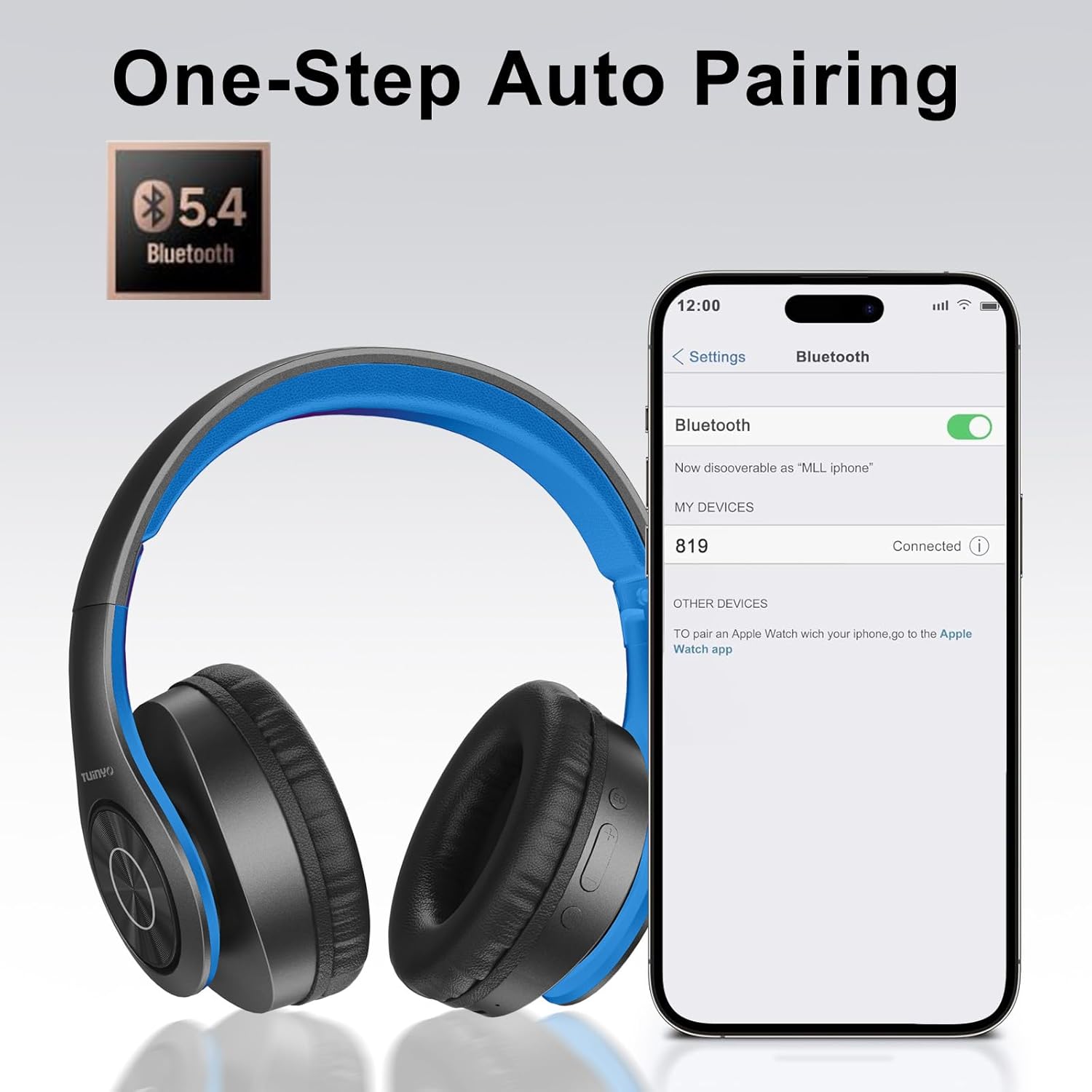
Image: A smartphone screen displaying the Bluetooth settings, showing the "819" (representing the TP19 headphones) successfully connected, illustrating the one-step auto pairing feature.
Video: An official TUINYO video demonstrating the Bluetooth pairing process and showing the headphones in use. This video highlights the ease of connecting the headphones to a device.
تعليمات التشغيل
1. Wireless Mode
- تشغيل/إيقاف مؤقت: اضغط على الزر متعدد الوظائف مرة واحدة.
- رفع الصوت: اضغط على زر "+".
- اخفض الصوت: اضغط على زر "-".
- المسار التالي: اضغط مع الاستمرار على زر "+".
- المسار السابق: اضغط مع الاستمرار على زر "-".
2. الوضع السلكي
When the battery is low or if you prefer a wired connection, you can use the included 3.5mm audio cable.
- قم بتوصيل أحد طرفي كابل الصوت 3.5 ملم بمنفذ إدخال الصوت الموجود على سماعات الرأس.
- Connect the other end to your audio device's 3.5mm jack.
- In wired mode, controls on the headphones may be limited, and playback will be controlled by your connected device.
3. وظائف الاستدعاء
- الرد/إنهاء المكالمة: اضغط على الزر متعدد الوظائف مرة واحدة.
- رفض المكالمة: اضغط مع الاستمرار على الزر متعدد الوظائف لمدة ثانيتين.
- إعادة الاتصال بالرقم الأخير: اضغط مرتين على الزر متعدد الوظائف.
4. مساعد صوتي
The headphones support voice-enabled assistants like Siri. Press the Multi-function button twice to activate your device's voice assistant.
5. Sound Effects (EQ Mode)
The headphones feature multiple sound effects (EQ modes) to customize your listening experience. Press the EQ button (often labeled "EQ" or a similar icon) to cycle through available modes such as Normal, Rock, Pop, Classic, Jazz, and Country.
Video: An official TUINYO video showcasing the various sound modes and controls on the headphones, demonstrating how to switch between different equalizer settings.
صيانة
- Store the headphones in the protective case when not in use to prevent damage.
- حافظ على منفذ الشحن ومقبس الصوت خاليين من الغبار والحطام.
- Avoid exposing the headphones to direct sunlight or extreme heat for extended periods.
- Do not use abrasive cleaners or solvents on the headphones.
استكشاف الأخطاء وإصلاحها
| مشكلة | حل |
|---|---|
| لن يتم تشغيل سماعات الرأس. | تأكد من شحن سماعات الرأس بالكامل. وصّلها بمصدر طاقة وحاول مرة أخرى. |
| لا يمكن الاقتران بالجهاز. |
|
| لا يوجد صوت في الوضع اللاسلكي. |
|
| لا يوجد صوت في الوضع السلكي. |
|
تحديد
| ميزة | التفاصيل |
|---|---|
| اسم الموديل | تي بي 19 |
| تكنولوجيا الاتصال | لاسلكي (بلوتوث) |
| تكنولوجيا الاتصالات اللاسلكية | بلوتوث 5.1 |
| مدى البلوتوث | 10 مترا |
| نوع برنامج تشغيل الصوت | سائق ديناميكي |
| حجم برنامج تشغيل الصوت | 40 مليمتر |
| استجابة التردد | 20 كيلو هرتز |
| مقاومة | 32 أوم |
| عمر البطارية | 40 ساعة |
| وقت الشحن | 2.5 ساعة |
| مقبس سماعات الرأس | 3.5 ملم جاك |
| نوع التحكم | التحكم الصوتي، اللمس |
| ميزة خاصة | قابلة للطي |
| وزن العنصر | 8.9 أونصة (251 جرامًا) |
| أبعاد المنتج | 6.85 × 3.9 × 9.72 بوصة |
| مادة | بلاستيك |
| المكونات المضمنة | Cable, Protective Case, micro usb cable |
الضمان والدعم
By choosing TUINYO, you are covered by a 30-day hassle-free return policy and a one-year warranty. For any inquiries or assistance, please contact our prompt and friendly customer service, available 24/7.
For further support, visit the official TUINYO store: TUINYO Store