
1. المقدمة
This manual provides instructions for the proper installation, operation, and maintenance of your Naztech Magnetic Phone Holder, model it-Cable-23h-760. This universal magnetic mount is designed to securely hold various mobile devices on flat surfaces.

Image 1.1: Naztech Magnetic Phone Holders. These mounts provide a secure hold for your device.
2. مواصفات المنتج
The Naztech Magnetic Phone Holder offers several key features:
- التوافق العالمي للأجهزة: Supports a wide range of smartphones, tablets, and eReaders.
- Instant One-Handed Attachment: Powerful built-in magnets allow for quick and easy device attachment and removal without clips or adjustments.
- Peel-and-Stick Installation: Features a strong adhesive backing for tool-free installation on various flat surfaces.
- Cradle-Free Design: Minimalist design ensures full access to the device screen and charging ports.
- Secure and Stable Hold: High-strength magnets maintain a firm grip on your device, even during movement.

Image 2.1: Components of the Magnetic Phone Holder. The mount consists of a soft front pad, a metal base, and an adhesive backing.
3. محتويات العبوة
تتضمن الحزمة عادةً ما يلي:
- Naztech Magnetic Phone Holder (1 unit)
- Metal Plate(s) for device attachment (quantity may vary)
4. تعليمات الإعداد
Follow these steps for proper installation of your magnetic phone holder:
- تنظيف السطح: Ensure the desired mounting surface is flat, dry, and free of dust or debris. Use an alcohol wipe if necessary and allow it to dry completely.
- قشر الدعم: Carefully remove the protective liner from the adhesive backing of the magnetic phone holder.
- اضغط مع الاستمرار على: Position the mount on the cleaned surface and press firmly for at least 30 seconds. Apply consistent pressure to ensure strong adhesion. Allow the adhesive to cure for 24 hours before attaching a device.
- Attach Metal Plate to Device: For your device to work with the magnetic holder, attach one of the included metal plates to the back of your phone or phone case. Ensure the plate is centered for optimal magnetic connection.
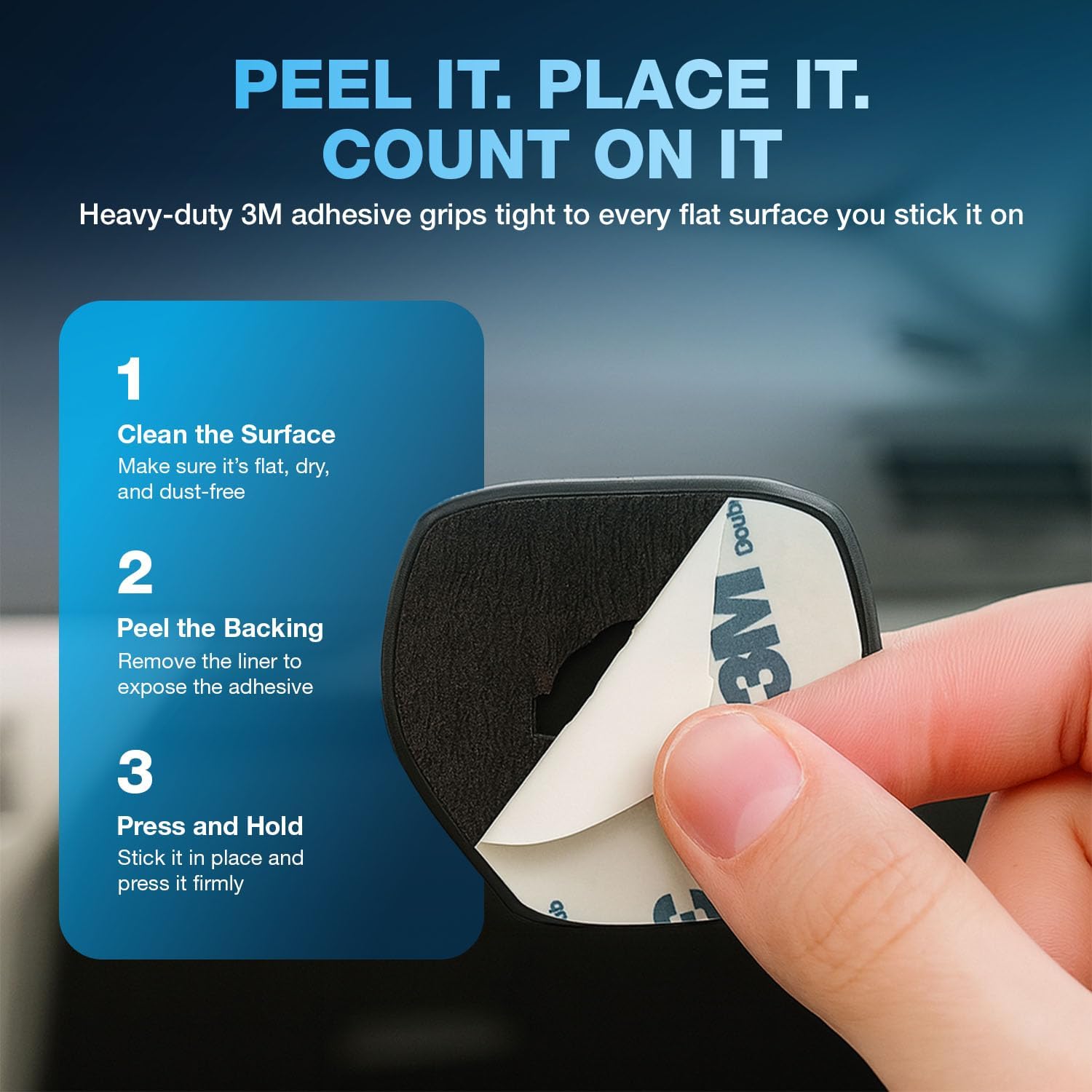
Image 4.1: Peel-and-Stick Installation Steps. Follow these steps for secure mounting.

Image 4.2: Surface Recommendation. For best results, install on clean, flat surfaces.
5. تعليمات التشغيل
Once installed, operating the magnetic phone holder is straightforward:
- ربط جهازك: Simply bring your device (with the metal plate attached) close to the magnetic mount. The strong magnets will automatically secure your device in place.
- فصل جهازك: Gently pull your device away from the mount.
- تعديل Viewزاوية جي: The mount allows for flexible positioning. You can rotate your device for portrait or landscape viewحسب الحاجة.

Image 5.1: Device Attached in a Vehicle. The mount provides hands-free access while driving.

Image 5.2: Versatile Mounting Locations. The holder can be used in cars, kitchens, offices, and more.

Image 5.3: Universal Compatibility. The mount accommodates various devices and viewالتوجهات.
6. الصيانة
To ensure the longevity and optimal performance of your Naztech Magnetic Phone Holder:
- تنظيف: امسح سطح الحامل بقطعة قماش ناعمة.amp قماش. تجنب استخدام المواد الكيميائية القاسية أو المنظفات الكاشطة.
- العناية باللاصق: The adhesive is designed for single-use application. Once removed, it may not re-adhere effectively.
- لوحة مغناطيسية: Ensure the metal plate on your device remains clean and free of obstructions for the best magnetic connection.
7. استكشاف الأخطاء وإصلاحها
| مشكلة | السبب المحتمل | حل |
|---|---|---|
| Mount does not stick to surface. | Surface is dirty, uneven, or not properly prepared. | Clean the surface thoroughly and ensure it is flat and dry. Apply firm pressure during installation and allow 24 hours for adhesive to cure. |
| Device falls off the mount. | Metal plate not correctly positioned, phone case is too thick, or mount is damaged. | Ensure the metal plate is centered on your device or inside a thin case. Consider using a thinner case or attaching the plate directly to the phone. If the mount is damaged, replace it. |
| الشحن اللاسلكي لا يعمل. | Metal plate interferes with wireless charging coil. | Reposition the metal plate to avoid the wireless charging area of your device, or use a case that allows for plate placement without interference. |
8. المواصفات
| ميزة | التفاصيل |
|---|---|
| أبعاد المنتج | 2.96 × 0.91 × 7.88 بوصة |
| وزن العنصر | 3.2 أونصات |
| رقم موديل العنصر | it-Cable-23h-760 |
| المميزات الخاصة | مغناطيسي |
| لون | أسود |
| الشركة المصنعة | NAZTECH |
| الأجهزة المتوافقة | All Cell Phones, Mounting Devices, iPads, Tablets |
| موديلات الهواتف المتوافقة | Apple iPhone 17, iPhone 17 Pro, iPhone 17 Pro Max, iPhone 17 Air, Apple iPhone 16, iPhone 16 Plus, iPhone 16 Pro, iPhone 16 Pro Max, Apple iPhone 15, iPhone 15 Plus, iPhone 15 Pro, iPhone 15 Pro Max, Apple iPhone 14, iPhone 14 Plus, iPhone 14 Pro, iPhone 14 Pro Max, iPad and more, Google Pixel 10, Pixel 10 Pro, Pixel 10 Pro XL, Google Pixel 9, Pixel 9 Pro, Pixel 9 Pro XL, Google Pixel 8, Pixel 8 Pro, Google Pixel 7, Pixel 7 Pro and More, Samsung Galaxy S25, Galaxy S25 Plus, Galaxy S25 Ultra, Samsung Galaxy S24, Galaxy S24 Plus, Galaxy S24 Ultra, Samsung Galaxy S23, Galaxy S23 Plus, Galaxy S23 Ultra, Samsung Galaxy S22, Galaxy S22 Plus, Galaxy S22 Ultra and More |
| نوع التركيب | Tabletop Mount (Note: Also suitable for various flat surfaces as described in setup) |
9. الضمان والدعم
For warranty information or technical support, please refer to the official Naztech webالموقع أو تواصل مع خدمة العملاء مباشرةً. احتفظ بإيصال الشراء لطلبات الضمان.
Naztech Customer Service:
- Webموقع: www.naztech.com (يرجى التحقق من المسؤول webالموقع للحصول على أحدث معلومات الاتصال.)