
1. المقدمة
This manual provides instructions for the ZdalaMit XRT136 Replacement Remote Control. This remote is designed to function as a direct replacement for your original Vizio Smart TV remote without requiring any programming or pairing.
Compatible Vizio Smart TV Models:
- م657-جي0
- م557-جي0
- PX65-G1
- P659-G1
- P759-G1
- D60-F3
2. محتويات العبوة
تأكد من وجود جميع العناصر في العبوة:
- 1 x ZdalaMit XRT136 Replacement Remote Control
3. الإعداد
3.1 تركيب البطارية
The remote control requires two (2) AAA alkaline batteries (not included) for operation.
- حدد موقع حجرة البطارية في الجزء الخلفي من جهاز التحكم عن بعد.
- قم بتحريك غطاء حجرة البطارية إلى الأسفل لفتحه.
- أدخل بطاريتين جديدتين من نوع AAA، مع التأكد من محاذاة الأطراف الموجبة (+) والسالبة (-) بشكل صحيح مع العلامات الموجودة داخل الحجرة.
- قم بإدخال غطاء حجرة البطارية في مكانه مرة أخرى حتى يصدر صوت نقرة آمنة.

الصورة: الخلف view of the XRT136 remote control, illustrating the battery compartment location.
Once batteries are installed, the remote is ready for use. No programming or pairing is required.
4. تعليمات التشغيل
To operate your Vizio Smart TV, point the ZdalaMit XRT136 remote control directly at the television's infrared receiver. Press the desired buttons to control your TV's functions.

الصورة: الجبهة view of the XRT136 remote control, displaying the layout of all buttons.
4.1 الوظائف الرئيسيةview
The remote features standard television control buttons, including:
- زر الطاقة: تشغيل التلفزيون أو إيقاف تشغيله.
- زر الإدخال: Selects video input sources (HDMI, AV, etc.).
- لوحة التنقل (أعلى، أسفل، يسار، يمين، موافق): للتنقل في القائمة والاختيار.
- رفع/خفض الصوت: يضبط مستوى صوت التليفزيون.
- القناة لأعلى/لأسفل: تغيير قنوات التلفزيون.
- زر كتم الصوت: يكتم صوت التلفزيون.
- لوحة الأرقام (0-9): For direct channel entry.
- أزرار الرجوع/الخروج: Navigates back in menus or exits current functions.
- Menu/Info Buttons: Accesses TV menus and displays information.
- أزرار التطبيقات المخصصة: Quick access to streaming services (e.g., VUDU, Netflix, Amazon, Xumo, Crackle, iHeartRadio).

Image: A user holding the XRT136 remote control, demonstrating typical usage by pointing it at a television.
5. الصيانة
5.1 التنظيف
لتنظيف جهاز التحكم عن بعد، استخدم قطعة قماش ناعمة وجافة. تجنب استخدام المنظفات السائلة أو البخاخات أو المواد الكاشطة، لأنها قد تُلحق الضرر بسطح جهاز التحكم أو مكوناته الداخلية.
5.2 العناية بالبطارية
- Replace batteries when the remote's performance diminishes or stops working.
- لا تخلط بين البطاريات القديمة والجديدة أو أنواع مختلفة من البطاريات.
- قم بإزالة البطاريات إذا لم يتم استخدام جهاز التحكم عن بعد لفترة طويلة لمنع التسرب.
- تخلص من البطاريات المستخدمة وفقا للوائح المحلية.
6. استكشاف الأخطاء وإصلاحها
6.1 عدم استجابة جهاز التحكم عن بعد
- التحقق من البطاريات: تأكد من إدخال البطاريات بشكل صحيح مع مراعاة القطبية الصحيحة (+/-).
- استبدال البطاريات: If the batteries are old or depleted, replace them with two new AAA alkaline batteries.
- خط البصر: Ensure there are no obstructions between the remote control and the TV's infrared receiver. Point the remote directly at the TV.
- مسافة: تأكد من أنك ضمن نطاق التشغيل الفعال (حتى 33 قدمًا).
6.2 وظائف محدودة
- Verify that your Vizio Smart TV model is listed under the compatible models in Section 1.
- Some advanced TV features or smart functions may require the original remote or specific TV settings. This remote is designed for primary control functions.
7. المواصفات
| ماركة | زدالا |
| اسم الموديل | XRT136 (Mfr Part Number: fghea-593) |
| الأجهزة المتوافقة | Vizio Smart Televisions (M657-G0, M557-G0, PX65-G1, P659-G1, P759-G1, D60-F3) |
| تكنولوجيا الاتصال | الأشعة تحت الحمراء |
| نوع وحدة التحكم | التحكم بالأزرار |
| عدد الأزرار | 18 |
| مزود الطاقة | 2 x 1.5V AAA Alkaline Batteries |
| الحد الأقصى للمدى | 33 قدم (10 متر) |
| أبعاد العنصر (الطول × العرض × الارتفاع) | 6.75 بوصة × 1.79 بوصة × 0.55 بوصة (17.15 سم × 4.55 سم × 1.4 سم) |
| وزن العنصر | 1.6 أوقية (45 جرام) |
| ميزة خاصة | تصميم مريح |
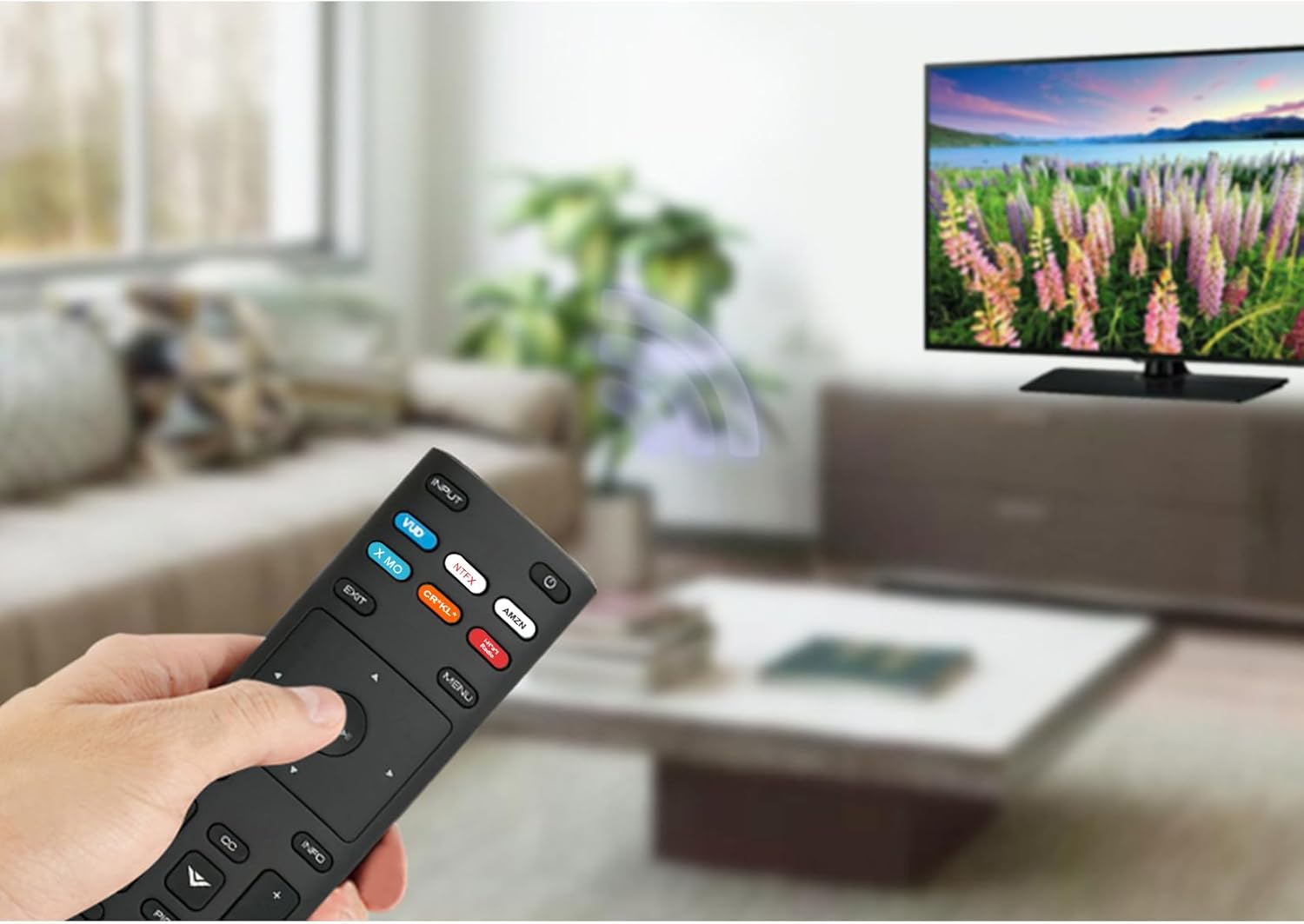
Image: The XRT136 remote control with its physical dimensions highlighted.
8. معلومات الضمان
This ZdalaMit product comes with a ضمان لمدة 1 سنوات from the date of purchase. This warranty covers manufacturing defects under normal use. It does not cover damage caused by misuse, accidents, unauthorized modifications, or battery leakage.
9. الدعم
If you encounter any issues or have questions regarding your ZdalaMit XRT136 Replacement Remote Control that are not addressed in this manual, please contact the seller or manufacturer for assistance. Provide your product model (XRT136) and a detailed description of the issue for efficient support.