
مقدمة
Thank you for choosing the Kaidi KD903 Wireless Bluetooth Earphones. This manual provides essential information for the safe and optimal use of your device. Please read it carefully before use and retain it for future reference.
ماذا يوجد في الصندوق:
- 1 x Kaidi KD903 Wireless Earphones
- 2 x Pairs of Comfortable Ear Tips (different sizes)
- 1 × كابل شحن USB
- 1 × دليل المستخدم

Image: Kaidi KD903 Wireless Earphones with included accessories, such as the charging cable and additional ear tips.
المنتج انتهىview
The Kaidi KD903 earphones are designed for active lifestyles, offering a secure fit and resistance to sweat. They feature Bluetooth 4.1 for stable connectivity and clear audio.
المميزات الرئيسية:
- بلوتوث شنومكس: يضمن اتصالاً لاسلكياً مستقراً وفعالاً.
- مقاومة العرق: Ideal for sports and workouts.
- CVC Intelligent Noise Reduction: Minimizes wind noise for clearer calls.
- اتصال متعدد النقاط: يتصل بجهازين في وقت واحد.
- تذكير صوتي: Provides audio prompts for status updates.
- IOS Power Display: Shows battery level on iOS devices.
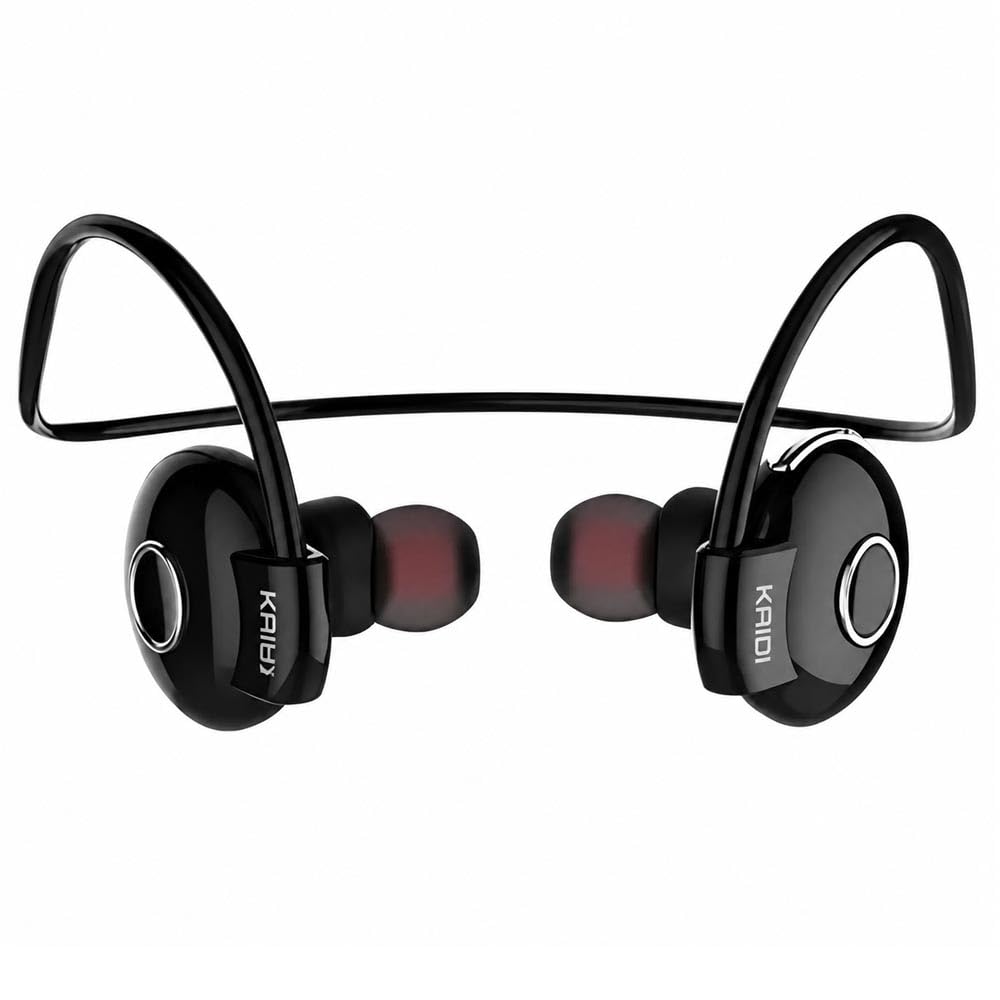
الصورة: انفجار view illustrating the internal components and design of the Kaidi KD903 earphone.
يثبت
1. شحن سماعات الأذن
- Connect the USB charging cable to the charging port on the earphones.
- قم بتوصيل الطرف الآخر من كابل USB بمصدر طاقة USB متوافق (مثل الكمبيوتر أو محول الحائط).
- The indicator light will illuminate to show charging status. A full charge typically takes approximately 2.5 hours.
- بعد اكتمال الشحن، سينطفئ مؤشر الضوء أو يتغير لونه. افصل كابل الشحن.
2. الاقتران بجهاز بلوتوث
- تأكد من إيقاف تشغيل سماعات الأذن.
- Press and hold the multi-function button (usually the main button on the earphone) for approximately 5-7 seconds until the indicator light flashes red and blue alternately. This indicates the earphones are in pairing mode.
- على هاتفك الذكي أو أي جهاز آخر يدعم تقنية Bluetooth، قم بتمكين Bluetooth وابحث عن الأجهزة المتوفرة.
- Select 'KD903' from the list of found devices.
- Once connected, a voice prompt will confirm successful pairing, and the indicator light will typically flash blue slowly.

Image: A person wearing the Kaidi KD903 wireless earphones, highlighting their suitability for sports and active use.
تعليمات التشغيل
تشغيل/إيقاف الطاقة
- تشغيل الطاقة: Press and hold the multi-function button for approximately 3 seconds until the blue indicator light flashes and a voice prompt says "Power On".
- إيقاف التشغيل: Press and hold the multi-function button for approximately 3 seconds until the red indicator light flashes and a voice prompt says "Power Off".
تشغيل الموسيقى
- تشغيل/إيقاف مؤقت: اضغط على الزر متعدد الوظائف مرة واحدة.
- المسار التالي: اضغط مع الاستمرار على زر رفع الصوت.
- المسار السابق: اضغط مع الاستمرار على زر خفض مستوى الصوت.
- رفع الصوت: اضغط لفترة قصيرة على زر رفع الصوت +.
- اخفض الصوت: اضغط لفترة قصيرة على زر التحكم في الصوت.
استدعاء إدارة
- الرد/إنهاء المكالمة: اضغط على الزر متعدد الوظائف مرة واحدة.
- رفض المكالمة: اضغط مع الاستمرار على زر الوظائف المتعددة لمدة 2 ثوانٍ تقريبًا.
- إعادة الاتصال بالرقم الأخير: اضغط مرتين على زر الوظائف المتعددة.
Multipoint Connection (Connecting to Two Devices)
- Pair the earphones with the first device as described in the "Pairing" section.
- After successful pairing, disable Bluetooth on the first device.
- Put the earphones back into pairing mode (red and blue flashing light).
- قم بإقران سماعات الأذن بالجهاز الثاني.
- Once the second device is paired, re-enable Bluetooth on the first device. The earphones should now be connected to both devices simultaneously.
صيانة
Proper maintenance ensures the longevity and performance of your Kaidi KD903 earphones.
- تنظيف: Regularly clean the earphones with a soft, dry, lint-free cloth. Do not use abrasive cleaners, solvents, or harsh chemicals.
- مقاومة العرق: While the earphones are sweat-resistant, avoid submerging them in water or exposing them to heavy rain. After intense workouts, wipe them dry.
- تخزين: عند عدم الاستخدام، قم بتخزين سماعات الأذن في مكان بارد وجاف، بعيدًا عن أشعة الشمس المباشرة ودرجات الحرارة القصوى.
- الشحن: Charge the earphones using only the provided USB cable or a certified equivalent. Avoid overcharging.
استكشاف الأخطاء وإصلاحها
إذا واجهت مشاكل مع سماعات الأذن، فراجع المشاكل والحلول الشائعة التالية:
- Earphones do not power on:
Ensure the earphones are fully charged. Connect them to a power source and allow them to charge for at least 30 minutes before attempting to power on again. - لا يوجد صوت أو مستوى الصوت منخفض:
Check the volume levels on both the earphones and your connected device. Ensure the earphones are properly paired and connected to your device. Try re-pairing the earphones. - لا يمكن الاقتران بجهاز:
Ensure the earphones are in pairing mode (red and blue indicator light flashing). Make sure Bluetooth is enabled on your device and it is within the 8-meter transmission range. Try restarting both the earphones and your device. - Connection is unstable or drops frequently:
Ensure there are no obstacles between the earphones and your device. Move closer to your device. Avoid environments with strong Wi-Fi or other wireless interference. - مشكلة الشحن:
Verify that the charging cable is securely connected to both the earphones and the power source. Try using a different USB port or charging adapter.
تحديد
| ميزة | مواصفة |
|---|---|
| نسخة البلوتوث | 4.1 |
| محترفfile يدعم | HSP/HFP/A2DP/AVRCP |
| وقت الاستعداد | 200 ساعات |
| وقت التحدث | 10 ساعات |
| وقت تشغيل الموسيقى | 6 ساعات |
| وقت الشحن | 2.5 ساعات |
| نطاق التردد | RF 2.40 GHz (2.402 G – 2.480 G) |
| درجة الحرارة المحيطة | من -20 درجة مئوية إلى +60 درجة مئوية |
| مسافة الإرسال | حتى 8 أمتار |
| سعة البطارية | 100 مللي أمبير قابلة للشحن |
| الأبعاد (الطول × العرض × الارتفاع) | 12.2 × 10.3 × 4.4 سم |
| نوع الموصل | يو إس بي من النوع سي |
| لون | أسود |
الضمان والدعم
معلومات الضمان
This Kaidi KD903 product comes with a ضمان لمدة 30 يومًا from the date of purchase. This warranty covers manufacturing defects. Please retain your proof of purchase (receipt or invoice) as it is required for any warranty claims.
لا يغطي الضمان الأضرار الناجمة عن سوء الاستخدام أو الحوادث أو التعديلات غير المصرح بها أو التلف الناتج عن الاستخدام العادي.
دعم العملاء
For technical assistance, troubleshooting not covered in this manual, or warranty inquiries, please contact the retailer from whom you purchased the product. You may also visit the official Kaidi webموقع للحصول على موارد دعم إضافية.