
مقدمة
Thank you for choosing the Hoco ES7 Wireless Sports Earphones. These earphones are designed for active lifestyles, offering wireless connectivity and a comfortable on-ear fit. This manual provides essential information for setting up, operating, maintaining, and troubleshooting your device to ensure optimal performance.
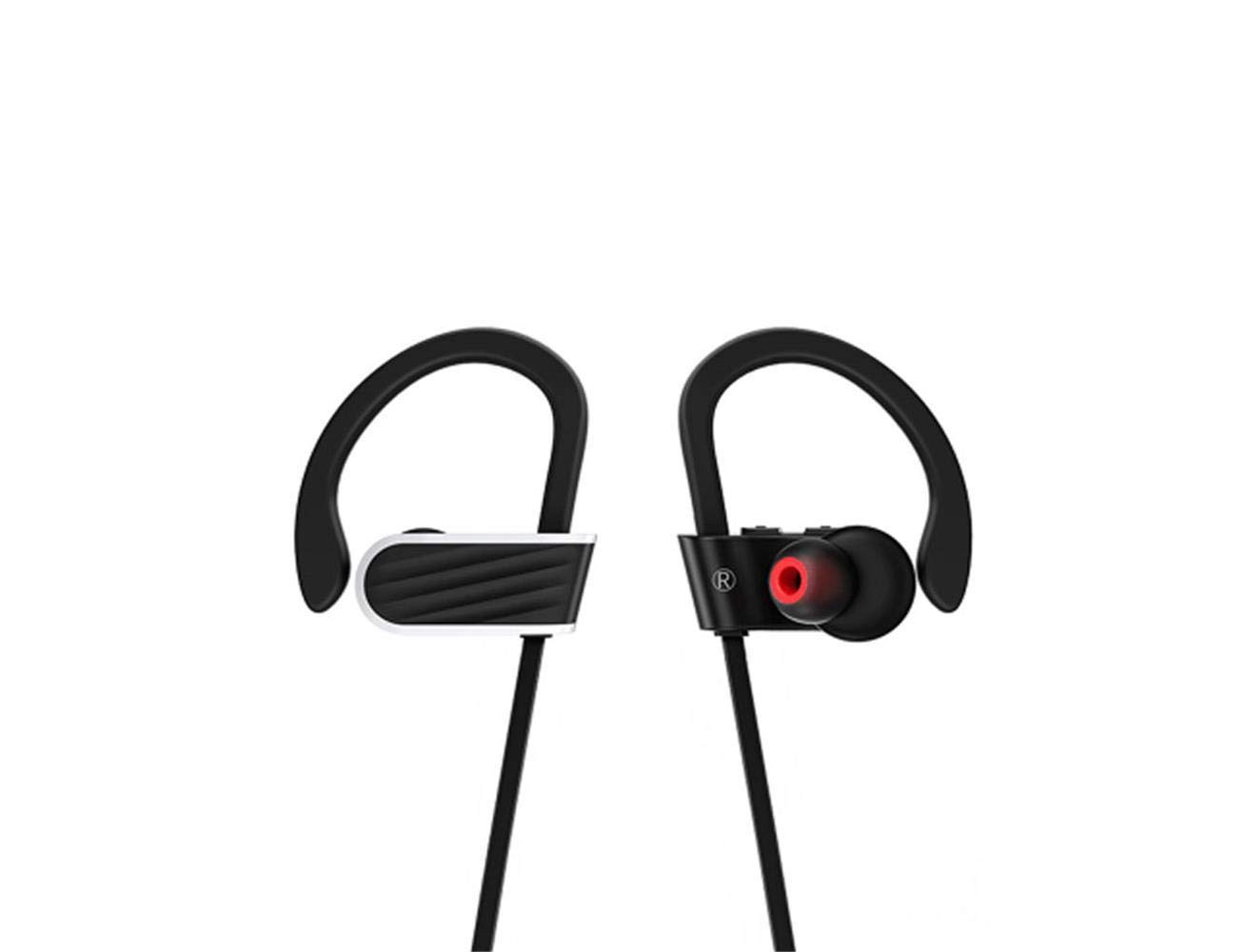
Image: Hoco ES7 Wireless Sports Earphones. These black earphones feature ear hooks for a secure fit during activities and are connected by a cable.
يثبت
1. شحن سماعات الأذن
Before first use, fully charge the earphones. Connect the charging cable to the charging port on the earphones and a USB power source. The indicator light will show charging status and turn off or change color when fully charged.
2. اقتران بلوتوث
- تأكد من إيقاف تشغيل سماعات الأذن.
- اضغط مع الاستمرار على الزر متعدد الوظائف حتى يومض ضوء المؤشر باللونين الأحمر والأزرق بالتناوب، مما يشير إلى وضع الاقتران.
- على جهازك المحمول، قم بتمكين Bluetooth وابحث عن الأجهزة المتاحة.
- Select "Hoco ES7" from the list of devices.
- Once connected, the indicator light will flash blue slowly or turn off, and you will hear a confirmation tone.
تعليمات التشغيل
تشغيل/إيقاف الطاقة
- تشغيل الطاقة: Press and hold the multi-function button for approximately 3 seconds until the blue indicator light flashes.
- إيقاف التشغيل: Press and hold the multi-function button for approximately 5 seconds until the red indicator light flashes and then turns off.
تشغيل الموسيقى
- تشغيل/إيقاف مؤقت: اضغط على الزر متعدد الوظائف مرة واحدة.
- المسار التالي: اضغط مع الاستمرار على زر رفع الصوت.
- المسار السابق: اضغط مع الاستمرار على زر خفض مستوى الصوت.
- رفع الصوت: اضغط لفترة قصيرة على زر رفع الصوت +.
- اخفض الصوت: اضغط لفترة قصيرة على زر التحكم في الصوت.
استدعاء إدارة
- الرد/إنهاء المكالمة: اضغط على الزر متعدد الوظائف مرة واحدة.
- رفض المكالمة: اضغط مع الاستمرار على الزر متعدد الوظائف لمدة 2 ثوانٍ.
- إعادة الاتصال بالرقم الأخير: اضغط مرتين على زر الوظائف المتعددة.
صيانة
- تنظيف: استخدم قطعة قماش ناعمة وجافة لتنظيف سماعات الأذن. لا تستخدم مواد كيميائية قاسية أو مواد كاشطة.
- تخزين: قم بتخزين سماعات الأذن في مكان بارد وجاف بعيدًا عن أشعة الشمس المباشرة ودرجات الحرارة القصوى.
- العناية بالبطارية: To prolong battery life, avoid fully discharging the earphones frequently. Charge them regularly, even if not in use for extended periods.
- مقاومة الماء: These earphones are designed for sports but are not fully waterproof. Avoid submerging them in water.
استكشاف الأخطاء وإصلاحها
| مشكلة | الحل المحتمل |
|---|---|
| لا يتم تشغيل سماعات الأذن. | تأكد من شحن سماعات الأذن بالكامل. |
| لا يمكن الاقتران بالجهاز. | Make sure earphones are in pairing mode (flashing red/blue). Turn off and on Bluetooth on your device. Forget previous pairings and try again. |
| لا يوجد صوت أو مستوى الصوت منخفض. | Check volume levels on both earphones and your connected device. Ensure earphones are properly connected. |
| جودة المكالمة سيئة. | Ensure the microphone is not obstructed. Move closer to your connected device to avoid interference. |
تحديد
- نموذج: إي إس 7
- ماركة: هوكو
- الاتصال: لاسلكي (بلوتوث)
- عامل الشكل: على الأذن
- ميكروفون: متضمن (1)
- إلغاء الضوضاء: لا يوجد إلغاء نشط للضوضاء
- الأجهزة المتوافقة: الهواتف المحمولة
- طريقة التحكم: اللمس/الزر
- مادة: معدن
- لون: أسود
- سعة البطارية: 100mAh (as per product title)
- وقت اللعب: Up to 6 hours (as per product title)
- طول الكابل: 55cm (as per product title)
- المكونات المتضمنة: وسائد الأذن
الضمان والدعم
For warranty information or technical support, please refer to the documentation provided with your purchase or contact Hoco customer service through their official website or authorized retailers. Keep your proof of purchase for warranty claims.