
1. المقدمة
Thank you for choosing the Awei A831BL Bluetooth In-Ear Headset. This manual provides essential information for the safe and efficient use of your device. Please read it carefully before use and retain it for future reference.
The Awei A831BL is a wireless in-ear headset designed for mobile phone use, offering up to 8 hours of continuous talk and music playback. It features pure, high-quality bass sound and is suitable for various activities.
2. محتويات العبوة
يرجى التحقق من الحزمة للعناصر التالية:
- Awei A831BL Bluetooth In-Ear Headset
- كابل شحن USB
- أطراف الأذن (أحجام مختلفة)
- دليل المستخدم
3. انتهى المنتجview
Familiarize yourself with the components of your Awei A831BL headset.
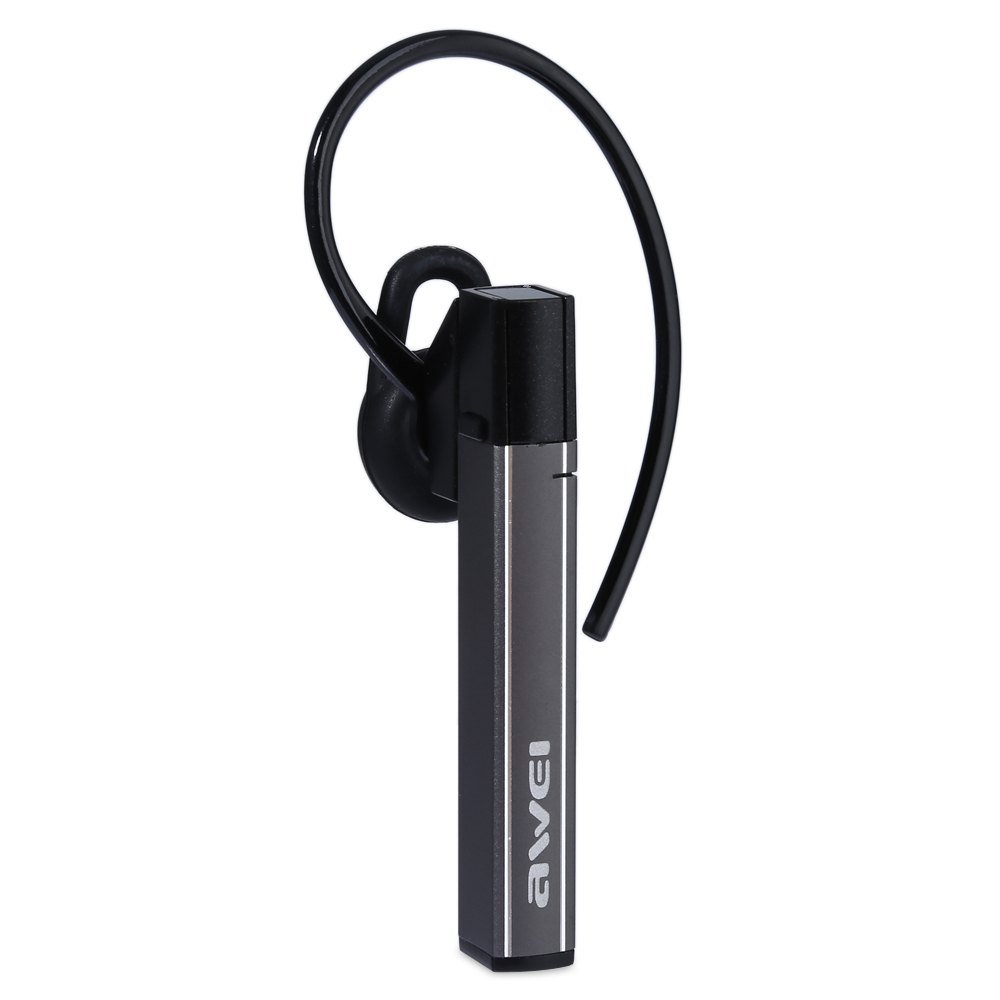
Image: The Awei A831BL Bluetooth In-Ear Headset in grey, showing the earbud design and inline controls.
The headset features an ergonomic in-ear design for comfortable wear, especially during activities. It includes an integrated microphone for hands-free calls and inline controls for managing audio and calls.
4. الإعداد
4.1 شحن سماعة الرأس
- قم بتوصيل كابل شحن USB بمنفذ الشحن الموجود على سماعة الرأس.
- قم بتوصيل الطرف الآخر من كابل USB بمحول طاقة USB (غير متضمن) أو بمنفذ USB الخاص بالكمبيوتر.
- The indicator light will illuminate (e.g., red) during charging.
- Once fully charged, the indicator light will change (e.g., turn blue or turn off).
A full charge provides up to 8 hours of talk or music playback time.
4.2 اقتران بلوتوث
- تأكد من شحن سماعة الرأس بالكامل وإيقاف تشغيلها.
- Press and hold the Multi-function button (usually the center button on the inline control) for approximately 5-7 seconds until the indicator light flashes red and blue alternately, indicating pairing mode.
- على هاتفك المحمول أو جهازك المزود بتقنية البلوتوث، قم بتفعيل البلوتوث وابحث عن الأجهزة المتاحة.
- Select "Awei A831BL" from the list of found devices.
- إذا طُلب منك إدخال كلمة مرور، فأدخل "0000" (أربعة أصفار).
- Once successfully paired, the indicator light will flash blue slowly, and you may hear a confirmation tone.
ستحاول سماعة الرأس تلقائيًا إعادة الاتصال بالجهاز المقترن الأخير عند تشغيلها.
5. تعليمات التشغيل
5.1 تشغيل/إيقاف التشغيل
- تشغيل الطاقة: Press and hold the Multi-function button for about 3 seconds until the blue indicator light flashes.
- إيقاف التشغيل: Press and hold the Multi-function button for about 3-4 seconds until the red indicator light flashes briefly and then turns off.
5.2 تشغيل الموسيقى
- تشغيل/إيقاف مؤقت: اضغط على الزر متعدد الوظائف مرة واحدة.
- رفع الصوت: اضغط على زر "+".
- اخفض الصوت: اضغط على زر '-'.
- المسار التالي: اضغط مع الاستمرار على زر "+".
- المسار السابق: اضغط مع الاستمرار على الزر '-'.
5.3 إدارة المكالمات
- الرد على المكالمة: اضغط على الزر متعدد الوظائف مرة واحدة عند ورود مكالمة.
- إنهاء المكالمة: اضغط على زر الوظائف المتعددة مرة واحدة أثناء المكالمة.
- رفض المكالمة: Press and hold the Multi-function button for about 2 seconds when a call comes in.
- إعادة الاتصال بالرقم الأخير: اضغط مرتين على الزر متعدد الوظائف.
The integrated microphone allows for clear hands-free communication.
6. الصيانة
- قم بتنظيف سماعة الرأس بانتظام باستخدام قطعة قماش ناعمة وجافة.
- تجنب تعريض سماعة الرأس لدرجات حرارة شديدة أو رطوبة عالية أو مواد أكالة.
- لا تحاول تفكيك سماعة الرأس أو تعديلها، لأن ذلك سيؤدي إلى إبطال الضمان وقد يتسبب في تلفها.
- قم بتخزين سماعة الرأس في مكان بارد وجاف عندما لا تكون قيد الاستخدام.
7. استكشاف الأخطاء وإصلاحها
| مشكلة | حل |
|---|---|
| سماعة الرأس لا تعمل. | تأكد من شحن سماعة الرأس بالكامل. وصّلها بمصدر طاقة وحاول مرة أخرى. |
| لا يمكن الاقتران بجهاز. | Ensure the headset is in pairing mode (flashing red and blue). Turn off and on your device's Bluetooth. Move closer to the device. Clear previous Bluetooth connections on your device. |
| لا يوجد صوت أو مستوى الصوت منخفض. | تحقق من مستوى الصوت في كلٍّ من سماعة الرأس والجهاز المتصل. تأكد من توصيل سماعة الرأس بشكل صحيح. |
| جودة المكالمة سيئة. | Ensure the microphone is not obstructed. Move to an area with less interference. Check your phone's signal strength. |
8. المواصفات
| ميزة | التفاصيل |
|---|---|
| ماركة | أوي |
| رقم الموديل | طائرة A831BL |
| لون | رمادي |
| تكنولوجيا الاتصال | لاسلكي (بلوتوث) |
| نوع السماعة | داخل الأذن |
| ميكروفون | نعم |
| إلغاء الضوضاء | لا |
| عمر البطارية | Up to 8 hours (talk/music) |
| ميزات الصوت | Pure, high-quality bass sound |
| مادة | بلاستيك |
| الأجهزة المتوافقة | الهواتف المحمولة |
9. الضمان والدعم
Awei products are designed and manufactured to the highest quality standards. For warranty information and customer support, please refer to the warranty card included in your package or contact your local retailer. Keep your purchase receipt as proof of purchase.
For further assistance, please visit the official Awei webالموقع أو الاتصال بقسم خدمة العملاء.