
إليفاس BL128
ELEPHAS Mini Projector User Manual
الموديل: BL128
1. المقدمة
Thank you for choosing the ELEPHAS Mini Projector. This manual provides essential information for setting up, operating, and maintaining your projector. Please read it thoroughly before use to ensure optimal performance and longevity of the device.
The ELEPHAS Mini Projector is a compact and portable device designed for versatile entertainment and presentation needs. It supports 1080P HD resolution and offers a large projection screen size, making it suitable for both indoor and outdoor use.
2. محتويات العبوة
يرجى التأكد من وجود جميع العناصر في الحزمة:
- 1 x ELEPHAS Mini Projector
- 1 x ميني ترايبود
- 1 × جهاز التحكم عن بعد
- 1 × دليل المستخدم (هذه الوثيقة)
- 1 × كابل HDMI
3. انتهى المنتجview
Familiarize yourself with the components of your ELEPHAS Mini Projector.

The ELEPHAS Mini Projector is designed to be highly portable, easily fitting in the palm of your hand.
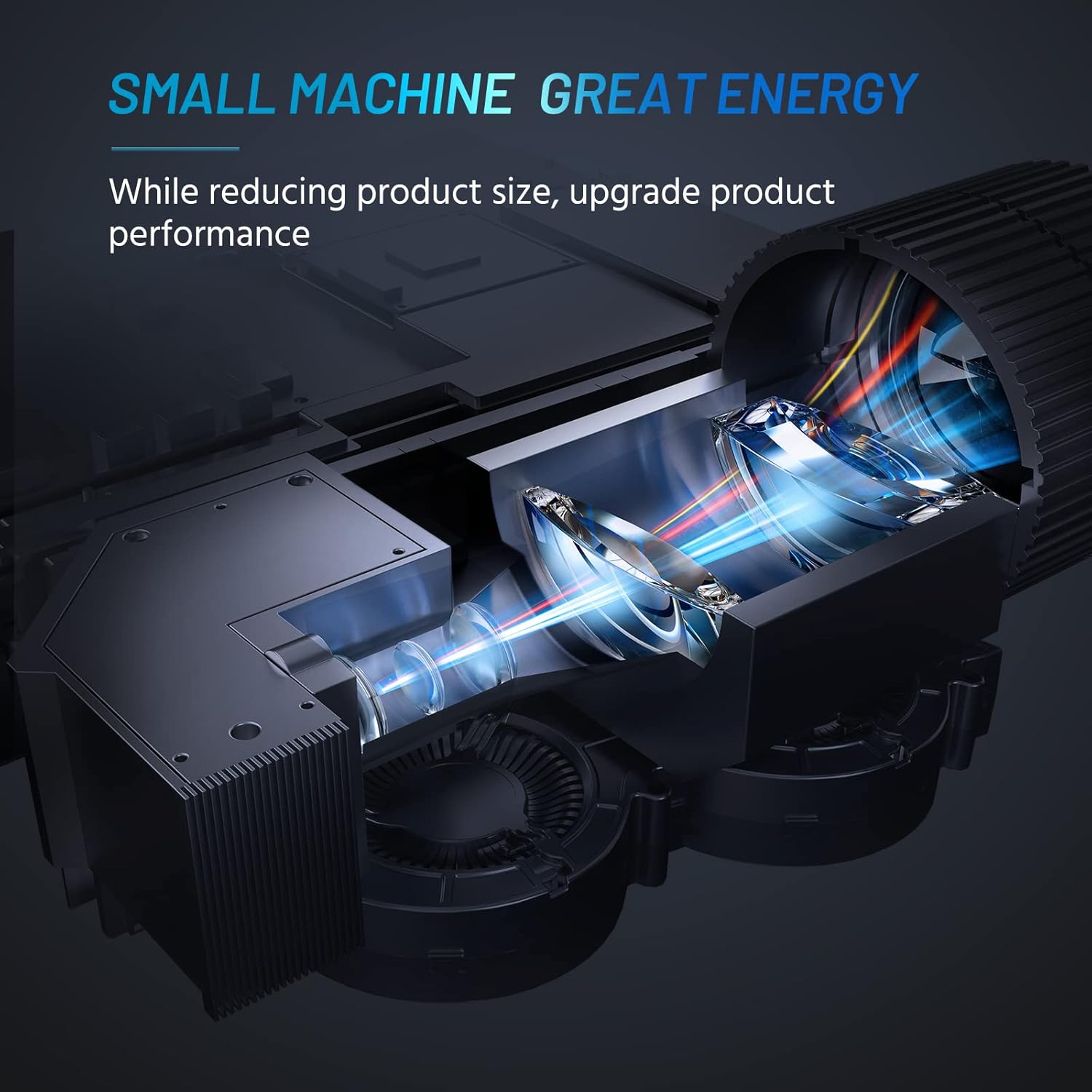
Internal design of the projector, highlighting its compact yet powerful light engine.

مفصل view of the German LED light source and emerald glass lens, designed for enhanced picture quality.
4. الإعداد
4.1 Basic Placement
ضع جهاز العرض على سطح مستوٍ وثابت. للحصول على أفضل النتائج viewing, ensure the projection surface (wall or screen) is clean and smooth. The included mini tripod can be used for minor height and angle adjustments.

Various setup options for the projector, including table placement, mini tripod installation, and ceiling mount, showing potential screen sizes.
4.2 توصيل الطاقة
- قم بتوصيل محول الطاقة بمنفذ إدخال الطاقة الخاص بالجهاز العرض.
- قم بتوصيل محول الطاقة بمأخذ كهربائي مناسب.
4.3 توصيل الأجهزة
The projector supports multiple input sources. Ensure your device is powered on before connecting.
- HDMI: Connect your laptop, PC, TV Box, TV Stick, or gaming console using the provided HDMI cable.
- USB: أدخل ذاكرة فلاش USB لتشغيل الوسائط مباشرةً.
- من: Use an AV cable (not included) to connect older devices.
- الصوت خارج: قم بتوصيل مكبرات الصوت الخارجية أو سماعات الرأس عبر مقبس الصوت 3.5 ملم للحصول على صوت محسّن.
- اتصال الهاتف الذكي: For iOS/Android/Windows smartphones, a compatible HDMI adapter (e.g., Lightning to HDMI, Micro USB/Type-C to HDMI) is required and not included.
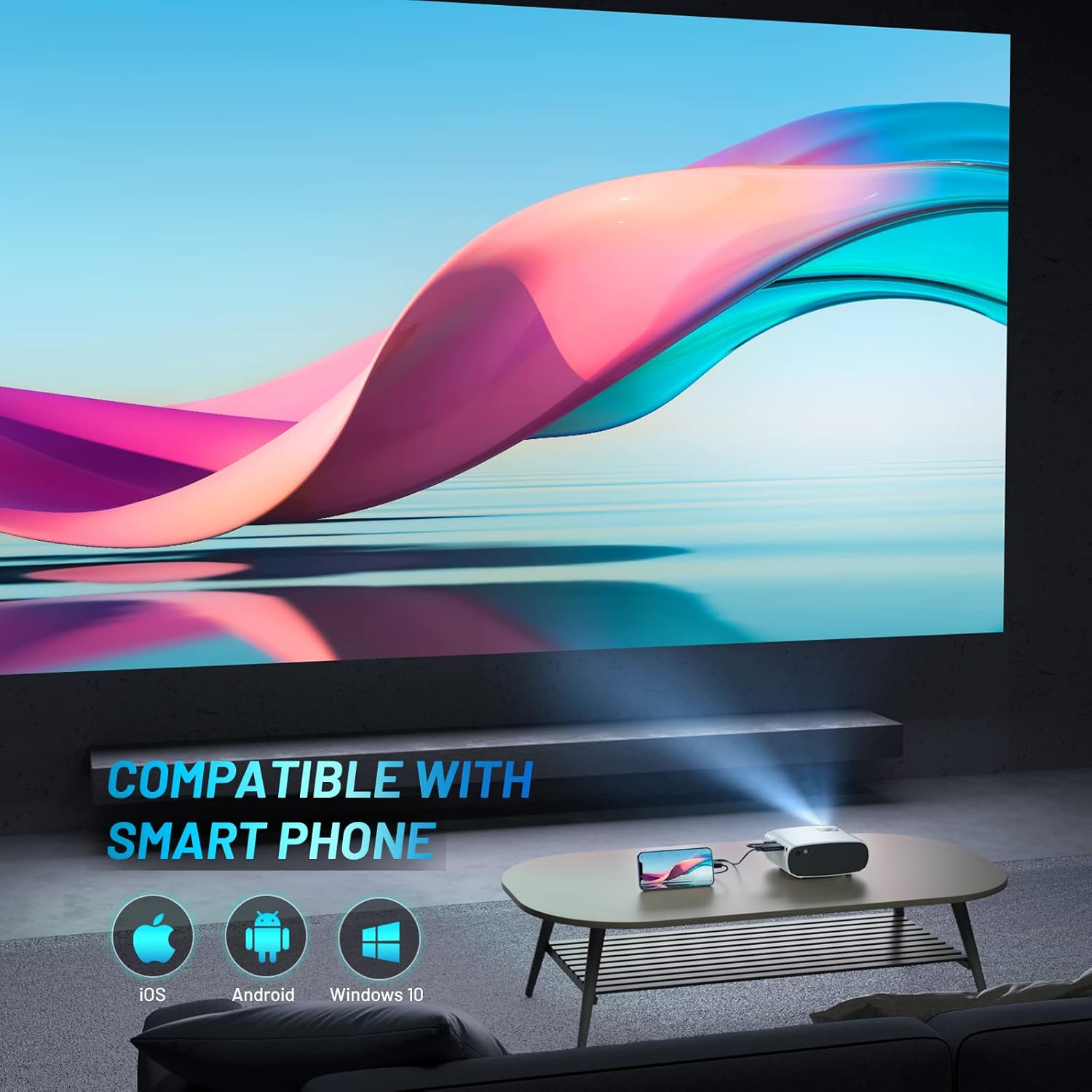
The projector is compatible with various smartphone operating systems, requiring an appropriate adapter for connection.

Connecting smartphones to the projector for outdoor movie nights. Adapters are sold separately.
Official video demonstrating the features and portability of the ELEPHAS Mini Projector, including setup and usage scenarios.
5. تعليمات التشغيل
5.1 تشغيل/إيقاف التشغيل
- تشغيل الطاقة: اضغط على زر التشغيل في جهاز العرض أو جهاز التحكم عن بعد. سيضيء مؤشر الضوء.
- إيقاف التشغيل: اضغط على زر التشغيل مرة أخرى. سيتم إيقاف تشغيل جهاز العرض.
5.2 ضبط التركيز والانحراف
- ركز: قم بتدوير حلقة التركيز الموجودة على عدسة جهاز العرض حتى تصبح الصورة المعروضة واضحة وحادة.
- تصحيح الانحراف: Use the keystone adjustment dial (if available) or the remote control to correct trapezoidal distortion if the projector is not perfectly perpendicular to the screen.

The projector offers an adjustable angle for flexible projection setup.
5.3 اختيار مصدر الإدخال
Press the 'Source' button on the remote control or projector to cycle through available input sources (HDMI, USB, AV).
5.4 إخراج الصوت
The projector has a built-in HIFI speaker. For a more immersive audio experience, connect external speakers or headphones to the 3.5mm audio output port.
The projector features a dual-band sound system designed for reduced noise and clear audio.
6. الصيانة
6.1 التنظيف
- عدسة: استخدم قطعة قماش ناعمة وخالية من الوبر، مُخصصة للعدسات البصرية. لا تستخدم منظفات أو مذيبات كاشطة.
- Casing: امسح الجزء الخارجي من جهاز العرض بقطعة قماش ناعمة وجافة. تجنب استخدام المنظفات السائلة مباشرة على الجهاز.
- تهوية: Ensure the ventilation vents are clear of dust and obstructions to prevent overheating.
6.2 التخزين
When not in use, store the projector in a cool, dry place, away from direct sunlight and extreme temperatures. Use the lens cap to protect the lens from dust and scratches.
7. استكشاف الأخطاء وإصلاحها
| مشكلة | السبب المحتمل | حل |
|---|---|---|
| لم يتم عرض أي صورة | Power not connected; Incorrect input source; Loose cable connection | Check power cable; Select correct input source; Reconnect HDMI/USB cable securely |
| الصورة ضبابية | خارج التركيز؛ مسافة الإسقاط غير صحيحة | Adjust focus ring; Adjust projector distance from screen |
| لا يوجد صوت | Volume too low; Muted; External speakers not connected properly | Increase volume; Unmute; Check external speaker connection |
| جهاز التحكم عن بعد لا يعمل | بطاريات فارغة؛ عائق بين جهاز التحكم عن بعد وجهاز العرض | Replace batteries; Remove obstructions; Point remote directly at projector's IR receiver |
| Cannot play Netflix/Amazon Prime/Hulu | HDCP copyright restrictions | Use an Amazon Fire Stick or Roku Stick for these services. |
8. المواصفات
- رقم الموديل: بي ال128
- دقة العرض: 1920 x 1080 (1080P HD Support)
- سطوع: 8000 لومن
- نسبة التباين: 6000:1
- تقنية الاتصال: HDMI، USB، AV، مخرج صوت
- أبعاد المنتج: 6 × 4.4 × 2.4 بوصة
- وزن السلعة: 1 جنيه
- الشركة المصنعة: إليفاس
- بلد المنشأ: الصين
- المميزات الخاصة: Portable, HDMI Connectivity, Built-in HIFI Speaker, Efficient Heat Dissipation System, Emerald Glass Lens, 24-bit True Color Support
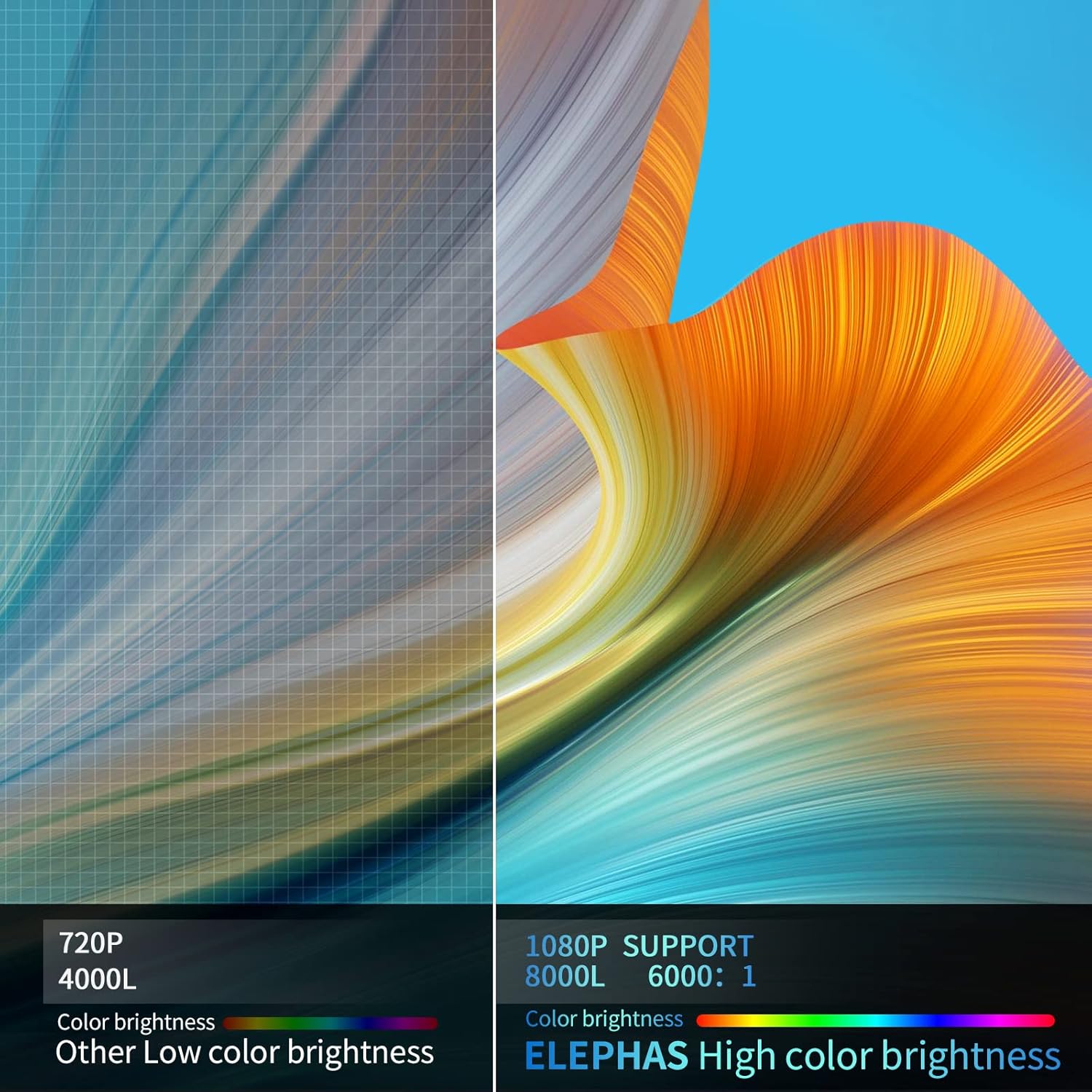
Visual comparison demonstrating the enhanced brightness and color quality of the ELEPHAS projector.

Illustrates the progression of brightness and clarity from lower resolution projectors to the 8000L 1080P ELEPHAS model.
9. الضمان والدعم
ELEPHAS projectors come with a 3-year factory support warranty. For any issues or inquiries, please contact ELEPHAS customer service. Refer to the contact information provided on the product packaging or the official ELEPHAS webموقع.
The product holds CE, FCC, RoHS, and PSE certificates, ensuring compliance with relevant safety and quality standards.
Ask a question about this manual
Ask about setup, troubleshooting, compatibility, parts, safety, or missing instructions. Manuals+ will review the question and use this page’s manual context to help answer it.