
مقدمة
This manual provides essential information for the proper setup, operation, and maintenance of your Philips 346B1C Curved Monitor. This 34-inch WQHD (3440 x 1440) display features a 100 Hz refresh rate, 5ms response time, and a curved VA panel for an immersive viewing experience. Key features include USB-C docking, MultiView functionality, FreeSync technology, LowBlue Mode, and FlickerFree technology for enhanced user comfort and productivity.

الصورة: الجبهة view of the Philips 346B1C curved monitor, showcasing its ultrawide display and key features like WQHD, USB-C Docking, and MultiView.
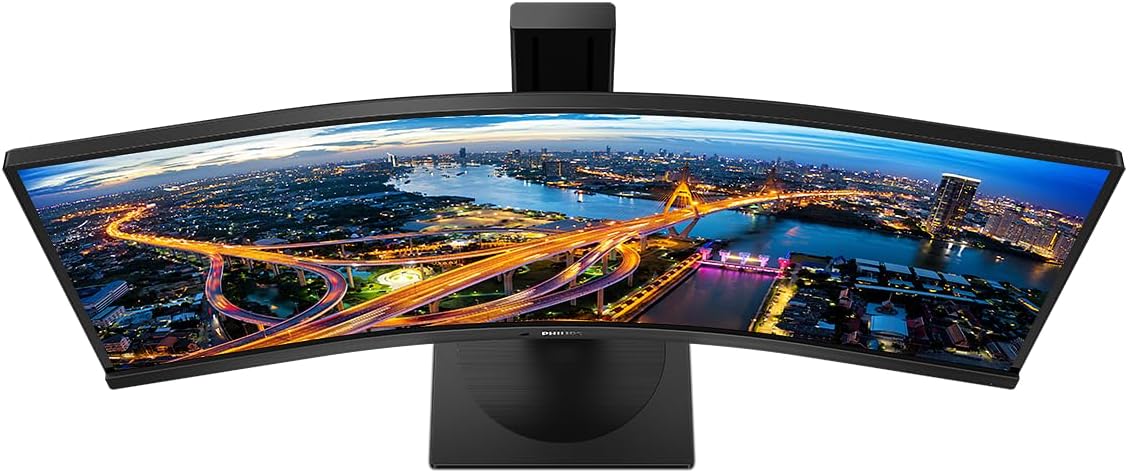
الصورة: من أعلى إلى أسفل view of the Philips 346B1C curved monitor, emphasizing the curvature of the screen.
ماذا يوجد في الصندوق
تأكد من وجود كافة المكونات قبل المتابعة بالإعداد.
- Philips 346B1C Curved Monitor
- حامل الشاشة (القاعدة والرقبة)
- كابل الطاقة
- كابل HDMI
- كابل ديسبلايبورت
- كابل USB-C إلى USB-C
- USB-A to USB-B Cable (Upstream)
- Documentation (Quick Start Guide, User Manual CD)
تعليمات الإعداد
1. تجميع الحامل
- ضع الشاشة على سطح ناعم ونظيف بحيث يكون وجهها لأسفل لمنع الخدوش.
- قم بتثبيت قاعدة الحامل على لوحة الشاشة. تأكد من تثبيتها بإحكام في مكانها أو باستخدام البراغي إن وجدت.
- ثبّت قاعدة الحامل بعنقه. شدّ برغي الإبهام أو البراغي من أسفل القاعدة.

الصورة: الخلفية view of the Philips 346B1C monitor, showing the stand attachment point and VESA mounting holes.
2. الاتصال بجهاز الكمبيوتر الخاص بك
Connect the monitor to your computer using one of the following methods:
- اتصال HDMI: قم بتوصيل أحد طرفي كابل HDMI بمنفذ HDMI الخاص بالشاشة والطرف الآخر بمنفذ HDMI الخاص بجهاز الكمبيوتر.
- اتصال منفذ العرض: قم بتوصيل أحد طرفي كابل DisplayPort بمنفذ DisplayPort الخاص بالشاشة والطرف الآخر بمنفذ DisplayPort الخاص بجهاز الكمبيوتر.
- اتصال USB-C: Connect one end of the USB-C cable to the monitor's USB-C port and the other end to your computer's USB-C port. This connection supports video, data, and power delivery (up to 90W) to your laptop.
For USB hub functionality, connect the USB-A to USB-B upstream cable from your computer to the monitor's USB-B upstream port.
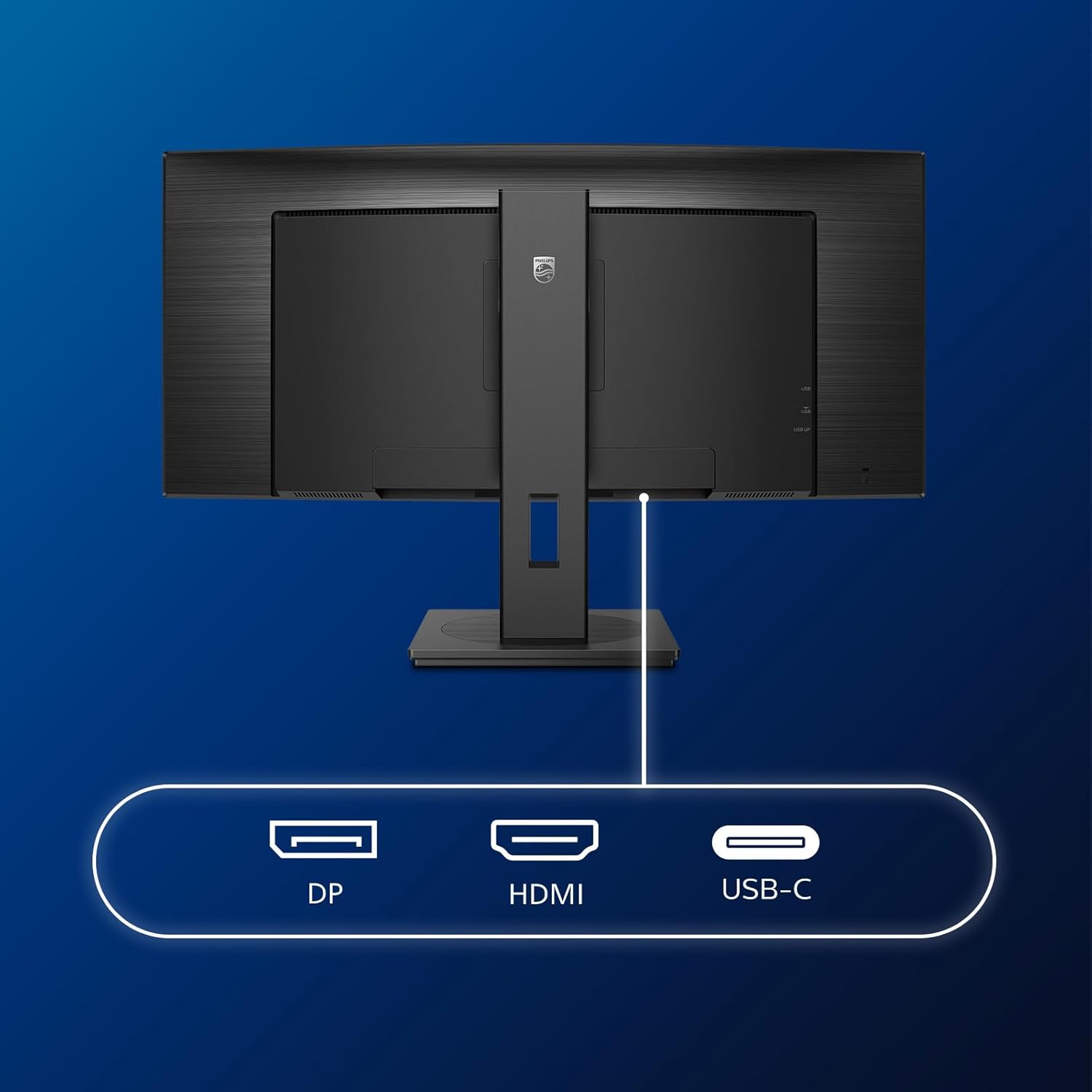
الصورة: مفصلة view of the monitor's input ports, including DisplayPort (DP), HDMI, and USB-C, for connecting to various devices.
3. توصيل الطاقة
قم بتوصيل كابل الطاقة بمدخل الطاقة الخاص بالشاشة ثم بمأخذ كهربائي مؤرض.
4. التشغيل الأولي
Press the power button located on the monitor to turn it on. The monitor should automatically detect the input signal. If not, use the On-Screen Display (OSD) menu to select the correct input source.
تعليمات التشغيل
قائمة العرض على الشاشة (OSD)
The OSD menu allows you to adjust various monitor settings. Use the joystick control located on the back or bottom of the monitor to navigate the menu.
- السطوع / التباين: ضبط الإضاءة العامة والتباين للشاشة.
- إعدادات الألوان: Fine-tune color temperature, gamma, and color space.
- تحديد الإدخال: التبديل يدويًا بين مدخلات HDMI وDisplayPort وUSB-C.
- صوتي: Adjust volume or mute the built-in speakers.
- وضع الصورة: Select from preset picture modes (e.g., Standard, Gaming, Text).
متعددView الوظيفة
متعددView feature allows you to connect and view content from two different sources simultaneously on the screen. Access this feature through the OSD menu to select Picture-by-Picture (PbP) or Picture-in-Picture (PiP) modes and configure input sources.
إرساء USB-C
When connected via USB-C, the monitor acts as a docking station, providing video, data transfer through its integrated USB hub, and power delivery to charge your connected laptop (up to 90W).
SmartErgoBase and Adjustability
The monitor's SmartErgoBase allows for ergonomic adjustments including height, swivel, and tilt to optimize your viewجي الراحة.

Image: Illustrations demonstrating the monitor's adjustable features, including height adjustment, tilt, and swivel capabilities for ergonomic positioning.
ميزات راحة العين
- وضع LowBlue: Reduces harmful shortwave blue light emissions to prevent eye strain. Activate this mode via the OSD menu.
- تقنية خالية من الوميض: ينظم السطوع ويقلل من الوميض لراحة أكبر viewing. This feature is always active.
- PowerSensor & LightSensor: These sensors automatically adjust monitor brightness based on ambient light conditions and user presence, saving energy and reducing eye strain.
صيانة
تنظيف الشاشة
- افصل الشاشة دائمًا قبل التنظيف.
- استخدم قطعة قماش ناعمة وخالية من الوبر برفق دampيُنظف بالماء أو بمنظف شاشات خفيف وغير كاشط.
- لا تستخدم الكحول أو المذيبات أو المنظفات التي تحتوي على الأمونيا، لأنها قد تتلف سطح الشاشة.
- امسح الشاشة بلطف لإزالة الغبار والبقع.
- نظف الشاشة جasinباستخدام قطعة قماش ناعمة وجافة.
الرعاية العامة
- تجنب وضع أشياء ثقيلة على الشاشة أو كابلاتها.
- لا تعرض الشاشة لأشعة الشمس المباشرة أو الحرارة الزائدة أو البرودة الشديدة.
- تأكد من التهوية المناسبة حول الشاشة.
استكشاف الأخطاء وإصلاحها
إذا واجهت مشكلات مع شاشتك، فراجع خطوات استكشاف الأخطاء وإصلاحها الشائعة التالية:
| مشكلة | السبب المحتمل | حل |
|---|---|---|
| لا توجد صورة على الشاشة | تم فصل كابل الطاقة؛ تم فصل كابل الفيديو؛ تم تحديد مصدر إدخال غير صحيح. | Ensure power cable is securely connected; Check video cable connections (HDMI, DP, USB-C); Select correct input source via OSD menu. |
| الصورة ضبابية أو مشوهة | دقة غير صحيحة؛ مشكلة في برنامج تشغيل الرسومات. | Set display resolution to 3440 x 1440; Update graphics card drivers. |
| لا يوجد صوت من مكبرات الصوت | Volume muted or too low; Incorrect audio output selected on computer. | Adjust monitor volume via OSD; Check computer's audio output settings. |
| منافذ USB لا تعمل | كابل USB العلوي غير متصل. | Ensure the USB-A to USB-B upstream cable is connected from the monitor to your computer. |
للحصول على مزيد من المساعدة، يرجى الرجوع إلى قسم الدعم أو الاتصال بخدمة عملاء فيليبس.
تحديد
| ميزة | التفاصيل |
|---|---|
| ماركة | فيليبس |
| رقم الموديل | 346ب1ج |
| حجم الشاشة | 34 بوصة (86 سم) |
| دقة | 3440 × 1440 (WQHD) |
| نسبة العرض إلى الارتفاع | 21:9 |
| سطح الشاشة | لوحة VA منحنية |
| معدل التحديث | 100 هرتز |
| وقت الاستجابة | 5 Milliseconds (GtG) |
| نسبة التباين | 3000:1 (نموذجي) |
| سطوع | 300 شمعة/م² |
| Viewزاوية جي | 178 درجة (أفقية) / 178 درجة (رأسية) |
| الاتصال | 1x HDMI 2.0, 1x DisplayPort 1.2, 1x USB-C 3.2 Gen 1 (upstream, power up to 90W), 1x USB-B (upstream), 4x USB 3.2 (downstream), RJ45 (Ethernet) |
| المزامنة التكيفية | فري سينك |
| مكبرات صوت مدمجة | 2 × 5 وات |
| استهلاك الطاقة | 5 Watts (Eco mode) |
| وزن | 7.8 Kilograms (with stand) |
الضمان والدعم
معلومات الضمان
This Philips monitor comes with a ضمان الشركة المصنعة لمدة عامين. The specific terms and conditions of the warranty can be found in the detailed documentation provided with your product or on the official Philips support website. Your statutory rights as a consumer are not affected by this warranty.
دعم العملاء
For technical assistance, product inquiries, or warranty claims, please visit the official Philips support website or contact their customer service department. You may need your monitor's model number (346B1C) and serial number (found on the back of the monitor) when contacting support.
دعم فيليبس Webموقع: www.philips.com/support