
ROCCAT ROC-12-940-BN
Roccat Vulcan 122 Mechanical Gaming Keyboard User Manual
Model: ROC-12-940-BN
1. المقدمة
The Roccat Vulcan 122 is a high-performance mechanical gaming keyboard designed for precision and durability. It features Roccat's unique Titan switches, advanced AIMO RGB lighting, and a robust aluminum construction. This manual provides detailed instructions for setting up, operating, maintaining, and troubleshooting your keyboard.

Image: The Roccat Vulcan 122 keyboard shown with a Roccat mouse and headset, demonstrating its vivid, dynamic lighting synergy with AIMO.
المميزات الرئيسية:
- Unique design with lowered keycaps and reduced reaction time.
- RGB lighting with configurable LED effects and adjustable AIMO effects.
- High-quality and resistant design with robust materials and an anodized aluminum surface.
- Advanced anti-ghosting with N-Key Rollover (NKRO).
- Programmable macro keys and ROCCAT Easy-Shift[+].
2. الإعداد
2.1 توصيل لوحة المفاتيح
To connect your Roccat Vulcan 122 keyboard:
- قم بفك لوحة المفاتيح وملحقاتها.
- Plug the USB connector from the keyboard into an available USB port on your computer.
- سيقوم نظام التشغيل تلقائيًا باكتشاف وتثبيت برامج التشغيل اللازمة.
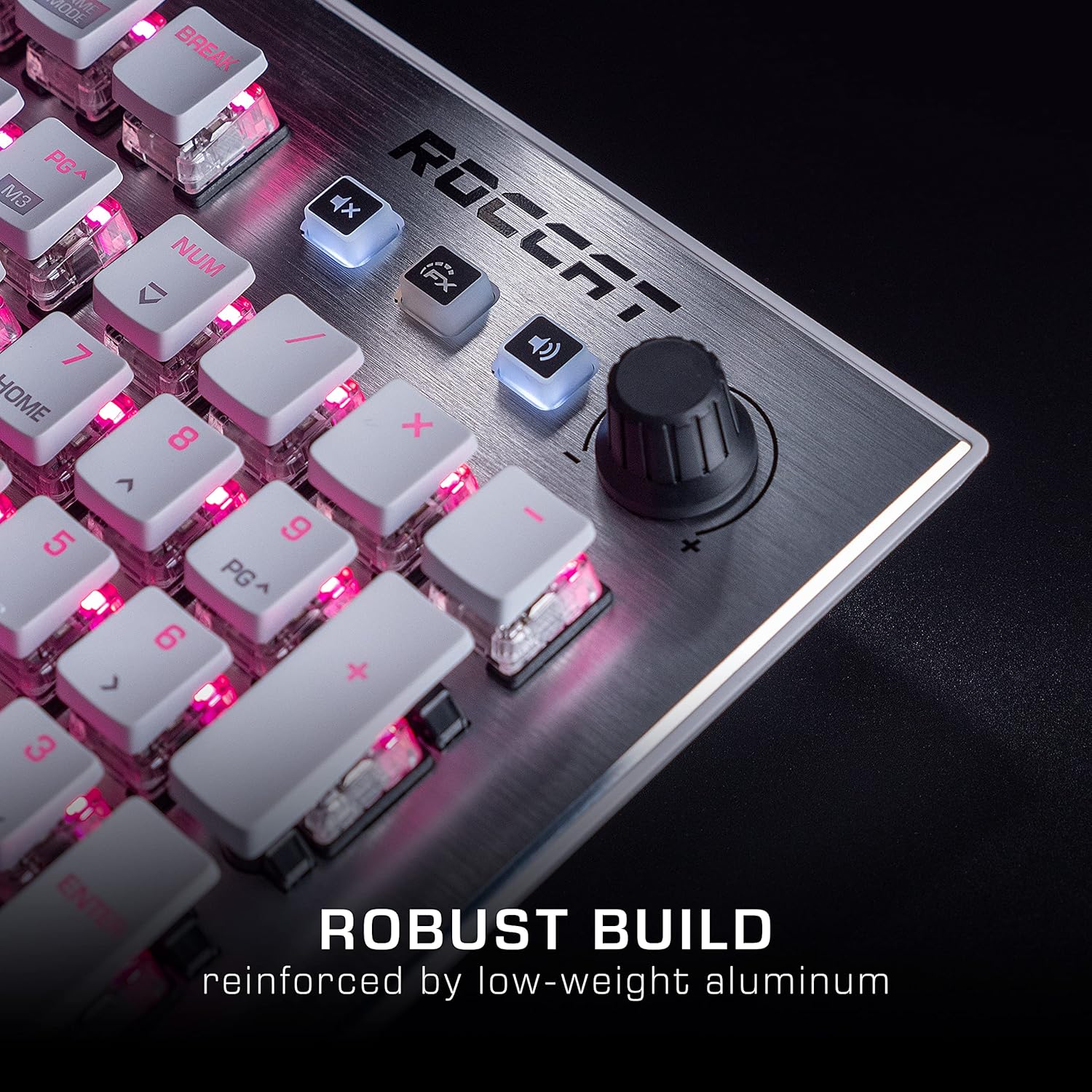
Image: The Roccat Vulcan 122 keyboard shown with its detachable wrist rest, ready for connection.
2.2 Software Installation (ROCCAT Swarm)
For full functionality and customization, install the ROCCAT Swarm software:
- Visit the official ROCCAT webموقع (www.roccat.com) and navigate to the support section.
- Download the latest version of the ROCCAT Swarm software for your operating system.
- قم بتشغيل برنامج التثبيت واتبع الإرشادات التي تظهر على الشاشة.
- After installation, launch ROCCAT Swarm to configure your keyboard settings, lighting, and macros.
3. تشغيل لوحة المفاتيح
3.1 Standard Key Functions
The Vulcan 122 functions as a standard QWERTY keyboard. All alphanumeric keys, function keys (F1-F12), navigation keys, and the numeric keypad operate as expected.
3.2 عناصر التحكم في الوسائط
The keyboard features dedicated media controls for convenient audio management.
- مقبض الصوت: Located in the upper right corner, rotate to adjust system volume.
- زر كتم الصوت: اضغط لكتم الصوت/إلغاء كتمه.
- زر FX: Cycles through lighting effects or other programmable functions.

الصورة: لقطة مقربة view of the mixer-style media controls on the Roccat Vulcan 122, including the volume knob and dedicated function keys.
3.3 RGB Lighting Customization (AIMO)
The Vulcan 122 features advanced RGB lighting with Roccat's AIMO intelligent lighting system. Use the ROCCAT Swarm software to:
- Select from various pre-set lighting effects.
- Customize individual key illumination.
- Adjust brightness and speed of effects.
- Synchronize lighting with other AIMO-compatible devices.
3.4 Programmable Macro Keys and Easy-Shift[+]
The keyboard includes programmable macro keys and the Easy-Shift[+] function, allowing you to assign secondary functions to keys.
- Use the ROCCAT Swarm software to record and assign macros to designated keys.
- Easy-Shift[+] allows you to double the number of assignable functions by holding down the Easy-Shift[+] key (usually Caps Lock by default, configurable in Swarm) and pressing another key.
3.5 Anti-Ghosting with NKRO
The Vulcan 122 features advanced anti-ghosting technology with N-Key Rollover (NKRO), ensuring that every key press is registered accurately, even when multiple keys are pressed simultaneously.

Image: A hand demonstrating typing on the Roccat Vulcan 122 keyboard, emphasizing the ergonomic design of the keys for comfortable use.
4. الصيانة
4.1 تنظيف لوحة المفاتيح
To ensure the longevity and optimal performance of your Vulcan 122 keyboard, regular cleaning is recommended.
- افصل لوحة المفاتيح عن الكمبيوتر قبل التنظيف.
- استخدم قطعة قماش ناعمة وخالية من الوبر وامسحها برفق.ampened with water or a mild cleaning solution to wipe the keycaps and surface. Avoid harsh chemicals.
- For dust and debris between keys, use compressed air. The raised keycap design makes cleaning easier.
- تأكد من أن لوحة المفاتيح جافة تمامًا قبل إعادة توصيلها.

Image: A close-up of the Roccat Vulcan 122 keyboard keys, illustrating their design which facilitates easy cleaning and resistance to dust and liquids.
5. استكشاف الأخطاء وإصلاحها
If you encounter issues with your Roccat Vulcan 122 keyboard, refer to the following common problems and solutions:
- لوحة المفاتيح لا تستجيب:
- تأكد من توصيل كابل USB بشكل آمن بكل من لوحة المفاتيح والكمبيوتر.
- حاول توصيل لوحة المفاتيح بمنفذ USB مختلف.
- أعد تشغيل الكمبيوتر الخاص بك.
- Check if the keyboard is disabled in your operating system's device manager.
- إضاءة RGB لا تعمل أو غير صحيحة:
- Ensure the ROCCAT Swarm software is installed and up to date.
- Check lighting settings within the Swarm software.
- Perform a firmware update for the keyboard via Swarm.
- المفاتيح غير مسجلة أو غير ظاهرة:
- قم بتنظيف المفاتيح المتضررة كما هو موضح في قسم الصيانة.
- تأكد من تحديث البرامج الثابتة للوحة المفاتيح.
- قم باختبار لوحة المفاتيح على جهاز كمبيوتر آخر لاستبعاد المشكلات الخاصة بالنظام.
- ROCCAT Swarm software not detecting keyboard:
- تأكد من توصيل لوحة المفاتيح بشكل صحيح.
- Restart the Swarm software and your computer.
- Reinstall the ROCCAT Swarm software.
- التحقق من وجود أي برامج أو برامج تشغيل متعارضة.
6. المواصفات
| ميزة | التفاصيل |
|---|---|
| ماركة | ROCCAT |
| اسم الموديل | فولكان 122 |
| رقم الموديل | ROC-12-940-BN |
| وصف لوحة المفاتيح | ميكانيكي |
| نوع المفتاح | لمسية |
| مادة | الألومنيوم |
| المميزات الخاصة | الإضاءة الخلفية |
| الأجهزة المتوافقة | Laptop (PC) |
| دعم نظام التشغيل | ويندوز 10، ويندوز 7، ويندوز 8 |
| أبعاد المنتج | 46.2 × 23.5 × 3.2 سم |
| وزن العنصر | 1.15 كجم |

الصورة: انفجار view diagram illustrating the components of a Roccat Titan Tactile mechanical switch, highlighting its design for swift and precise response.
7. الضمان والدعم
7.1 معلومات الضمان
Your Roccat Vulcan 122 keyboard is covered by a manufacturer's warranty. The specific terms and duration of the warranty may vary by region and retailer. Please retain your proof of purchase for warranty claims. For detailed warranty information, refer to the warranty card included with your product or visit the official ROCCAT webموقع.
7.2 الدعم الفني
For technical assistance, driver updates, or further inquiries, please visit the official ROCCAT support page:
يمكنك العثور على الأسئلة الشائعة، وأدلة استكشاف الأخطاء وإصلاحها، ومعلومات الاتصال بخدمة العملاء على موقعهم الإلكتروني. webموقع.
Ask a question about this manual
Ask about setup, troubleshooting, compatibility, parts, safety, or missing instructions. Manuals+ will review the question and use this page’s manual context to help answer it.