
1. المقدمة
Thank you for choosing the BESTEK PD20W Power Strip Tower. This manual provides essential information for the safe and efficient use of your device. Please read it thoroughly before operation and retain it for future reference.
This compact power strip is designed to provide convenient power and charging solutions for multiple electronic devices. It features a vertical cube design, optimizing space and offering versatile placement options.

Image: The BESTEK PD20W Power Strip Tower, showcasing its 7-in-1 functionality with 3 AC outlets, 3 USB-A ports, and 1 USB-C port, connected to various devices on a nightstand.
2. تعليمات السلامة الهامة
- لا تتجاوز الحد الأقصى للحمل وهو 15 Amps.
- هذا الجهاز مخصص للاستخدام الداخلي فقط. لا تعرضه للرطوبة أو الظروف الرطبة.
- يحفظ بعيدًا عن متناول الأطفال.
- لا تقم بتفكيك أو تعديل شريط الطاقة.
- Ensure the power strip is fully plugged into a grounded outlet.
- تجنب استخدامه مع شرائط الطاقة أو أسلاك التمديد الأخرى.
- يتميز المنتج بالقدرة على التحملtage, short circuit, overload, and overcurrent protection. If the power strip trips, unplug all devices and reset the power switch.
- The housing is made of flame-retardant PC material for enhanced safety.
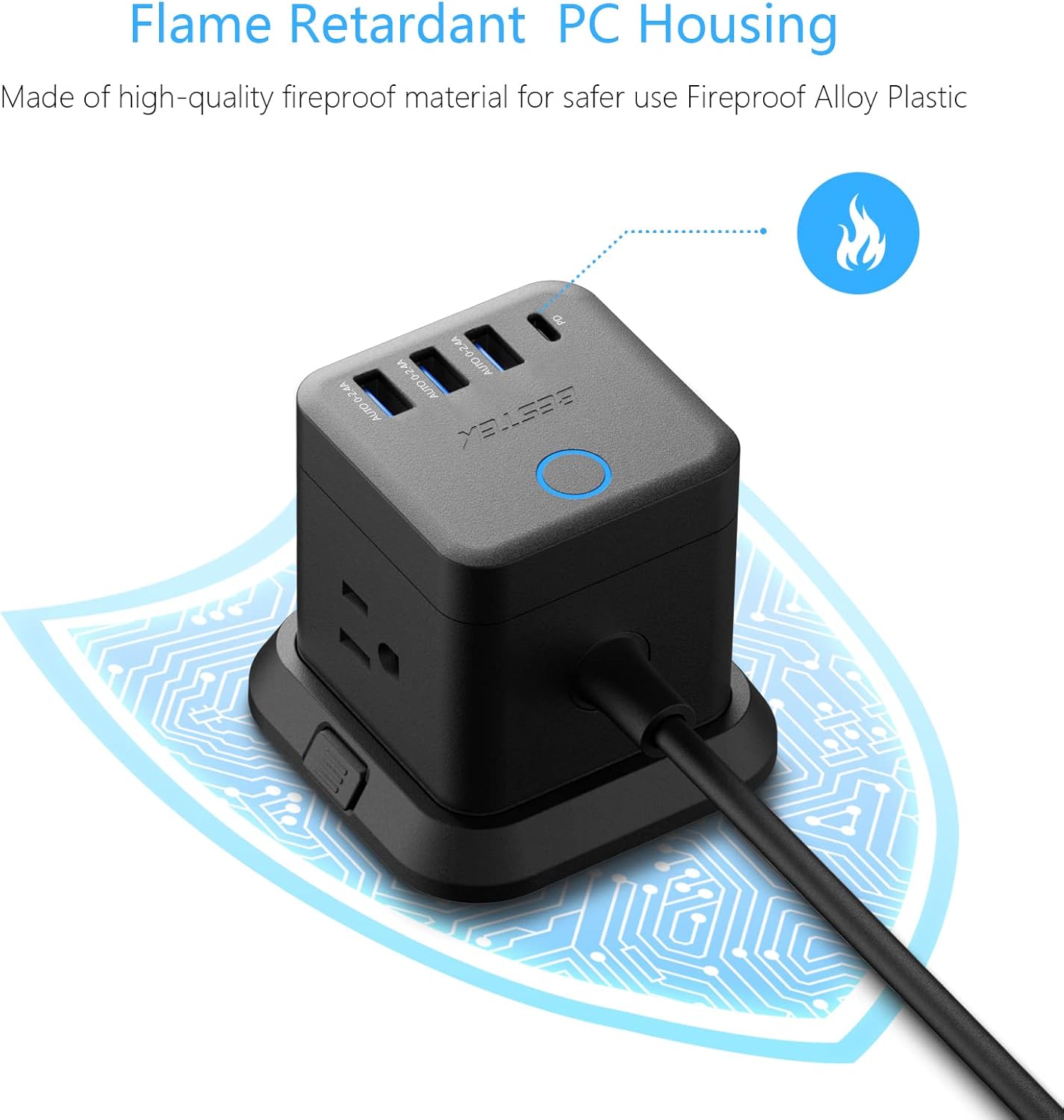
Image: Close-up of the power strip highlighting its flame-retardant PC housing, indicated by a flame icon and a protective circuit board graphic.
3. مكونات المنتج
The BESTEK PD20W Power Strip Tower includes the following components:
- 3 منافذ تيار متردد: Standard North American Type B - 3 pin outlets.
- 3 منافذ USB-A: لشحن مختلف الأجهزة المتوافقة مع منفذ USB-A.
- 1 USB-C PD 20W Port: لشحن الأجهزة المتوافقة مع منفذ USB-C بسرعة.
- سلك تمديد بطول 5 أقدام: يوفر المرونة في التنسيب.
- قاعدة قابلة للفصل: Allows for stable desktop use or mounting.
- مفتاح التشغيل: Controls power to all outlets and USB ports.
- 45-Degree Flat Plug: Designed to fit in narrow spaces behind furniture.

Image: Illustration showing the 45-degree flat plug design, demonstrating how it allows furniture to sit closer to the wall.
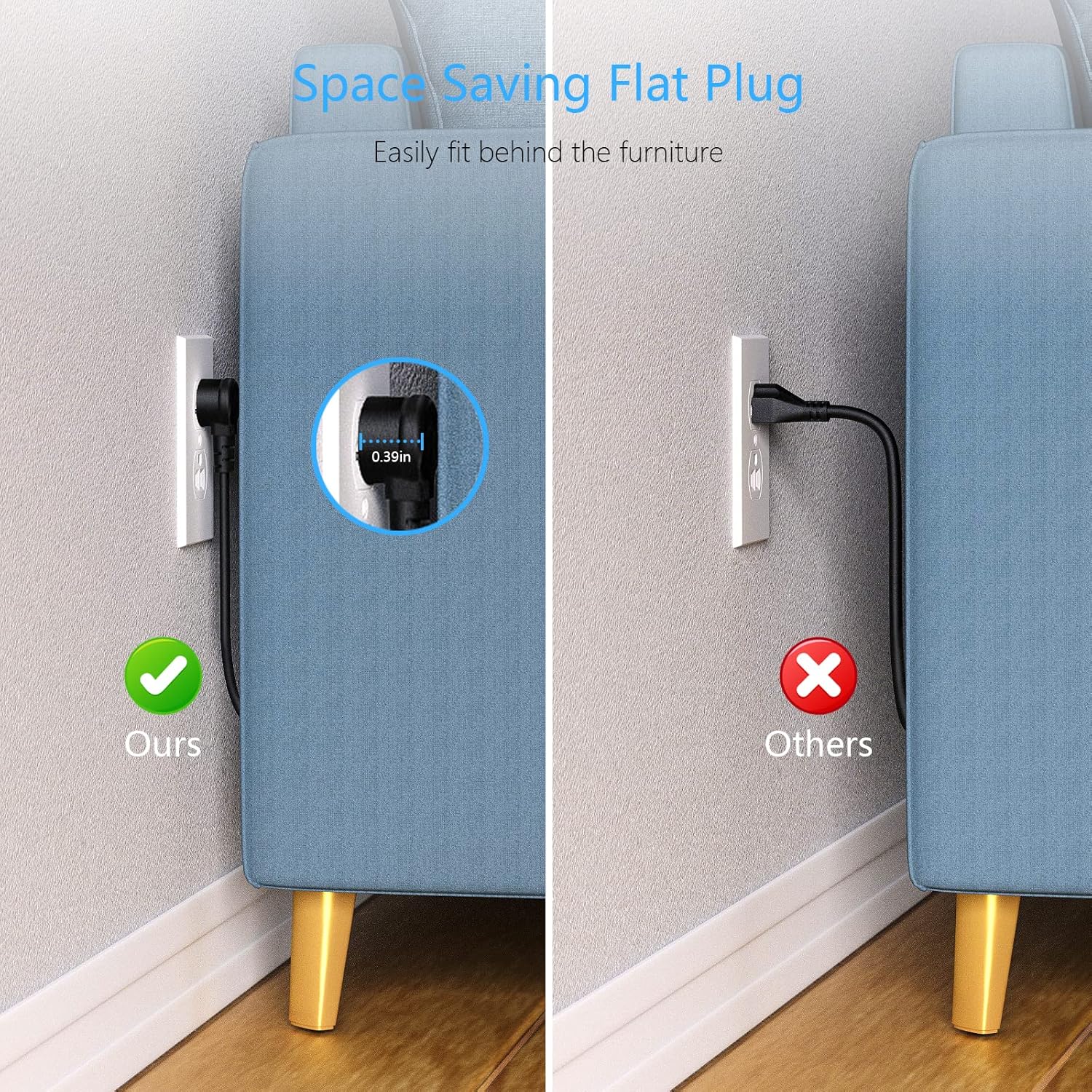
Image: A comparison showing the space-saving benefit of the flat plug, allowing a couch to be placed closer to the wall compared to a standard plug.
4. الإعداد والتثبيت
4.1 استخدام سطح المكتب
- Place the power strip on a stable, flat surface.
- Ensure the detachable base is securely attached for stability.
- Plug the power strip's 5-foot extension cord into a grounded wall outlet.
- Press the power switch on top of the unit to turn it on. The indicator light will illuminate.

Image: The BESTEK Power Strip Tower placed on a desk, ready for use.
4.2 خيارات التركيب
The power strip can be mounted using screws or adhesive (included). Ensure the mounting surface is clean, dry, and suitable for holding the device and connected cables.
- تثبيت المسمار:
- Detach the base from the power strip.
- Use the provided screws to secure the base to your desired surface (e.g., under a desk, on a wall).
- Reattach the power strip to the secured base.
- 3M Glue Fixing (Adhesive):
- نظف سطح التركيب جيدًا.
- Apply the 3M adhesive pads to the bottom of the detachable base.
- Press the base firmly onto the desired surface for at least 30 seconds.
- Allow the adhesive to cure for 24 hours before attaching the power strip and connecting devices.

Image: The BESTEK Power Strip Tower mounted discreetly under a desk, demonstrating its space-saving capability.

الصورة: مفصلة view of the screw fixing method for mounting the power strip's base.

الصورة: مفصلة view of the 3M adhesive fixing method for mounting the power strip's base.
5. تعليمات التشغيل
5.1 توصيل الأجهزة
- Ensure the power strip is plugged into a wall outlet and the power switch is ON.
- For AC Powered Devices: قم بتوصيل أجهزتك مباشرة بأي من منافذ التيار المتردد الثمانية.
- For USB-A Powered Devices: Connect your device's USB-A charging cable to one of the 3 USB-A ports. These ports provide up to 2.4A Max output per port.
- For USB-C Powered Devices: Connect your device's USB-C charging cable to the USB-C PD 20W port. This port supports PD3.0 with output options of 5V/3A, 9V/2.22A, or 12V/1.67A for fast charging compatible devices.
The built-in smart technology detects connected devices and delivers optimal charging speed automatically.
Video: A demonstration of the BESTEK Power Strip Tower, showcasing its compact design and various ports for connecting multiple devices simultaneously.
6. الصيانة
- افصل شريط الطاقة من مقبس الحائط قبل التنظيف.
- Wipe the exterior with a soft, dry cloth. Do not use liquid cleaners or aerosols.
- Keep the power strip away from dust and debris to ensure proper ventilation.
- Regularly check the power cord for any signs of damage. If damaged, discontinue use immediately.
7. استكشاف الأخطاء وإصلاحها
| مشكلة | السبب المحتمل | حل |
|---|---|---|
| لا توجد قوة للأجهزة. | Power switch is off, power strip is unplugged, or circuit breaker tripped. | Ensure power switch is ON. Check if the power strip is securely plugged into a live wall outlet. If the power strip has an overload protection reset button, press it. Reduce the number of connected devices if overloaded. |
| الأجهزة التي لا تشحن عبر منافذ USB. | Cable issue, device not compatible, or power strip is off. | Try a different USB cable. Ensure your device is compatible with the USB port type (USB-A or USB-C PD). Verify the power strip is on. |
| شريط الطاقة دافئ. | Normal operation or excessive load. | A slight warmth during operation is normal. If it feels excessively hot, unplug all devices immediately and reduce the load. Ensure proper ventilation around the unit. |
8. المواصفات
- ماركة: بِسْتِك
- رقم الموديل: 1
- لون: أسود
- إجمالي منافذ الطاقة: 3 منافذ تيار متردد
- إجمالي منافذ USB: 4 (3 USB-A، 1 USB-C)
- إخراج USB-A: 2.4A Max per port
- مخرج USB-C (PD3.0): 5 فولت / 3 أمبير ، 9 فولت / 2.22 أمبير ، 12 فولت / 1.67 أمبير (20 واط كحد أقصى)
- الحد الأقصى للتيار: 15 Amps
- تصنيف حماية الطفرة: 600 جول
- نوع قابس الطاقة: النوع B - 3 دبابيس (أمريكا الشمالية)
- طول السلك: 5 أقدام
- مادة: Copper, Plastic, Rubber (Flame Retardant PC Housing)
- المميزات الخاصة: Compact, Portable, Detachable Base, 45-Degree Flat Plug
- الأجهزة المتوافقة: Camera, Laptop, Personal Computer, Printer, Router, Scanner, Smartphone, Smartwatch, Speaker, Tablet
9. الضمان والدعم
This BESTEK product comes with a خطة حماية لمدة 24 أشهر. In addition, a سياسة الإرجاع خلال 30 يومًا is available for refunds or replacements. Please refer to your purchase documentation for specific terms and conditions.
For technical support or warranty claims, please contact BESTEK customer service:
- بريد إلكتروني: Refer to your product packaging or the official BESTEK webموقع للحصول على تفاصيل الاتصال.
- هاتف: Refer to your product packaging or the official BESTEK webموقع للحصول على تفاصيل الاتصال.
- الدعم عبر الإنترنت: Visit the official BESTEK webالموقع للأسئلة الشائعة وموارد الدعم.
Image: Icons representing BESTEK's service plan (24 months protection, 30 days return, return on defects) and customer support options (24H, Email, Phone).