
مقدمة
This manual provides essential information for the safe operation and maintenance of your Potensic T35 GPS Drone. Please read this manual thoroughly before operating the drone to ensure proper function and to avoid damage or injury. Keep this manual for future reference.
إرشادات السلامة
- قم بتشغيل الطائرة بدون طيار دائمًا في المناطق المفتوحة، بعيدًا عن الناس والمباني والعوائق.
- حافظ على مسافة آمنة من الطائرة بدون طيار أثناء الطيران.
- لا تطير في رياح قوية أو ظروف جوية سيئة.
- تأكد من شحن البطاريات بالكامل قبل كل رحلة.
- يجب الالتزام بجميع اللوائح والقوانين المحلية المتعلقة بتشغيل الطائرات بدون طيار.
- أبقِ أصابعك وملابسك الفضفاضة بعيدًا عن المراوح الدوارة.
محتويات الحزمة
تأكد من وجود جميع العناصر في الحزمة الخاصة بك:
- Potensic T35 GPS Drone
- جهاز التحكم عن بعد
- 2 x 2500mAh Drone Batteries
- كابل شحن USB
- مراوح احتياطية
- حراس المروحة
- مفك البراغي
- دليل المستخدم
المنتج انتهىview
مكونات الطائرات بدون طيار
Familiarize yourself with the main parts of your T35 drone.

Image: The Potensic T35 GPS Drone, showcasing its overall design with propellers and integrated camera.
الميزات الرئيسية
- 1080P HD Camera with 120° FOV: Captures high-definition aerial footage. The camera angle is 90° adjustable. A 4-32G SD card is required for 1080P recording.
- FPV Live Video: Real-time video transmission to your smartphone via Wi-Fi.
- Dual GPS System: Provides stable flight and precise positioning.
- GPS Return Home: Automatically returns the drone to its takeoff point in case of low battery, signal loss, or manual activation.
- وضع اتبعني: The drone follows your movement, capturing footagتلقائيا.
- تثبيت الارتفاع: Maintains a consistent altitude for stable hovering.
- Draw the Dot (Waypoint Flight): Plan a flight path by drawing points on the app screen, and the drone will follow it.
- بطارية 2500 مللي أمبير: Provides extended flight time. Two batteries are included for longer sessions.
يثبت
1. تركيب البطارية وشحنها
- Insert the 2500mAh battery into the drone's battery compartment until it clicks into place.
- To charge, remove the battery and connect it to the USB charging cable. Plug the USB cable into a compatible USB power source (e.g., computer, USB wall adapter). The charging indicator will show charging status.

Image: Two 2500mAh drone batteries, ready for charging or installation.
2. Propeller and Propeller Guard Installation
- Attach the propellers to the motor shafts, ensuring correct orientation (A and B propellers).
- Secure the propeller guards to the drone's arms using the provided screws and screwdriver.
3. إعداد جهاز التحكم عن بعد
- Install 4 AA batteries (not included) into the remote controller.
- Mount your smartphone onto the controller's phone holder.
4. تثبيت التطبيق
- Download and install the official Potensic drone app from your smartphone's app store (iOS or Android).
- Connect your smartphone to the drone's Wi-Fi network (usually named 'Potensic_XXXXXX') in your phone's Wi-Fi settings.
تعليمات التشغيل
1. التشغيل والاقتران
- ضع الطائرة بدون طيار على سطح مستوٍ ومستوٍ.
- Turn on the drone, then turn on the remote controller.
- Push the left joystick up then down to pair the drone with the controller. The drone's indicator lights will become solid.
2. معايرة نظام تحديد المواقع العالمي (GPS)
- Perform compass calibration as instructed by the app or manual. This typically involves rotating the drone horizontally and vertically.
- Wait for the drone to acquire sufficient GPS satellites (indicated by solid green lights or app status).
3. الإقلاع والهبوط
- انطلاق بمفتاح واحد: Press the one-key takeoff button on the controller or in the app. The drone will automatically ascend to a safe altitude.
- الإقلاع اليدوي: Push both joysticks down and outwards to start the motors. Then push the left joystick up to ascend.
- هبوط بمفتاح واحد: Press the one-key landing button. The drone will descend and land automatically.
- الهبوط اليدوي: Gently pull the left joystick down to descend.
4. أوضاع الطيران
The Potensic T35 offers several intelligent flight modes:
- GPS Return Home: When activated, the drone will fly back to its recorded takeoff point. This feature is also triggered automatically by low battery or signal loss.
- وضع اتبعني: Enable this mode in the app. The drone will use GPS to track your mobile device and follow you, maintaining a set distance and altitude.
- تثبيت الارتفاع: This mode is active by default, allowing the drone to maintain its current altitude without constant throttle input.
- Draw the Dot (Waypoint Flight): In the app, draw a series of points on the map. The drone will fly along this predefined path while maintaining its altitude.
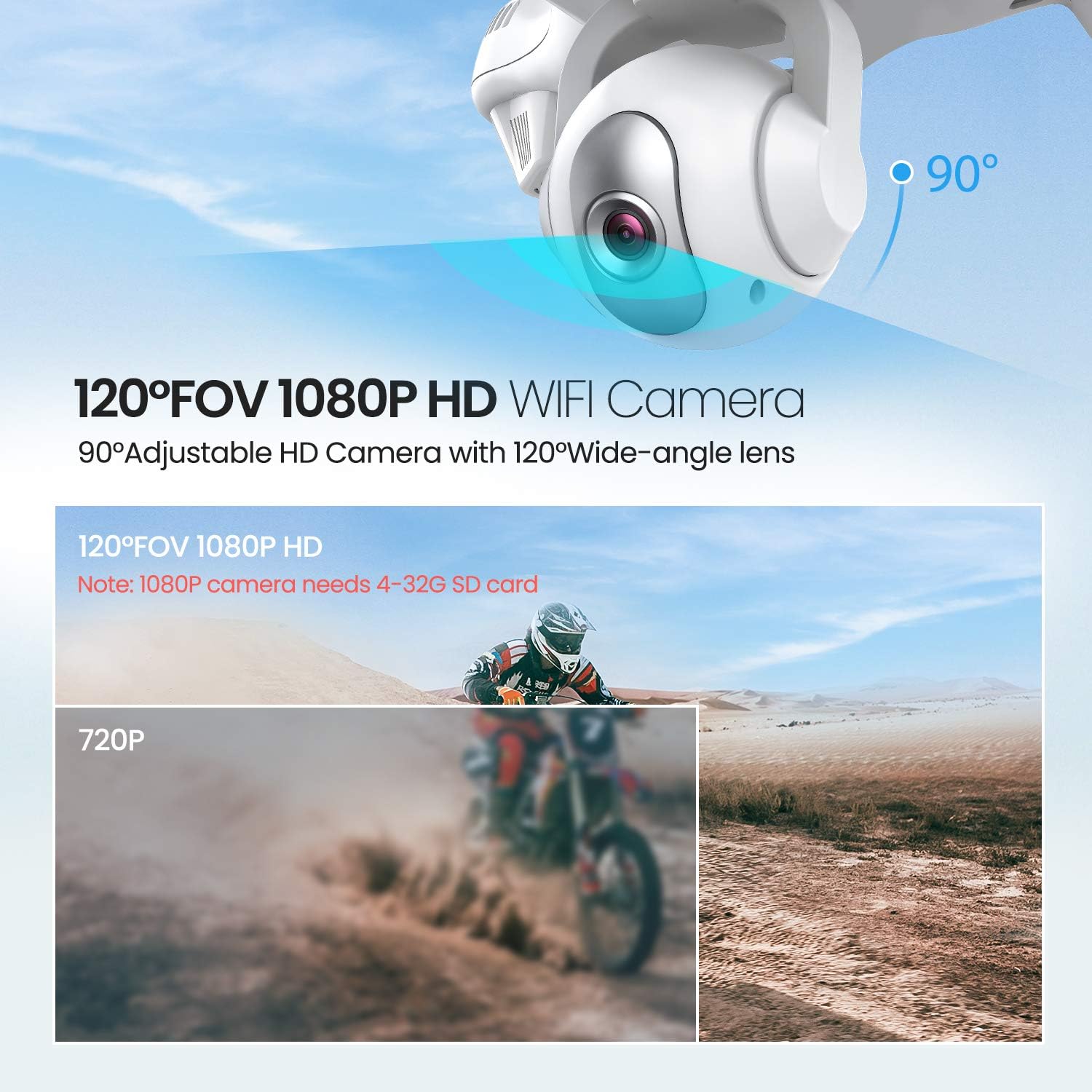
Image: The drone illustrating its GPS Auto Return function, showing a flight path back to a designated home point.

Image: The drone demonstrating its Follow Me Technology, tracking a moving subject.

Image: A user interacting with the 'Draw the Dot' feature on a smartphone, planning the drone's flight path.
تشغيل الكاميرا
1. 1080P HD كاميرا
The T35 drone is equipped with a 1080P HD camera with a 120° wide-angle lens. The camera angle can be adjusted by 90° for optimal viewعمل.

Image: Close-up of the drone's 120° FOV 1080P HD Wi-Fi camera, highlighting its adjustable angle.
2. FPV Live Video
Once connected to the drone's Wi-Fi, open the Potensic app to view real-time FPV (First Person View) video directly on your smartphone. This allows for precise framing of photos and videos.
3. Recording and Photos
- Insert a 4-32GB SD card into the drone's camera slot for 1080P video recording and photo storage.
- Use the dedicated buttons on the remote controller or the app interface to start/stop video recording or take photos.
صيانة
- تنظيف: Use a soft, dry cloth to clean the drone and remote controller. Do not use harsh chemicals or solvents.
- مراوح: Regularly inspect propellers for damage. Replace any bent or chipped propellers immediately.
- العناية بالبطارية: خزّن البطاريات في مكان بارد وجاف. لا تفرط في شحن البطاريات أو تفريغها.
- تخزين: When not in use, store the drone and its components in a protective case to prevent damage.
استكشاف الأخطاء وإصلاحها
| مشكلة | السبب المحتمل | حل |
|---|---|---|
| الطائرة بدون طيار لا تعمل | البطارية غير مثبتة بشكل صحيح أو فارغة الشحن | تأكد من شحن البطارية بالكامل وإدخالها بشكل صحيح. |
| Drone cannot pair with controller | Incorrect pairing sequence or low controller battery | Follow pairing instructions. Replace controller batteries. |
| طيران غير مستقر / انجراف | Improper calibration or strong winds | Perform GPS and gyroscope calibration. Avoid flying in windy conditions. |
| No FPV video feed | Wi-Fi not connected or app issue | تأكد من اتصال الهاتف بشبكة الواي فاي الخاصة بالطائرة بدون طيار. أعد تشغيل التطبيق والطائرة بدون طيار. |
| GPS Return Home not working | Insufficient GPS satellites or no recorded home point | Ensure drone acquires enough GPS signals before takeoff. |
تحديد
| ميزة | التفاصيل |
|---|---|
| ماركة | قوي |
| اسم الموديل | ت35 |
| دقة التقاط الفيديو | 1080 بكسل |
| تكنولوجيا الاتصال | واي فاي |
| سعة البطارية | 2500 مليamp ساعات |
| نوع التحكم | جهاز التحكم عن بعد |
| نوع الوسائط | SD Card (4-32GB recommended for 1080P) |
| الفئة العمرية (الوصف) | بالغ |
فيديو المنتج الرسمي
شاهد هذا الفيديو الرسمي للحصول على المزيدview of the Potensic T35 GPS Drone's features and operation.
فيديو: عرض فيديو رسمي للمنتجasing the Potensic T35 GPS Drone in action, highlighting its various features and capabilities.
الضمان والدعم
For warranty information, technical support, or service inquiries, please refer to the contact details provided on the Potensic official webالموقع أو وثائق الشراء. احتفظ بإثبات الشراء لتقديم مطالبات الضمان.