
1. المقدمة
This manual provides instructions for the Zerone Replacement Remote Control, Model Zerone15zhcexa2d. This remote is designed as a direct replacement for various televisions, offering essential functions for daily TV operation. It is constructed from durable ABS material for longevity.
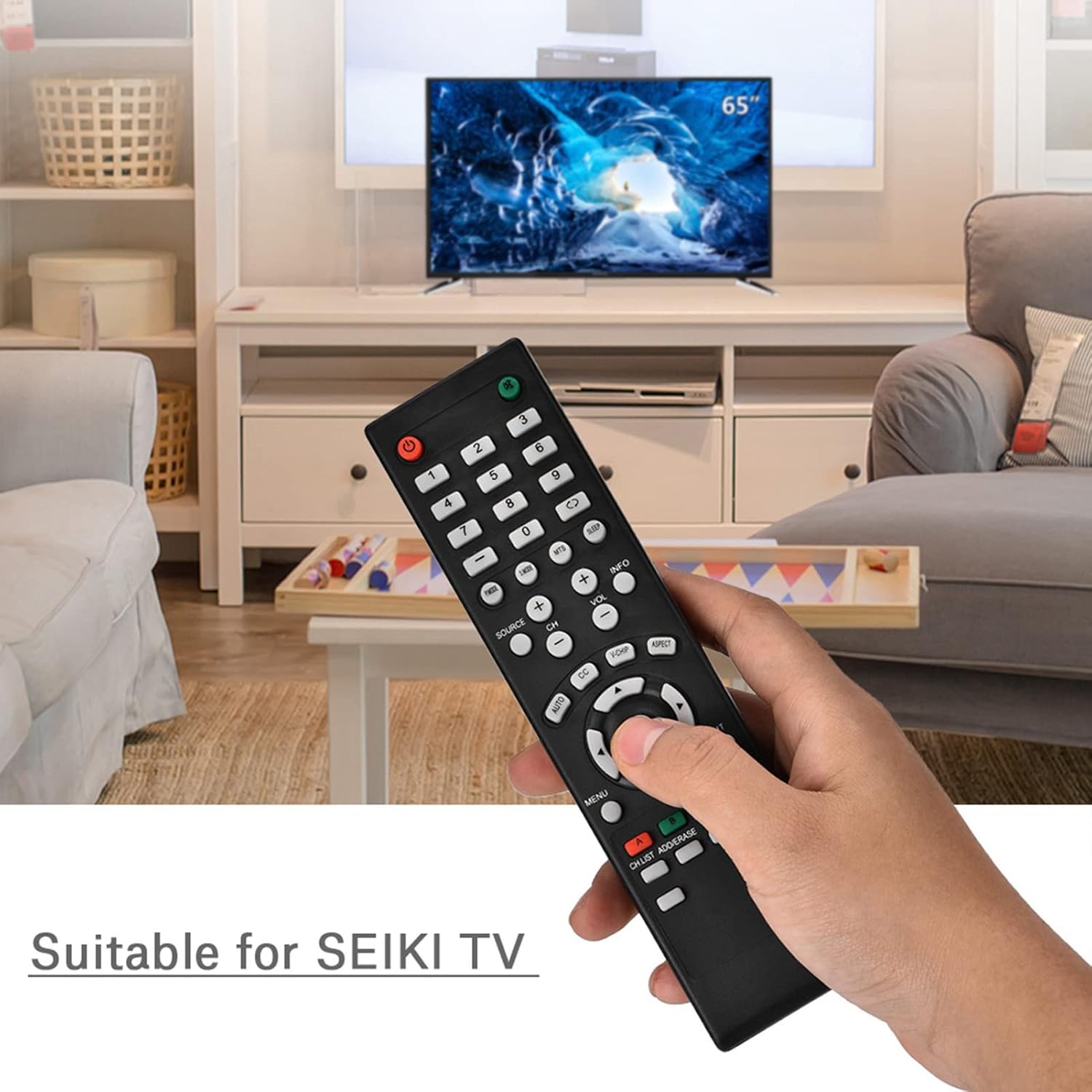
Image 1.1: The Zerone Replacement Remote Control in use, demonstrating its compatibility with televisions.
2. الإعداد
2.1 تركيب البطارية
The remote control requires two AAA batteries (not included). Follow these steps to install the batteries:
- حدد موقع حجرة البطارية في الجزء الخلفي من جهاز التحكم عن بعد.
- قم بتحريك غطاء حجرة البطارية إلى الأسفل لفتحه.
- قم بإدخال بطاريتين AAA، مع التأكد من محاذاة الأطراف الموجبة (+) والسالبة (-) بشكل صحيح مع العلامات الموجودة داخل الحجرة.
- قم باستبدال غطاء حجرة البطارية عن طريق تحريكه مرة أخرى إلى مكانه حتى يصدر صوت نقرة آمنة.

الصورة 2.1: خلفي view يوضح الشكل الموجود على جهاز التحكم عن بعد مكان حجرة البطارية.
2.2 الاستخدام الأولي
This remote control is designed for immediate use with compatible televisions. No programming or setup is typically required. Once batteries are installed, the remote should function directly with your TV.
Video 2.1: Demonstration of battery installation for the Zerone Replacement Remote Control.
3. تعليمات التشغيل
3.1 الوظائف الأساسية
The remote control provides standard television functions. Point the remote directly at your television's infrared receiver for optimal performance.
- زر الطاقة (●): يقوم بتشغيل أو إيقاف تشغيل التلفزيون.
- أزرار الأرقام (0-9): تحديد القنوات مباشرة.
- رفع/خفض مستوى الصوت (VOL +/-): يضبط مستوى الصوت.
- القناة لأعلى/لأسفل (CH +/-): يغير القناة التلفزيونية.
- Source Button (SOURCE): Cycles through input sources (HDMI, AV, etc.).
- زر القائمة (القائمة): الوصول إلى القائمة الرئيسية للتلفزيون.
- Navigation Buttons (Arrows & OK): Navigate menus and confirm selections.
- زر الخروج (EXIT): يخرج من القائمة أو الوظيفة الحالية.
- زر كتم الصوت (●): يكتم أو يلغي كتم صوت التلفزيون.

الصورة 3.1: الجبهة view of the remote control, highlighting button layout.
3.2 نطاق التشغيل
The effective operating distance for this remote control is typically over 8 meters (approximately 26 feet). Actual range may vary depending on the specific television model and environmental factors such as obstacles or interference.

Image 3.2: Illustration of the remote control's effective operating range.
4. الصيانة
4.1 التنظيف
لتنظيف جهاز التحكم عن بعد، استخدم قطعة قماش ناعمة وجافة. لإزالة الأوساخ المستعصية، افركها برفق.ampبلّل قطعة القماش بالماء أو بمنظف لطيف غير كاشط. تجنب استخدام المواد الكيميائية القاسية أو المواد الكاشطة، لأنها قد تُتلف سطح جهاز التحكم عن بُعد أو مكوناته الداخلية.
4.2 استبدال البطارية
Replace batteries when the remote's performance degrades (e.g., reduced range, unresponsive buttons). Refer to Section 2.1 for battery installation instructions. Always replace both batteries at the same time with new ones of the same type (AAA).

Image 4.1: The remote control, showcasing its durable construction material.
5. استكشاف الأخطاء وإصلاحها
| مشكلة | السبب المحتمل | حل |
|---|---|---|
| البعيد لا يعمل. | البطاريات الميتة أو المثبتة بشكل غير صحيح. | Check battery orientation. Replace with new AAA batteries (refer to Section 2.1). |
| نطاق تشغيل محدود. | Weak batteries, obstruction, or remote not pointed at TV. | Replace batteries. Ensure a clear line of sight to the TV's IR receiver. Point the remote directly at the TV. |
| بعض الأزرار لا تستجيب. | Dirt or debris under buttons, or internal malfunction. | Clean the remote. If the issue persists after battery replacement and cleaning, the remote may require replacement. |
6. المواصفات
| ميزة | التفاصيل |
|---|---|
| ماركة | زيرون |
| رقم الموديل | Zerone15zhcexa2d |
| الأجهزة المتوافقة | Televisions (specifically designed for SEIKI TVs, but compatible with others) |
| تكنولوجيا الاتصال | الأشعة تحت الحمراء (IR) |
| الحد الأقصى للمدى | Over 8 meters (approx. 26 feet) |
| مصدر الطاقة | 2 بطاريات AAA (غير مدرجة) |
| مادة | نظام ABS |
| الأبعاد (الطول × العرض × الارتفاع) | 7.1 بوصة × 2 بوصة × 0.6 بوصة (180 مم × 50 مم × 15 مم) |
| كمية الأزرار | 45 |

Image 6.1: Dimensions of the Zerone Replacement Remote Control.
7. الضمان والدعم
7.1 معلومات الضمان
Specific warranty details for the Zerone Replacement Remote Control may vary. Please refer to the product packaging or the retailer's purchase terms for the most accurate and up-to-date warranty information.
7.2 دعم العملاء
For further assistance or inquiries regarding your Zerone Replacement Remote Control, please contact the retailer or manufacturer's customer support channels. Contact information is typically provided with your purchase documentation or on the manufacturer's official webموقع.