
مقدمة
This manual provides detailed instructions for the proper use and maintenance of your Awei T10C True Waterproof Bluetooth Wireless Earbuds. Please read this manual thoroughly before using the product to ensure optimal performance and longevity.
The Awei T10C earbuds feature Bluetooth 5.0 connectivity, a 6mm metal cavity speaker unit, smart touch controls, and a wireless charging case. They are designed for comfortable and stable wear, providing clear audio for calls and music.
محتويات الحزمة
- Awei T10C True Wireless Earbuds (Left and Right)
- حافظة الشحن اللاسلكي
- كابل شحن USB
- دليل المستخدم
يثبت
1. الشحن الأولي
Before first use, fully charge the earbuds and the charging case. Place the earbuds into the charging case. Connect the charging case to a power source using the provided USB cable, or place the case on a compatible wireless charging pad.
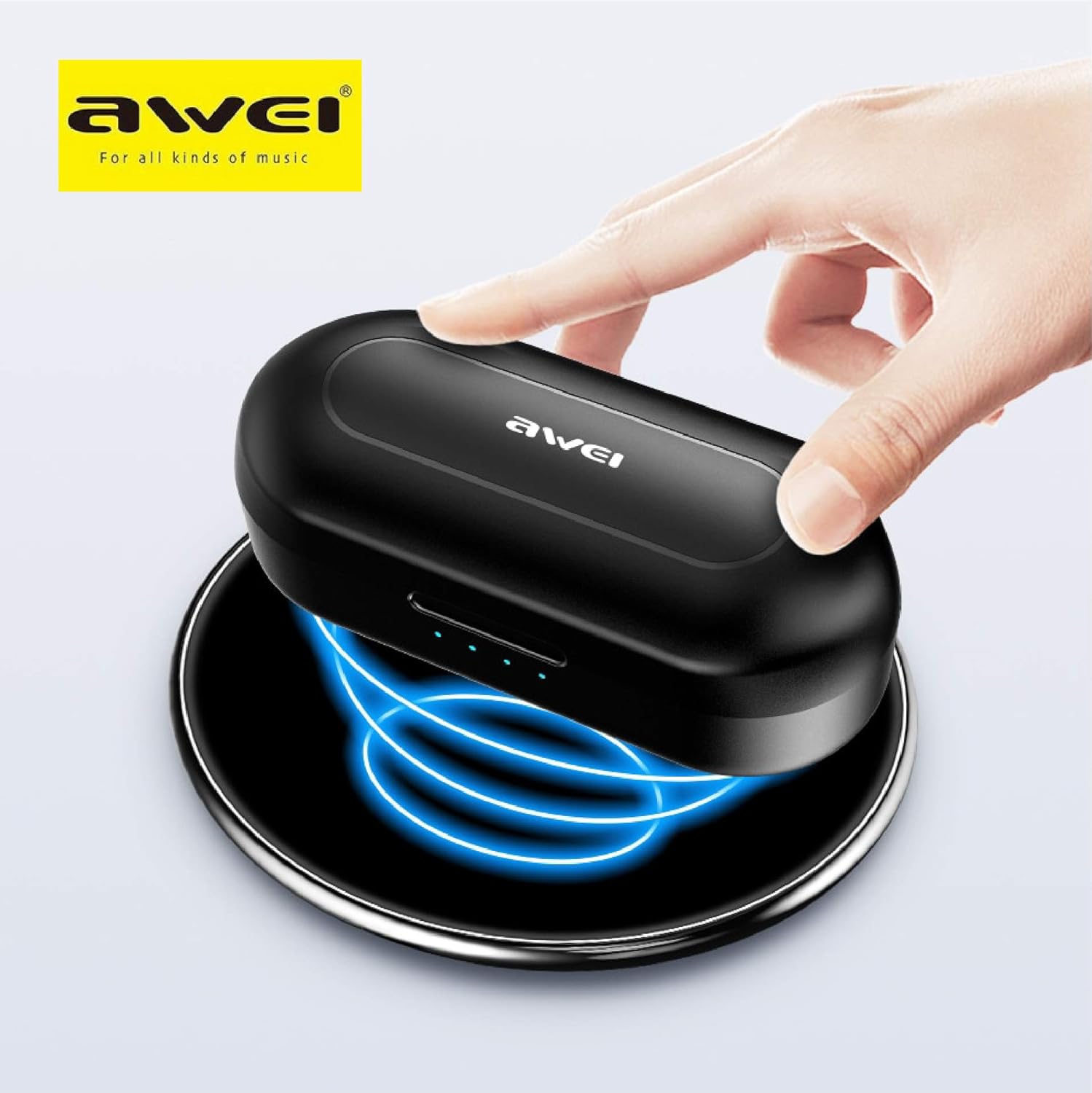
The Awei T10C charging case placed on a wireless charging pad, with blue light effects indicating active wireless charging.
The LED indicators on the charging case will show the charging status. Once fully charged, the indicators will behave according to the case's design (e.g., turn solid or off).
2. التشغيل والاقتران التلقائي
The earbuds are designed for automatic pairing. Simply open the charging case, and the earbuds will power on and enter pairing mode. Remove them from the case.
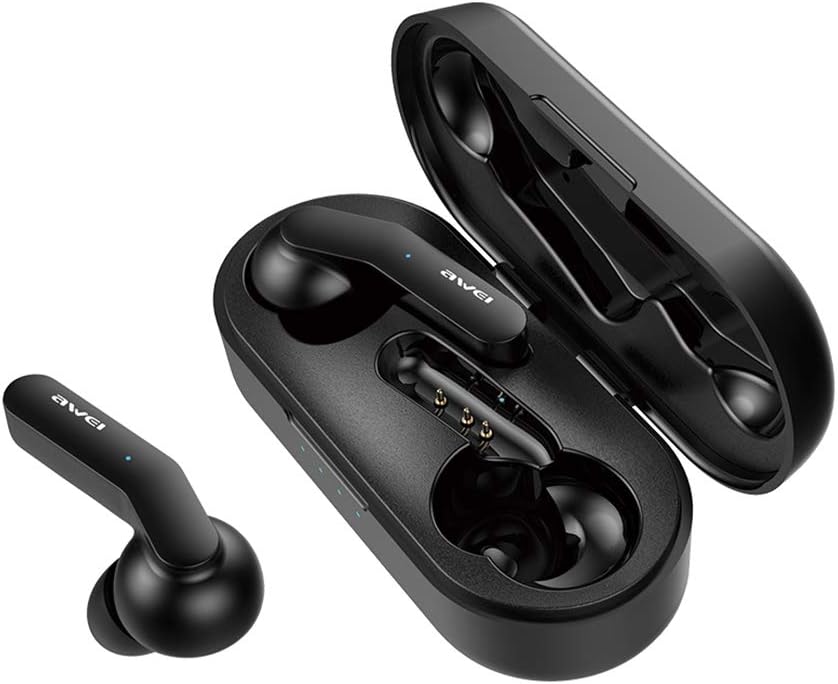
Awei T10C True Wireless Earbuds and open charging case, showcasing the earbuds nestled within the charging contacts.
3. اتصال بلوتوث
- تأكد من تفعيل البلوتوث على جهازك (الهاتف الذكي، الجهاز اللوحي، إلخ).
- بحث عن أجهزة البلوتوث المتوفرة.
- Select "Awei T10C" from the list to connect.
- Once connected, you will hear an audible confirmation, and the earbud indicator lights will change.
The earbuds will automatically reconnect to the last paired device when removed from the case, if the device's Bluetooth is active and within range.
تعليمات التشغيل
1. ارتداء سماعات الأذن
Gently insert the earbuds into your ears, ensuring a snug and comfortable fit. Adjust them until they feel secure. The ergonomic design is intended to provide stability during use.

Two Awei T10C True Wireless Earbuds, viewed from the side, highlighting their ergonomic design and the Awei logo.
2. عناصر التحكم باللمس الذكية
The Awei T10C earbuds feature touch-sensitive areas for controlling various functions:
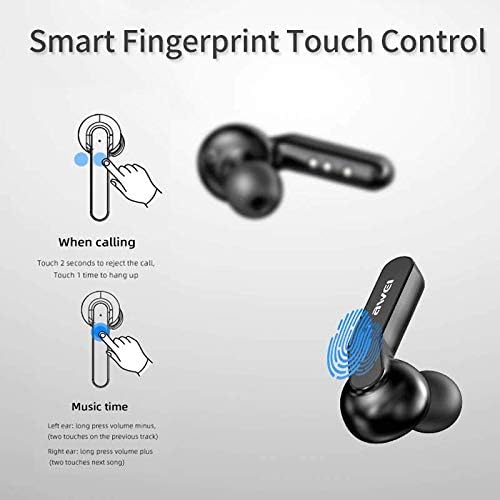
Diagram illustrating the 'Smart Fingerprint Touch Control' functions for calls and music playback on the Awei T10C earbuds.
- الرد على / إنهاء المكالمات: Touch either earbud once.
- رفض المكالمات: المس أي سماعة أذن لمدة 2 ثوانٍ.
- تشغيل/إيقاف الموسيقى: Touch either earbud once.
- المسار التالي: Double-touch the right earbud.
- المسار السابق: Double-touch the left earbud.
- رفع الصوت: اضغط لفترة طويلة على سماعة الأذن اليمنى.
- اخفض الصوت: اضغط لفترة طويلة على سماعة الأذن اليسرى.
- مساعد صوت: Triple-touch either earbud (functionality may vary by device).
3. إيقاف التشغيل
To power off the earbuds, place them back into the charging case. They will automatically disconnect and begin charging. Alternatively, if disconnected from a device and left idle for a period, they may power off automatically.
صيانة
1. التنظيف
Regularly clean the earbuds and charging case with a soft, dry, lint-free cloth. Do not use abrasive cleaners, alcohol, or chemical solvents. Ensure charging contacts are free of dust and debris.
2. العزل المائي
The Awei T10C earbuds are designed to be waterproof. However, this does not mean they are suitable for prolonged submersion or use in extreme water conditions. Avoid exposing the charging case to water.
3. التخزين
عند عدم الاستخدام، ضع سماعات الأذن في علبة الشحن لحمايتها والحفاظ على شحنها. خزّنها في مكان بارد وجاف بعيدًا عن أشعة الشمس المباشرة ودرجات الحرارة العالية.
استكشاف الأخطاء وإصلاحها
- سماعات الأذن غير مقترنة بالجهاز:
- تأكد من شحن سماعات الأذن وإخراجها من العلبة.
- قم بإيقاف تشغيل البلوتوث على جهازك وتشغيله مرة أخرى.
- Forget/delete "Awei T10C" from your device's Bluetooth list and try pairing again.
- أعد تشغيل جهازك.
- سماعة أذن واحدة فقط تعمل:
- تأكد من شحن كلا سماعات الأذن.
- Place both earbuds back into the charging case, close the lid, wait a few seconds, then open and remove them again.
- Check if the earbuds are properly seated in the charging case to ensure connection.
- لا يوجد صوت أو مستوى الصوت منخفض:
- تحقق من مستوى الصوت على كل من جهازك وسماعات الأذن (باستخدام عناصر التحكم باللمس).
- تأكد من توصيل سماعات الأذن بجهازك بشكل صحيح.
- قم بتنظيف أي حطام من شبكة سماعة الأذن.
- حالة الشحن لا تشحن:
- تأكد من توصيل كابل USB بشكل آمن بكل من العلبة ومصدر الطاقة.
- جرب كابل USB أو محول طاقة مختلفًا.
- في حالة استخدام الشحن اللاسلكي، تأكد من وضع الغطاء بشكل صحيح على لوحة الشحن.
تحديد
| اسم الموديل | ت10ج |
| رقم موديل العنصر | EM-JH133-CP |
| ماركة | أوي |
| تكنولوجيا الاتصال | لاسلكي (بلوتوث 5.0) |
| عامل شكل سماعات الرأس | في الأذن |
| التحكم في الضوضاء | إلغاء الضوضاء النشط |
| مقبس سماعات الرأس | USB |
| المكونات المضمنة | حافظة الشحن اللاسلكي |
| البطاريات | 1 بطارية ليثيوم أيون مطلوبة (مضمنة) |
| أبعاد المنتج | 4.5 × 2.4 × 1.8 سم |
| وزن المنتج | 200 جرام |
| لون | أسود |
| الشركة المصنعة | أوي |
| تاريخ أول توفر | 13 ديسمبر 2019 |
الضمان والدعم
Awei products are manufactured to high quality standards. For warranty information, technical support, or customer service inquiries, please refer to the official Awei webالموقع أو اتصل بالموزع المحلي لديك.
You may also find additional support and product information via the Awei WeChat channel: http://weixin.qq.com/r/7XQ0O7vEfoUBh6pYnyHJ