
1. المقدمة
This manual provides detailed instructions for the installation, operation, and maintenance of your COOAU 4MP Wireless Security Camera, Model 827S-400. Designed for indoor use, this camera offers advanced features such as 4MP Ultra HD video, Pan/Tilt/Zoom (PTZ) functionality, two-way audio, and intelligent detection capabilities to enhance your home monitoring experience.
2. انتهى المنتجview
The COOAU 4MP Wireless Security Camera is a versatile indoor monitoring device. Familiarize yourself with its components and key features:
2.1 مكونات
- COOAU 4MP Wireless Security Camera Unit
- محول الطاقة
- كابل الطاقة USB
- ملحقات التركيب (المسامير، مثبتات الحائط)
- دليل المستخدم (هذا المستند)
2.2 الميزات الرئيسية
- 4MP Ultra HD Video: يلتقط صورًا واضحة ومفصلة للطعامtage.
- التحريك/الإمالة/التكبير (PTZ): يوفر دورانًا أفقيًا بزاوية 360 درجة ودورانًا رأسيًا بزاوية 120 درجة لتغطية شاملة.
- صوت ثنائي الاتجاه: ميكروفون وسماعة مدمجان للتواصل.
- الكشف الذكي: Features sound detection, motion detection, and motion tracking with alerts.
- رؤية ليلية محسنة: Provides clear monitoring in low-light conditions.
- تخزين مرن: Supports local storage via Micro SD card (up to 128GB, not included) and cloud storage options.
- توافق اليكسا: Integrates with Amazon Alexa for voice control.

Image: The COOAU 4MP Wireless Security Camera, highlighting its compact design and key functionalities like 360-degree coverage and 4MP HD view.
3. الإعداد
Follow these steps to set up your COOAU Wireless Security Camera:
3.1 تثبيت التطبيق
- Scan the QR code provided in the camera's packaging or search for "MIPC" in your device's app store (Apple App Store for iOS or Google Play Store for Android).
- قم بتنزيل تطبيق MIPC وتثبيته.
- افتح التطبيق وقم بإنشاء حساب مستخدم جديد أو قم بتسجيل الدخول إذا كان لديك حساب بالفعل.
3.2 توصيل الطاقة
- قم بتوصيل كابل طاقة USB بمنفذ الطاقة الخاص بالكاميرا.
- قم بتوصيل محول الطاقة بمأخذ كهربائي قياسي.
- The camera will power on and initiate its startup sequence. Wait for a voice prompt indicating it's ready for connection.
3.3 تكوين الشبكة (واي فاي)
- In the MIPC app, tap the '+' icon to add a new device.
- Select the camera type (e.g., "Wireless IP Camera").
- Choose "Wi-Fi connection" as the network connection method.
- Follow the on-screen instructions to enter your Wi-Fi network details (SSID and password).
- The app may instruct you to scan a QR code displayed on your phone with the camera, or to place your phone near the camera for sound pairing.
- Once connected, you will hear a confirmation sound from the camera, and the app will indicate successful addition.
- Set a new password for the camera for security purposes.
Video: Demonstrates the indoor camera connection steps, including app installation, power connection, and Wi-Fi setup.
3.4 تركيب الكاميرا
The camera can be placed on a flat surface or mounted to a ceiling. Use the provided mounting accessories for ceiling installation. Ensure the camera is positioned to cover the desired monitoring area.
4. تعليمات التشغيل
Learn how to utilize the various features of your COOAU camera:
4.1 مباشر View والتحكم PTZ
- Open the MIPC app and select your camera from the device list to access the live video feed.
- Use the on-screen controls to pan (rotate horizontally up to 355°), tilt (move vertically up to 120°), and digitally zoom the camera view.
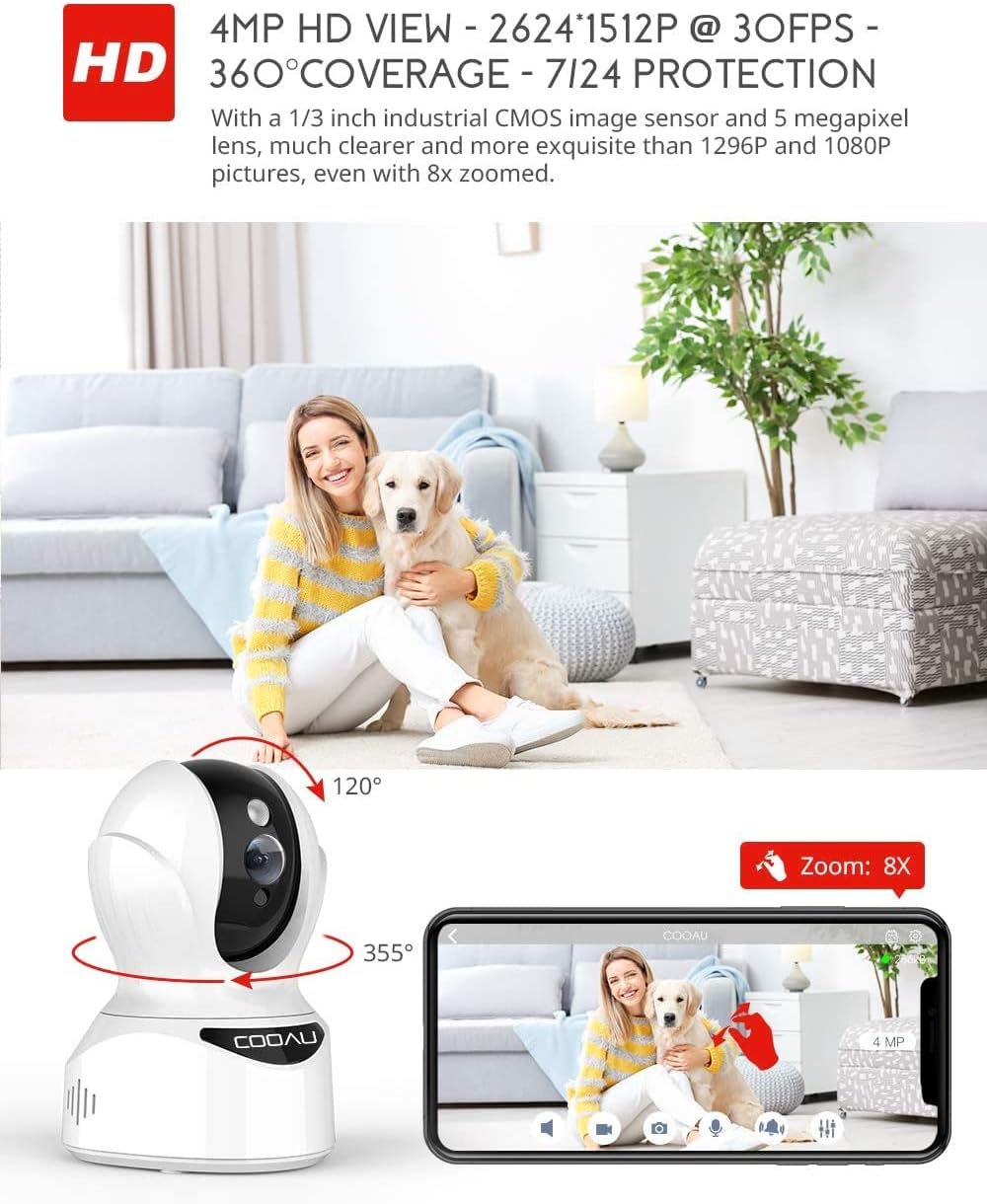
Image: Illustrates the camera's Pan/Tilt capabilities, offering 355° horizontal and 120° vertical rotation for comprehensive room coverage.
4.2 الصوت ثنائي الاتجاه
- أثناء العيش viewانقر على أيقونة الميكروفون في التطبيق للتحدث من خلال مكبر صوت الكاميرا.
- The camera's built-in microphone allows you to hear audio from the camera's location.

Image: Depicts the two-way audio feature, enabling clear communication through the camera's built-in anti-noise and echo cancellation microphone and speaker.
4.3 الكشف الذكي والتنبيهات
- Access the camera settings in the MIPC app to configure motion detection, sound detection, and motion tracking.
- Enable push notifications to receive alerts on your smartphone when activity is detected.
- Motion tracking allows the camera to automatically follow moving objects within its field of view.
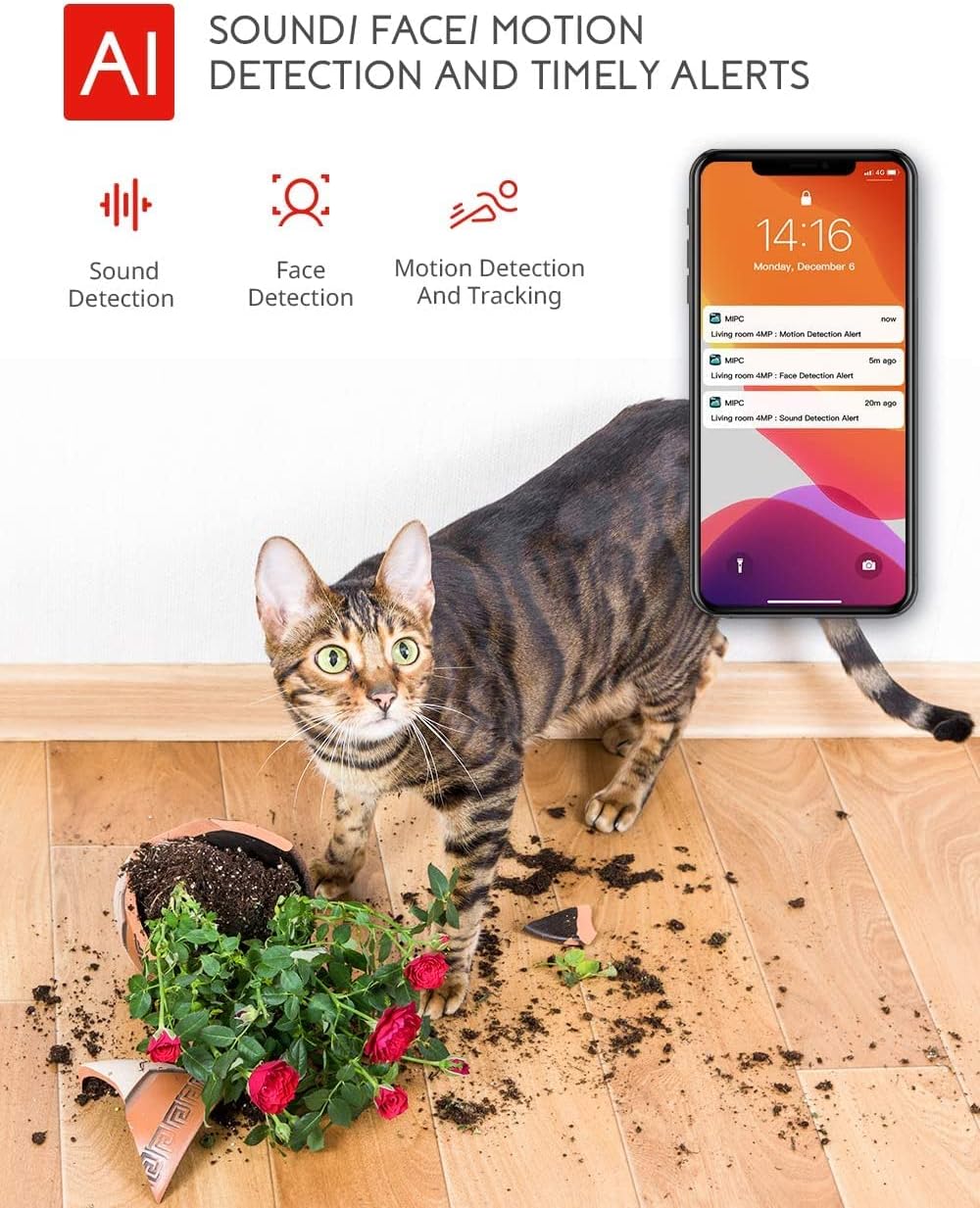
Image: Highlights the AI-powered sound, face, and motion detection features, with timely alerts sent to your smartphone.
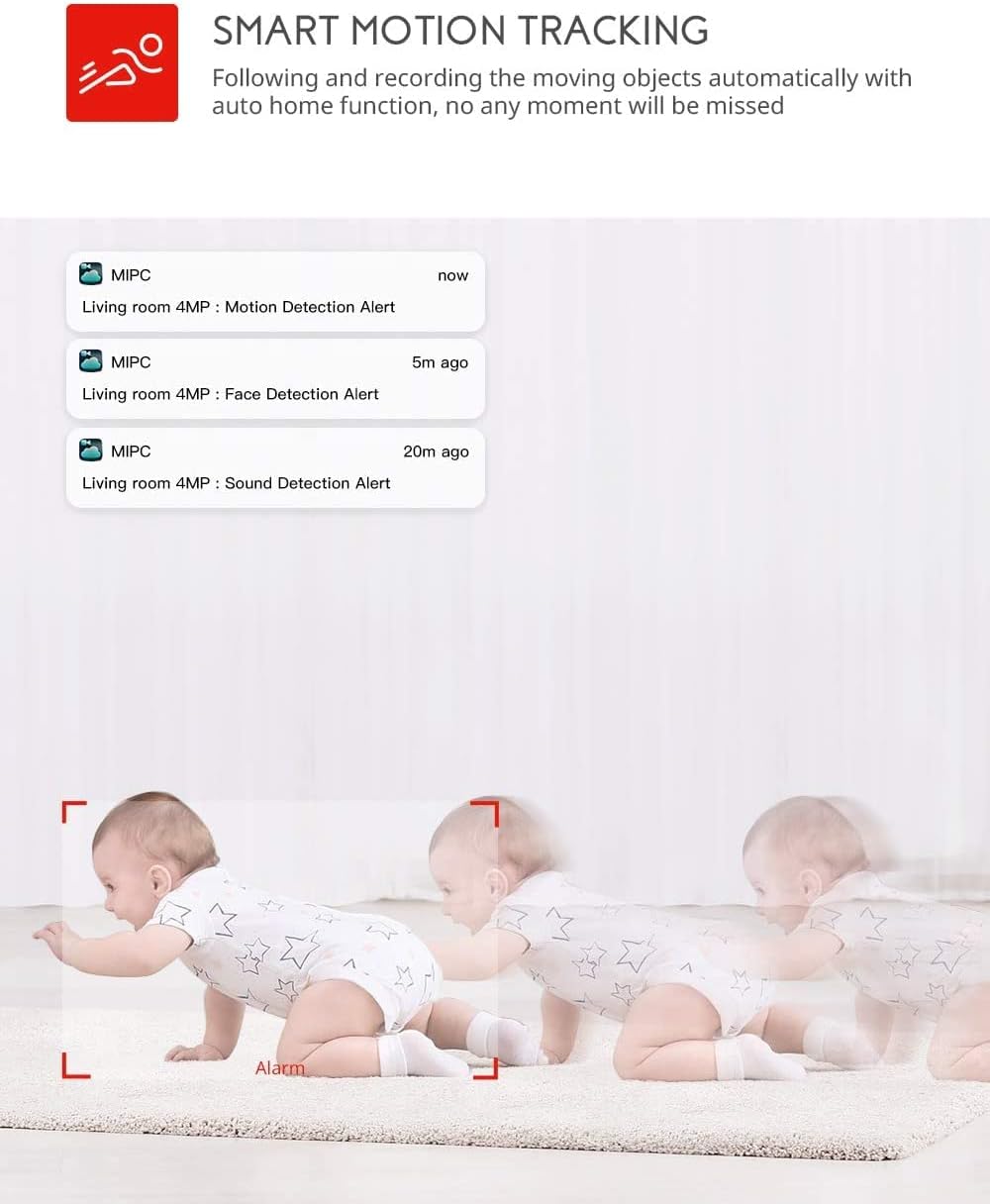
Image: Illustrates the smart motion tracking feature, where the camera automatically follows and records moving objects.
4.4 الرؤية الليلية
- تتحول الكاميرا تلقائيًا إلى وضع الرؤية الليلية في ظروف الإضاءة المنخفضة.
- This feature provides clear black and white video footage without additional light sources.
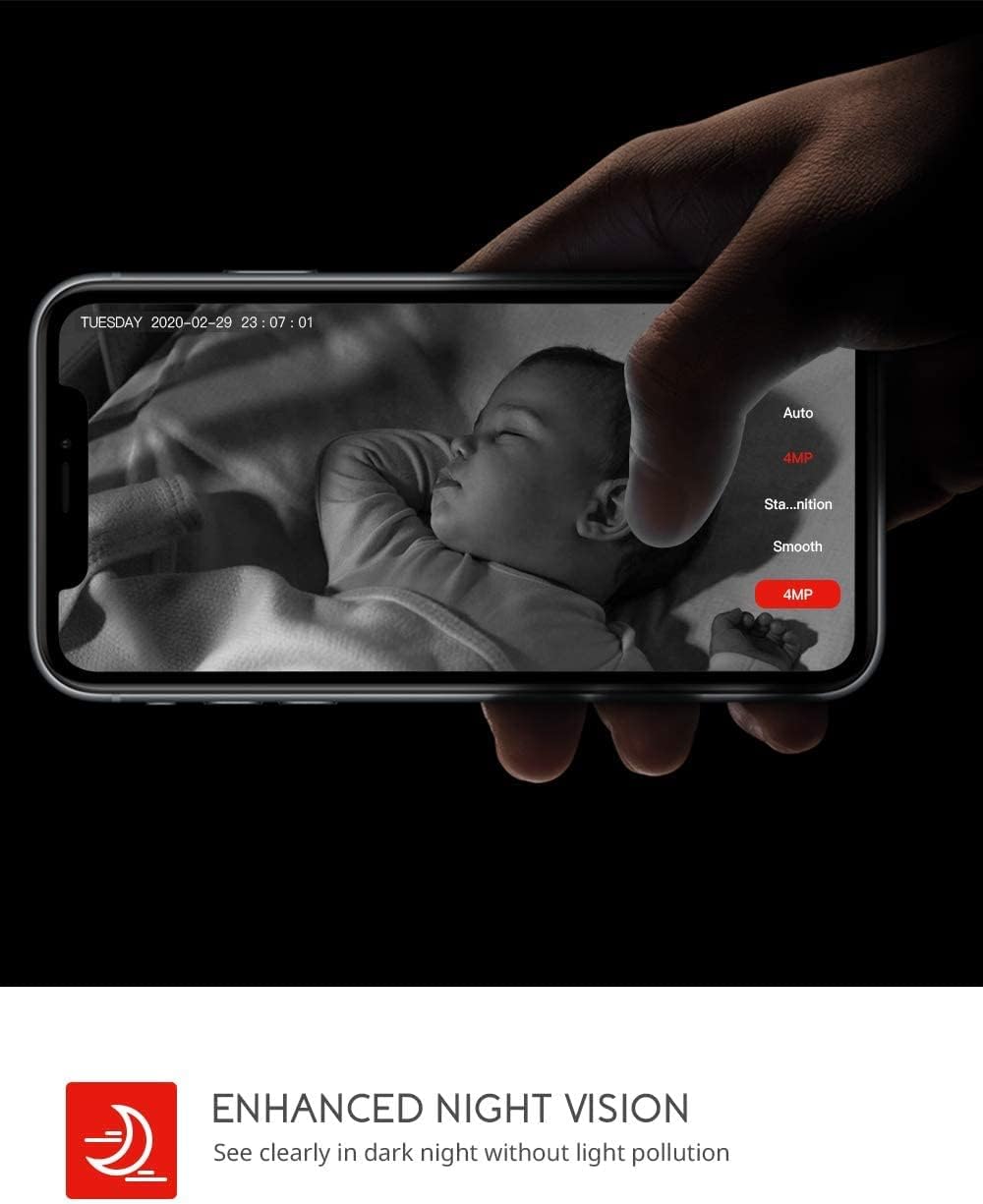
Image: Demonstrates the enhanced night vision capability, providing clear visibility in dark environments.
4.5 خيارات التخزين
- بطاقة مايكرو التنمية المستدامة: Insert a Micro SD card (up to 128GB, Class 10 or higher recommended) into the designated slot for local video recording.
- التخزين السحابي: The MIPC app offers optional cloud storage services for secure off-site backup of your recordings.
4.6 Multi-User Support
- Share camera access with family members or trusted individuals through the MIPC app.
- This allows multiple users to view البث المباشر وتلقي التنبيهات في نفس الوقت.

Image: Illustrates the camera's support for multiple devices and users, allowing footage sharing across various platforms.
5. الصيانة
الصيانة المناسبة تضمن طول عمر الكاميرا والأداء الأمثل لها:
- تنظيف: استخدم قطعة قماش ناعمة وجافة لتنظيف عدسة الكاميرا وجسمها. تجنب استخدام المنظفات الكاشطة أو المذيبات.
- الموقع: تأكد من وضع الكاميرا في مكان ثابت، بعيدًا عن أشعة الشمس المباشرة ومصادر الحرارة والرطوبة الزائدة.
- تحديثات البرامج: Regularly check the MIPC app for firmware updates to ensure your camera has the latest features and security enhancements.
- مزود الطاقة: استخدم فقط محول الطاقة الأصلي المرفق مع الكاميرا.
6. استكشاف الأخطاء وإصلاحها
إذا واجهت مشكلات مع الكاميرا، فراجع المشكلات والحلول الشائعة التالية:
| مشكلة | حل |
|---|---|
| فشلت الكاميرا في الاتصال بشبكة Wi-Fi. | Ensure your Wi-Fi password is correct. Check if the camera is within range of your Wi-Fi router. Reset the camera by pressing the reset button for 1 second and try connecting again. Ensure your router is 2.4GHz compatible. |
| جودة الفيديو سيئة. | Check your internet connection speed. Ensure the camera lens is clean. Adjust the video resolution settings in the MIPC app. |
| كشف الحركة لا يعمل. | Verify that motion detection is enabled in the app settings. Adjust the sensitivity level. Ensure there are no obstructions blocking the camera's view. |
| Two-way audio is unclear. | Ensure your phone's volume is up. Check for any interference or background noise near the camera or your phone. |
| Camera is offline. | Check the power connection to the camera. Verify your Wi-Fi network is active and stable. Restart the camera and your router. |
7. المواصفات
Detailed technical specifications for the COOAU 4MP Wireless Security Camera (Model 827S-400):
| ميزة | مواصفة |
|---|---|
| رقم الموديل | 827S-400 |
| دقة ثابتة فعالة | 4 ميجا بكسل |
| دقة الفيديو الفعالة | 4 ميجا بكسل |
| تكنولوجيا الاتصال | لاسلكي (واي فاي) |
| الاستخدام الداخلي والخارجي | داخلي |
| المميزات الخاصة | Motion Sensor, Sound Detection, Motion Tracking, 2-Way Audio, Night Vision |
| نوع وحدة التحكم | أمازون اليكسا |
| نوع التركيب | التركيب على السقف |
| خيارات التخزين | Cloud/SD Storage (up to 128GB) |
| معدل الإطارات | 30 إطارًا في الثانية |
| أبعاد العنصر | 3.35 × 3.35 × 4.72 بوصة |
| مصدر الطاقة | تيار متردد/تيار مستمر |
| GTIN / UPC | 889328768553 |
8. الضمان والدعم
For warranty information or technical support, please contact COOAU customer service. You can reach us via:
- صندوق البريد الرسمي: info@cooau.net
- الصفحة الرسمية على الفيسبوك: COOAU Official