
1. المقدمة
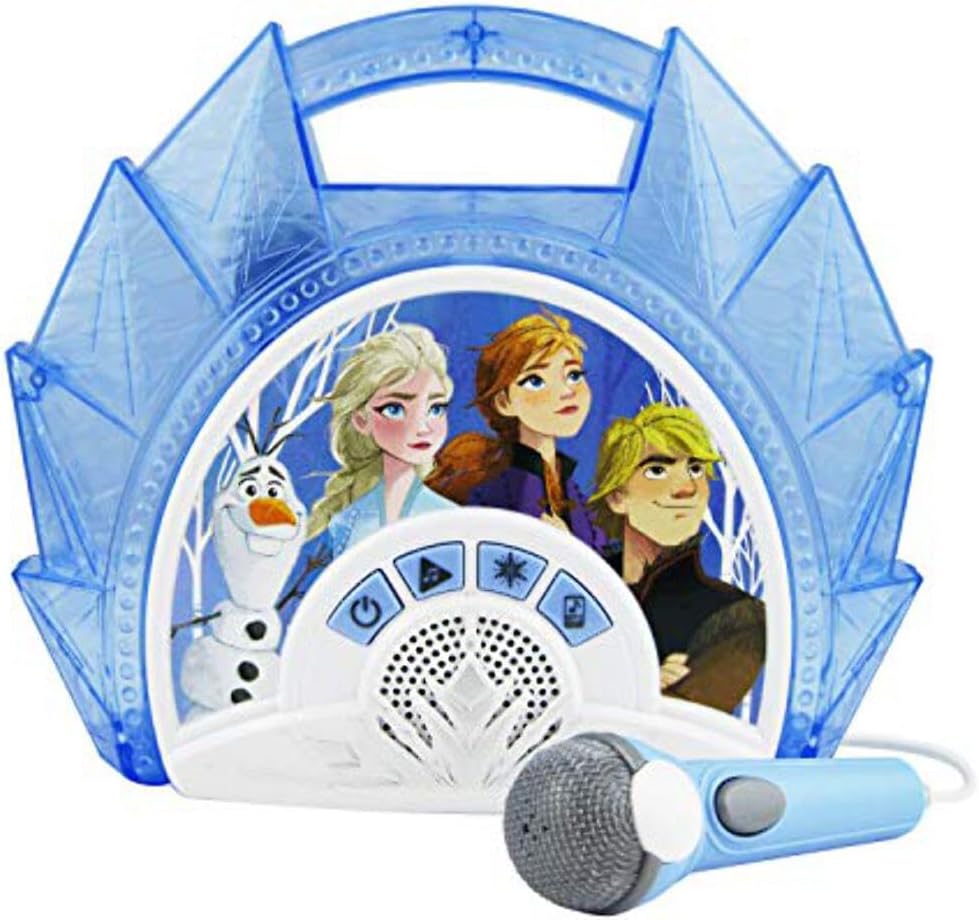
This manual provides instructions for the eKids FR-115F2 Frozen Sing Along Boombox. This device features a real working microphone, built-in music, and flashing lights. It also includes an AUX-in port for connecting external audio devices. The unit is designed to be portable and lightweight.

الشكل 1: الجبهة view of the eKids FR-115F2 Frozen Sing Along Boombox with microphone.
2. الإعداد
2.1 تركيب البطارية
The boombox requires batteries for operation. Locate the battery compartment on the back of the unit. Open the compartment cover and insert the required batteries, ensuring correct polarity (+/-). Close the compartment cover securely.
2.2 توصيل الميكروفون
Connect the included microphone to the designated microphone input port on the boombox. Ensure the connection is firm.
الشكل 2: العودة view highlighting battery compartment, AUX-in, and control buttons.
3. التشغيل
3.1 تشغيل/إيقاف التشغيل
اضغط على زر التشغيل/الإيقاف (typically marked with a power symbol) to turn the boombox on or off.
3.2 Built-in Music Playback
To play built-in music, press the Song Select Button to cycle through available tracks. Press the Play/Repeat Button to start or repeat a song.
3.3 Connecting External Devices (AUX-in)
To connect an external audio device (e.g., MP3 player, smartphone), use a 3.5mm audio cable (not included) to connect your device to the مدخل خط AUX port on the boombox. Press the MP3 (Aux) Mode Button to switch to AUX input mode. Audio from your connected device will now play through the boombox speakers.
3.4 استخدام الميكروفون
After connecting the microphone, ensure the microphone's مفتاح التشغيل/الإيقاف is in the 'On' position. You can sing along to built-in music or music from a connected external device. Adjust your singing volume as needed.

Figure 3: Detail of the microphone with its On/Off switch.
3.5 عرض ضوئي
اضغط على زر الضوء (often marked with a star icon) to activate or deactivate the flashing light show feature.

Figure 4: The boombox in operation, demonstrating the light show feature.
4. الصيانة
4.1 التنظيف
To clean the boombox, use a soft, dry cloth. Do not use abrasive cleaners, solvents, or chemical sprays. Keep the unit dry and away from excessive moisture.
4.2 العناية بالبطارية
Remove batteries if the unit will not be used for an extended period to prevent leakage. Do not mix old and new batteries, or different types of batteries. Dispose of used batteries responsibly according to local regulations.
5. استكشاف الأخطاء وإصلاحها
5.1 لا يوجد طاقة
- Check if the batteries are correctly installed and not depleted.
- استبدل البطاريات إذا لزم الأمر.
- تأكد من الضغط على زر الطاقة بالكامل.
5.2 لا يوجد صوت
- If using built-in music, ensure the volume is turned up and the unit is not in AUX mode.
- If using an external device, check the connection cable, the device's volume, and ensure the boombox is in AUX mode.
- Ensure the microphone's On/Off switch is in the 'On' position if microphone sound is missing.
5.3 الميكروفون لا يعمل
- Ensure the microphone is securely plugged into its port.
- Check the On/Off switch on the microphone itself.
- Ensure the boombox volume is adequate.
6. المواصفات
| ماركة | كيدز |
| نموذج | FR-115F2 |
| مصدر الطاقة | تعمل بالبطارية |
| تكنولوجيا الاتصال | AUX (3.5 mm jack) |
| المكونات المضمنة | ميكروفون |
| عدد مكبرات الصوت | 1 |
| نوع الوسائط | إم بي 3 |
| أبعاد المنتج (العمق × العرض × الارتفاع) | 5.9 × 25.5 × 25.6 سم |
| الاستخدامات الموصى بها | Smartphones (for AUX connection) |
| ميزة خاصة | Portable, Flashing Lights |
7. معلومات الضمان
يأتي هذا المنتج مع ضمان الشركة المصنعة لمدة عامين. Please retain your proof of purchase for warranty claims. For specific terms and conditions, refer to the warranty documentation included with your product or contact eKids customer support.
8. الدعم
If you encounter any issues not covered in this manual or require further assistance, please visit the official eKids website or contact their customer support. Keep your model number (FR-115F2) handy when seeking support.