
1. انتهى المنتجview
The Nexus Max 20 is a versatile personal massager designed for targeted stimulation. It features a main unit and a removable, rechargeable, and waterproof vibrating ball, offering multiple usage options. The device is controlled wirelessly via a remote control and offers 20 distinct vibration functions. Constructed from high-quality, hypoallergenic silicone, the Max 20 provides a smooth and comfortable experience.
This manual provides essential information for the safe and effective use, maintenance, and care of your Nexus Max 20.
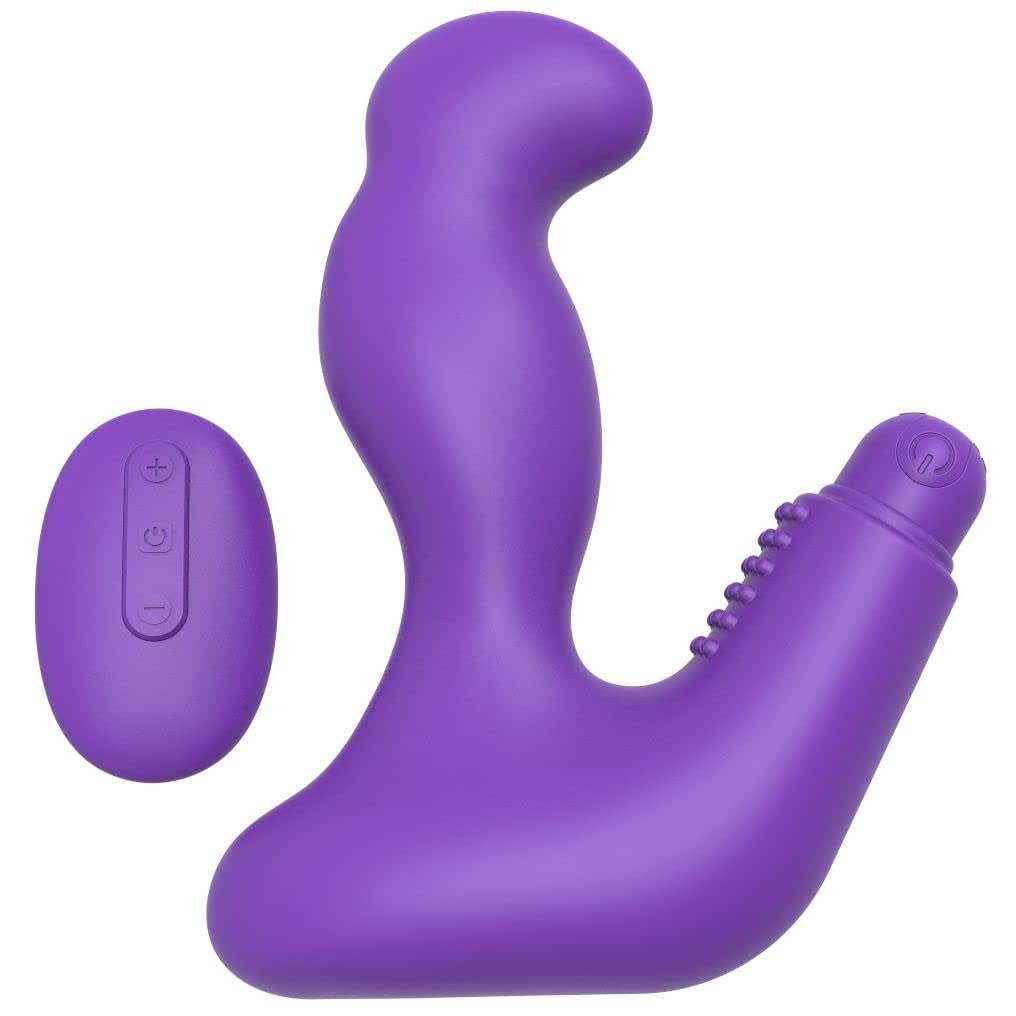
Image 1.1: The Nexus Max 20 main unit and its accompanying remote control.
2. معلومات السلامة
- اقرأ جميع التعليمات قبل الاستخدام الأول واحتفظ بها للرجوع إليها مستقبلاً.
- هذا المنتج مخصص لاستخدام البالغين فقط.
- لا تستخدم المنتج إذا بدا تالفًا أو معيبًا.
- توقف عن الاستخدام فوراً إذا شعرت بأي انزعاج أو ألم.
- Clean the product thoroughly before and after each use as described in the Maintenance section.
- Use only water-based lubricants with this product. Oil-based lubricants can damage silicone.
- يحفظ بعيدًا عن متناول الأطفال.
- لا تحاول تفكيك المنتج أو تعديله. سيؤدي ذلك إلى إلغاء الضمان.
3. محتويات العبوة
تأكد من وجود جميع العناصر في العبوة:
- 1 x Nexus Max 20 Main Unit
- 1 x Removable Vibrating Ball (rechargeable)
- 1 × جهاز تحكم عن بعد لاسلكي
- 1 x USB Charging Cable (for vibrating ball)
- 1 × دليل المستخدم (هذه الوثيقة)

Image 3.1: The Nexus Max 20 packaging, illustrating the components included.
4. الإعداد والاستخدام الأول
4.1. Charging the Vibrating Ball
- Locate the charging port on the removable vibrating ball. This is typically a small, discreet port.
- Connect the supplied USB charging cable to the vibrating ball and to a USB power source (e.g., computer, USB wall adapter).
- The indicator light on the vibrating ball will illuminate or flash during charging.
- Charge for approximately 2-3 hours for a full charge before first use. The indicator light will change or turn off when fully charged.
- افصل كابل الشحن بمجرد اكتمال عملية الشحن.
4.2. Inserting the Vibrating Ball into the Main Unit
The vibrating ball can be inserted into the designated cavity of the main unit for integrated vibration. Ensure the ball is fully charged before insertion.
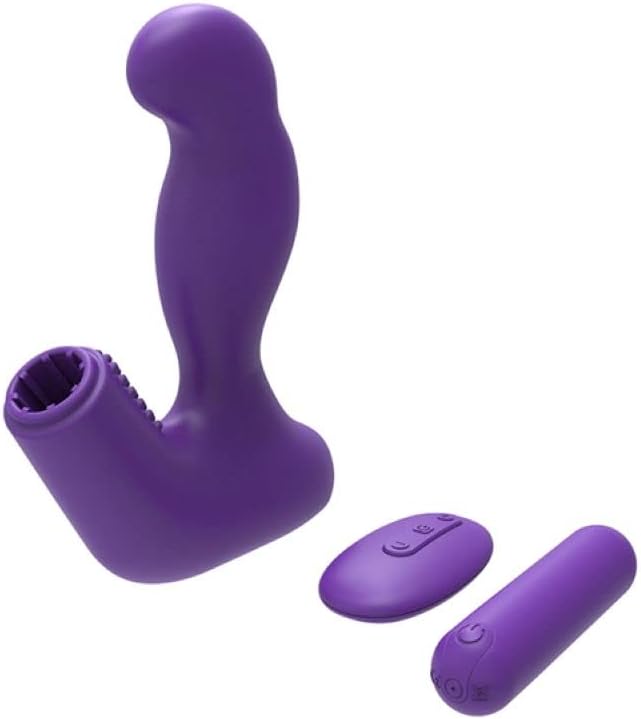
Image 4.1: The Nexus Max 20 main unit with the vibrating ball detached, illustrating its modular design.
4.3. التنظيف الأولي
Before first use, clean the product thoroughly according to the "Maintenance and Care" section.
5. تعليمات التشغيل
5.1. تشغيل / إيقاف التشغيل
- Vibrating Ball: Press and hold the power button on the vibrating ball for 2-3 seconds to turn it on or off.
- جهاز التحكم عن بعد: The remote control typically activates when a button is pressed and enters standby when inactive.
5.2. استخدام جهاز التحكم عن بعد
The Nexus Max 20 features a wireless remote control for convenient operation. Ensure the vibrating ball is powered on to receive commands from the remote.
- زر الطاقة: Press and hold the power button on the remote to turn the vibrating ball on or off. A short press may cycle through modes.
- زر الوظيفة/الوضع: Press the function button (often indicated by a wave or pattern icon) to cycle through the 20 different vibration patterns and intensities.
- أزرار التحكم في شدة الصوت (+/-): Use the plus (+) and minus (-) buttons to adjust the vibration intensity within a selected pattern, if applicable.
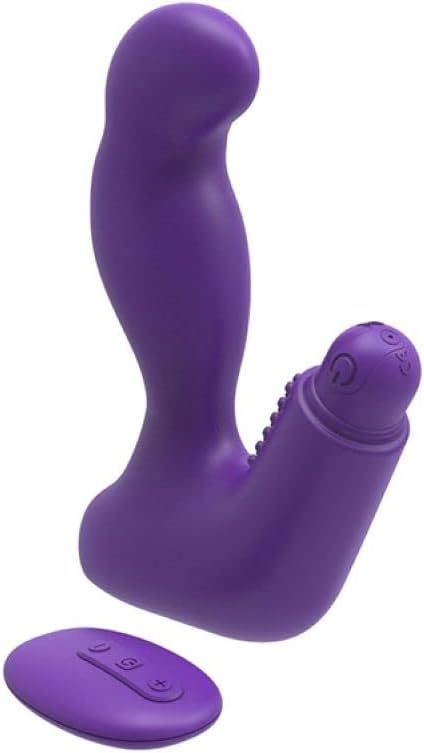
Image 5.1: The remote control for the Nexus Max 20, showing its operational buttons.
5.3. Usage Options
The modular design of the Max 20 allows for three distinct usage options:
- Main Unit with Vibrating Ball: Insert the vibrating ball into the main unit for combined stimulation.
- Main Unit without Vibration: Use the main unit alone for non-vibrating stimulation.
- Vibrating Ball Alone: Use the removable vibrating ball independently for targeted vibration.
6. الصيانة والعناية
6.1. التنظيف
- Clean the product thoroughly before and after each use.
- Wash with warm water and a mild, toy-safe soap or a specialized toy cleaner.
- اشطفيه جيدًا بالماء النظيف.
- جففها بقطعة قماش خالية من الوبر أو اتركها تجف تمامًا في الهواء قبل التخزين.
- Do not use cleaners containing alcohol, petroleum, or acetone, as these can damage the silicone material.
6.2. التخزين
- Store the Nexus Max 20 in a clean, dry, and cool place, away from direct sunlight and extreme temperatures.
- Avoid storing with other silicone products or materials that may react with silicone.
7. استكشاف الأخطاء وإصلاحها
| مشكلة | السبب المحتمل | حل |
|---|---|---|
| الجهاز لا يعمل. | نفدت طاقة البطارية. | Charge the vibrating ball fully using the provided USB cable. |
| جهاز التحكم عن بعد لا يعمل. | Vibrating ball is not powered on or out of range. | Ensure the vibrating ball is turned on. Bring the remote closer to the device. |
| الاهتزازات ضعيفة. | Low battery or low intensity setting. | Recharge the vibrating ball. Increase intensity using the remote control. |
| Product feels sticky or damaged. | Incompatible lubricant or cleaning agent used. | Only use water-based lubricants. Refer to the cleaning instructions. Discontinue use if damage persists. |
8. المواصفات
- رقم الموديل: ام اكس 2002
- مادة: High-quality Silicone, ABS
- لون: بنفسجي
- الوظائف: 20 أنماط الاهتزاز
- مصدر الطاقة: Rechargeable (vibrating ball), Remote control (battery type not specified, typically button cell)
- مقاومة الماء: ضد للماء
- أبعاد المنتج (الطول × العرض × الارتفاع): حوالي 19 × 19 × 5 سم
- وزن المنتج: حوالي 300 جرام
9. الضمان والدعم
Nexus products are manufactured to high-quality standards. For specific warranty information, please refer to the documentation included with your purchase or visit the official Nexus website. If you encounter any issues not covered in this manual, please contact Nexus customer support for assistance.
For further inquiries or support, please visit: www.nexus-toys.com