
1. المقدمة
The Reloop Groove Blaster BT is a portable 100W loudspeaker designed for high sound pressure levels and robust bass performance. It features a built-in Bluetooth 4.0 interface for wireless audio streaming up to 30 meters and an integrated, rechargeable Li-ion battery providing up to 10 hours of music playback. NFC connectivity simplifies pairing with supported devices. The speaker's 3-way frequency separation, with two 3-inch midrange drivers, one 1-inch tweeter, and a 6-inch low-frequency driver, ensures a balanced and wide stereo sound.

Figure 1.1: Reloop Groove Blaster BT in use, highlighting its 10-hour battery life.
2. محتويات العبوة
تأكد من وجود جميع العناصر في العبوة:
- Groove Blaster BT Portable Bluetooth Speaker
- Detachable Carrying Handle
- Power Supply Unit (located in the adapter compartment)
3. الضوابط والتوصيلات
3.1 Top Control Panel
The top panel provides access to all primary playback and pairing functions.
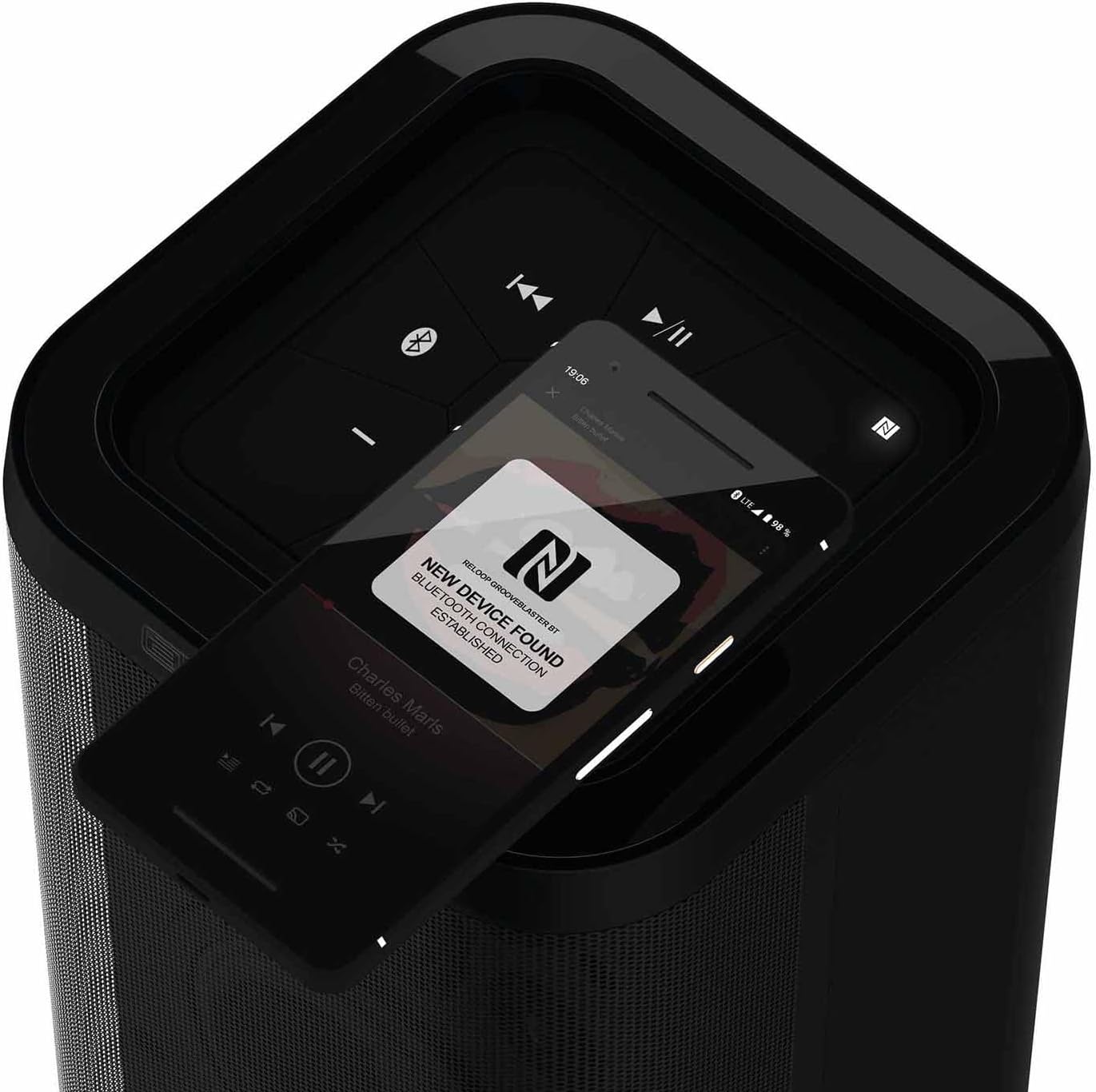
الشكل 3.1: مفصل view of the top control panel.
- زر التشغيل (ⓘ): اضغط مع الاستمرار لتشغيل مكبر الصوت أو إيقاف تشغيله.
- Play/Pause (▶/‖‖): يتحكم في تشغيل الوسائط.
- المسار السابق (⏮): ينتقل إلى بداية المسار الحالي أو المسار السابق.
- المسار التالي (⏭): يتخطى إلى المسار التالي.
- اخفض الصوت (-): يخفض مستوى صوت السماعة.
- رفع الصوت (+): يزيد من مستوى صوت السماعة.
- Bluetooth Pairing Button (ⓘ): يبدأ وضع الاقتران عبر البلوتوث.
- NFC Area (N): Touch NFC-enabled devices here for quick pairing.
- Speaker Pairing Button (Speaker Pairing): Activates Smart Link function to connect two Groove Blaster BT speakers.
3.2 التوصيلات الخلفية
The rear panel houses the power input, USB charging port, and auxiliary input, protected by an adapter compartment.

Figure 3.2: Rear connection panel with adapter compartment open.
- التيار المباشر الداخل: Power input for the included power supply unit.
- Battery Level LEDs: Indicate the current battery charge status.
- USB POWER OUT (5V DC 1A): منفذ USB لشحن الأجهزة الخارجية.
- مدخل AUX: 3.5mm auxiliary input for wired audio connections.
- Power Supply Holder: Compartment to store the power supply unit.
4. الإعداد
4.1 شحن البطارية
Before first use, fully charge the integrated Li-ion battery. Connect the included power supply unit to the DC IN port on the rear of the speaker and plug it into a wall outlet. The battery level LEDs will indicate charging status. A full charge provides up to 10 hours of playback, depending on usage and volume.
4.2 تشغيل/إيقاف التشغيل
Press and hold the Power button (ⓘ) on the top control panel for approximately 2 seconds to turn the speaker on or off. An audible cue will confirm the action.
5. تعليمات التشغيل
5.1 اقتران بلوتوث
- Ensure the Groove Blaster BT is powered on.
- Press the Bluetooth Pairing button (ⓘ) on the top panel. The Bluetooth indicator LED will flash, indicating pairing mode.
- على جهازك الصوتي (الهاتف الذكي، الجهاز اللوحي، الكمبيوتر المحمول)، قم بتمكين البلوتوث وابحث عن الأجهزة المتاحة.
- Select "Groove Blaster BT" from the list of devices.
- Once connected, the Bluetooth indicator LED will glow solid, and an audible confirmation will sound.
The speaker has a Bluetooth range of up to 30 meters.
5.2 الاقتران NFC
For NFC-enabled devices, pairing is simplified:
- Ensure NFC is enabled on your audio device.
- Gently tap your NFC-enabled device against the NFC area (N) on the top control panel of the Groove Blaster BT.
- Follow any on-screen prompts on your device to confirm the connection.
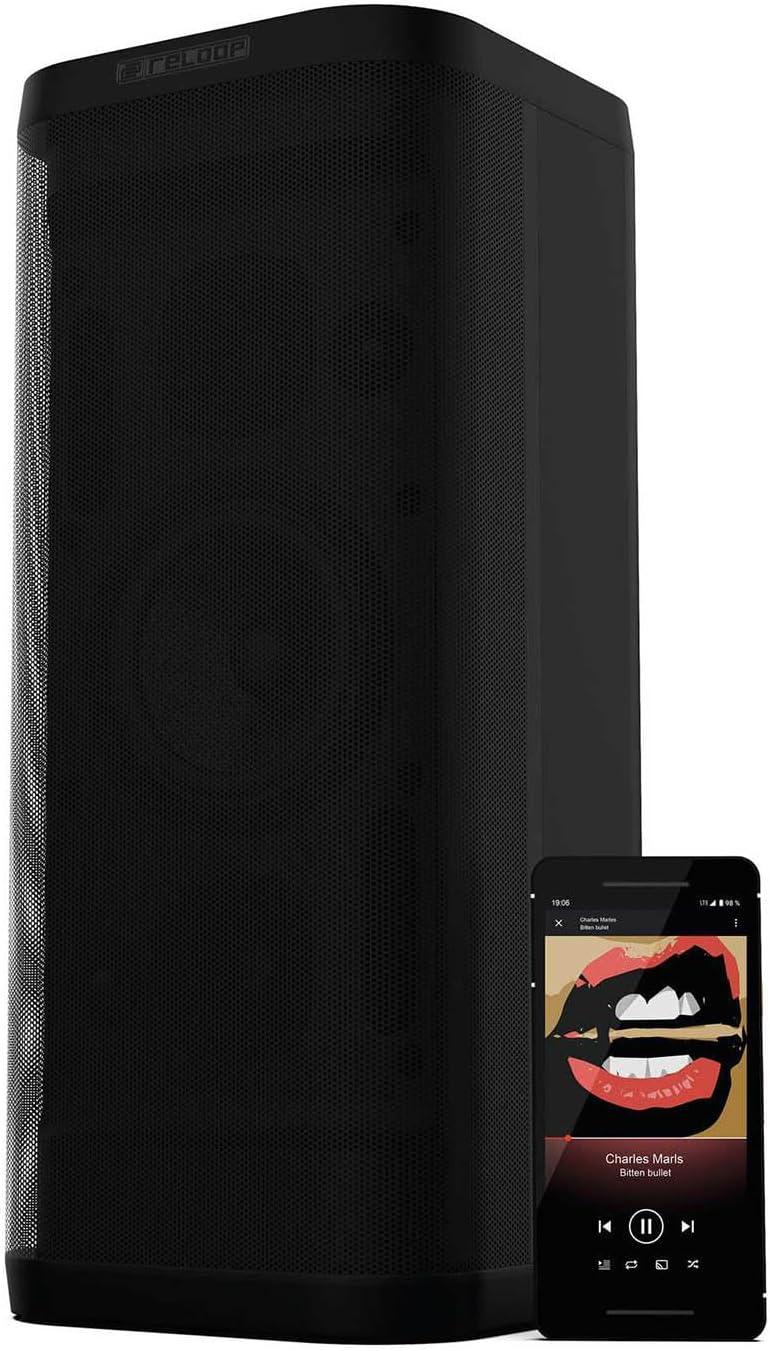
Figure 5.1: NFC pairing in progress.
5.3 Smart Link (Speaker Pairing)
The Smart Link function allows you to wirelessly connect two Groove Blaster BT speakers for a stereo experience or to double the overall volume across multiple rooms.
- Ensure both Groove Blaster BT speakers are powered on and not connected to any Bluetooth device.
- On the first speaker, press the "Speaker Pairing" button. The LED will flash.
- كرر العملية على السماعة الثانية.
- The speakers will automatically search and connect to each other. Once connected, an audible confirmation will sound, and the LEDs will glow solid.
- Now, connect your audio device to one of the paired speakers via Bluetooth (as described in Section 5.1). Audio will play through both speakers.

Figure 5.2: Two Groove Blaster BT speakers connected using Smart Link.
5.4 ضوابط التشغيل
Use the buttons on the top control panel to manage your audio playback:
- يضعط Play/Pause (▶/‖‖) لبدء تشغيل الموسيقى أو إيقافها مؤقتًا.
- يضعط المسار السابق (⏮) للانتقال إلى الأغنية السابقة.
- يضعط المسار التالي (⏭) للانتقال إلى الأغنية التالية.
- يضعط اخفض الصوت (-) or رفع الصوت (+) لضبط مستوى الصوت.
5.5 وظيفة شحن USB
The USB POWER OUT port (5V DC 1A) on the rear of the speaker can be used to charge external devices such as smartphones or tablets. Connect your device's USB charging cable to this port.
6. الصيانة
6.1 التنظيف
امسح السطح الخارجي للسماعة بقطعة قماش ناعمة وجافة. لا تستخدم المنظفات الكاشطة أو الشمع أو المذيبات. تأكد من عدم دخول أي سوائل إلى فتحات السماعة.
6.2 العناية بالبطارية
To prolong battery life, avoid fully discharging the speaker frequently. If storing the speaker for an extended period, charge it to approximately 50% every few months.
7. استكشاف الأخطاء وإصلاحها
| مشكلة | السبب المحتمل | حل |
|---|---|---|
| لا يتم تشغيل مكبر الصوت. | نفدت طاقة البطارية. | Connect the speaker to the power supply and charge the battery. |
| لا يوجد صوت من مكبر الصوت. | مستوى الصوت منخفض جدًا أو مكتوم. الجهاز غير متصل. | Increase volume on speaker and connected device. Ensure Bluetooth or AUX connection is established. |
| لا يمكن لجهاز البلوتوث الاقتران. | مكبر الصوت غير مُقترن. الجهاز بعيد جدًا. يوجد تداخل. | Press Bluetooth pairing button. Move device closer. Avoid obstacles. Restart both devices. |
| Smart Link not connecting. | Speakers already paired to a device. | Ensure both speakers are disconnected from any Bluetooth devices before initiating Smart Link. |
| جودة الصوت رديئة. | Low battery. Device too far. Source audio quality. | Charge speaker. Move device closer. Use high-quality audio files. |
8. المواصفات
| ميزة | مواصفة |
|---|---|
| ماركة | إعادة الحلقة |
| رقم الموديل | GROOVE-BLASTER-BT |
| الحد الأقصى لقوة خرج السماعة | 100 واط |
| استجابة التردد | 50 هرتز (الحد الأدنى، النطاق الكامل غير محدد) |
| تكنولوجيا الاتصال | بلوتوث، NFC |
| مدى البلوتوث | 30 مترا |
| وضع إخراج الصوت | ستيريو |
| مواد التغليف | معدن |
| قطر الصبووفر | 6 بوصة |
| قطر مكبر الصوت عالي التردد | 1 بوصة |
| نوع البطارية | ليثيوم أيون (متضمن) |
| سعة البطارية | 6600 مليamp ساعات |
| متوسط عمر البطارية | 10 ساعة |
| خرج طاقة USB | شنومكسف دس شنومكسا |
| وزن العنصر | 4.65 كيلوغرام |
| طريقة التحكم | يلمس |
| ضد للماء | لا |
9. الضمان والدعم
The Reloop Groove Blaster BT comes with a ضمان محدود لمدة سنة واحدة. For warranty claims or technical support, please contact your retailer or visit the official Reloop webموقع لمعلومات الاتصال.