
1. المقدمة
This manual provides detailed instructions for the setup, operation, and maintenance of your TOPVISION SD01 Detachable Stereo Soundbar. Please read this manual thoroughly before using the product to ensure proper functionality and to maximize your audio experience. Keep this manual for future reference.
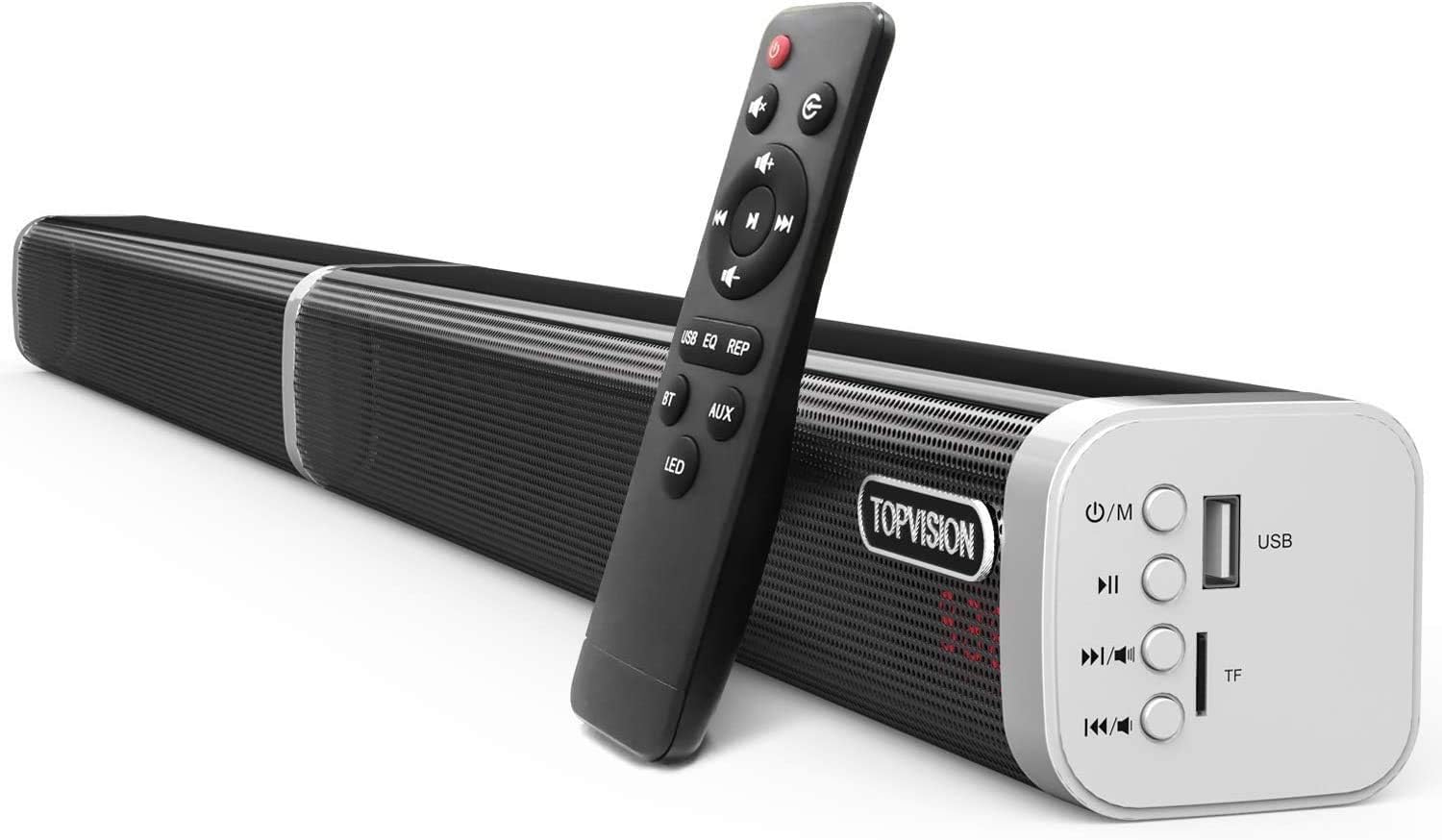
Image 1.1: TOPVISION SD01 Detachable Stereo Soundbar with included remote control.
2. محتويات العبوة
يرجى التأكد من أن جميع العناصر المدرجة أدناه متضمنة في الحزمة الخاصة بك:
- 1x Sound Bar (detachable into two tower speakers)
- كابل بصري واحد
- 1x 3.5 ملم إلى كابل RCA
- شنومكس شنومكسم كابل الصوت
- 1 × محول الطاقة
- 1x 10cm Audio Line (for connecting detached speakers)
- 1x 2m Audio Line (for connecting detached speakers)
- 1x Wall Mount Screws (set)
- 1x Wall Mount Template
- 1 × جهاز التحكم عن بعد

Image 2.1: All components included in the TOPVISION SD01 Soundbar package.
3. انتهى المنتجview
The TOPVISION SD01 is a versatile 60-watt, 39-inch stereo soundbar designed to enhance your audio experience. It features an integrated subwoofer for strong bass and offers both wired and wireless connectivity options, including Bluetooth 5.0. Its unique detachable design allows for flexible placement as a single soundbar or two tower speakers.
3.1 الميزات الرئيسية
- تصميم قابل للفصل: Can be used as a single soundbar or two vertical tower speakers.
- صوت عالي الجودة: 60 Watts output with an internal subwoofer for enhanced bass.
- خيارات اتصال متعددة: Bluetooth 5.0, AUX, Optical, Coaxial, USB, TF Card.
- تقنية معالجة الإشارات الرقمية: Digital Signal Processing for optimized sound modes (Music, TV, Natural, Jazz, Popular, Classical, Rock).
- جهاز التحكم عن بعد: Full control over modes, volume, playback, and LED display.

Image 3.1: Internal components of the soundbar, highlighting the speakers and bass diaphragms.

Image 3.2: Soundbar in use with a TV, demonstrating DSP sound modes.
4. الإعداد
4.1 طرق التثبيت
The TOPVISION SD01 soundbar offers flexible installation options:
- على حامل التلفزيون: Place the soundbar horizontally in front of your television.
- جدار جبل: Use the included wall mount kit and template to securely attach the soundbar to a wall.
- Tower Speakers: Detach the soundbar into two separate vertical speakers and place them on either side of your TV or desired location. Use the provided audio lines to connect the two halves.

Image 4.1: Various installation methods for the soundbar.

Image 4.2: Illustration of the detachable and combinable design.
4.2 توصيل مكبرات الصوت
The soundbar supports multiple connection types:
- بلوتوث شنومكس: For wireless connection to compatible devices like smartphones, tablets, and laptops.
- مساعد: Use the 3.5mm audio cable for a standard wired connection.
- بصري: Connect via the optical cable for high-quality digital audio from your TV or other devices.
- متحد المحور: Use a coaxial cable for digital audio connection.
- بطاقة USB/TF: Insert a USB drive or TF card for direct media playback.

Image 4.3: Easy connection options for the soundbar.
4.3 توصيل الطاقة
Connect the provided power adapter to the DC 18V input port on the soundbar and then plug it into a power outlet. The soundbar will power on and indicate its status via the LED display.
Video 4.1: Demonstration of connecting the power adapter and powering on the soundbar, showing the LED display and remote control functionality.
5. تعليمات التشغيل
يمكن التحكم في مكبر الصوت باستخدام الأزرار الموجودة على الوحدة أو جهاز التحكم عن بعد المرفق.
5.1 تشغيل/إيقاف التشغيل
- اضغط على قوة زر على مكبر الصوت أو جهاز التحكم عن بعد لتشغيل الوحدة أو إيقاف تشغيلها.
5.2 اختيار الوضع
اضغط على M (Mode) button on the soundbar or the corresponding input button (BT, AUX, OPT, COA, USB) on the remote to switch between input modes. The current mode will be displayed on the LED screen.
- البلوتوث (BT): لبث الصوت لاسلكيًا.
- مساعد: لإدخال الصوت التناظري.
- بصري (OPT): For digital optical audio input.
- Coaxial (COA): For digital coaxial audio input.
- USB: لتشغيل الصوت files من محرك أقراص USB.
- بطاقة TF: لتشغيل الصوت fileق من بطاقة TF.
5.3 التحكم في مستوى الصوت
- اضغط على رفع الصوت (+) or اخفض الصوت (-) أزرار على مكبر الصوت أو جهاز التحكم عن بعد لضبط مستوى الصوت.
- اضغط على صامت زر على جهاز التحكم عن بعد لكتم الصوت أو إلغاء كتمه.
5.4 Playback Controls (USB/Bluetooth Mode)
- تشغيل/إيقاف مؤقت: اضغط على تشغيل/إيقاف مؤقت زر.
- المسار التالي: اضغط على المسار التالي زر.
- المسار السابق: اضغط على المسار السابق زر.
- Repeat Play (REP): Available only in USB mode.
5.5 المؤثرات الصوتية (معادل الصوت)
اضغط على EQ button on the remote control to cycle through different sound modes: Music, TV, Natural, Jazz, Popular, Classical, Rock.
5.6 LED Display Control
اضغط على قاد button on the remote control to turn the LED display on or off.

Image 5.1: Soundbar controls and remote control functions.