
1. انتهى المنتجview
The myCharge HubMax HBLC10V is a portable power bank designed to charge various mobile devices. It features an internal 10050mAh battery, built-in Lightning and USB-C cables, and an integrated foldable wall plug for convenient recharging.

Image 1.1: The myCharge HubMax HBLC10V portable charger, showcasing its compact design with integrated Lightning and USB-C cables, and a foldable wall plug.
2. محتويات العبوة
- myCharge HubMax HBLC10V Portable Charger
- كابل لايتنينج متكامل
- كابل USB-C مدمج
- Integrated Wall Plug
3. الإعداد والشحن الأولي
Before first use, it is recommended to fully charge your myCharge HubMax HBLC10V.
- Locate the Wall Plug: Extend the foldable wall prongs located on the side of the device.
- الاتصال بالطاقة: Plug the device directly into a standard AC wall outlet.
- مراقبة الشحن: The LED indicator lights on the device will illuminate to show the charging status. A full charge typically takes approximately 4.6 hours. All indicator lights will be solid when fully charged.
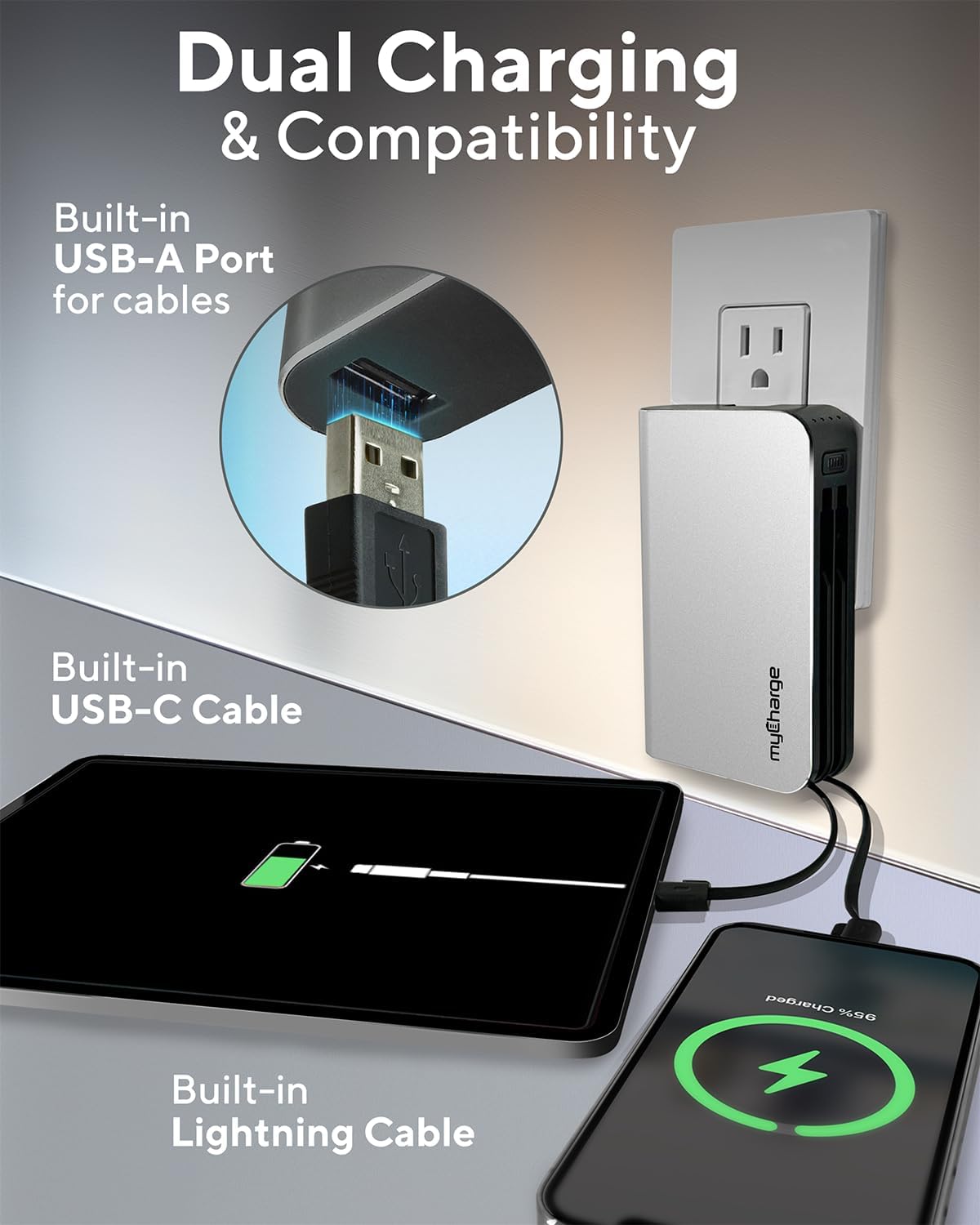
Image 3.1: The myCharge HubMax HBLC10V connected to a wall outlet for recharging, illustrating its integrated wall plug and multiple charging outputs.
4. تعليمات التشغيل
The myCharge HubMax HBLC10V allows you to charge up to three devices simultaneously.
4.1 Charging Devices with Built-in Cables
- Identify Cable: Select the appropriate built-in cable for your device (Lightning for Apple devices, USB-C for compatible Android and other devices).
- توصيل الجهاز: Plug the selected cable directly into your mobile device's charging port.
- ابدأ الشحن: The myCharge HubMax will automatically begin charging your device. The LED indicator lights will show the remaining battery level of the power bank.
4.2 Charging a Third Device via USB-A Port
For devices requiring a standard USB-A connection, use the integrated USB-A port.
- Connect Your Cable: Plug your device's USB-A charging cable (not included) into the USB-A port on the myCharge HubMax.
- توصيل الجهاز: Plug the other end of your cable into your mobile device.
- ابدأ الشحن: سيبدأ الشحن تلقائيًا.

الصورة 4.1: تفصيلية view of the myCharge HubMax HBLC10V, emphasizing its all-in-one design with built-in wall prongs, Lightning and USB-C cables, and an additional USB-A port for charging up to three devices.
4.3 إمكانيات الشحن السريع
The HubMax supports Power Delivery and Quick Charge 3.0 via its USB-C cable, enabling faster charging for compatible devices. This can charge devices up to 2.4 times faster than standard chargers.
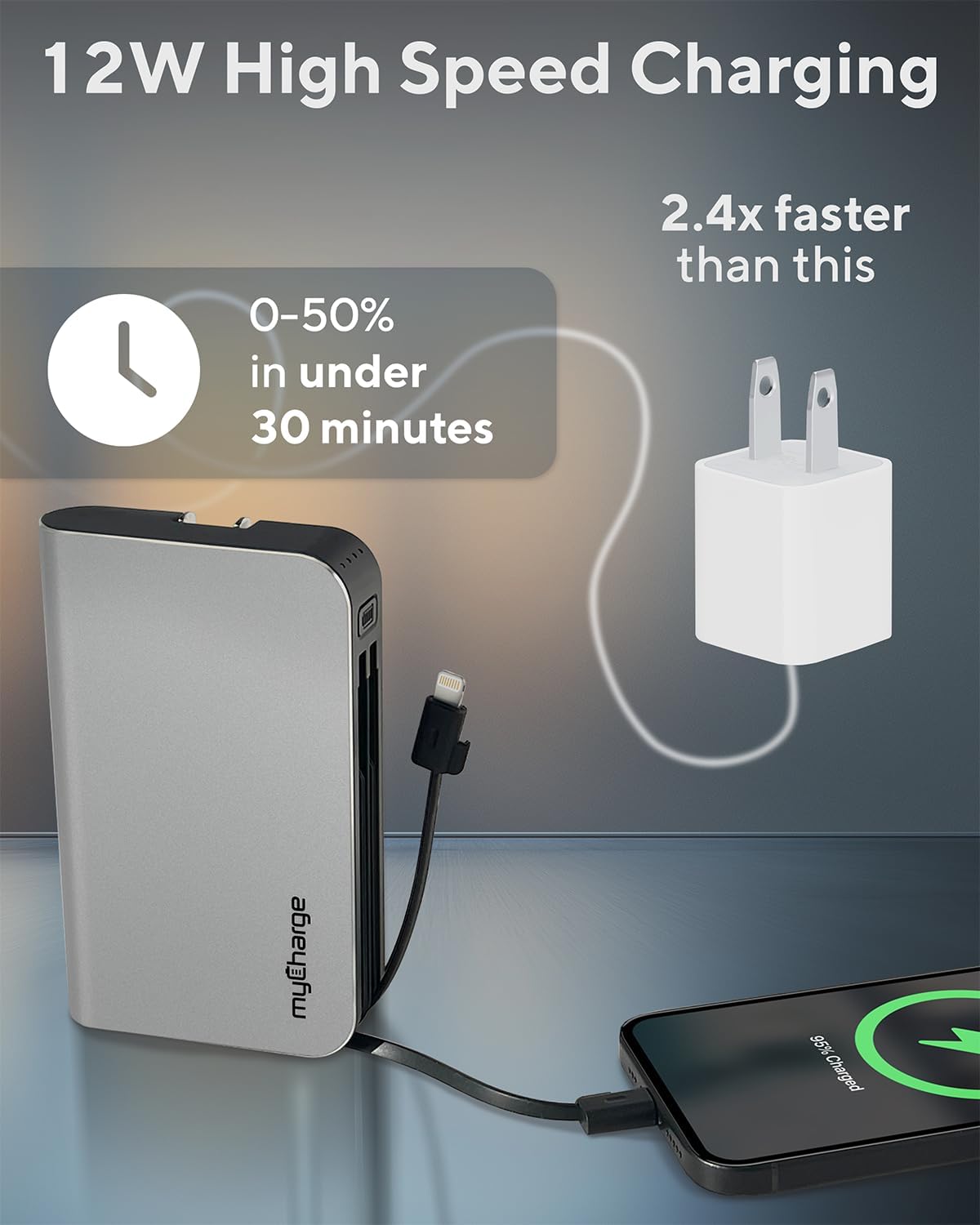
Image 4.2: The myCharge HubMax HBLC10V demonstrating its 12W high-speed charging capability, capable of charging a device from 0% to 50% in under 30 minutes.
5. الصيانة والعناية
- تخزين: قم بتخزين بنك الطاقة في مكان بارد وجاف بعيدًا عن أشعة الشمس المباشرة ودرجات الحرارة القصوى.
- تنظيف: استخدم قطعة قماش ناعمة وجافة لتنظيف الجزء الخارجي من الجهاز. تجنب استخدام المواد الكيميائية القاسية أو المواد الكاشطة.
- التعامل: Handle the device with care. Avoid dropping it or subjecting it to strong impacts, as this can damage internal components and shorten its lifespan.
- عمر البطارية: للحفاظ على صحة البطارية، تجنب استنزافها بالكامل بشكل متكرر. أعد شحنها عندما يكون مستوى البطارية منخفضًا.
6. استكشاف الأخطاء وإصلاحها
If you encounter issues with your myCharge HubMax HBLC10V, refer to the following common solutions:
- الجهاز لا يشحن:
- Ensure the myCharge HubMax itself is sufficiently charged. Check the LED indicators.
- Verify that the built-in cable or your external USB-A cable is securely connected to both the power bank and your device.
- Try a different device or cable to rule out issues with the connected device or cable.
- الشحن البطيء:
- Ensure your device supports fast charging protocols (Power Delivery, Quick Charge 3.0) to benefit from the HubMax's fast charging capabilities.
- قد يؤدي شحن أجهزة متعددة في نفس الوقت إلى تقليل سرعة الشحن للأجهزة الفردية.
- تأكد من عدم وجود تلف في كابل الشحن.
- Power Bank Not Recharging:
- Ensure the wall plug is fully extended and securely inserted into a working AC wall outlet.
- جرب مقبس حائط مختلف.
If problems persist, please contact myCharge customer support for further assistance.
7. المواصفات
| ميزة | التفاصيل |
|---|---|
| رقم الموديل | HBLC10V |
| سعة البطارية | 10050 مللي أمبير (ليثيوم أيون) |
| أبعاد المنتج | 2.8 × 0.9 × 4.6 بوصة |
| وزن العنصر | 10.2 أونصات |
| الكابلات المدمجة | البرق، USB-C |
| Additional Port | يو اس بي-ايه |
| شحن وقت | Approx. 4.6 hours (via integrated wall plug) |
| المميزات الخاصة | Integrated Wall Plug, Fast Charging (PD, QC 3.0) |
| الشركة المصنعة | com.myCharge |
8. الضمان والدعم
myCharge products are typically covered by a manufacturer's warranty. For specific warranty details, registration, or to initiate a warranty claim, please refer to the official myCharge webالموقع أو اتصل بدعم العملاء مباشرة.
For technical assistance, troubleshooting not covered in this manual, or general inquiries, please visit the myCharge support page or contact their customer service department.
Note: Warranty terms and support availability may vary. Always refer to the latest information provided by the manufacturer.