
مقدمة
The AKG CBL301 is a triple-element, low-profile boundary layer microphone designed for use in conference rooms and meeting spaces. It features user controls for talk/mute functionality, LED indicators, and screw terminals for audio input/output. The microphone is engineered for straightforward installation and reliable operation.
المميزات الرئيسية:
- منخفضة المواليةfile design for discreet placement
- Triple-element cardioid microphone for clear audio capture
- Touch-sensitive control for talk/mute functions
- RGB LED ring indicators for visual status feedback
- RF interference suppression for stable performance
ماذا يوجد في الصندوق
قم بفك محتويات العبوة بعناية وتأكد من وجود جميع العناصر:
- CBL301 Microphone
- الخيوط رود
- براغي
- جناح الحشرة
- End Seal and Table Seal
تعليمات الإعداد
Follow these steps to properly set up your AKG CBL301 microphone:
- الموقع: Position the microphone on a flat, stable surface in your conference or meeting area. The low-profile design allows for discreet integration.
- التركيب (اختياري): For permanent installation, use the provided threaded rod, screws, wingnut, and seals to secure the microphone to the table surface. This minimizes disruption and ensures stability.
- الاتصال: Connect the microphone to your audio system using an appropriate XLR cable (not included) via the screw terminals. Ensure secure connections for optimal audio transmission.
- قوة: The microphone is powered via a corded electric connection. Ensure it is connected to a compatible power source (3.3 Volts).

جانب view of the AKG CBL301 microphone, illustrating its low-profile form factor. The illuminated green LED ring indicates the microphone's active status, and the AKG logo is visible on the base.
تعليمات التشغيل
The CBL301 features intuitive touch controls and LED indicators for easy operation:
- تشغيل الطاقة: Once connected to power, the microphone will initialize.
- Talk/Mute Control: To toggle between talk and mute states, gently touch the designated area on the microphone's surface.
- مؤشرات LED: The RGB LED ring provides visual feedback on the microphone's status:
- أخضر: الميكروفون نشط ويلتقط الصوت.
- أحمر: تم كتم صوت الميكروفون.
- أزرق: (Specific status, refer to advanced settings if applicable, or typically indicates a specific mode).
- Coverage Configuration: The microphone's pickup pattern is user-configurable from 270 to 360 degrees. Consult your audio system's documentation for specific adjustments if required.
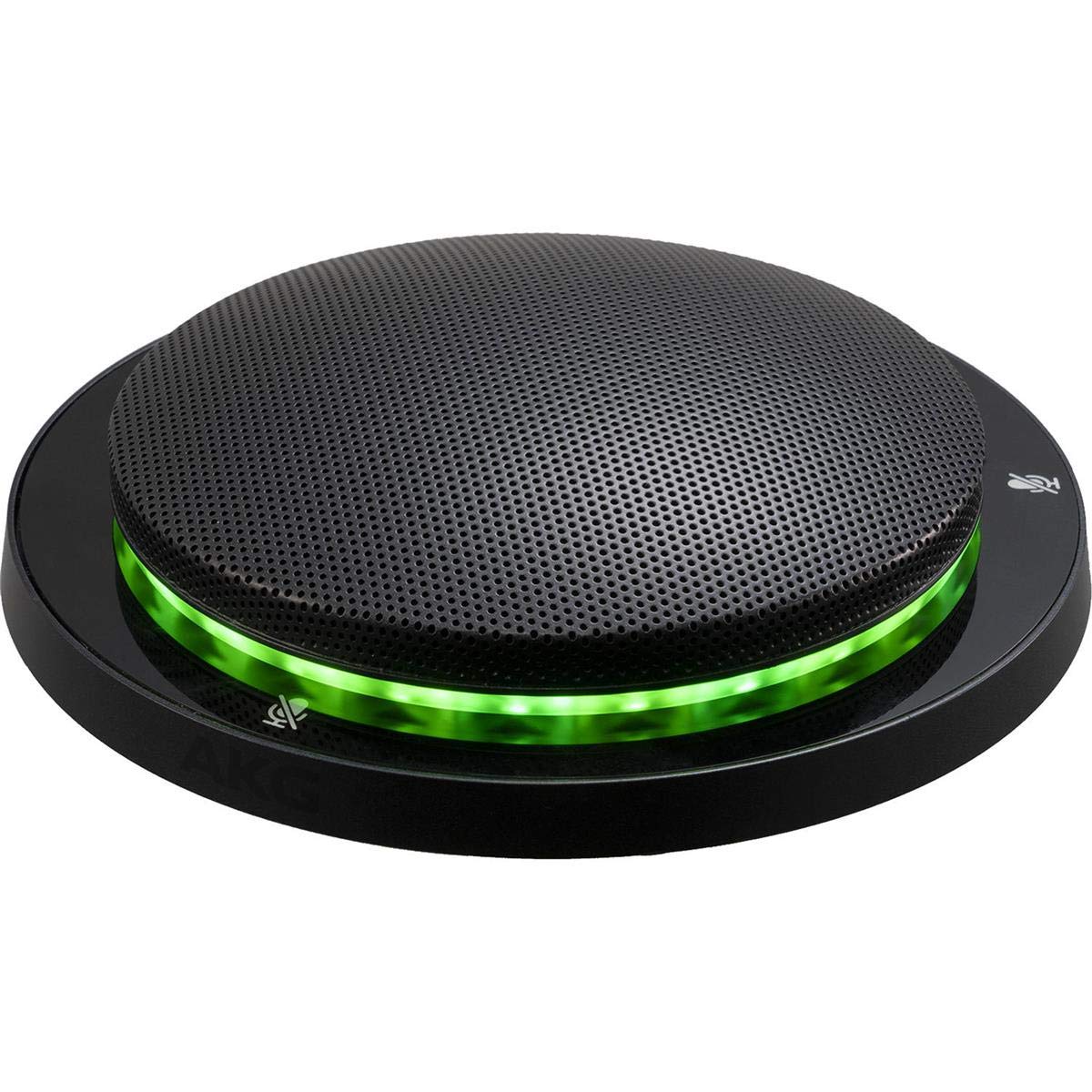
This image displays the AKG CBL301 microphone from a top-down perspective, highlighting its circular, low-profile design and the perforated grille covering the microphone elements. The touch-sensitive mute/unmute icons are visible around the perimeter.
صيانة
Proper maintenance ensures the longevity and performance of your CBL301 microphone:
- تنظيف: Use a soft, dry cloth to wipe the microphone's surface. Avoid abrasive cleaners, solvents, or excessive moisture, which can damage the finish or internal components.
- تخزين: When not in use for extended periods, store the microphone in a clean, dry environment, away from extreme temperatures and humidity.
- العناية بالكابلات: Ensure all cables are free from kinks or damage. Replace any damaged cables immediately to prevent performance issues or safety hazards.
استكشاف الأخطاء وإصلاحها
If you encounter issues with your CBL301 microphone, refer to the following common solutions:
- لا يوجد إخراج صوت:
- تحقق من كافة توصيلات الكابلات للتأكد من أنها آمنة.
- Verify the microphone is not muted (check LED indicator for red light).
- Confirm the audio system's input is correctly configured and volume levels are adequate.
- Ensure the microphone is receiving power.
- الصوت المشوه:
- تحقق من وصلات الكابلات المفكوكة.
- Ensure the microphone is not placed too close to sound sources, causing clipping.
- Verify the audio system's input gain is not set too high.
- مؤشر LED لا يعمل:
- Confirm the microphone is properly powered.
- If the microphone functions but the LED does not, contact support.
If the problem persists after attempting these solutions, please contact AKG customer support.
تحديد
| ميزة | التفاصيل |
|---|---|
| اسم الموديل | CBL301 |
| رقم موديل العنصر | 5095183-00 |
| وزن العنصر | 1.7 رطل (0.77 كجم) |
| أبعاد المنتج (الطول × العرض × الارتفاع) | 5.1 × 5.1 × 1.1 بوصة (12.95 × 12.95 × 2.79 سم) |
| عامل شكل الميكروفون | Microphone Only (Boundary Layer) |
| مصدر الطاقة | كهرباء سلكية |
| تكنولوجيا الاتصال | إكس إل آر |
| نوع الموصل | مأخذ المسمار |
| النمط القطبي | أحادي الاتجاه (قلبي الشكل) |
| المجلدtage | 3.3 فولت |
| لون | أسود |
| رمز المنتج العالمي / رقم GTIN | 885038040514 |
| المميزات الخاصة | Touch control for talk/mute, RGB LED indicators, User-configurable coverage (270-360 degrees) |
معلومات الضمان
This product is covered by a manufacturer's warranty. For detailed information regarding warranty terms, conditions, and registration, please refer to the official AKG website or contact AKG customer support directly. Please retain your proof of purchase for warranty claims.
يدعم
For technical assistance, product inquiries, or service requests, please visit the official AKG support website or contact their customer service department. Contact information can typically be found on the AKG webالموقع أو في عبوة المنتج.