
1. المقدمة
The Walfront GT8907 is a handheld digital anemometer designed for precise measurement of wind speed, temperature, and air volume. This device is suitable for various applications including industrial settings, environmental monitoring, HVAC system analysis, and outdoor activities. It features a high-definition large screen display for clear readings and soft rubber buttons for comfortable operation. This manual provides detailed instructions for the proper setup, operation, and maintenance of your GT8907 anemometer.

Figure 1: Walfront GT8907 Anemometer with its wind fan probe connected, displaying wind speed and temperature.
2. محتويات العبوة
يرجى التحقق من محتويات الحزمة عند الاستلام للتأكد من وجود جميع العناصر:
- Walfront GT8907 Digital Anemometer Unit
- Wind Fan Probe (connected via cable)
- USB Cable (for data transfer, if applicable)
- دليل المستخدم (هذا المستند)
- حقيبة الحمل
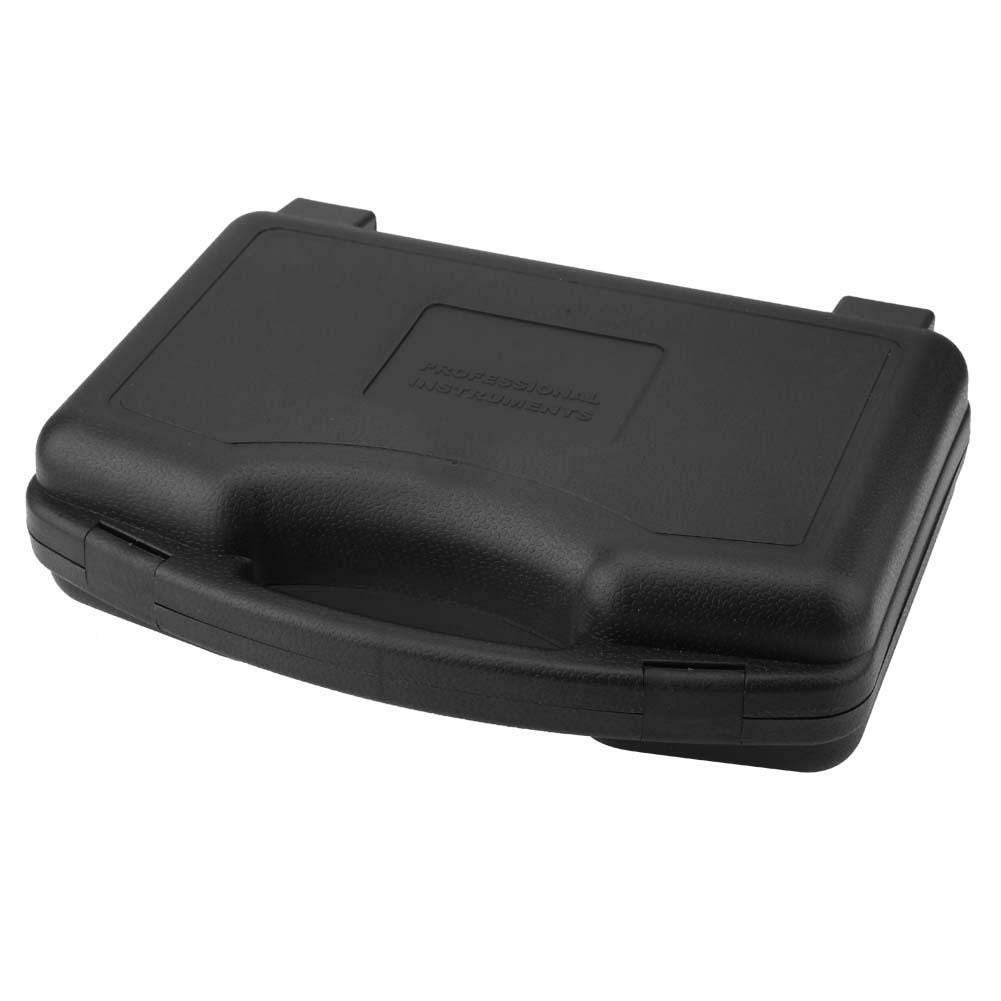
Figure 2: The protective carrying case for the GT8907 anemometer, designed for safe storage and transport.
3. انتهى الجهازview
Familiarize yourself with the components and controls of the GT8907 anemometer:

Figure 3: Detailed diagram of the GT8907 anemometer, highlighting the main unit's screen and buttons, and the wind fan probe with its telescopic rod and handle.
- شاشة: High-definition LCD display for readings.
- زر القفل: To hold current readings.
- Mode Switch / Enter Button: To cycle through measurement modes and confirm selections.
- Air Volume Switch: To switch to air volume measurement.
- ON/OFF / Unit Button: Power on/off the device; short press to change units.
- Setting Area: For configuring measurement area for air volume.
- زر حفظ: To save data.
- Read Data Button: To recall saved data.
- Delete Data Button: To delete saved data.
- Wind Fan: Rotates to measure wind speed.
- قضيب تلسكوبي: Extends the wind fan for reaching measurement points.
- مقبض: Ergonomic grip for the wind fan probe.
4. الإعداد
4.1 تركيب البطارية
The GT8907 anemometer requires four (4) 1.5V AAA batteries (not included). Follow these steps to install the batteries:
- حدد موقع غطاء حجرة البطارية في الجزء الخلفي من الوحدة الرئيسية.
- قم بتحريك الغطاء للأسفل أو اضغط على المزلاج لفتحه.
- أدخل أربع بطاريات AAA، مع التأكد من صحة القطبية (+ و -) كما هو موضح داخل الحجرة.
- قم باستبدال غطاء حجرة البطارية، وتأكد من تثبيته بشكل آمن في مكانه.

Figure 4: The open battery compartment of the GT8907, showing the correct orientation for inserting four AAA batteries.
4.2 اتصال مسبار
Ensure the wind fan probe is securely connected to the main unit via its cable. The connector should fit snugly into the port on the top of the main unit.
5. تعليمات التشغيل
5.1 تشغيل/إيقاف التشغيل
- لتشغيل الجهاز، اضغط مع الاستمرار على تشغيل/إيقاف زر.
- لإيقاف تشغيل الجهاز، اضغط مع الاستمرار على تشغيل/إيقاف button again. The device also features an auto-power-off function to conserve battery life.
5.2 تغيير وحدات القياس
With the device powered on, short press the وحدة button (which is also the ON/OFF button) to cycle through available wind speed units (m/s, Ft/min, Knots, Km/h, Mph) and temperature units (°C, °F).
5.3 Wind Speed and Temperature Measurement
The device automatically displays wind speed and temperature upon power-on. Extend the telescopic rod of the wind fan probe and position the fan in the airflow you wish to measure. Ensure the fan is facing directly into the wind for accurate readings.

Figure 5: The GT8907 anemometer in use, showing its digital display with wind speed and temperature readings against a backdrop of wind turbines.
5.4 Air Volume Measurement (CFM/CMM)
- اضغط على فيل/تدفق button to switch to air volume measurement mode.
- اضغط على المنطقة/المناطقAMPLE button to enter the area setting mode.
- Use the arrow buttons (if available, or other designated buttons) to adjust the measurement area (e.g., duct dimensions). Refer to the on-screen prompts.
- يضعط يدخل to confirm the area setting.
- Position the wind fan probe in the airflow. The device will display the air volume in CFM (Cubic Feet per Minute) or CMM (Cubic Meters per Minute).
5.5 وظيفة الاحتفاظ بالبيانات
اضغط على يمسك button to freeze the current readings on the display. Press it again to release the hold function and resume live measurements.
5.6 تخزين البيانات واسترجاعها
- لحفظ القراءة، اضغط على يحفظ زر.
- To recall saved data, press the يقرأ button. Use navigation buttons (if available) to browse through saved records.
- To delete saved data, press the ديل زر.
6. الصيانة
6.1 التنظيف
Wipe the device and probe with a soft, dry cloth. Do not use abrasive cleaners or solvents. Ensure the wind fan is free from dust and debris for accurate operation.
6.2 استبدال البطارية
When the low battery indicator appears on the display, replace all four AAA batteries as described in Section 4.1. Remove batteries if the device will not be used for an extended period to prevent leakage.
6.3 التخزين
Store the anemometer in its protective carrying case in a cool, dry place, away from direct sunlight and extreme temperatures. Ensure the wind fan probe is retracted or protected to prevent damage.
7. استكشاف الأخطاء وإصلاحها
- الجهاز لا يعمل:
- تأكد من تركيب البطاريات بشكل صحيح مع مراعاة القطبية المناسبة.
- استبدلها ببطاريات AAA جديدة.
- قراءات غير دقيقة:
- Ensure the wind fan is clean and rotates freely.
- Verify the probe is securely connected to the main unit.
- Confirm the device is set to the correct measurement unit.
- Ensure the wind fan is positioned directly in the airflow.
- العرض باهت أو فارغ:
- استبدال البطاريات.
- تأكد من عدم تعريض الجهاز لدرجات حرارة قصوى.
8. المواصفات
| المعلمة | مواصفة |
|---|---|
| نموذج | جي تي 8907 |
| نطاق قياس سرعة الرياح | 0.0 - 45.0 m/s; 0.0 - 8800 Ft/min; 0.0 - 88.0 Knots; 0.0 - 140.0 Km/h; 0.0 - 100 Mph |
| دقة سرعة الرياح | 0.01 (m/s, Knots, Mph); 0.01/0.1/1 (Ft/min); 0.01 (Km/h) |
| Wind Speed Precision | ±3% ±0.1 (m/s); ±3% ±20 (Ft/min); ±3% ±0.2 (Knots); ±3% ±0.4 (Km/h); ±3% ±0.2 (Mph) |
| Air Volume Measurement Range (CFM) | 0 - 999900 قدم مكعب/دقيقة |
| Air Volume Measurement Range (CMM) | 0 - 999900 م³/دقيقة |
| نطاق قياس درجة الحرارة | 0 - 45°C / 32 - 113°F |
| دقة درجة الحرارة | 0.1 درجة مئوية / 0.18 درجة فهرنهايت |
| دقة درجة الحرارة | ± 1.0 درجة مئوية / ± 1.8 درجة فهرنهايت |
| نطاق قياس الرطوبة | 10 - 90% RH (without condensation) |
| قرار الرطوبة | 0.1% رطوبة نسبية |
| دقة الرطوبة | ±5% |
| درجة حرارة بيئة العمل | 0 - 50 درجة مئوية (32 - 122 درجة فهرنهايت) |
| رطوبة بيئة العمل | 40 - 80% RH |
| Storage Condition Temperature | -40 - 60°C (-40 - 140°F) |
| Storage Condition Humidity | â N80٪ RH |
| مزود الطاقة | بطاريتان AAA بقوة 4 فولت |
| وزن | حوالي 1214 جم / 42.8 أونصة |
| الأبعاد (الطول × العرض × الارتفاع) | 3.94 × 3.94 × 3.94 بوصة (الوحدة الرئيسية) |
9. الضمان والدعم
Walfront products are designed for reliability and performance. For warranty information or technical support, please refer to the contact details provided with your purchase or visit the official Walfront webالموقع. احتفظ بإيصال الشراء الخاص بك كإثبات للشراء في حالة مطالبات الضمان.
For further assistance, you may contact Walfront customer service through their official channels. Please have your model number (GT8907) and purchase details ready.