
1. المقدمة
شكرا لك على الشراءasing the ELEPHAS RD-606 Mini Projector. This compact and portable projector is designed to provide a versatile home theater experience with features like Wi-Fi connectivity, 3D support, and a built-in battery. This manual provides essential information for setting up, operating, and maintaining your projector to ensure optimal performance and longevity.
The RD-606 utilizes advanced DLP technology to deliver clear images with a 1000:1 contrast ratio and up to 1080P resolution. Its lightweight design and integrated battery allow for flexible use in various environments.

Image: High-Definition Display Comparison. The ELEPHAS projector delivers superior image clarity and color reproduction.
2. معلومات السلامة
يرجى قراءة جميع تعليمات السلامة بعناية قبل استخدام جهاز العرض. احتفظ بهذا الدليل للرجوع إليه مستقبلاً.
- لا تنظر مباشرة إلى عدسة جهاز العرض عندما يكون الضوءamp يتم تشغيله، لأن الضوء الساطع يمكن أن يسبب تلفًا للعين.
- تأكد من وجود تهوية مناسبة حول جهاز العرض. لا تسد فتحات التهوية.
- استخدم فقط محول الطاقة المرفق مع جهاز العرض.
- لا تعرض جهاز العرض للمطر أو الرطوبة أو درجات الحرارة العالية.
- تجنب وضع جهاز العرض على الأسطح غير المستقرة.
- لا تحاول تفكيك جهاز العرض أو تعديله. قم بإحالة جميع أعمال الصيانة إلى فنيين مؤهلين.
3. محتويات العبوة
تأكد من وجود جميع العناصر في الحزمة الخاصة بك:
- ELEPHAS Mini Projector (RD-606) x1
- محول الطاقة x1
- جهاز التحكم عن بعد X1
- Micro USB Wire x1
- Free Tripod x1
- حقيبة حمل ×1
- دليل المستخدم x1
4. الإعداد
4.1 تشغيل/إيقاف التشغيل
- Connect the power adapter to the projector's charging port (DC 5V) and then to a power outlet.
- Slide the Power Switch to the 'ON' position. The projector will power on.
- لإيقاف التشغيل، حرك مفتاح الطاقة إلى وضع "إيقاف التشغيل".
4.2 تعديل التركيز
Rotate the focus ring on the side of the projector until the projected image appears clear and sharp.
4.3 تصحيح الانحراف التلقائي
The RD-606 features an automatic keystone correction function. The projected image will adjust automatically to optimize the angle, correcting distortion up to ±40 degrees. No manual adjustment is typically required for this feature.
4.4 الاتصال
يدعم جهاز العرض مصادر إدخال مختلفة:
- HDMI: Connect devices like laptops, gaming consoles (PS4), or streaming sticks (Fire TV, Roku Stick, Apple TV) using an HDMI cable.
- USB: أدخل ذاكرة فلاش USB لتشغيل الوسائط fileس مباشرة.
- ميكرو يو إس بي: For charging or connecting compatible devices.
- صوت 3.5 ملم: قم بتوصيل مكبرات الصوت الخارجية أو سماعات الرأس.
- واي فاي: Connect to your wireless network for online content and screen mirroring.

Image: Projector Ports and Compatible Devices. This image illustrates the various input ports and devices that can be connected to the RD-606 projector.
5. تعليمات التشغيل
5.1 الملاحة الأساسية
Use the included remote control to navigate the projector's on-screen menu. The directional buttons allow you to move through options, and the 'OK' or 'Enter' button confirms selections. 'Back' or 'Return' buttons typically exit menus.
5.2 اتصال واي فاي
- Access the projector's settings menu.
- حدد "الشبكة" أو "إعدادات Wi-Fi".
- اختر شبكة Wi-Fi المطلوبة من القائمة.
- أدخل كلمة مرور Wi-Fi باستخدام لوحة المفاتيح التي تظهر على الشاشة.
- Once connected, you can access built-in apps like YouTube and Koala (if available) for online content.
5.3 Wireless Screen Mirroring (Airplay/Miracast)
The projector supports wireless mirroring from compatible smartphones and tablets via Airplay (for iOS devices) or Miracast (for Android devices).
- Ensure your projector and smart device are connected to the same Wi-Fi network.
- على جهاز العرض، حدد خيار "انعكاس الشاشة" أو "العرض اللاسلكي" من القائمة الرئيسية.
- On your smart device, activate its screen mirroring feature (e.g., 'Screen Mirroring', 'Smart View', 'Airplay', 'Cast').
- Select the projector's name from the list of available devices on your smart device.
- The device's screen content will now be projected.

Image: Screen Mirroring with Phone/Tablet. This image demonstrates how to wirelessly share content from mobile devices to the projector.
5.4 3D Mode Operation
The RD-606 Series supports multiple 3D modes. To experience 3D content:
- You will need a pair of active DLP Link 3D glasses (sold separately).
- Play 3D content from a compatible source.
- Turn on your DLP Link 3D glasses. They should automatically synchronize with the projected image.
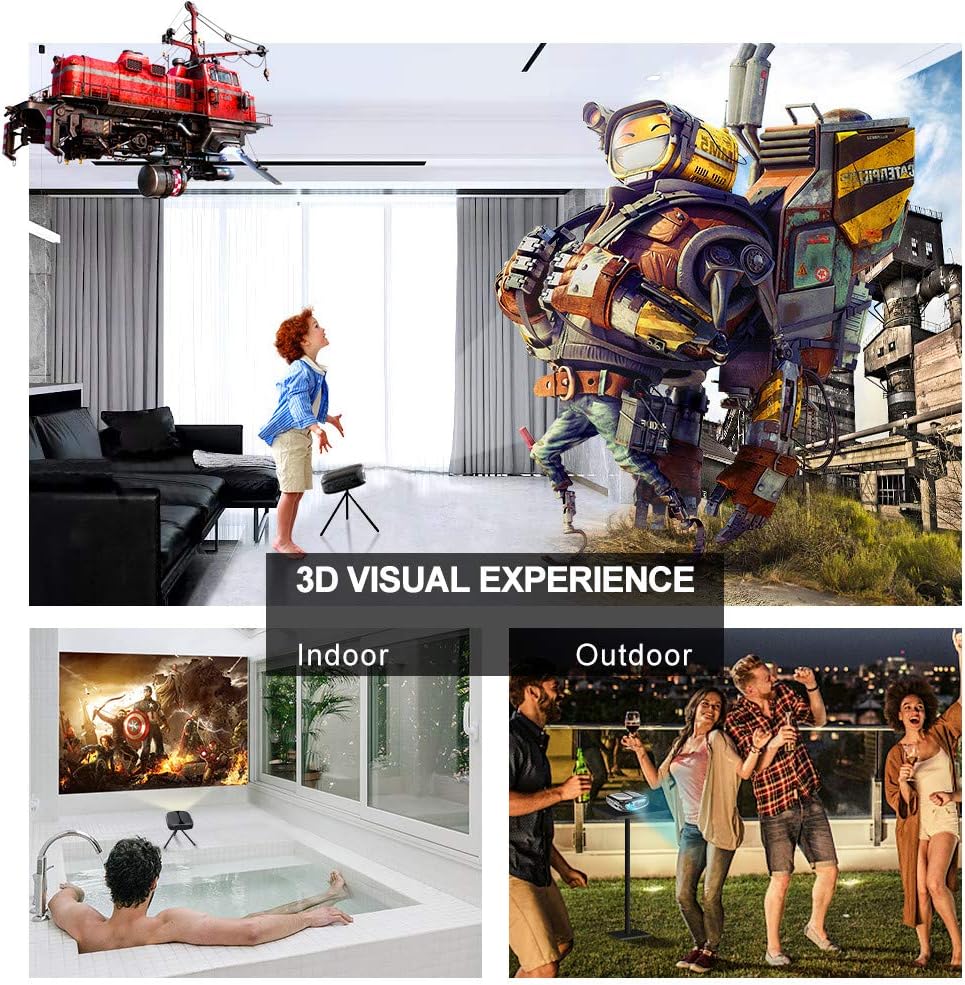
Image: 3D Visual Experience. The projector offers immersive 3D viewing for both indoor and outdoor settings.
5.5 Battery Operation and Portability
The built-in battery provides approximately two hours of continuous video playback, offering flexibility for use without a constant power source. For extended use, the projector can also be charged via a power bank.

Image: Embedded Battery for Portable Use. The projector's battery allows for convenient outdoor entertainment.

Image: Pocket Size and Lightweight Design. The projector's compact form factor makes it highly portable.
6. الصيانة
6.1 تنظيف العدسة
Gently wipe the projector lens with a soft, lint-free cloth specifically designed for optical surfaces. Do not use abrasive cleaners or harsh chemicals.
6.2 التنظيف العام
استخدم قطعة قماش ناعمة وجافة لتنظيف غطاء جهاز العرضasing. For stubborn dirt, a slightly damp cloth can be used, followed by a dry cloth. Ensure no liquid enters the device.
6.3 التخزين
When not in use for extended periods, store the projector in a cool, dry place, away from direct sunlight and extreme temperatures. Use the provided carrying bag for protection against dust and physical damage.
7. استكشاف الأخطاء وإصلاحها
- لا يوجد طاقة:
- تأكد من توصيل محول الطاقة بشكل آمن بكل من جهاز العرض ومأخذ الطاقة العامل.
- تأكد من أن مفتاح الطاقة في وضع "التشغيل".
- تأكد من أن منفذ الطاقة يعمل.
- لا توجد صورة:
- Check the input source selection on the projector to ensure it matches your connected device (e.g., HDMI, USB).
- Verify that the connected device is powered on and outputting a signal.
- تأكد من توصيل كافة الكابلات بشكل آمن.
- صورة ضبابية:
- اضبط حلقة التركيز على جهاز العرض حتى تصبح الصورة واضحة.
- تأكد من أن سطح العرض مستوٍ وأن جهاز العرض على مسافة مناسبة.
- لا يوجد صوت:
- تحقق من إعدادات مستوى الصوت على كل من جهاز العرض وجهاز المصدر المتصل.
- إذا كنت تستخدم مكبرات صوت خارجية، فتأكد من توصيلها وتشغيلها بشكل صحيح.
- تأكد من صحة إعدادات إخراج الصوت على جهازك المصدر.
- Wi-Fi/Screen Mirroring Issues:
- Ensure both the projector and your smart device are connected to the same Wi-Fi network.
- تحقق من قوة إشارة الواي فاي.
- Restart both the projector and your smart device.
- Ensure your smart device's operating system is up to date.
8. المواصفات
| ميزة | مواصفة |
|---|---|
| نموذج | RD-606 |
| تكنولوجيا العرض | دي إل بي |
| سطوع الصورة | 2600 لومن |
| نسبة تباين الصورة | 1000:1 |
| الدقة الأصلية | 1920 × 1080 (يدعم دقة 1080 بكسل) |
| المميزات الخاصة | Auto Keystone, HDMI Connectivity, Portable, Built-in Wi-Fi, 3D Ready |
| تكنولوجيا الاتصال | HDMI، USB، واي فاي |
| الأجهزة المتوافقة | Laptops, Smartphones, Media Players |
| نوع البطارية | ليثيوم أيون (1 متضمنة) |
| عمر البطارية | Approx. 2 hours video playback |
| أبعاد المنتج | 9.91 × 10.67 × 4.06 سم |
| وزن العنصر | 793.79 جرام (0.66 رطل) |
| نوع التركيب | جبل منضدية |
9. الضمان والدعم
ELEPHAS provides lifetime professional customer service and technical support for the RD-606 Mini Projector. If you encounter any issues or have questions regarding your product, please do not hesitate to contact our support team.
معلومات الاتصال:
- بريد إلكتروني: support@elephas.com.hk
Please have your product model number (RD-606) and purchase details ready when contacting support to facilitate a quicker resolution.