
معلومات هامة حول السلامة
يرجى قراءة جميع التعليمات وفهمها جيداً قبل استخدام هذا المنتج. احتفظ بهذا الدليل للرجوع إليه مستقبلاً.
- خطر الاختناق: Keep cords out of reach of children. Never place the camera or cords within 3 feet (1 meter) of the crib or playpen. Secure cords to a wall or floor using clips to prevent entanglement.
- خطر الاختناق: هذا المنتج يحتوي على أجزاء صغيرة. يحفظ بعيدا عن متناول الأطفال.
- ارتفاع درجة الحرارة: Do not cover the monitor or camera with clothing, blankets, or other objects. Ensure proper ventilation.
- الماء والرطوبة: لا تعرض المنتج للمطر أو الرطوبة. لا تستخدمه بالقرب من الماء (مثل حوض الاستحمام أو المغسلة).
- مصدر الطاقة: Use only the AC power adapters provided. Using other adapters may damage the device and void the warranty.
- تدخل: This product operates on a 2.4 GHz frequency. Keep away from other 2.4 GHz devices (e.g., Wi-Fi routers, microwaves) to avoid interference.
- درجة حرارة: Operate and store the product within the recommended temperature range (0°C to 40°C / 32°F to 104°F).
محتويات الحزمة
تأكد من وجود جميع العناصر في الحزمة الخاصة بك:
- وحدة الوالدين (مراقب)
- وحدة الطفل (الكاميرا)
- محول الطاقة لوحدة الوالدين
- محول الطاقة لوحدة الطفل
- دليل مرجعي سريع

Image: All components included in the Dragon Touch DT40 baby monitor package, including the monitor, camera, two power adapters, and a quick reference guide.
المنتج انتهىview
وحدة الوالدين (مراقب)
The parent unit features a 4.3-inch color LCD screen for clear video monitoring. It includes controls for volume, brightness, menu navigation, two-way audio, and lullaby playback.
وحدة الطفل (الكاميرا)
The baby unit is equipped with a camera that provides video and audio feedback. It includes infrared LEDs for automatic night vision, a temperature sensor, and a microphone for two-way communication. The camera can be manually adjusted for optimal viewزوايا متعددة.

Image: The baby unit camera, illustrating its ability for manual rotation of 360 degrees horizontally and 60 degrees vertically for flexible positioning.
يثبت
1. شحن وحدة الوالدين
- Connect the small end of the parent unit power adapter to the DC input port on the side of the parent unit.
- قم بتوصيل الطرف الآخر للمحول بمأخذ كهربائي قياسي.
- Charge the parent unit for at least 8 hours before first use to ensure optimal battery performance. The battery icon on the screen will indicate charging status.
2. تشغيل وحدة الطفل
- Connect the small end of the baby unit power adapter to the DC input port on the back of the baby unit.
- Plug the other end of the adapter into a standard electrical outlet. The baby unit will power on automatically.
3. وضع الكاميرا
Place the baby unit on a flat surface, such as a dresser or shelf, or mount it on a wall. Ensure it is at least 3 feet (1 meter) away from the baby's crib or playpen. Adjust the camera angle manually to get the best view لطفلك.

Image: An illustrative floor plan showing how multiple cameras can be strategically placed in different rooms for comprehensive monitoring.
4. الاقتران (إذا لزم الأمر)
The parent and baby units are pre-paired at the factory. If the connection is lost or you are adding additional cameras, follow these steps:
- على الوحدة الرئيسية، اضغط على قائمة طعام زر.
- انتقل إلى آلة تصوير الأيقونة وحدد إضافة الكاميرا.
- اضغط على زوج button on the back of the baby unit within 10 seconds.
- The parent unit will display a confirmation message once pairing is successful.
تعليمات التشغيل
تشغيل/إيقاف الطاقة
- لتشغيل وحدة الوالدين، اضغط مع الاستمرار على قوة اضغط على الزر حتى تضيء الشاشة.
- لإيقاف التشغيل ، اضغط مع الاستمرار على قوة اضغط على الزر حتى يتم إيقاف تشغيل الشاشة.
- يتم تشغيل وحدة الطفل تلقائيًا عند توصيلها بالكهرباء.
ضبط مستوى الصوت
استخدم رفع الصوت (+) و اخفض الصوت (-) أزرار على الوحدة الرئيسية لضبط مستوى الصوت.
ضبط السطوع
Access the menu on the parent unit and navigate to the سطوع setting to adjust the screen's illumination.
صوت ثنائي الاتجاه
اضغط مع الاستمرار على يتحدث button on the parent unit to speak to your baby through the camera's speaker. Release the button to hear your baby again.

Image: A couple in a kitchen, with an inset showing a baby in a room and the monitor displaying the baby, illustrating the two-way talk audio feature.
التهويدات
اضغط على التهويدة button on the parent unit to play soothing melodies. Press again to cycle through available lullabies or turn them off.
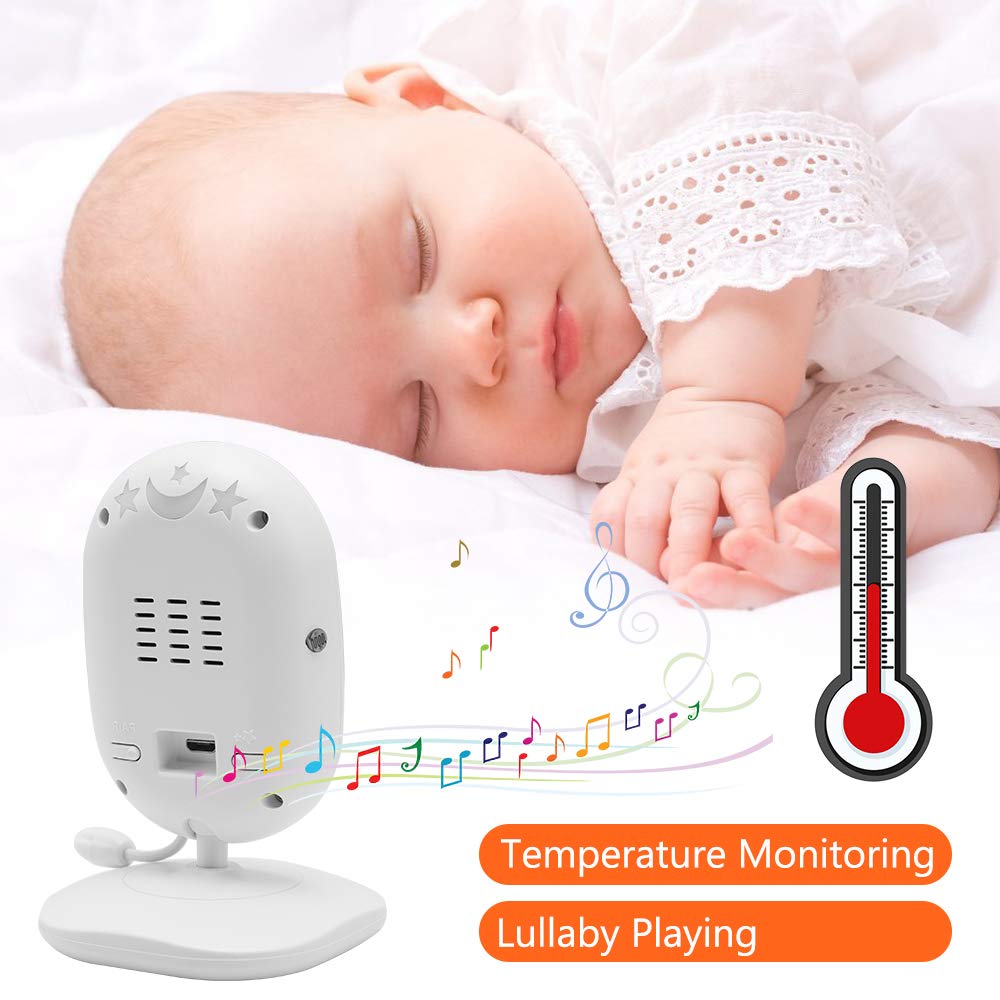
Image: A sleeping baby with the baby unit camera, musical notes, and a thermometer icon, highlighting the lullaby playing and temperature monitoring features.
وضع VOX (نظام تبادل يعمل بالصوت)
VOX mode conserves battery by turning off the screen when no sound is detected from the baby unit. The screen will automatically turn on when sound is detected.
- To activate/deactivate VOX mode, press the فوكس button on the parent unit or navigate through the menu.
- You can adjust the VOX sensitivity level in the menu settings.

Image: A split image showing the monitor screen in VOX ON mode (screen off with sleeping baby) and VOX OFF mode (screen on with active baby), demonstrating the voice activation feature.
الرؤية الليلية
تقوم وحدة الطفل بتفعيل الرؤية الليلية بالأشعة تحت الحمراء تلقائيًا في ظروف الإضاءة المنخفضة، مما يوفر صورة واضحة بالأبيض والأسود على وحدة الوالدين.

Image: A comparison of the monitor display in night vision (black and white, sleeping baby) and day vision (color, sleeping baby), highlighting the automatic night vision capability.
مراقبة درجة الحرارة
The baby unit's built-in temperature sensor monitors the room temperature and displays it on the parent unit's screen. You can set temperature alerts in the menu.
متعدد الكاميرات View (إذا كان ذلك قابلاً للتطبيق)
If you have multiple cameras paired, use the مسح ضوئي button or navigate through the menu to switch between camera views or activate auto-scan mode.
صيانة
- تنظيف: Use a soft, dry cloth to clean the surfaces of the parent and baby units. Do not use cleaning sprays or liquid cleaners.
- العناية بالبطارية: To prolong battery life, fully charge the parent unit before first use. Avoid completely draining the battery frequently. If storing the unit for an extended period, charge it periodically.
- تخزين: قم بتخزين المنتج في مكان بارد وجاف بعيدًا عن أشعة الشمس المباشرة ودرجات الحرارة القصوى.
استكشاف الأخطاء وإصلاحها
| مشكلة | السبب المحتمل | حل |
|---|---|---|
| لا توجد صورة/صوت على وحدة الوالدين | Parent unit is off or battery is low. Baby unit is not powered on. Units are out of range. | Ensure parent unit is charged and powered on. Verify baby unit is plugged in and powered. Move parent unit closer to baby unit. |
| جودة الصورة/الصوت رديئة | Interference from other devices. Units are too far apart. Obstructions between units. | Move units away from other 2.4 GHz devices. Reduce distance between units. Remove obstacles like thick walls. |
| تستنزف بطارية وحدة الوالدين بسرعة | VOX mode is off. Screen brightness is too high. Battery degradation over time. | Activate VOX mode. Reduce screen brightness. Ensure initial full charge. Consider battery replacement if unit is old. |
| لا يمكن إقران الكاميرا | لم يتم اتباع عملية الاقتران بشكل صحيح. | Repeat pairing steps carefully, ensuring the pair button on the camera is pressed within the time limit. |
تحديد
- نموذج: دي تي 40
- حجم الشاشة: 4.3 بوصة
- تقنية الاتصال: Wireless (2.4 GHz FHSS)
- دقة التقاط الفيديو: 720 بكسل
- المميزات الخاصة: Night Vision, Two-Way Audio, Temperature Monitoring, Lullabies, VOX Mode
- مدخلات الطاقة: 5 فولت
- البطاريات المطلوبة: Yes (for Parent Unit)
- نوع التركيب: Wall Mount (for Camera)
- وزن السلعة: حوالي 1.1 رطل
- رمز المنتج العالمي: 818537028769
الضمان والدعم
Dragon Touch products come with a limited warranty. For detailed warranty information, technical support, or customer service inquiries, please refer to the warranty card included in your package or visit the official Dragon Touch website. Please have your model number (DT40) and purchase information ready when contacting support.