
1. المقدمة
The TP-Link Archer T2U Plus is an AC600 High Gain Wireless Dual Band USB Adapter designed to provide high-speed Wi-Fi connectivity for desktop PCs and laptops. It supports both 2.4 GHz and 5 GHz bands, offering flexible connectivity options and enhanced range with its 5dBi high-gain antenna. This manual provides instructions for setting up, operating, and maintaining your adapter.

Image: The TP-Link Archer T2U Plus AC600 High Gain Wireless Dual Band USB Adapter.
2. محتويات العبوة
تأكد من أن الحزمة الخاصة بك تحتوي على العناصر التالية:
- AC600 High Gain Wireless Dual Band USB Adapter (Archer T2U Plus)
- دليل التثبيت السريع
- قرص الموارد (للبرامج التشغيلية والأدوات المساعدة)

Image: The retail packaging for the Archer T2U Plus, showing the adapter and its key features.
3. متطلبات النظام
Before installation, ensure your system meets the following requirements:
- An available USB port (USB 2.0 or higher recommended).
- Operating System: Windows 11/10/8.1/8/7/XP or Mac OS 10.15 and earlier.
- CD-ROM drive (for driver installation from Resource CD) or internet access (for driver download).

Image: Icons representing compatible operating systems: Windows 10, Windows 8.1, Windows 8, Windows 7, Windows XP, and Mac OS.
4. الإعداد وتثبيت برنامج التشغيل
4.1 تركيب الأجهزة
- أدخل المحول: Plug the Archer T2U Plus USB adapter into an available USB port on your computer. Ensure it is securely seated.
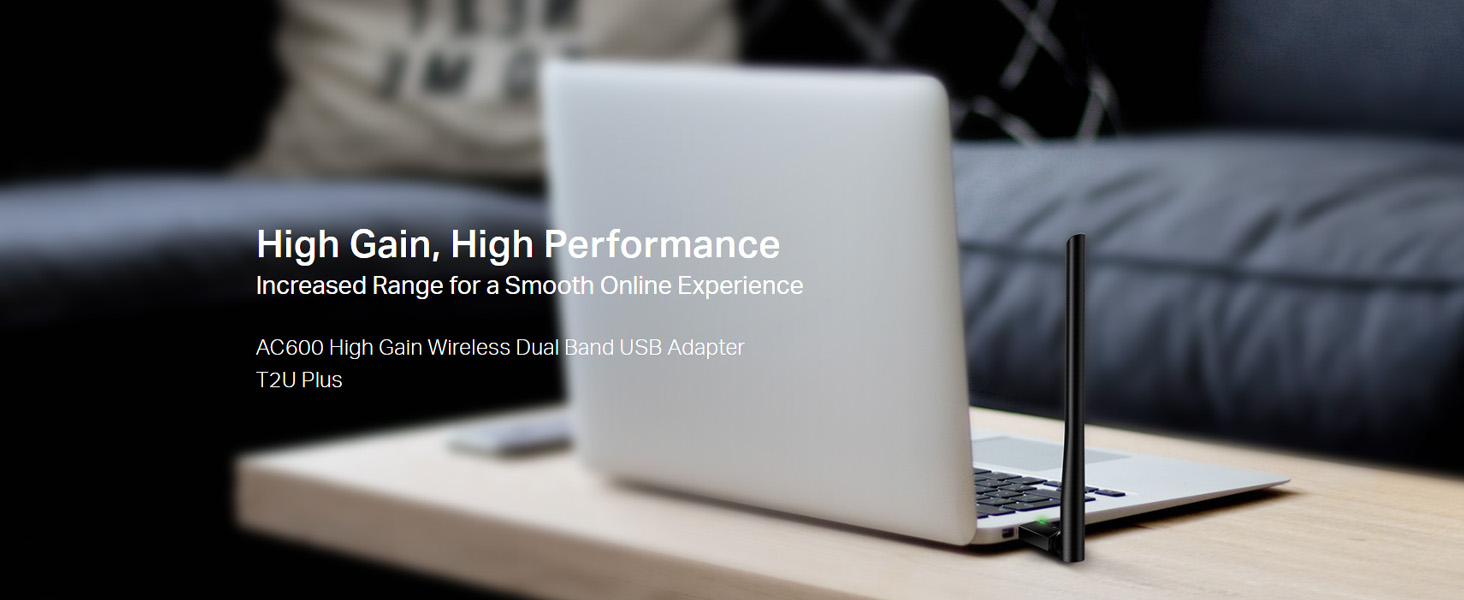
Image: The Archer T2U Plus adapter connected to a laptop's USB port, demonstrating its compact form factor.
4.2 تثبيت برنامج التشغيل
The adapter requires a driver to function correctly. You can install it using the provided Resource CD or by downloading it from the TP-Link webموقع.
Option A: Using the Resource CD
- أدخل قرص الموارد في محرك الأقراص المضغوطة الخاص بجهاز الكمبيوتر.
- اتبع التعليمات التي تظهر على الشاشة لتشغيل معالج الإعداد.
- Select the Archer T2U Plus model and proceed with the driver installation.
- أعد تشغيل الكمبيوتر إذا طُلب منك ذلك.
Option B: Downloading Drivers Online
- قم بزيارة الدعم الرسمي لشركة TP-Link webموقع (www.tp-link.com/support/download/).
- بحث عن "Archer T2U Plus" and download the latest driver compatible with your operating system.
- قم باستخراج ملف file (if compressed) and run the setup executable.
- Follow the installation wizard and restart your computer if required.
5. تعليمات التشغيل
5.1 الاتصال بشبكة Wi-Fi
- After successful driver installation, the adapter will be detected by your operating system.
- Click the Wi-Fi icon in your system tray (Windows) or menu bar (Mac OS).
- Select your desired Wi-Fi network (SSID) from the list of available networks.
- Enter the network password (security key) if prompted and click يتصل.
- The adapter will establish a connection to the Wi-Fi network.
5.2 وظيفة النطاق المزدوج
The Archer T2U Plus supports both 2.4 GHz and 5 GHz Wi-Fi bands. The 5 GHz band offers faster speeds and less interference, ideal for streaming and gaming, while the 2.4 GHz band provides wider coverage.
- نطاق 2.4 جيجاهرتز: Up to 200 Mbps data rate, suitable for general web التصفح والبريد الإلكتروني.
- نطاق 5 جيجاهرتز: Up to 433 Mbps data rate, ideal for HD video streaming and online gaming.
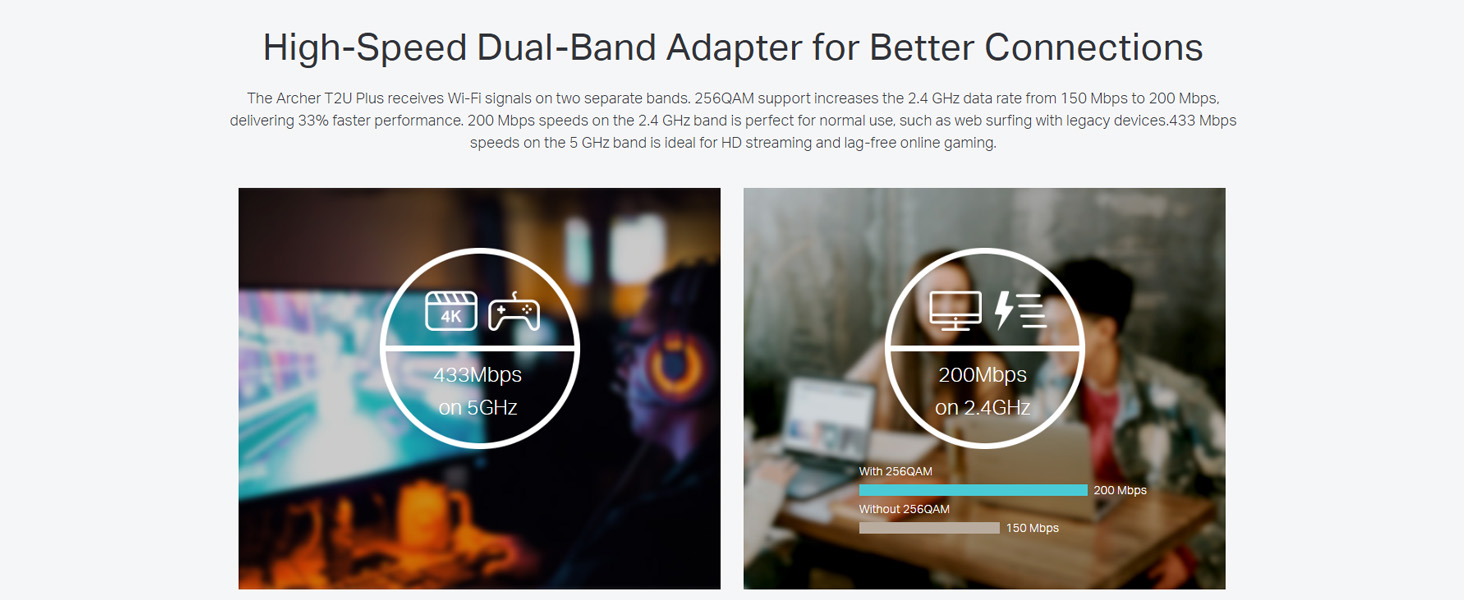
Image: A visual representation comparing the data rates and typical uses for the 2.4 GHz (200 Mbps) and 5 GHz (433 Mbps) bands.
5.3 ضبط الهوائي
The adapter features an adjustable, multi-directional 5dBi high-gain antenna to optimize signal reception and transmission.
- Rotate and adjust the antenna in various directions to find the optimal position for signal strength and performance in your environment.
- Experiment with different angles to achieve the best possible Wi-Fi range and stability.

Image: The Archer T2U Plus adapter illustrating its adjustable antenna, capable of rotating up to 180 degrees and tilting 90 degrees for optimal signal.
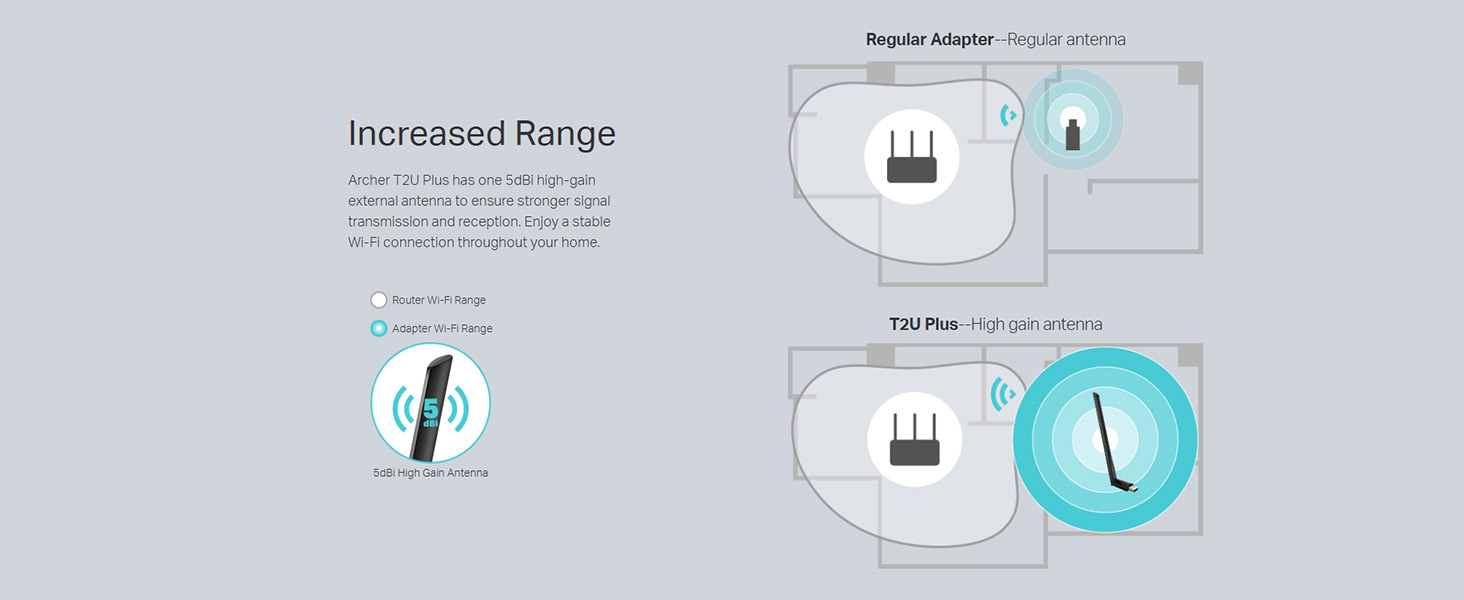
Image: A diagram comparing the Wi-Fi coverage area of a regular adapter with a standard antenna versus the extended range provided by the Archer T2U Plus's high-gain antenna.
6. الصيانة
6.1 تحديثات برامج التشغيل
تحقق بانتظام من دعم TP-Link website for updated drivers. Keeping your drivers current ensures optimal performance, compatibility, and security.
6.2 التنظيف
To maintain the adapter's performance, keep it clean and free from dust. Use a soft, dry cloth to wipe the device. Avoid using liquid cleaners or solvents.
7. استكشاف الأخطاء وإصلاحها
If you encounter issues with your Archer T2U Plus adapter, refer to the following common troubleshooting steps:
- لا يوجد اتصال واي فاي:
- تأكد من توصيل المحول بشكل آمن بمنفذ USB.
- تأكد من تثبيت برامج التشغيل بشكل صحيح. أعد تثبيتها إذا لزم الأمر.
- تأكد من أن جهاز التوجيه الخاص بك يعمل ويبث إشارة واي فاي.
- حاول الاتصال بمنفذ USB مختلف.
- سرعة الواي فاي بطيئة:
- Ensure you are connected to the 5 GHz band if your router supports it, for faster speeds.
- اضبط وضع الهوائي لتحسين استقبال الإشارة.
- قلل التداخل عن طريق إبعاد المحول عن الأجهزة الإلكترونية الأخرى.
- Update your adapter's drivers to the latest version.
- لم يتم اكتشاف المحول:
- Try plugging the adapter into another USB port.
- أعد تشغيل الكمبيوتر الخاص بك.
- Manually install the drivers from the Resource CD or TP-Link webموقع.
8. المواصفات
| ماركة | تي بي لينك |
| نموذج | آرتشر T2U بلس |
| واجهة الأجهزة | يو إس بي، يو إس بي 2.0 |
| معدل نقل البيانات | 600 ميجابت في الثانية (200 ميجابت في الثانية على نطاق 2.4 جيجاهرتز، و433 ميجابت في الثانية على نطاق 5 جيجاهرتز) |
| نوع الهوائي | 5dBi High-Gain External Antenna |
| أنظمة التشغيل المتوافقة | Windows 11/10/8.1/8/7/XP, Mac OS 10.15 and earlier |
| أبعاد المنتج (الطول × العرض × الارتفاع) | 5.8 طول × 1.8 عرض × 17.3 ارتفاع بالسنتيمتر |
| وزن العنصر | 12 جرام |
| لون | أسود |
9. الضمان والدعم
9.1 معلومات الضمان
يأتي هذا المنتج مع ضمان لمدة 3 سنوات من تاريخ الشراء. يُرجى الاحتفاظ بإيصال الشراء للمطالبة بالضمان. يغطي الضمان عيوب التصنيع والأعطال في ظروف الاستخدام العادية.
9.2 الدعم الفني
For technical assistance, driver downloads, or further inquiries, please contact TP-Link support:
- الدعم المجاني: 1800-209-4168
- دعم البريد الإلكتروني: support.in@tp-link.com
- Webموقع: www.tp-link.com/in/support/