
1. المقدمة
The Cync Full Color Smart LED Light Bulbs offer advanced lighting control for your home. These bulbs provide millions of color options, including tunable white light, and can be controlled via the Cync app, Amazon Alexa, or Google Assistant. They are designed for simple setup without requiring an additional hub for basic functionality.

Image: GE CYNC Full Color Smart LED Light Bulbs product overview.
2. ماذا يوجد في الصندوق
- Two (2) CYNC Smart Light Bulbs
3. تعليمات الإعداد
3.1. Initial Bulb Installation
- Screw the Cync Smart LED Light Bulb into any standard E26 medium base light fixture.
- شغّل الطاقة لوحدة الإضاءة. يجب أن يضيء المصباح.
3.2. Cync App Setup
The Cync app is essential for unlocking full features and connecting to other Cync or C by GE devices.
- Download the Cync App on your smartphone. You can scan the QR code below or visit l.ead.me/bc4KOh.
- Open the Cync App and follow the in-app instructions to add your new devices.

Image: Cync App download via QR code.
3.3. Voice Assistant Integration (Amazon Alexa / Google Home)
These bulbs are designed for direct connection to your Wi-Fi router, enabling voice and out-of-home control without a separate hub. For voice control, you will need an Amazon Alexa or Google Home device.

Image: Direct Connect Smart Bulbs Wi-Fi pairing.

Image: Direct Connect Smart Bulbs for voice and out-of-home control.
3.3.1. Setting Up with Amazon Alexa
To enable voice control with Amazon Alexa, follow these steps:
- Ensure your Cync bulbs are installed and powered on.
- افتح تطبيق Amazon Alexa على هاتفك الذكي.
- Navigate to the 'Skills & Games' section.
- بحث عن 'Cync' and enable the skill.
- Link your Cync account when prompted.
- Say, "Alexa, discover my devices." Once discovered, you can begin using your lights with Alexa.
Video: Instructions on how to connect Cync devices to Amazon Alexa for voice control.
3.3.2. Setting Up with Google Home
To enable voice control with Google Home, follow these steps:
- Ensure your Cync bulbs are installed and powered on.
- افتح تطبيق Google Home على هاتفك الذكي.
- اضغط على أيقونة "+" لإضافة جهاز جديد.
- Select 'Set up device' and then 'Works with Google'.
- بحث عن 'Cync' and link your Cync account.
- قم بتخصيص المصباح الذكي الخاص بك إلى الغرفة.
For a visual guide, refer to the 'Installing lights Alexa & google home' video, which demonstrates the process for both platforms.

Image: Compatibility chart for Cync Smart Bulbs with voice assistants and control methods.
4. تعليمات التشغيل
4.1. Color and Brightness Control
The Cync Full Color bulbs offer millions of colors and tunable white light. You can adjust the light from warm amber tones (2000K) to cool bluish tones (7000K) to suit your mood or support your sleep/wake cycle. Dimming is also available through the app or voice commands.

Image: TrueImage technology for previewing light colors and brightness.
4.2. Creating Scenes and Schedules
Enhance your home's atmosphere by creating custom scenes for various occasions like parties, holidays, or movie nights. You can also set schedules to automatically turn lights on and off, including customized schedules for different days of the week.
Video: Demonstrates how to use Cync color lights in dynamic ways to create various scenes and moods.

Image: Scheduling lights to support sleep/wake cycles.

Image: Scheduling and automation for home lighting.
4.3. أوامر التحكم الصوتي
Once integrated with Amazon Alexa or Google Assistant, you can control your lights using simple voice commands:
- تشغيل/إيقاف: "Alexa/Hey Google, turn on [light name]" or "Alexa/Hey Google, turn off [light name]"
- ضبط السطوع: "Alexa/Hey Google, set [light name] to 50%"
- تغيير اللون: "Alexa/Hey Google, set [light name] to blue"
- تغيير درجة حرارة اللون: "Alexa/Hey Google, set [light name] to warm white"
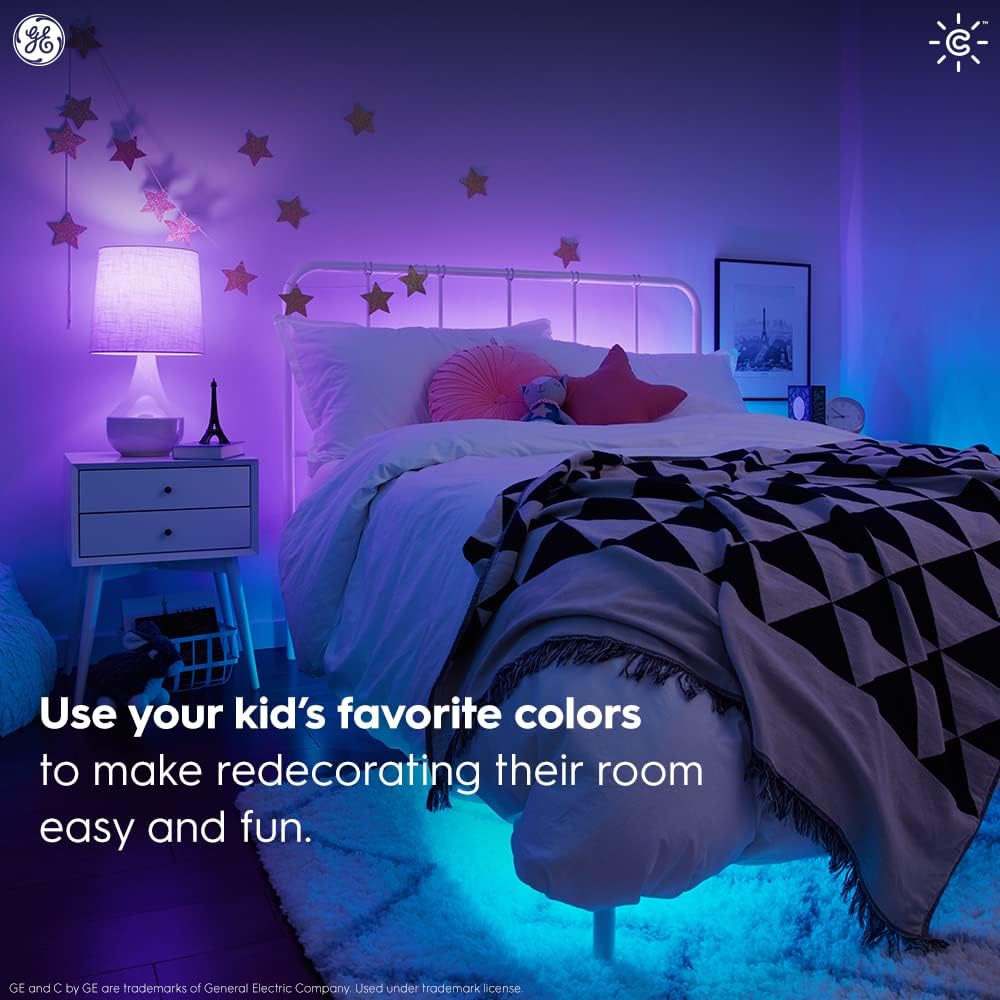
Image: Simple setup with Amazon Alexa for voice control.
5. الصيانة
Cync Smart LED Light Bulbs are designed for long-lasting performance and require minimal maintenance.
- تنظيف: تأكد من أن المصباح مطفأ وبارد قبل التنظيف. امسحه بقطعة قماش ناعمة وجافة. لا تستخدم المنظفات السائلة.
- الاستبدال: These LED bulbs have an estimated lifespan of 13.7 years (based on 3 hours/day usage). Replace the bulb as you would any standard light bulb when it reaches the end of its life.
6. استكشاف الأخطاء وإصلاحها
If you encounter issues with your Cync Smart LED Light Bulbs, try the following:
- المصباح لا يستجيب: Ensure the light fixture's power switch is on. Check your Wi-Fi connection and ensure your smartphone is within Bluetooth range during initial setup.
- مشاكل الاتصال: Restart your Wi-Fi router. Ensure the Cync app is up to date. If using Alexa or Google Home, try rediscovering devices in their respective apps.
- لون/سطوع غير صحيح: Verify settings in the Cync app. Ensure your voice commands are clear and specific.
- مشاكل التطبيق: Close and reopen the Cync app. Reinstall the app if problems persist.
For further assistance, refer to the support section or contact customer service.
7. المواصفات
| ميزة | التفاصيل |
|---|---|
| ماركة | سينك |
| نوع الضوء | قاد |
| ميزة خاصة | تغيير اللون |
| واتtage | 10 واط |
| حجم شكل المصباح | أ19 |
| قاعدة المصباح | E26 متوسط |
| المتوهجة المكافئة للواتtage | 60 واط |
| لون فاتح | ملون بالكامل |
| المجلدtage | 120 فولت |
| عدد الوحدات | 2.0 عدد |
| درجة حرارة اللون | 2000 كلفن - 7000 كلفن (أبيض قابل للتعديل) |
| عدد العناصر | 2 |
| سطوع | 800 لومن |
| تقدير تكلفة الطاقة السنوية | $1.14 (based on 3 hrs/day, 11¢/kWh) |
| حياة | 13.7 years (based on 3 hrs/day) |
| طريقة التحكم | الصوت والتطبيق |
| الاستخدام الداخلي والخارجي | داخلي |
| اسم الموديل | مصباح LED ذكي CYNC من GE |
| رقم موديل العنصر | CLEDA1911C2/ST-2P |
| وزن العنصر | 5.6 أونصات |
| أبعاد المنتج | 2.41 بوصة عرض × 6.63 بوصة ارتفاع |
8. الضمان والدعم
The GE CYNC Smart LED Light Bulbs come with a limited warranty. For specific warranty information, please visit www.gelighting.com/smart-home/warranty or contact GE Lighting, a Savant company.
For additional support and information, you can visit the Cync support webالموقع أو اتصل بفريق الدعم الخاص بهم:
- Webموقع: cyncsupport.gelighting.com
- هاتف: 1-844-302-2943