
1. المقدمة
The Montarbo MC-R8FX is a compact unpowered mixer designed for various audio applications. It features a comprehensive set of signal sends and returns, along with intuitive controls for immediate utilization. The mixer incorporates a dual Montarbo stereo effects processor, powered by a 56-bit DSP, offering 205 high-quality programs with 24-bit conversion for excellent sound quality. Its switch-mode power supply contributes to minimal weight and high efficiency, reducing heat emission and enhancing system reliability and longevity.
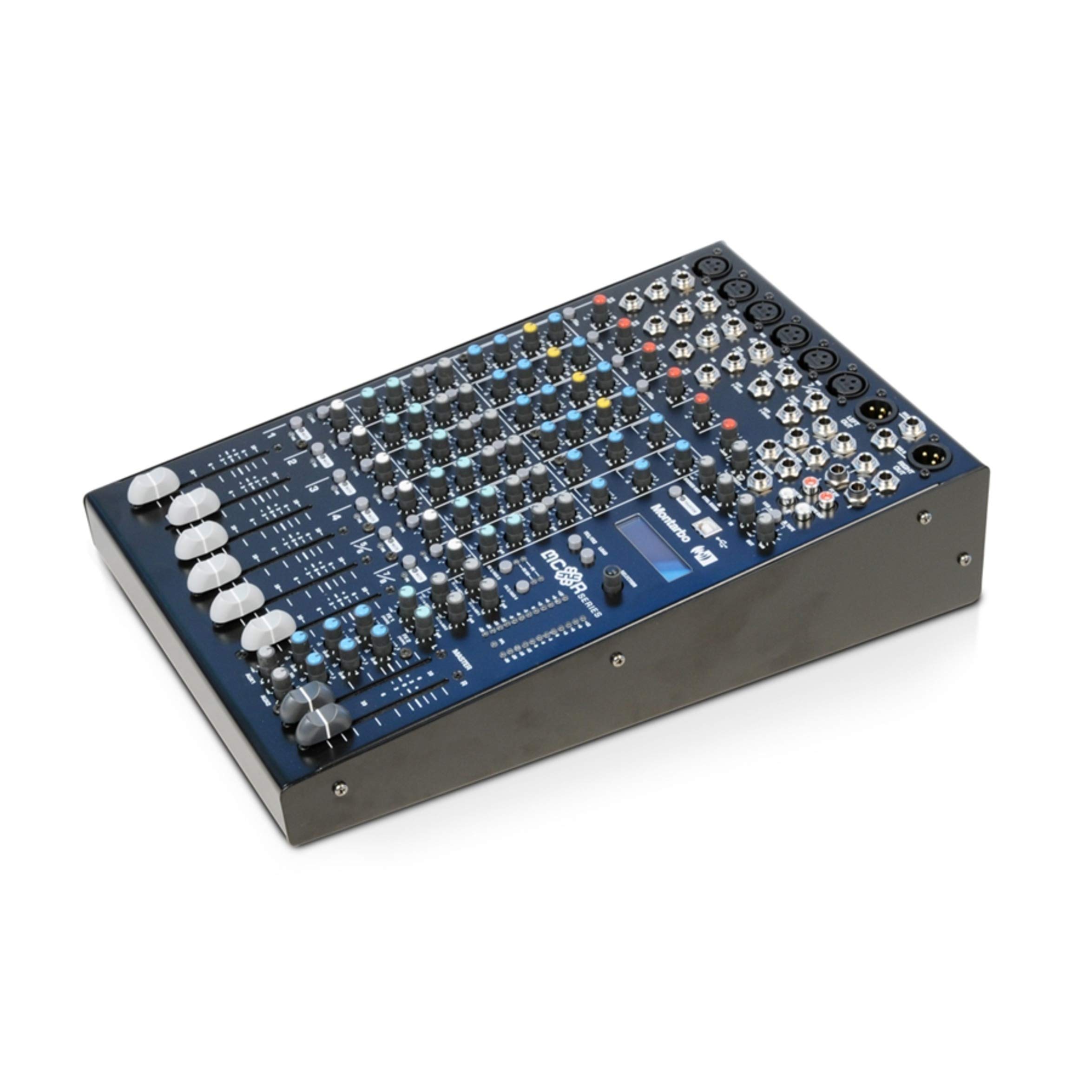
Figure 1: Montarbo MC-R8FX Unpowered Mixer
2. الإعداد
This section outlines the basic steps for setting up your MC-R8FX mixer.
2.1 توصيل الطاقة
- تأكد من أن مفتاح الطاقة الخاص بالخلاط في وضع الإيقاف.
- Connect the provided power cable to the AC inlet on the rear panel of the mixer.
- قم بتوصيل الطرف الآخر من كابل الطاقة بمأخذ كهربائي مناسب.
- Turn the power switch to the ON position. The power indicator will illuminate.
2.2 اتصالات الإدخال والإخراج
The MC-R8FX features 8 inputs across 6 channels (4 mono, 2 stereo).
- قنوات أحادية: Connect microphones via balanced XLR inputs or line-level instruments/devices via 1/4-inch jack inputs. Phantom power is available for condenser microphones.
- قنوات الستيريو: Connect microphones via balanced XLR inputs or stereo line-level devices via two 1/4-inch jack inputs.
- المخرجات الرئيسية: Connect the L/R master outputs to your amplifier or powered speakers using appropriate cables.
- إرسال مساعد: Connect external effects processors or monitor systems to the aux send outputs.
- إدراجات: Use the insert points on mono channels for connecting external signal processors like compressors or gates.
2.3 تركيب الرف (اختياري)
The compact size of the MC-R8FX allows for mounting in a standard rack using optional adapters (sold separately). Refer to the adapter's instructions for proper installation.
3. تعليمات التشغيل
This section details the functions of the various controls on your MC-R8FX mixer.

الشكل 2: الجزء العلوي view of the MC-R8FX controls
3.1 Mono Channel Controls (Channels 1-4)
- السيطرة: Adjusts the input sensitivity for the microphone (XLR) or line (jack) input.
- إدراج: A send/return point for connecting external signal processors.
- Channel Direct Out: Provides a direct output of the channel's signal.
- مرشح التمرير العالي (HPF): Engages a filter to remove low-frequency rumble.
- 3-Band Equalizer with Semi-Parametric MF: Adjusts high, mid, and low frequencies. The mid-frequency control allows sweeping for precise tonal shaping.
- Aux Sends (1-4): Controls the level of the channel's signal sent to the four auxiliary outputs. Aux 1 and 2 can be switched between pre-fader (for monitors) and post-fader (for effects).
- التحكم في عموم: يحدد موضع إشارة القناة داخل مجال الاستريو (من اليسار إلى اليمين).
- تبديل كتم الصوت: Silences the channel's output.
- PFL (Pre-Fader Listen) Switch: Routes the channel's signal to the headphone output for monitoring before the fader.
- Peak Level Indicator: يضيء عندما تكون إشارة الإدخال عالية جدًا، مما يشير إلى احتمال حدوث تشويه.
- 60mm Volume Fader: Adjusts the overall output level of the channel.
3.2 Stereo Channel Controls (Channels 5/6)
- السيطرة: Adjusts the input sensitivity for the microphone (XLR) or line (jack) inputs.
- 3 نطاقات المعادل: Adjusts high, mid, and low frequencies for the stereo input.
- Aux Sends (1-4): Controls the level of the channel's signal sent to the four auxiliary outputs. Aux 1 and 2 can be switched between pre-fader and post-fader.
- التحكم في التوازن: Adjusts the relative level between the left and right signals of the stereo channel.
- تبديل كتم الصوت: Silences the channel's output.
- PFL (Pre-Fader Listen) Switch: Routes the channel's signal to the headphone output for monitoring before the fader.
- Peak Level Indicator: Illuminates when the input signal is too high.
- 60mm Volume Fader: Adjusts the overall output level of the stereo channel.
3.3 Dual Stereo Multi-Effects Processor
The MC-R8FX features two independent stereo multi-effects processors, each offering 205 high-quality programs. These processors are based on a 56-bit internal DSP with 24-bit conversion, providing versatile and clear effects for your audio.
- اختيار البرنامج: Use the dedicated controls to select from the 205 available effects programs for each processor.
- تعديل المعلمة: Adjust specific parameters for each effect to fine-tune the sound.
- إرسال/استقبال التأثير: Route signals from channels to the effects processors via aux sends and return the processed signal to the main mix.
3.4 Master Outputs
- L/R Master Outputs: These are the main stereo outputs of the mixer.
- مؤشرات المستوى: Provide visual feedback on the output level of the L/R master mix. Adjust the master fader to control the overall volume.
4. الصيانة
Proper maintenance ensures the longevity and optimal performance of your Montarbo MC-R8FX mixer.
- تنظيف: Regularly wipe the mixer's surface with a soft, dry cloth. For stubborn dirt, use a slightly damp امسح بقطعة قماش ومنظف معتدل، ثم جفف جيداً. تجنب استخدام المنظفات الكاشطة أو المذيبات.
- حماية الغبار: حافظ على تغطية الخلاط عند عدم استخدامه لمنع تراكم الغبار، وخاصة في أزرار التمرير والمقابض.
- تخزين: قم بتخزين الخلاط في مكان بارد وجاف بعيدًا عن أشعة الشمس المباشرة ودرجات الحرارة القصوى والرطوبة العالية.
- تهوية: Ensure adequate ventilation around the mixer to prevent overheating. Do not block ventilation openings.
- إدارة الكابلات: Use proper cable management to prevent strain on connectors and accidental disconnections.
5. استكشاف الأخطاء وإصلاحها
This section provides solutions to common issues you might encounter with your MC-R8FX mixer.
5.1 لا يوجد إخراج صوت
- التحقق من الطاقة: Ensure the mixer is powered on and the power indicator is lit.
- ماستر فيدر: Verify the L/R master fader is raised.
- Channel Fader/Gain: Ensure the individual channel fader is raised and the gain control is set appropriately.
- أزرار كتم الصوت: Check that no channel or master mute buttons are engaged.
- الاتصالات: Confirm all input and output cables are securely connected to the correct ports.
- المعدات الخارجية: تأكد من ampمكبر الصوت أو السماعات المزودة بمصدر طاقة تعمل بشكل صحيح.
5.2 الصوت المشوه
- كسب S.tagعمل: Reduce the input gain on the channel if the peak indicator is frequently lighting up. Also, check the gain on any connected microphones or instruments.
- إخراج ماجستير: Lower the master fader if the L/R master level indicators are consistently in the red.
- سلامة الكابل: Inspect all audio cables for damage or loose connections.
- المعدات الخارجية: Check for distortion originating from connected ampمكبرات الصوت أو مكبرات الصوت.
5.3 Effects Not Working
- Effect Send Levels: Ensure the aux send controls on the individual channels are turned up to send signal to the effects processor.
- Effect Return Levels: Verify that the effect return levels are raised to bring the processed signal back into the main mix.
- اختيار البرنامج: Confirm that an effect program is selected on the multi-effects processor.
6. المواصفات
| ميزة | وصف |
|---|---|
| نموذج | MC-R8FX |
| ماركة | مونتاربو |
| عدد القنوات | 6 (4 Mono, 2 Stereo) |
| المدخلات | 8 (XLR, 1/4-inch Jack) |
| تكنولوجيا الاتصال | مساعد |
| مصدر الطاقة | Corded Electric (Switch-mode power supply) |
| نوع إدخال الصوت | Physical Audio Inputs (XLR, Jack) |
| Mono Channel Features | Balanced Mic (XLR with Phantom Power) & Line (Jack) inputs, Adjustable Gain, Insert, Channel Direct Out, High-Pass Filter, 3-Band EQ with Semi-Parametric MF, 4 Aux Sends (2 switchable Pre-post Fade), Pan, Mute, PFL, Peak Indicator, 60mm Fader |
| Stereo Channel Features | Balanced Mic (XLR) & Line (Jack) inputs, Adjustable Gain, 3-Band EQ, 4 Aux Sends (2 switchable Pre-post Fade), Balance, Mute, PFL, Peak Indicator, 60mm Fader |
| معالج التأثيرات | Dual Stereo Multi-Effects Processor (56-bit DSP, 24-bit conversion), 2 x 205 high-quality programs |
| المخرجات الرئيسية | L/R Master Outputs with Level Indicators |
7. الضمان والدعم
For warranty information, technical support, or service inquiries, please refer to the documentation provided with your purchase or contact your authorized Montarbo dealer or distributor. You may also visit the official Montarbo webالموقع للحصول على مزيد من المساعدة.