
1. انتهى المنتجview
The Jettom J1 is a 7-inch tablet designed for children, featuring a durable yellow casing. It operates on the Android system and includes dual cameras, Bluetooth connectivity, and 2G cellular support. This manual provides essential information for setting up, operating, maintaining, and troubleshooting your Jettom J1 tablet.
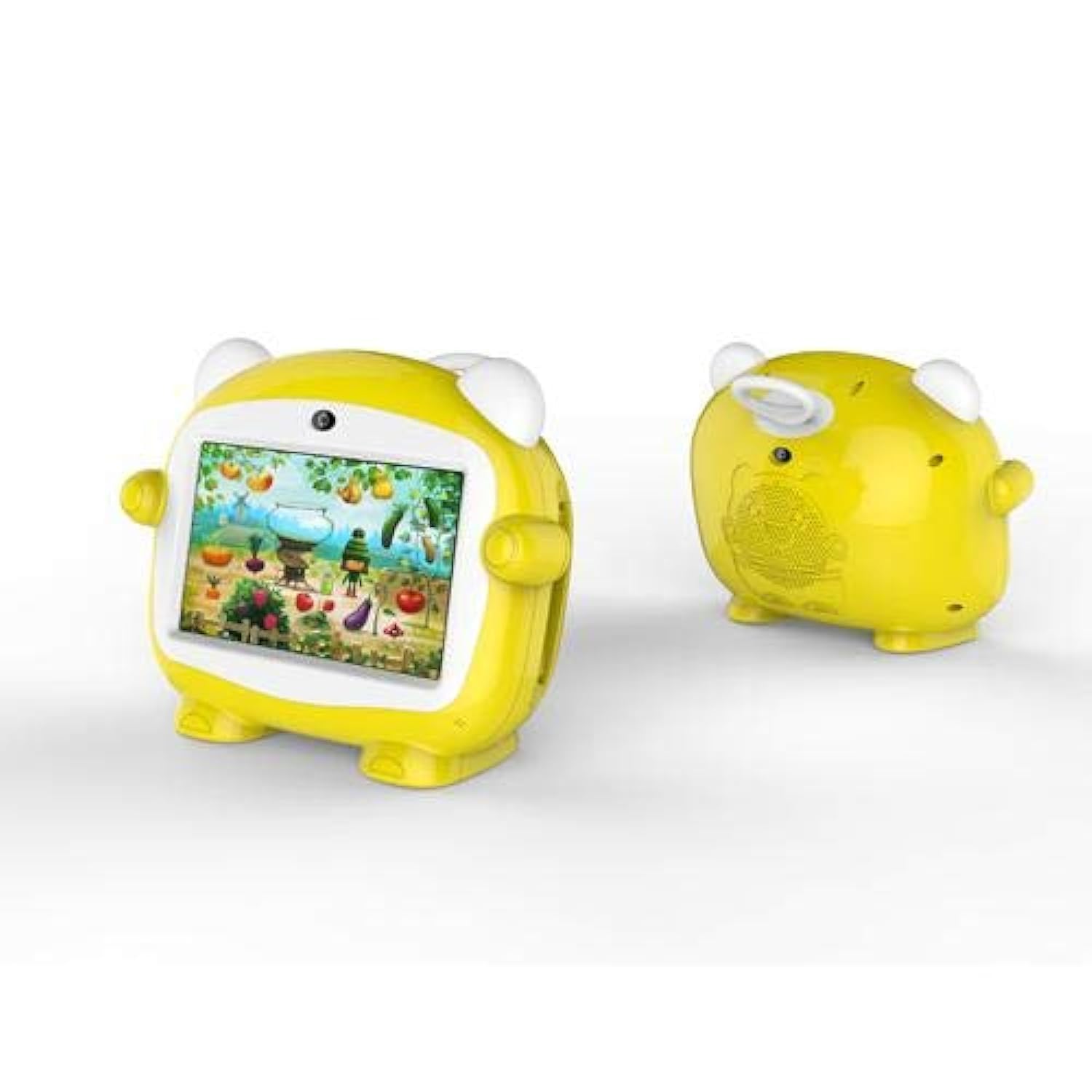
الشكل 1: الجبهة view of the Jettom J1 Kids Tablet.
2. الإعداد الأولي
2.1 شحن الجهاز اللوحي
Before first use, fully charge the tablet. Connect the provided charger to the tablet's charging port and plug it into a power outlet. The battery indicator on the screen will show charging status.
2.2 تشغيل/إيقاف التشغيل
- لتشغيل: اضغط مع الاستمرار على زر الطاقة الموجود على جانب الجهاز اللوحي حتى تضيء الشاشة.
- لإيقاف التشغيل: اضغط مع الاستمرار على زر الطاقة، ثم حدد "إيقاف التشغيل" من الخيارات التي تظهر على الشاشة.
2.3 التكوين الأولي
عند بدء التشغيل لأول مرة، اتبع التعليمات التي تظهر على الشاشة لضبط الإعدادات الأساسية:
- اختر اللغة المفضلة لديك.
- الاتصال بشبكة Wi-Fi.
- ضبط التاريخ والوقت.
- Sign in with a Google account (optional, but recommended for app downloads).
2.4 Inserting a SIM Card (for 2G Cellular)
The Jettom J1 supports a single 2G SIM card for cellular connectivity. Locate the SIM card slot, typically on the side or back of the device. Carefully insert the SIM card with the gold contacts facing down, ensuring it is correctly oriented. Refer to the diagram below for slot location.

الشكل 2: العودة view of the Jettom J1 Kids Tablet, indicating potential SIM card slot area.
3. تعليمات التشغيل
3.1 الملاحة الأساسية
The tablet features a capacitive touchscreen. Use the following gestures:
- مقبض: لتحديد عنصر أو فتح تطبيق.
- انتقاد: للتنقل بين الصفحات أو القوائم.
- قرصة: لتكبير أو تصغير الصور أو web الصفحات.
3.2 اتصال Wi-Fi
للاتصال بشبكة Wi-Fi:
- اذهب الى إعدادات > الشبكات والانترنت > واي فاي.
- تبديل Wi-Fi On.
- حدد الشبكة المطلوبة من القائمة وأدخل كلمة المرور إذا طُلب منك ذلك.
3.3 استخدام الكاميرات
The tablet is equipped with a front (2MP) and rear (5MP) camera. Open the Camera application to take photos or record videos. You can switch between the front and rear cameras within the app interface.
3.4 اقتران بلوتوث
للاقتران بجهاز Bluetooth:
- اذهب الى إعدادات > الأجهزة المتصلة > بلوتوث.
- تبديل البلوتوث On.
- The tablet will scan for available devices. Select the device you wish to pair with and confirm the pairing code if necessary.
4. الصيانة
4.1 تنظيف الجهاز اللوحي
Use a soft, lint-free cloth to clean the screen and body of the tablet. Do not use abrasive cleaners or solvents, as these can damage the device. Avoid direct contact with liquids.
4.2 العناية بالبطارية
- تجنب تعريض الجهاز اللوحي لدرجات حرارة شديدة.
- لا تسمح للبطارية بالتفريغ الكامل بشكل متكرر.
- استخدم فقط الشاحن الأصلي أو المتوافق المعتمد.
4.3 تحديثات البرامج
تحقق دوريًا من وجود تحديثات للنظام لضمان الأداء الأمثل والأمان. انتقل إلى إعدادات > نظام > تحديث النظام للتحقق من التحديثات المتوفرة وتثبيتها.
4.4 إدارة التخزين
To manage the tablet's 4GB internal storage, go to إعدادات > تخزينيمكنك مسح البيانات المخزنة مؤقتًا، أو إلغاء تثبيت التطبيقات غير المستخدمة، أو نقل الملفات. files to an external SD card (if supported and installed) to free up space.
5. استكشاف الأخطاء وإصلاحها
| مشكلة | حل |
|---|---|
| الجهاز اللوحي لا يعمل | تأكد من شحن البطارية. وصّل الشاحن وحاول مرة أخرى. إذا لم يستجب الجهاز، اضغط مع الاستمرار على زر التشغيل لمدة 10-15 ثانية لإعادة تشغيله. |
| الشاشة لا تستجيب | أعد تشغيل الجهاز اللوحي. إذا استمرت المشكلة، فتأكد من أن الشاشة نظيفة وخالية من أي شوائب. |
| لا يمكن الاتصال بشبكة Wi-Fi | Check if Wi-Fi is enabled in Settings. Restart your Wi-Fi router. Ensure you are entering the correct password. |
| التطبيقات تتعطل أو تتجمد | Close and reopen the app. Clear the app's cache in Settings > Apps. Ensure the tablet has sufficient free storage space. |
| الأداء البطيء | أغلق التطبيقات غير المستخدمة. امسح ذاكرة التخزين المؤقت والملفات المؤقتة. files. ضع في اعتبارك إعادة ضبط المصنع كحل أخير (قم بعمل نسخة احتياطية من البيانات أولاً). |
6. المواصفات
| ميزة | التفاصيل |
|---|---|
| ماركة | جيتوم |
| رقم الموديل | J1 |
| حجم الشاشة | 7 بوصة |
| دقة العرض | 1024 × 600 |
| نوع العرض | شاشة LCD IPS |
| ماركة المعالج | ميدياتك |
| سرعة المعالج | 1.3 جيجاهرتز رباعي النواة |
| حجم ذاكرة الوصول العشوائي (RAM) | 512 ميجا بايت |
| سعة التخزين | 4 جيجا بايت |
| دقة الكاميرا الخلفية | 5 ميجا بكسل |
| دقة الكاميرا الأمامية | 2 ميجا بكسل |
| نظام التشغيل | أندرويد |
| سعة البطارية | 2000 مللي أمبير |
| الاتصال اللاسلكي | بلوتوث |
| Cellular Network Technology | 2G (Single SIM) |
| لون | أصفر |
| ميزة خاصة | كاميرا مزدوجة |
| الفئة العمرية (الوصف) | طفل |
7. الضمان والدعم
Warranty information for the Jettom J1 tablet is typically provided at the point of purchase or within the product packaging. Please refer to these documents for details regarding coverage and terms.
For technical support, service, or inquiries regarding your product, please contact the seller or the manufacturer directly. Contact information can usually be found on the product packaging or the seller's webموقع.