
1. المقدمة
This manual provides essential instructions for the safe and effective use of your Sony Alpha a6400 mirrorless interchangeable-lens camera. Please read this manual thoroughly before operating the camera and retain it for future reference. The Sony Alpha a6400 features a 24.2MP APS-C Exmor CMOS sensor, 4K UHD video recording, and 11 frames per second continuous shooting, paired with the versatile E 18-135mm F/3.5-5.6 OSS lens.
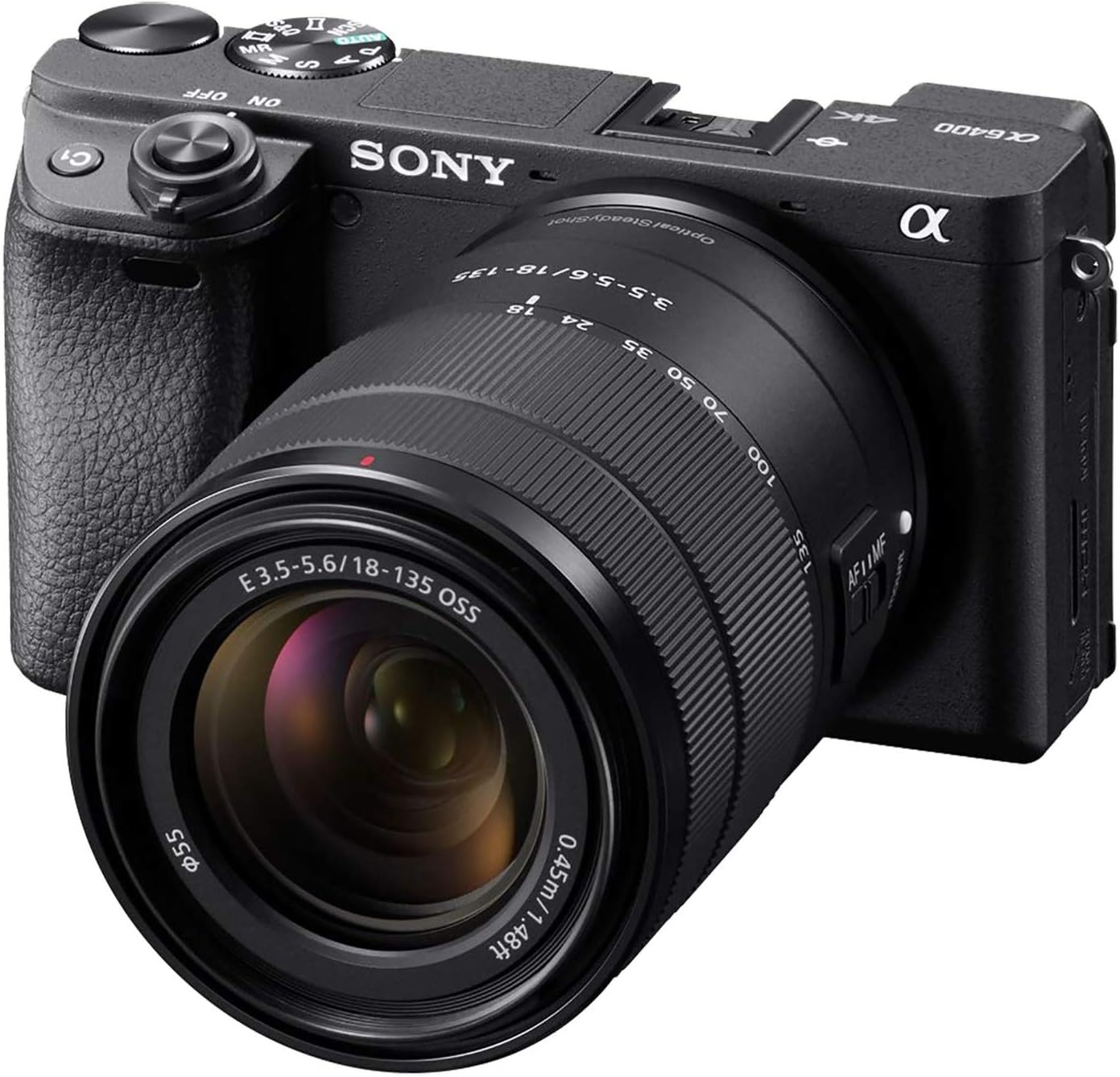
Figure 1: Sony Alpha a6400 Mirrorless Camera with E 18-135mm F/3.5-5.6 OSS Lens.
2. ماذا يوجد في الصندوق
تأكد من أن جميع العناصر التالية موجودة في مجموعة الكاميرا الخاصة بك:
- هيكل كاميرا سوني ألفا a6400
- E 18-135mm F/3.5-5.6 OSS Lens
- Rechargeable Battery (NP-FW50)
- AC Adaptor (AC-UUD12)
- حزام الكتف
- غطاء الجسم
- غطاء حذاء إضافي
- غطاء العدسة العينية
- كابل ميكرو يو اس بي
3. الكاميرا انتهتview
3.1 الجبهة View

الشكل 2: الجبهة view of the camera, showing the lens mount, grip, and front dial.
3.2 أعلى View

الشكل 3: الجزء العلوي view of the camera, highlighting the mode dial, hot shoe, and power switch.
3.3 خلفي View and Tilting LCD Screen

الشكل 4: خلفي view of the camera, showing the LCD screen in a tilted position, ideal for various shooting angles.
4. الإعداد
4.1 تركيب العدسة
- قم بإزالة غطاء الجسم من الكاميرا وغطاء العدسة الخلفية من العدسة.
- قم بمحاذاة علامة المؤشر البيضاء الموجودة على العدسة مع علامة المؤشر البيضاء الموجودة على جسم الكاميرا.
- قم بتركيب العدسة عن طريق تدويرها في اتجاه عقارب الساعة حتى تستقر في مكانها.
4.2 Inserting the Battery and Charging
- Open the battery cover on the bottom of the camera.
- Insert the NP-FW50 battery with the correct orientation until it locks.
- أغلق غطاء البطارية.
- Connect the camera to the AC adaptor using the micro USB cable to charge the battery. The charging lamp سوف تضيء.
4.3 إدخال بطاقة الذاكرة
- Open the memory card cover.
- Insert a compatible SD/SDHC/SDXC or Memory Stick Duo card into the slot with the contacts facing the correct direction until it clicks.
- أغلق غطاء بطاقة الذاكرة.
4.4 الإعدادات الأولية
Upon first power-on, follow the on-screen prompts to set the language, date, time, and region.
5. التشغيل الأساسي
5.1 تشغيل/إيقاف التشغيل
Slide the ON/OFF switch located around the shutter button to power the camera on or off.
5.2 Shooting Still Images
The camera offers various shooting modes, including Program Auto, Aperture Priority, Shutter Priority, and Manual. Use the mode dial on top of the camera to select your desired mode.
- ضبط تلقائي للصورة: The camera features a fast 0.02-second autofocus system with 425 phase-detection and 425 contrast-detection points covering 84% of the sensor area.
- اطلاق النار مستمر: Capture fast-moving subjects with up to 11 frames per second (fps) continuous shooting.

Figure 5: The camera's capability for 11 frames per second continuous shooting.
5.3 تسجيل الأفلام
The Sony Alpha a6400 supports 4K UHD (2160p) video recording. Press the MOVIE button to start and stop recording.
- Special Movie Functions: Create time-lapse movies or slow/quick motion videos directly in-camera without requiring post-processing.

Figure 6: The camera's ability to record high-quality 4K video.
5.4 استخدام شاشة LCD
The 3-inch LCD screen is tiltable up to 180 degrees, making it suitable for various shooting angles, including vlogging and low-angle shots. It also features touch screen functionality for intuitive control.

Figure 7: The LCD screen tilted 180 degrees for flexible viewعمل.
6. الميزات المتقدمة
6.1 Real-Time Eye AF and Tracking
The camera incorporates advanced Real-Time Eye AF and Real-Time Tracking technologies for precise and reliable subject focus, even with fast-moving subjects.

Figure 8: Demonstration of the Real-Time Eye AF feature, ensuring sharp focus on the subject's eyes.
6.2 الاتصال
The camera supports Wi-Fi and Bluetooth connectivity for seamless transfer of images and remote control via a smartphone or tablet.
7. الصيانة والعناية
7.1 تنظيف الكاميرا والعدسة
- استخدم قطعة قماش ناعمة وجافة لتنظيف جسم الكاميرا.
- For the lens, use a lens brush to remove dust, then gently wipe with a lens cleaning cloth and solution if necessary. Avoid touching the lens surface directly.
- لا تستخدم المذيبات العضوية مثل الكحول أو المخفف لتنظيف الكاميرا.
7.2 العناية بالبطارية
- اشحن البطارية بالكامل قبل الاستخدام.
- قم بتخزين البطارية في مكان بارد وجاف عندما لا تكون قيد الاستعمال.
- تجنب تعريض البطارية لدرجات حرارة عالية.
8. استكشاف الأخطاء وإصلاحها
| مشكلة | السبب المحتمل / الحل |
|---|---|
| الكاميرا لا تعمل. | تأكد من إدخال البطارية بشكل صحيح وشحنها بالكامل. |
| يتم استنزاف البطارية بسرعة. | Frequent use of Wi-Fi, continuous shooting, or video recording can consume battery faster. Consider carrying spare batteries. |
| Camera becomes warm during use. | It is normal for the camera to become warm during extended video recording or continuous shooting. If it overheats, it may shut down automatically to protect internal components. Allow it to cool down. |
| الصور ضبابية. | Check focus settings. Ensure the lens is clean. Use a higher shutter speed or image stabilization (if available on lens) in low light. |
| لا يمكن الاتصال بشبكة Wi-Fi/Bluetooth. | Ensure Wi-Fi/Bluetooth is enabled on both the camera and the connecting device. Refer to the camera's network settings. |
9. المواصفات
| ميزة | التفاصيل |
|---|---|
| اسم الموديل | ILCE6400M/B |
| نوع المستشعر | APS-C type (23.5 x 15.6 mm), Exmor CMOS sensor |
| دقة ثابتة فعالة | 24.2 ميجا بكسل |
| دقة الفيديو | 2160p (4K UHD) |
| التصوير المستمر | 11 إطارًا في الثانية |
| نقاط ضبط تلقائي للصورة | 850 (425 Phase Detection, 425 Contrast Detection) |
| نوع العدسة | E 18-135mm F/3.5-5.6 OSS Zoom Lens |
| حجم الشاشة | 3 بوصة |
| نوع العرض | Tilting LCD, Touch Screen |
| الاتصال | واي فاي، بلوتوث |
| نوع البطارية | NP-FW50 Rechargeable Battery |
| وسائط التخزين | فتحة واحدة: SD/SDHC/SDXC/Memory Stick Duo Hybrid (UHS-I) |
| وزن العنصر | 1.61 Pounds (body with lens) |
10. الضمان والدعم
10.1 ضمان الشركة المصنعة
This Sony Alpha a6400 camera is covered by a ضمان الشركة المصنعة لمدة عامينيرجى الاحتفاظ بإيصال الشراء للمطالبة بالضمان. يغطي الضمان عيوب المواد والتصنيع في ظل الاستخدام العادي.
10.2 دعم العملاء
For further assistance, technical support, or detailed information not covered in this manual, please visit the official Sony support webالموقع أو اتصل بخدمة عملاء سوني.
You can also refer to the official User Guide (PDF) available for download from the Sony support page for comprehensive details.