
1. المقدمة
This manual provides detailed instructions for the Redragon K503 Gaming Keyboard. Please read this guide thoroughly to ensure proper setup, operation, and maintenance of your device. The Redragon K503 is a multimedia gaming keyboard featuring RGB LED backlighting and a comfortable wrist rest, designed for use with Windows and MacOS PC systems.
2. الإعداد
2.1 محتويات العبوة
- لوحة مفاتيح الألعاب Redragon K503
- كابل USB (متكامل)
2.2 توصيل لوحة المفاتيح
- حدد موقع منفذ USB متاحًا على جهاز الكمبيوتر الخاص بك.
- قم بتوصيل موصل USB الخاص بلوحة المفاتيح Redragon K503 بمنفذ USB.
- Your operating system (Windows or MacOS) should automatically detect and install the necessary drivers. No additional software installation is typically required for basic functionality.
- ستضيء الإضاءة الخلفية RGB للوحة المفاتيح عند نجاح الاتصال.
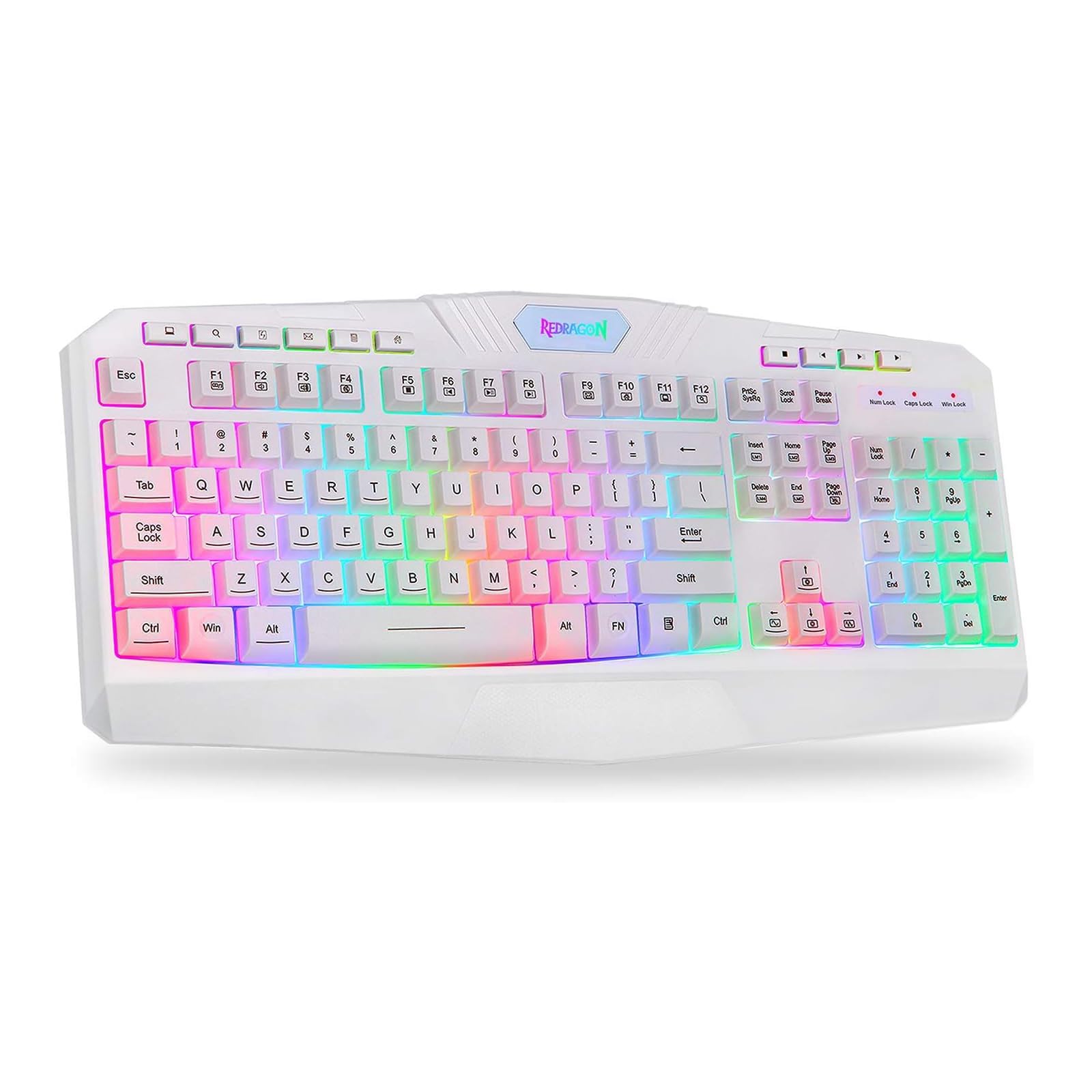
This image shows the Redragon K503 Gaming Keyboard, highlighting its full layout and white finish. The keys feature RGB backlighting, visible around the keycaps.
3. تعليمات التشغيل
3.1 الوظائف الأساسية
The Redragon K503 functions as a standard QWERTY keyboard for typing and input. All standard keys operate as labeled.
3.2 مفاتيح الوسائط المتعددة
The keyboard includes dedicated multimedia keys for convenient control of media playback and system functions. These keys are typically located above the function keys (F1-F12) or integrated with them via the 'Fn' key. Common functions include:
- التحكم في مستوى الصوت: Increase, decrease, or mute audio.
- تشغيل الوسائط: Play/pause, stop, previous track, next track.
- Web المتصفح: Launch default web المتصفح.
- بريد إلكتروني: Launch default email client.
3.3 RGB LED Backlighting
The K503 features customizable RGB LED backlighting. The lighting modes and brightness can be adjusted directly on the keyboard using specific key combinations. Refer to the keycap legends for specific lighting control keys, often involving the 'Fn' key combined with other function keys (e.g., Fn + Scroll Lock, Fn + Home/End, or dedicated lighting keys).
- تغيير أوضاع الإضاءة: Press the designated key combination to cycle through various lighting effects (e.g., static, breathing, wave).
- ضبط السطوع: Use the specified key combination to increase or decrease the backlight intensity.
- تغيير الألوان: Some modes allow for color customization using specific key presses.
4. الصيانة
4.1 تنظيف لوحة المفاتيح
للحفاظ على الأداء الأمثل والمظهر الجيد، نظف لوحة المفاتيح بانتظام:
- افصل لوحة المفاتيح عن الكمبيوتر قبل التنظيف.
- استخدم قطعة قماش ناعمة وخالية من الوبر وامسحها برفق.ampاغسل لوحة المفاتيح بالماء أو بمحلول تنظيف خفيف لمسح أغطية المفاتيح والسطح.
- لإزالة الغبار والحطام بين المفاتيح، استخدم الهواء المضغوط.
- لا تستخدم مواد كيميائية قاسية أو منظفات كاشطة أو تغمر لوحة المفاتيح في سائل.
5. استكشاف الأخطاء وإصلاحها
5.1 لوحة المفاتيح لا تستجيب
- تأكد من توصيل كابل USB بشكل آمن بكل من لوحة المفاتيح والكمبيوتر.
- حاول توصيل لوحة المفاتيح بمنفذ USB مختلف على جهاز الكمبيوتر الخاص بك.
- قم باختبار لوحة المفاتيح على جهاز كمبيوتر آخر لتحديد ما إذا كانت المشكلة في لوحة المفاتيح أو منفذ USB/برامج التشغيل الخاصة بالكمبيوتر.
- أعد تشغيل الكمبيوتر الخاص بك.
5.2 Backlighting Not Working or Incorrect
- Check if the backlighting has been turned off or set to the lowest brightness level using the keyboard's lighting control keys.
- تأكد من توصيل لوحة المفاتيح بالكمبيوتر بشكل صحيح.
- If a specific key's backlight is not working, it may indicate a hardware issue.
5.3 Specific Keys Not Functioning
- Clean around and under the affected keycap to remove any debris that might be obstructing its movement.
- إذا استمرت المشكلة، فقد يشير ذلك إلى وجود خلل في الأجهزة.
6. المواصفات
| ماركة | ريد دراجون |
| رقم الموديل | K503W-RGB |
| تكنولوجيا الاتصال | USB |
| الأجهزة المتوافقة | PC (Windows, MacOS) |
| وصف لوحة المفاتيح | الوسائط المتعددة |
| ميزة خاصة | Lighting (RGB LED Backlit) |
| لون | أبيض |
| أبعاد المنتج | 17.6 بوصة طول × 7.9 بوصة عرض × 1.2 بوصة ارتفاع |
| مادة | أكريلونيتريل بوتادين ستايرين |
| المكونات المضمنة | كابل يو اس بي |
7. معلومات الضمان
Redragon products are typically covered by a limited manufacturer's warranty. The specific terms and duration of the warranty may vary by region and retailer. Please retain your proof of purchase for warranty claims. For detailed warranty information, refer to the warranty card included with your product or visit the official Redragon webموقع.
8. دعم العملاء
If you encounter any issues not covered in this manual or require further assistance, please contact Redragon customer support. Contact information can usually be found on the official Redragon website or on the product packaging. When contacting support, please have your product model number (K503) and proof of purchase ready.