
1. المقدمة
This manual provides comprehensive instructions for the proper use and maintenance of your Zerone Replacement TV Remote Control, model BN59-01199G. This remote is designed as a direct replacement for compatible Samsung Smart TVs, ensuring seamless operation without complex setup.

Image 1.1: The Zerone Replacement TV Remote Control, showcasing تصميم أزرارها وتصميمها المريح.
2. محتويات العبوة
- 1 x Zerone Replacement TV Remote Control (Model: BN59-01199G)
3. المواصفات
| ميزة | التفاصيل |
|---|---|
| مادة الغلاف | نظام ABS |
| مسافة التحكم عن بعد | Greater than 8 meters (actual distance may vary based on TV model and environment) |
| نموذج البطارية | 2 بطاريات AA (غير متضمنة) |
| أبعاد المنتج | تقريبًا 175 × 45 × 20 ملم (6.9 × 1.8 × 0.8 بوصة) |
| وزن العنصر | تقريبا. 67 جرام (2.46 أونصة) |
| الأجهزة المتوافقة | Samsung Smart TVs requiring BN59-01199G remote |

Image 3.1: Dimensions of the remote control: 175mm (6.9in) length, 45mm (1.8in) width, and 20mm (0.8in) thickness.
4. الإعداد
4.1 تركيب البطارية
- حدد موقع حجرة البطارية في الجزء الخلفي من جهاز التحكم عن بعد.
- قم بتحريك غطاء البطارية إلى الأسفل لفتحه.
- أدخل بطاريتين (2) من نوع AA، مع التأكد من محاذاة الأطراف الموجبة (+) والسالبة (-) بشكل صحيح مع العلامات الموجودة داخل الحجرة.
- قم بتحريك غطاء البطارية مرة أخرى إلى مكانه حتى يستقر بشكل آمن.
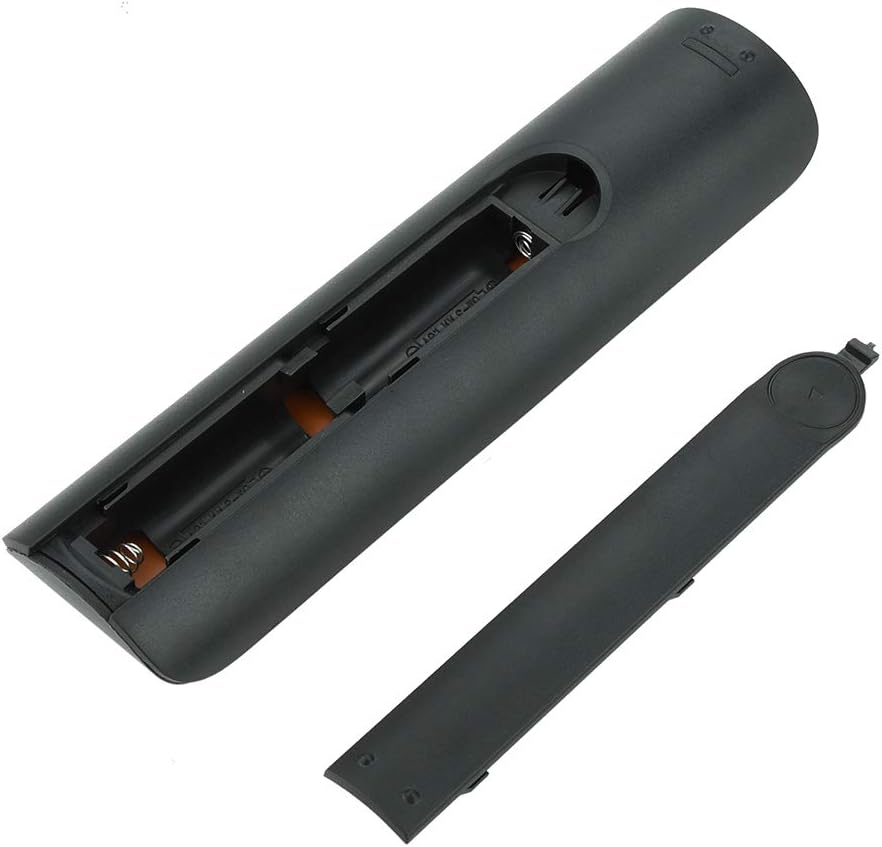
الصورة 4.1: View of the remote control with the battery cover removed, showing the two AA battery slots.
4.2 الاستخدام الأولي
This remote control is designed to work directly with compatible Samsung Smart TVs that originally used the BN59-01199G model. No programming or pairing is typically required. Simply install the batteries and point the remote towards your television.

Image 4.2: The remote control positioned near a television, illustrating its intended use with compatible Samsung models.
5. تعليمات التشغيل
The remote control features standard buttons for TV operation. Refer to the image below for a visual guide to the button layout.

الصورة 5.1: تفصيلية view of the remote control's buttons, including power, number pad, volume, channel, and smart functions.
- زر الطاقة (الأحمر): تشغيل التلفزيون أو إيقاف تشغيله.
- لوحة الأرقام (0-9): للمدخل المباشر للقناة.
- رفع/خفض مستوى الصوت (+/-): يضبط مستوى صوت التلفزيون.
- القناة لأعلى/لأسفل (CH +/-): تغيير القنوات التلفزيونية.
- صامت: يقوم بإيقاف صوت التلفزيون.
- المركز الذكي: Accesses the Smart Hub interface for apps and streaming services.
- قائمة طعام: فتح القائمة الرئيسية للتلفزيون.
- أدوات: Provides quick access to common TV functions.
- معلومات: يعرض معلومات حول البرنامج الحالي أو المدخلات.
- Navigation Pad (Up, Down, Left, Right, Enter): يتم استخدامه للتنقل بين القوائم وتحديد الخيارات.
- يعود: العودة إلى الشاشة أو القائمة السابقة.
- مخرج: Closes the current menu or application.
- الأزرار الملونة (أ، ب، ج، د): Functionality varies by TV model and application.
- عناصر التحكم في التشغيل: تشغيل، إيقاف مؤقت، إيقاف، تقديم سريع، إرجاع لتشغيل الوسائط.
6. الصيانة
6.1 التنظيف
لتنظيف جهاز التحكم عن بعد، امسحه برفق بقطعة قماش ناعمة وجافة. لإزالة الأوساخ المستعصية، افركه قليلاًampen the cloth with water or a mild, non-abrasive cleaner. Avoid using harsh chemicals or excessive moisture, as these can damage the remote's electronics.
6.2 استبدال البطارية
Replace batteries when the remote control's response becomes sluggish or stops working. Always replace both AA batteries at the same time with new ones. Do not mix old and new batteries, or different types of batteries.
7. استكشاف الأخطاء وإصلاحها
- جهاز التحكم عن بعد لا يستجيب:
- تأكد من إدخال البطاريات بشكل صحيح مع القطبية الصحيحة.
- استبدل البطاريات بأخرى جديدة.
- تأكد من عدم وجود أي عوائق بين جهاز التحكم عن بعد وجهاز استقبال الأشعة تحت الحمراء الخاص بالتلفزيون.
- تأكد من توجيه جهاز التحكم عن بعد مباشرة نحو التلفزيون.
- Short remote control distance:
- This can indicate low battery power; replace the batteries.
- Environmental factors or strong light sources can interfere with the infrared signal. Try using the remote in different lighting conditions.
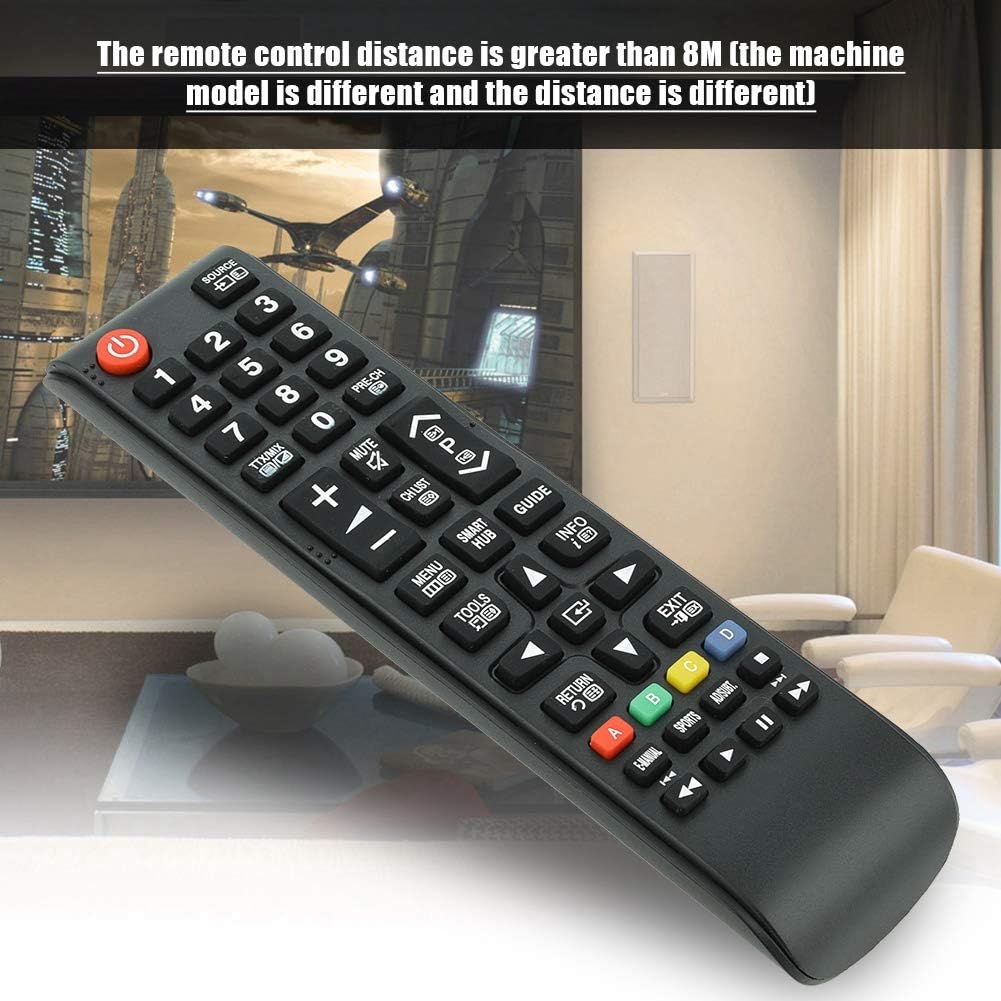
Image 7.1: The remote control in a typical home environment, demonstrating its effective range for TV operation.
8. الضمان والدعم
Zerone products are manufactured with quality in mind. If you encounter any issues or are not satisfied with your product, please contact the seller or manufacturer for support. Refer to your purchase documentation for specific warranty terms and contact information.