
1. انتهى المنتجview
The Axis P3225-V MK II is a high-quality fixed dome IP camera designed for professional surveillance. It offers HDTV 1080p resolution with a 3-10.5mm P-Iris varifocal lens, capable of recording at 30fps or 60fps (with WDR on/off). Based on open IP standards, this network camera connects to various IP networks, enabling remote viewing and recording from any location. It also integrates advanced video analytics features such as motion detection, audio detection, and tampering alarms to enhance security monitoring.
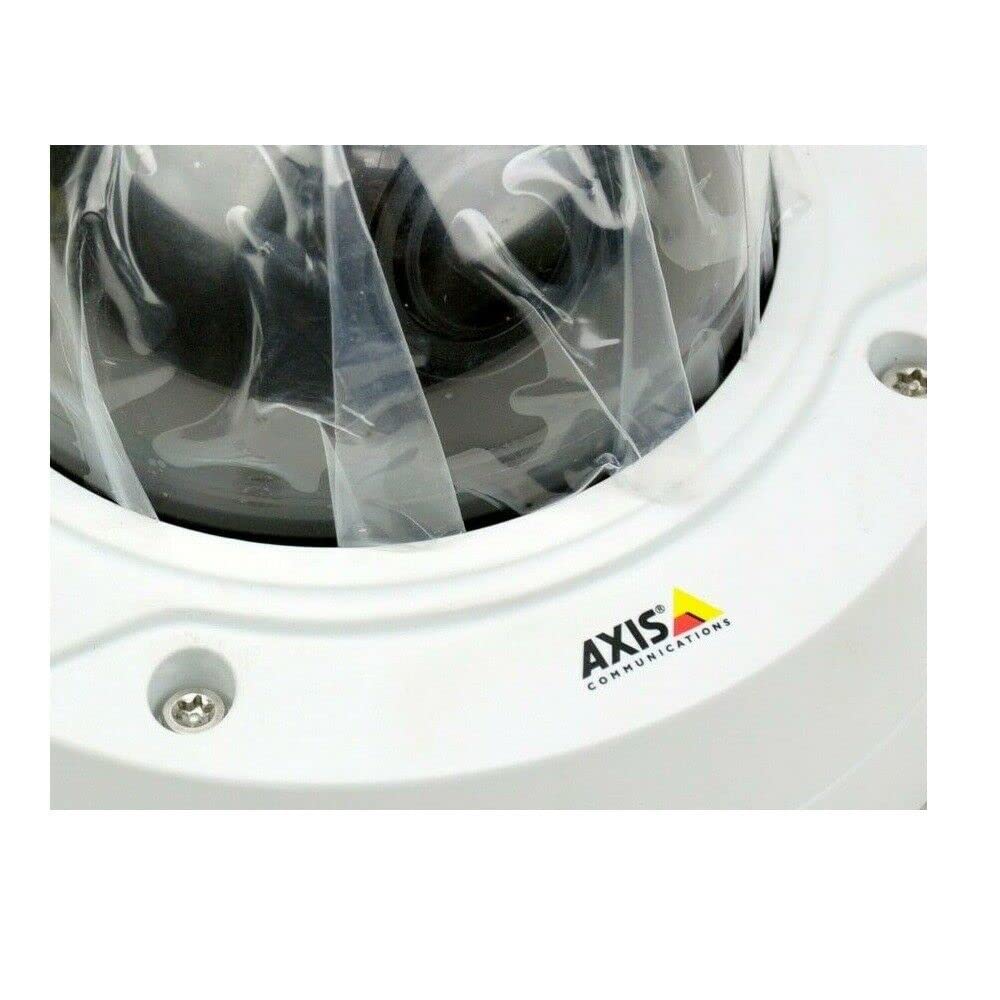
الشكل 1: AXIS P3225-V MK II Fixed Dome IP Camera. This image shows the compact dome design of the camera, suitable for discreet installation.
2. الإعداد والتثبيت
This section provides instructions for the physical installation and initial setup of your AXIS P3225-V MK II camera.
2.1 محتويات العبوة
- AXIS P3225-V MK II Fixed Dome IP Camera (1 unit)
- دليل التثبيت
- معدات التركيب
- كابل الطاقة
2.2 تركيب الكاميرا
The camera is designed for outdoor use and features an IP65 waterproof rating. It is typically installed using a ceiling mount. Ensure the mounting surface is strong enough to support the camera's weight.
- Choose a suitable outdoor location for optimal surveillance coverage.
- Securely attach the mounting bracket to the ceiling using the provided hardware.
- قم بتثبيت الكاميرا على حامل التثبيت، مع التأكد من تثبيتها بإحكام في مكانها.
2.3 توصيل الطاقة والشبكة
The camera operates on corded electric power. It supports wireless (Wi-Fi) connectivity for network integration.
- Connect the power cable to the camera and a suitable power outlet.
- For network connection, the camera can connect wirelessly via Wi-Fi. Refer to the detailed network configuration guide for specific steps to connect to your local network.
- Ensure the camera is powered on and the network connection is established.
3. تعليمات التشغيل
This section covers the basic operation of your AXIS P3225-V MK II camera, including remote viewing and video analytics.
3.1 البعيد Viewجي والتسجيل
The camera supports remote management and viewing. Once connected to your IP network, you can access the camera feed and recordings from anywhere using compatible software or a web browser. The camera adheres to the ONVIF connection protocol, ensuring compatibility with various network video management systems.
- دقة الفيديو: The camera captures video at 1080p (1920x1080 pixels).
- معدل الإطارات: Video is recorded at 30 frames per second.
- مجال View: The camera offers a 135-degree field of view.
- التكبير البصري: Utilize the optical zoom feature for detailed viewمناطق محددة.
- الرؤية الليلية: The camera includes night vision capabilities, providing clear images in low-light conditions.
- صيغة الفيديو: Video is captured in MPEG-4 format.
3.2 Advanced Video Analytics
The AXIS P3225-V MK II features advanced analytics to enhance surveillance efficiency:
- كشف الحركة: The camera can detect movement within its field of view and trigger alerts or recordings.
- كشف الصوت: Detects unusual sounds in the monitored area.
- Tampering Alarms: Notifies you if the camera is being obstructed or moved.
Configure these features through the camera's web interface or your video management software.
4. الصيانة
تضمن الصيانة المنتظمة الأداء الأمثل وطول عمر الكاميرا الخاصة بك.
4.1 التنظيف
- Gently wipe the camera lens and exterior with a soft, damp قطعة قماش.
- تجنب استخدام المواد الكيميائية القاسية أو المواد الكاشطة التي قد تتلف العدسة أوasing.
- تأكد من إيقاف تشغيل الكاميرا قبل التنظيف.
4.2 تحديثات البرامج الثابتة
تحقق دوريًا من اتصالات المحور website for firmware updates. Keeping your camera's firmware up-to-date ensures access to the latest features, security enhancements, and bug fixes.
5. استكشاف الأخطاء وإصلاحها
This section addresses common issues you might encounter with your AXIS P3225-V MK II camera.
| مشكلة | السبب المحتمل | حل |
|---|---|---|
| لا يوجد بث للصور/الفيديو | Power issue, network disconnection, incorrect software settings. | Check power connection. Verify Wi-Fi connectivity. Ensure correct IP address and port settings in viewجي البرمجيات. |
| لا يتم تفعيل خاصية كشف الحركة | Incorrect sensitivity settings, detection area not configured, firmware outdated. | Adjust motion detection sensitivity. Define detection zones. Update camera firmware. |
| جودة الصورة رديئة | Dirty lens, improper focus, low light conditions, network bandwidth issues. | Clean the lens. Adjust the varifocal lens for optimal focus. Ensure adequate lighting or verify night vision settings. Check network bandwidth. |
| لا يمكن الاتصال بشبكة Wi-Fi | Incorrect Wi-Fi password, out of range, network interference. | Verify Wi-Fi password. Move camera closer to the router or use a Wi-Fi extender. Check for other wireless devices causing interference. |
If you continue to experience issues, please refer to the detailed support documentation on the Axis Communications webالموقع أو الاتصال بالدعم الفني.
6. المواصفات الفنية
| ميزة | مواصفة |
|---|---|
| ماركة | أكسيس كوميونيكيشنز |
| رقم الموديل | 0952-001 (P3225-V MK II) |
| نوع المنتج | Fixed Dome IP Camera |
| دقة التقاط الفيديو | 1080p (HDTV 1080p, 1920x1080 pixels) |
| معدل الإطارات | 30 frames per second (up to 60fps with WDR on/off) |
| عدسة | 3-10.5mm P-Iris Varifocal Lens |
| مجال View | 135 درجة |
| تكنولوجيا الاتصال | لاسلكي (واي فاي) |
| بروتوكول الاتصال | أونفيف |
| مصدر الطاقة | Corded Electric (3.7 W) |
| البطاريات المطلوبة | لا |
| عدد القنوات | 1 |
| عدد الوحدات | 1 |
| الاستخدام الداخلي والخارجي | في الهواء الطلق |
| تصنيف مقاومة الماء | IP65 |
| نوع التركيب | التركيب على السقف |
| سمات | Motion Sensor, Optical Zoom, Night Vision (Infrared), Audio Detection, Tampإرسال أجهزة الإنذار |
| تنسيق التقاط الفيديو | ام بي اي جي-4 |
| تقنية مستشعر الصور | سيموس |
| المواد الخارجية | معدن |
| رمز المنتج الموحد | 745558709844 |
| ASIN | ب07L3761K4 |
7. الضمان والدعم
For detailed warranty information and technical support, please visit the official Axis Communications webالموقع أو تواصل مع خدمة العملاء. احتفظ بإيصال الشراء لطلبات الضمان.
Webموقع: www.axis.com