
1. المقدمة
This manual provides detailed instructions for the safe and efficient operation of your Pyramid Universal Compact Bench Power Supply, model PS12KX.5. This linear regulated power supply is designed to convert 115V AC input to a constant 13.8V DC output, providing up to 10 amps continuous and 12 amps surge current. It is suitable for various applications including powering cellular phones, CB radios, scanners, and HAM radios.
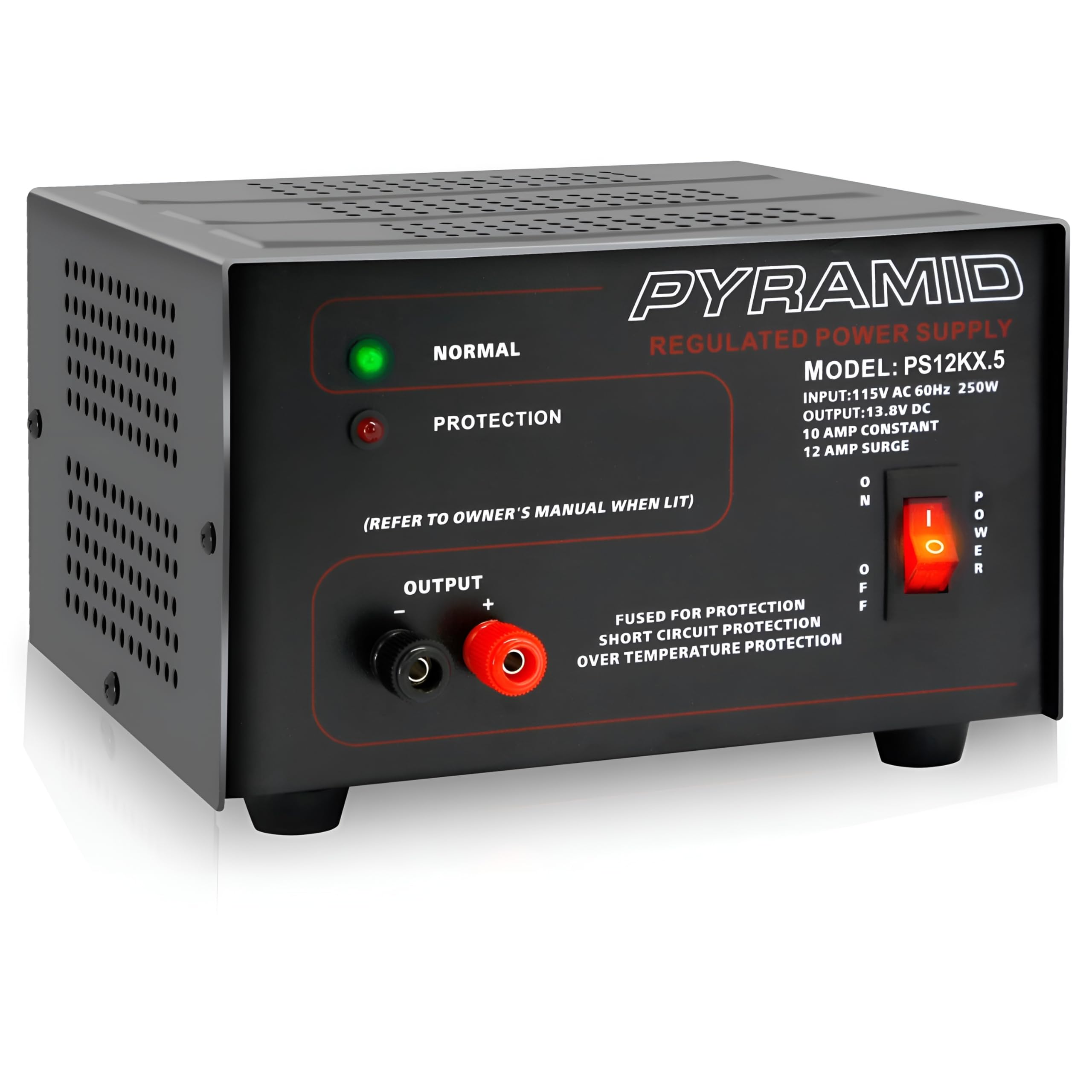
الصورة 1.1: الجبهة view of the Pyramid PS12KX.5 Bench Power Supply.
للحصول على عرض مرئيview للحصول على معلومات حول المنتج، يرجى مشاهدة الفيديو التالي:
الفيديو 1.1: المنتج الرسميview of the Pyramid Universal Compact Bench Power Supply.
2. تعليمات السلامة الهامة
- اقرأ جميع التعليمات: Before operating the power supply, read and understand all safety and operating instructions.
- استخدام في الأماكن المغلقة فقط: This unit is designed for indoor use in dry locations. Do not expose it to rain or moisture.
- التهوية المناسبة: Ensure adequate ventilation around the unit. Do not block ventilation openings. The built-in cooling fan requires clear airflow.
- مصدر الطاقة: Connect the power supply only to a 115V AC, 60Hz outlet.
- التأريض: تأكد من تأريض سلك الطاقة بشكل صحيح.
- تجنب التحميل الزائد: Do not exceed the rated output current of 10 ampالمستمر أو 12 amps surge. Overloading can cause damage to the unit and connected devices.
- حماية من ماس كهربائي: The unit features electronic overload and short circuit protection. In case of a short circuit, the unit will automatically protect itself. Remove the short and cycle the power to reset.
- درجة حرارة: Do not operate the unit in excessively hot environments. The internal cooling fan helps manage temperature.
- الخدمة: لا تحاول صيانة هذه الوحدة بنفسك. أحل جميع أعمال الصيانة إلى فني صيانة مؤهل.
3. انتهى المنتجview
3.1 اللوحة الأمامية
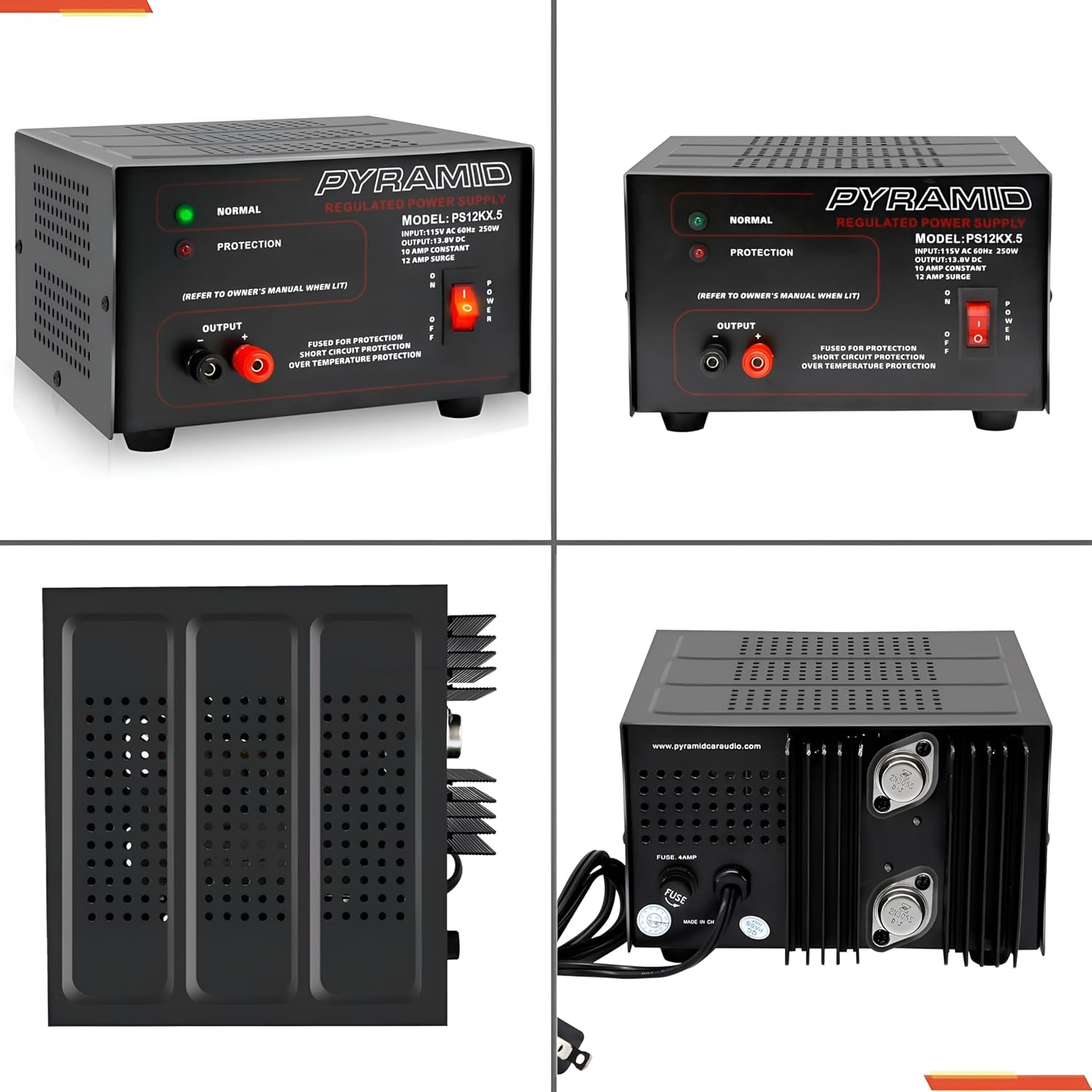
الصورة 3.1: تفصيلية view من اللوحة الأمامية.
- NORMAL LED (Green): Illuminates when the power supply is operating normally.
- PROTECTION LED (Red): Illuminates when the unit enters protection mode due to overload, short circuit, or over-temperature.
- OUTPUT Terminals: Red (+) for positive, Black (-) for negative DC output. These are screw-type terminals for secure connections.
- مفتاح التشغيل: Toggles the unit ON/OFF.
3.2 اللوحة الخلفية
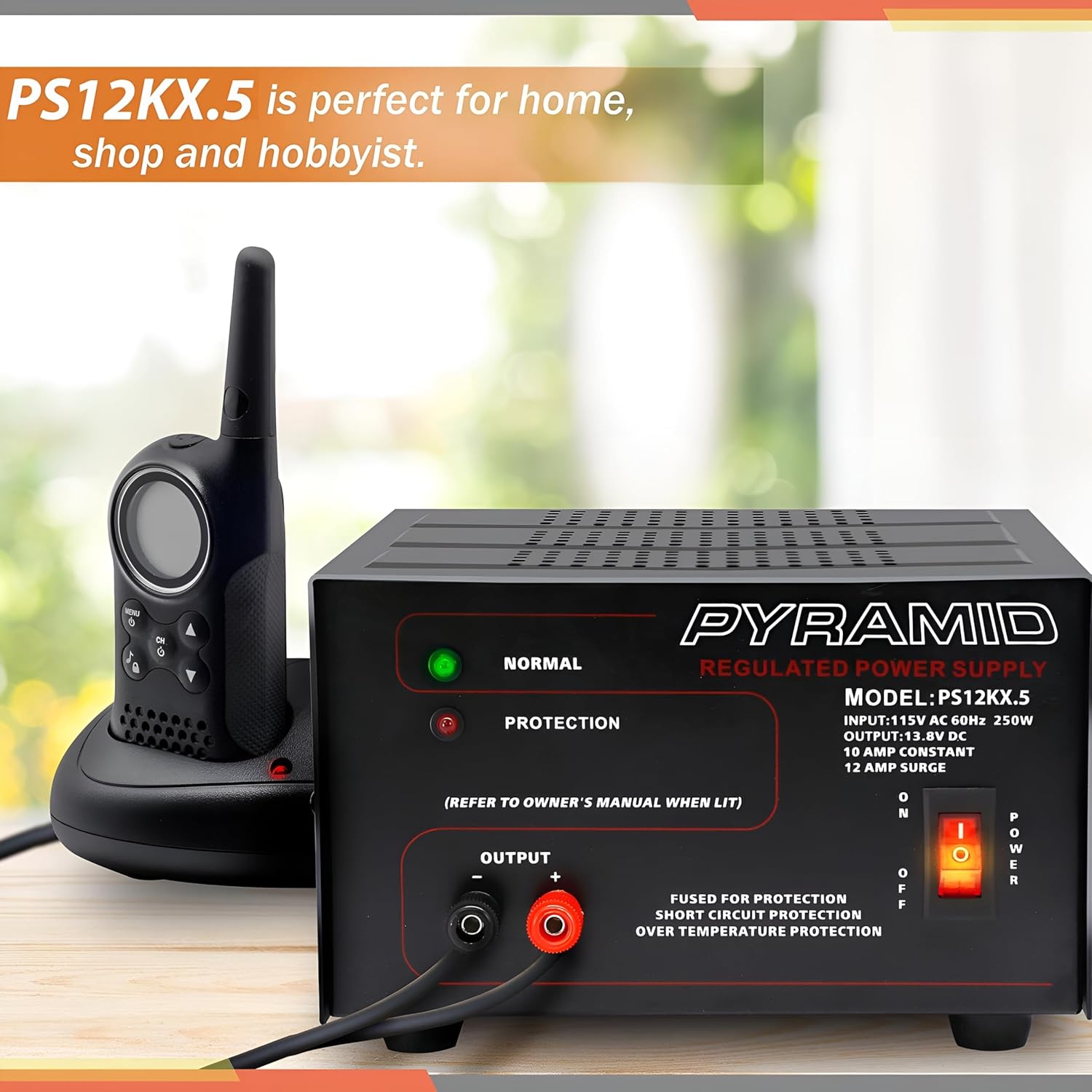
الصورة 3.2: تفصيلية view of the rear panel.
- مدخل التيار المتردد: Standard 3-prong AC power cord connection.
- مروحة التبريد: Automatically activates to dissipate heat during operation.
- الصمامات: Provides additional protection. Refer to specifications for fuse rating.
4. الإعداد
- الموقع: Place the power supply on a stable, flat surface. Ensure there is sufficient space around the unit for proper ventilation, especially around the side and rear cooling vents.
- اتصال طاقة التيار المتردد: Ensure the power supply's ON/OFF switch is in the OFF position. Connect the supplied AC power cord to the AC input on the rear panel of the power supply, then plug the other end into a standard 115V AC, 60Hz wall outlet.
- DC Load Connection: Identify the positive (+) and negative (-) terminals on your DC device. Using appropriate gauge wire, connect the positive wire from your device to the RED (+) output terminal on the power supply. Connect the negative wire from your device to the BLACK (-) output terminal. Ensure all connections are tight and secure to prevent arcing or poor contact.
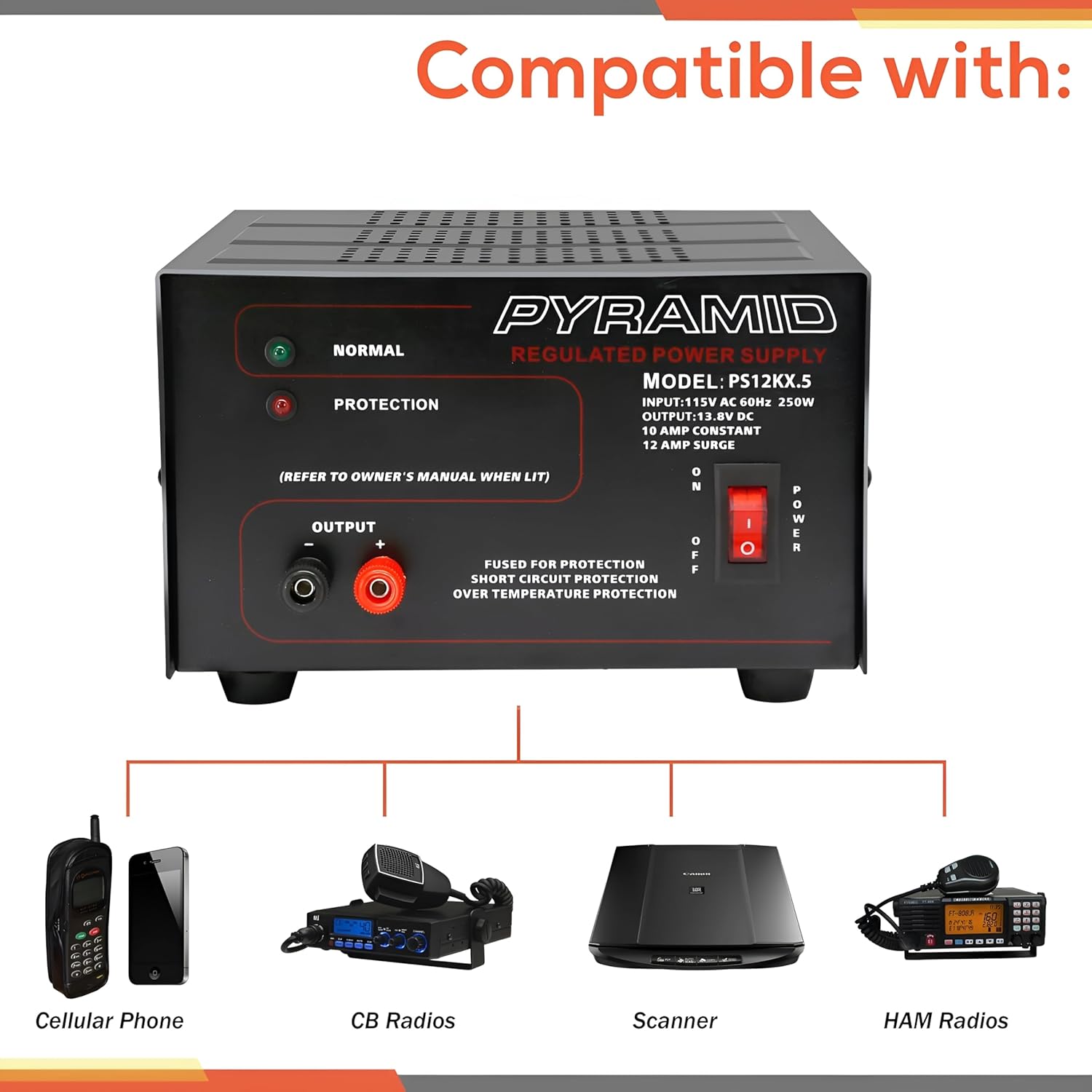
الصورة 4.1: الجانب view illustrating cooling vents.
5. تعليمات التشغيل
- تشغيل الطاقة: After ensuring all connections are secure, flip the POWER switch on the front panel to the ON position. The green NORMAL LED should illuminate, indicating normal operation.
- يراقب: Observe the NORMAL LED. If the red PROTECTION LED illuminates, the unit has entered protection mode. Refer to the Troubleshooting section for guidance.
- إيقاف التشغيل: To turn off the power supply, flip the POWER switch to the OFF position. Disconnect the DC load if the device will not be used for an extended period.
6. الصيانة
- تنظيف: Keep the power supply clean and free of dust. Use a soft, dry cloth for cleaning. Do not use liquid cleaners or aerosols.
- تهوية: Regularly check that the cooling fan and ventilation openings are not obstructed by dust or debris. Blocked vents can lead to overheating.
- استبدال الصمامات: If the unit fails to power on and the fuse is suspected, disconnect the AC power cord and replace the fuse on the rear panel with one of the identical type and rating (refer to Specifications).
This section outlines common issues and their potential solutions. If you encounter a problem not listed here, or if the suggested solutions do not resolve the issue, contact customer support.
| مشكلة | السبب المحتمل | حل |
|---|---|---|
| No power, no LEDs illuminated. | Unit not plugged in; AC outlet faulty; Power switch OFF; Blown fuse. | Check AC power cord connection; Test AC outlet; Ensure Power switch is ON; Check and replace fuse if necessary (refer to Maintenance). |
| Red PROTECTION LED is illuminated. | Overload; Short circuit at output; Over-temperature. | Reduce load current; Check for short circuits at output terminals; Ensure adequate ventilation and allow unit to cool. Cycle power to reset. |
| No DC output, but NORMAL LED is on. | Loose DC output connections; Faulty DC device. | Check and tighten DC output terminal connections; Test DC device with another power source if possible. |
| الوحدة ساخنة بشكل مفرط. | انسداد التهوية؛ حمل زائد. | Ensure cooling fan and vents are clear; Reduce load current. |
8. المواصفات
| ميزة | مواصفة |
|---|---|
| نموذج | PS12KX.5 |
| حجم الإدخالtage | 115V AC، 60Hz |
| حجم الإخراجtage | 13.8V DC (Fixed) |
| تيار الخرج (مستمر) | 10 Amps |
| Output Current (Surge) | 12 Amps |
| انتاج واتtage | 250 واط |
| تصميم مزود الطاقة | Linear / Regulated |
| محطات طرفية | نوع المسمار |
| طريقة التبريد | هواء (مروحة مدمجة) |
| حماية | Electronic Overload, Short Circuit, Over-Temperature, Fuse Protected |
| الأبعاد (الطول × العرض × الارتفاع) | 7.9 × 7.2 × 4.7 بوصة |
| وزن | 8.73 رطل |
| لون | أسود |
9. الضمان والدعم
Pyramid products are designed for reliability and performance. This product is covered by a limited manufacturer's warranty against defects in materials and workmanship under normal use. Please retain your proof of purchase for warranty claims.
For technical support, warranty inquiries, or service, please contact Pyramid customer service. Contact information can typically be found on the manufacturer's webالموقع أو تضمينها في عبوة المنتج.
الشركة المصنعة: هرم
Webموقع: Visit the Pyramid Store on Amazon