
1. المقدمة
The BH Dual Kit Smart (Model DI22) is designed to transform your compatible BH Dual fitness machine into an i.Concept enabled device. This kit allows you to connect your exercise equipment to a smartphone or tablet, enabling access to a variety of fitness applications for a personalized and motivating workout experience. By utilizing this kit, you can use your mobile device as a touchscreen display, track your progress, and engage with interactive training programs.
2. معلومات السلامة
Please read all safety instructions before using the BH Dual Kit Smart. Failure to follow these instructions may result in injury or damage to the product or your fitness machine.
- Ensure the BH Dual Kit Smart is connected only to compatible BH Dual fitness machines.
- لا تعرض الجهاز للماء أو درجات الحرارة القصوى.
- احتفظ بالجهاز بعيدًا عن متناول الأطفال والحيوانات الأليفة.
- Disconnect the device from the USB port when not in use for extended periods.
- لا تحاول فتح الجهاز أو إصلاحه. أحل جميع أعمال الصيانة إلى فنيين مؤهلين.
3. محتويات العبوة
Verify that all items are present in your BH Dual Kit Smart package:
- BH Dual Kit Smart Module (DI22)
- كابل توصيل USB
- دليل التعليمات (هذا المستند)
4. الإعداد
4.1 اتصال فيزيائي
Locate the USB port on your compatible BH Home Dual fitness machine. This port is typically found on the console or near the base of the machine. Connect the BH Dual Kit Smart module to this USB port using the provided USB cable. Ensure the connection is secure. A red indicator light on the module should illuminate, indicating power.
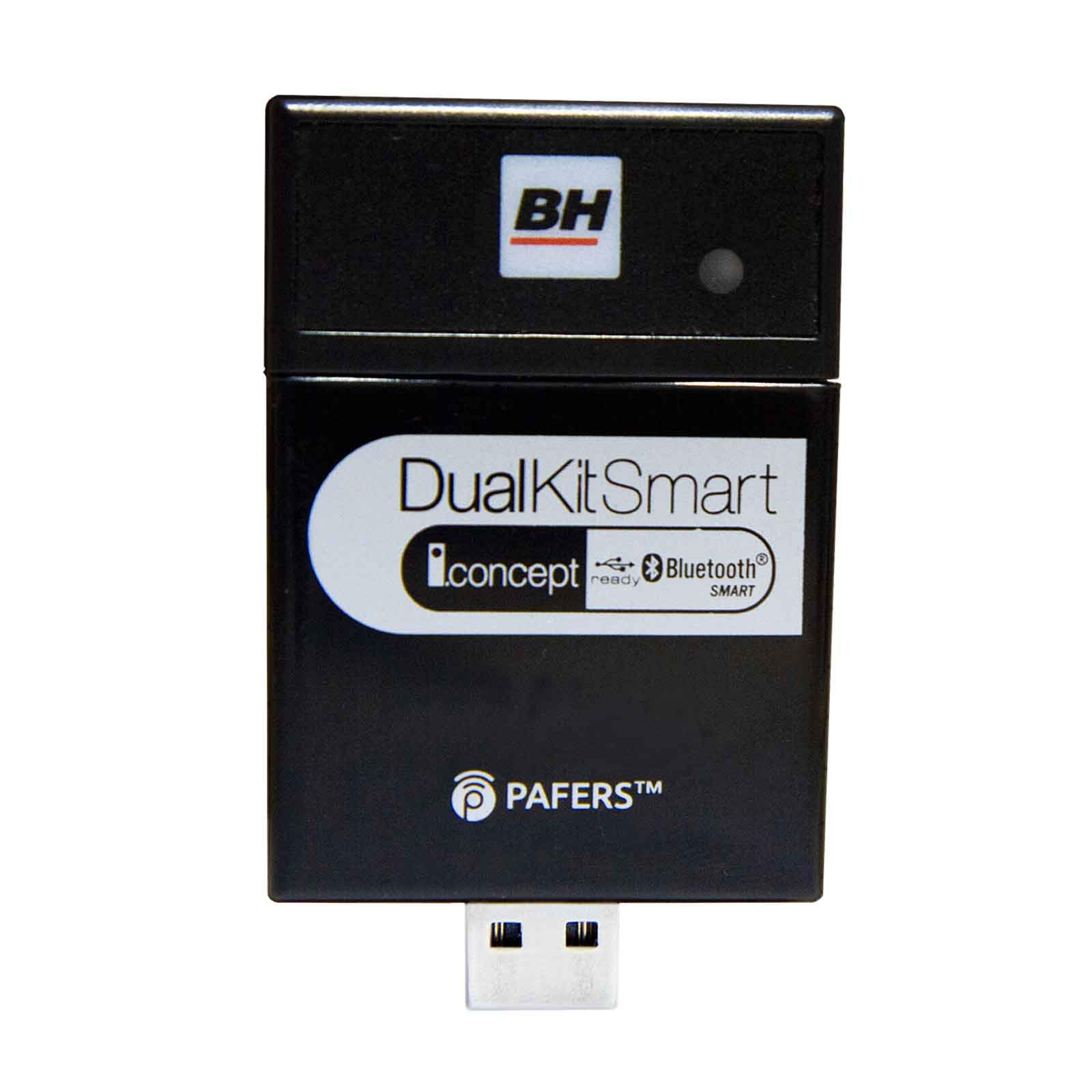
Image: The BH Dual Kit Smart module, typically a small black device, connected via a USB cable to the console of a fitness machine. This illustrates the correct physical setup for the kit.
4.2 تثبيت التطبيق
To utilize the i.Concept features, you will need to download compatible fitness applications on your smartphone or tablet. Applications such as BHH by Kinomap are recommended. بحث عن these applications in your device's app store (e.g., Apple App Store for iOS, Google Play Store for Android) and install them.
4.3 اقتران بلوتوث
Once the module is connected and powered, and the application is installed:
- قم بتمكين Bluetooth على هاتفك الذكي أو جهازك اللوحي.
- Open the chosen fitness application (e.g., BHH by Kinomap).
- Within the application, navigate to the device connection or pairing section.
- The application should detect the BH Dual Kit Smart module. Select it to establish a Bluetooth connection.
- اتبع أي مطالبات تظهر على الشاشة لإكمال عملية الاقتران.
5. تعليمات التشغيل
After successful pairing, your smartphone or tablet will function as the control interface for your BH Dual fitness machine.
- Personalized Workouts: Use the application to select and customize workout programs tailored to your fitness goals.
- التدريب التفاعلي: Engage with geolocated videos, such as those offered by Kinomap, which simulate real-world routes. The resistance or incline of your machine may adjust automatically to match the terrain in the video.
- تتبع التقدم: The application will record your workout data, including distance, speed, calories burned, and more, allowing you to monitor your fitness journey.
- Compete with Friends: Some applications offer social features, allowing you to compete with other users on virtual routes.
6. الصيانة
The BH Dual Kit Smart requires minimal maintenance to ensure optimal performance.
- تنظيف: Wipe the module with a soft, dry cloth. Do not use abrasive cleaners or solvents.
- تخزين: Store the module in a cool, dry place when not in use.
- تحديثات البرامج: Periodically check your fitness applications for updates, as these may include performance improvements or new features for the Dual Kit Smart.
7. استكشاف الأخطاء وإصلاحها
If you encounter issues with your BH Dual Kit Smart, refer to the following common problems and solutions:
7.1 مشاكل الاتصال
- Module not powering on (no red light): Ensure the USB cable is securely connected to both the module and the fitness machine's USB port. Verify that the fitness machine is powered on.
- Slow Bluetooth connection or frequent disconnections:
- Ensure your smartphone/tablet is within close proximity to the BH Dual Kit Smart module.
- Restart your smartphone/tablet and the fitness machine.
- Try unpairing and re-pairing the device through your phone's Bluetooth settings and the fitness application.
- التحقق من عدم وجود أي تداخل من الأجهزة اللاسلكية الأخرى.
- Application not recognizing the module:
- Confirm that Bluetooth is enabled on your mobile device.
- Ensure the fitness application has permission to access Bluetooth.
- Verify that you are using a compatible fitness application.
- Update the fitness application to its latest version.
7.2 Application Functionality Issues
- Workout data not syncing or incorrect: Ensure a stable internet connection for your mobile device, as some features and data syncing require it.
- Application crashing or freezing: Close and restart the application. If the problem persists, try reinstalling the application.
If these steps do not resolve the issue, please contact BH customer support for further assistance.
8. المواصفات
- رقم الموديل: دي22
- ماركة: BH
- الشركة المصنعة: اللياقة البدنية BH
- الاتصال: بلوتوث
- مصدر الطاقة: USB (powered by fitness machine)
- Battery(ies) Included: لا
- ASIN: B07HMQZCCV
9. الضمان والدعم
The BH Dual Kit Smart (Model DI22) comes with a standard manufacturer's warranty. Please refer to the warranty card included with your original fitness machine or visit the official BH Fitness webالموقع للحصول على شروط وأحكام الضمان التفصيلية.
For technical support, troubleshooting assistance, or warranty claims, please contact BH Fitness customer service. Contact information can typically be found on the BH Fitness official webالموقع أو على عبوة منتجك.