
Zerone H980
دليل مستخدم جهاز العرض LED المحمول Zerone Mini
الموديل: H980
مقدمة
شكرا لك على الشراءasing the Zerone Mini Portable LED Projector. This compact and versatile projector is designed to provide an immersive home theater experience, allowing you to enjoy movies, videos, and games in a dark environment, whether at home or outdoors. With its multiple input interfaces and long-life LED light source, it offers a convenient and environmentally friendly solution for your entertainment needs.
This manual provides essential information on setting up, operating, and maintaining your projector to ensure optimal performance and longevity. Please read it thoroughly before use and keep it for future reference.
محتويات الحزمة
عند فتح العبوة، يرجى التأكد من أن جميع العناصر المذكورة أدناه موجودة وفي حالة جيدة:
- 1 x Zerone Mini Portable LED Projector
- 1 x Remote Control (البطاريات غير مشمولة)
- 1 × محول طاقة (قابس أمريكي)
- شنومكس x أف كابل
- 1 × دليل المستخدم (هذه الوثيقة)

Figure 1: Zerone Mini Portable LED Projector and its accessories. The image shows the compact white and yellow projector, a black remote control, a black power adapter with a US plug, and a black AV cable with red, white, and yellow connectors.
المنتج انتهىview
The Zerone Mini Portable LED Projector is designed for ease of use and portability. It features a compact form factor, making it suitable for various environments. Below is an overview من مكوناتها وخصائصها الرئيسية.

الشكل 2: من أعلى إلى أسفل view of the projector's input and control panel. Visible ports include MicroSD, AV, and a 3.5mm earphone port. Control buttons are also visible on the top surface.
المميزات الرئيسية:
- 1500lm High Brightness: يقدم صورًا واضحة ونابضة بالحياة.
- الدقة الأصلية: 320 x 240P, supporting up to 1080P HD input.
- Long-Life LED Light Source: 30,000 hours of operation, environmentally friendly.
- واجهات إدخال متعددة: HDMI, USB, AV, VGA, Micro Secure Digital, 3.5mm Earphone Port.
- تصميم محمول: Small and lightweight for easy transport.

Figure 3: Connectivity options for the projector. This diagram illustrates how various devices such as laptops, desktop PCs, U disks/TF cards, DVD/VCD players, game consoles, TV boxes, and HDMI players can connect to the projector via its HDMI, AV, USB, VGA, and Micro SD inputs.
يثبت
1. توصيل الطاقة:
- Connect the provided power adapter to the "DC IN" port on the projector.
- قم بتوصيل محول الطاقة بمأخذ كهربائي قياسي.
- سوف يضيء مؤشر الطاقة الموجود على جهاز العرض.
2. Positioning the Projector:
Place the projector on a stable, flat surface. Ensure there is adequate ventilation around the unit to prevent overheating. The ideal projection distance ranges from 1.0 to 2.8 meters (approximately 3.3 to 9.2 feet) to achieve a screen size of 24 to 60 inches.
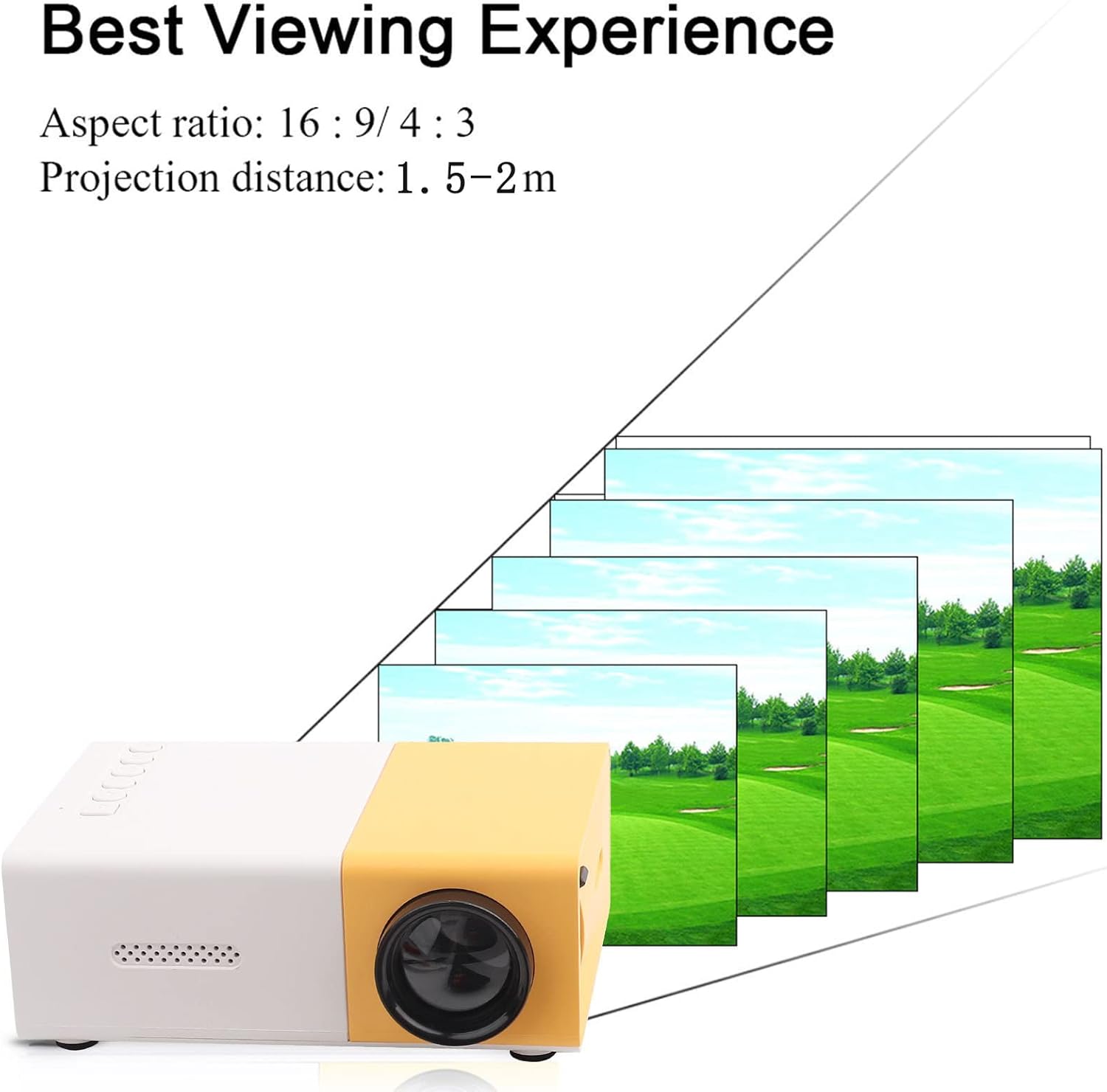
الشكل 4: الأفضل Viewing Experience. This image shows the projector projecting onto a screen, with text indicating an aspect ratio of 16:9/4:3 and a projection distance of 1.0-2.8m. It visually represents how the image size changes with distance.
3. Connecting Input Devices:
Connect your desired media device (e.g., laptop, TV box, game console, USB drive) to the appropriate port on the projector:
- HDMI: للفيديو والصوت عالي الدقة.
- USB: لتشغيل الوسائط files مباشرة من محرك أقراص فلاش USB.
- من: For connecting devices using the included AV cable (e.g., older DVD players).
- VGA: لتوصيل أجهزة الكمبيوتر.
- Micro Secure Digital (MicroSD): لتشغيل الوسائط files directly from a MicroSD card.
- 3.5mm Earphone Port: لتوصيل سماعات الرأس أو مكبرات الصوت الخارجية.
تعليمات التشغيل
1. تشغيل / إيقاف التشغيل:
اضغط على زر الطاقة الموجود على جهاز العرض أو جهاز التحكم عن بعد لتشغيل الوحدة أو إيقاف تشغيلها.
2. Focusing the Image:
The projector features manual focusing. Rotate the focus ring on the lens until the projected image appears clear and sharp on the screen.
3. تحديد مصدر الإدخال:
Use the "Source" button on the projector or remote control to cycle through the available input sources (HDMI, USB, AV, VGA, MicroSD) until your connected device's content is displayed.
4. Adjusting Aspect Ratio:
The projector supports aspect ratios of 16:9 and 4:3. You can adjust this setting via the projector's menu or remote control to best suit your content.
5. تشغيل الوسائط:
When playing media from USB or MicroSD, navigate through files using the remote control's directional buttons and "OK" button. The projector supports a wide range of formats:
- صوتي Files: MP3, WMA, OGG, AAG, FLAC, APE, WAV
- صورة Files: JPEG، BMP، PNG
- فيديو Files: Supports Full Format Files
- نص Files: رسالة قصيرة
صيانة
1. تنظيف العدسة:
استخدم قطعة قماش ناعمة وخالية من الوبر مصممة خصيصًا للعدسات البصرية لمسح عدسة جهاز العرض برفق. تجنب استخدام المنظفات الكاشطة أو الضغط المفرط، لأن ذلك قد يخدش العدسة.
2. Cleaning the Projector Body:
امسح الجزء الخارجي من جهاز العرض بقطعة قماش ناعمة وجافة. لا تستخدم المنظفات السائلة أو المذيبات.
3. التهوية:
Ensure that the ventilation vents on the projector are not blocked. Proper airflow is crucial to prevent overheating and maintain the lifespan of the LED light source.
4. التخزين:
عند عدم استخدام جهاز العرض لفترات طويلة، يُحفظ في مكان بارد وجاف، بعيدًا عن أشعة الشمس المباشرة والغبار الكثيف. يُنصح باستخدام العبوة الأصلية أو حقيبة واقية.
استكشاف الأخطاء وإصلاحها
| مشكلة | السبب المحتمل | حل |
|---|---|---|
| لم يتم عرض أي صورة. |
|
|
| الصورة غير واضحة. |
|
|
| لا يوجد صوت. |
|
|
| Projector overheats or shuts down. |
|
|
تحديد
| ميزة | التفاصيل |
|---|---|
| مصدر الضوء | LED, 30,000 hours lifespan |
| الدقة الأصلية | 320 × 240 بكسل |
| سطوع | 1500 لومن |
| نسبة التباين | 800:1 |
| وضع التركيز | التركيز اليدوي |
| الألوان القابلة للعرض | 1.67 مليون |
| نسبة العرض إلى الارتفاع | 16:9 / 4:3 |
| مسافة الإسقاط | 1.0 - 2.8 متر |
| حجم شاشة العرض | 24 - 60 بوصة |
| طاقة الإدخال | تيار مستمر 12 فولت-2 أمبير |
| أبعاد | Approx. 127 x 81.5 x 48.5mm (5 x 3.2 x 1.9in) |
| وزن | حوالي 500 غرام (1.1 رطل) |
| الواجهات | 1 x HDMI, 1 x USB, 1 x AV, 1 x VGA, 1 x Micro Secure Digital, 1 x 3.5mm Earphone Port |
الضمان والدعم
للحصول على معلومات الضمان والدعم الفني، يُرجى مراجعة وثائق الشراء أو التواصل مع التاجر. احتفظ بإيصال الشراء لأي مطالبات تتعلق بالضمان.
For further assistance, you may also visit the official Zerone store on Amazon: Zerone Store.
Ask a question about this manual
Ask about setup, troubleshooting, compatibility, parts, safety, or missing instructions. Manuals+ will review the question and use this page’s manual context to help answer it.