
مقدمة
Thank you for choosing the INPHIC PM-9 Wireless Rechargeable Silent Mouse. This manual provides detailed instructions for setting up, operating, and maintaining your new mouse. Please read this manual carefully before use to ensure optimal performance and longevity of your device.
محتويات الحزمة
يرجى التحقق من الحزمة للعناصر التالية:
- 1 x INPHIC Wireless Mouse
- 1 x USB Nano-receiver
- 1 × USB إلى كابل شحن Micro-USB
- 1 × دليل المستخدم
المنتج انتهىview
Familiarize yourself with the key components of your INPHIC PM-9 mouse:

Image: Underside of the INPHIC PM-9 mouse, highlighting the USB receiver storage, ON/OFF switch, Micro-USB charging port, and DPI adjustment button.
- منفذ شحن Micro-USB: Located at the front of the mouse for charging.
- مفتاح تشغيل / إيقاف: Located on the bottom of the mouse to power the device on or off.
- DPI Setting Button: Located on the bottom of the mouse, allows adjustment of cursor sensitivity.
- فتحة مستقبل USB: A dedicated compartment on the bottom of the mouse for storing the USB Nano-receiver when not in use.
تعليمات الإعداد
Follow these steps to set up your INPHIC PM-9 wireless mouse:
- Locate and Connect the USB Receiver:
Gently slide down the back cover on the bottom of the mouse to reveal the USB Nano-receiver. Remove the receiver from its slot.
Image: Visual guide for locating and removing the USB Nano-receiver from the mouse.
Plug the USB Nano-receiver into an available USB port on your computer (PC, laptop, or MacBook). If your device only has USB-C ports, use the included USB-C adapter (if applicable) to connect the receiver.

Image: The USB Nano-receiver connected to a laptop, illustrating the 2.4G wireless transmission.

Image: Instructions for connecting the USB receiver to devices with traditional USB ports and to MacBooks with USB-C ports using an adapter.
- تشغيل الماوس:
Flip the ON/OFF switch on the bottom of the mouse to the "ON" position. The mouse should now be connected to your computer.
- شحن الماوس:
Before first use, or when the mouse battery is low, connect the provided Micro-USB charging cable to the charging port on the front of the mouse and to a USB power source (e.g., computer USB port, USB wall adapter). A full charge can last up to 500 hours of use.

Image: The INPHIC mouse being charged via its Micro-USB port, indicating its rechargeable battery feature.
إعداد دليل الفيديو
Video: This video demonstrates the initial setup of the INPHIC PM-9 wireless mouse, including locating the USB receiver, connecting it to a laptop, and basic operation.
تعليمات التشغيل
- تعديل DPI:
The mouse features 3 adjustable DPI levels (1000, 1200, 1600) to change cursor sensitivity. Press the DPI setting button on the bottom of the mouse to cycle through the available DPI settings. Choose the sensitivity that best suits your needs.

Image: Illustration of the adjustable DPI settings (1000, 1200, 1600) and the location of the DPI button on the mouse.
- ميزة النقر الصامت:
The INPHIC PM-9 mouse is designed with silent click technology, providing a noiseless experience. This is ideal for environments where quiet operation is preferred, such as libraries, offices, or late-night use. Please note that only the left and right main keys support silent click.
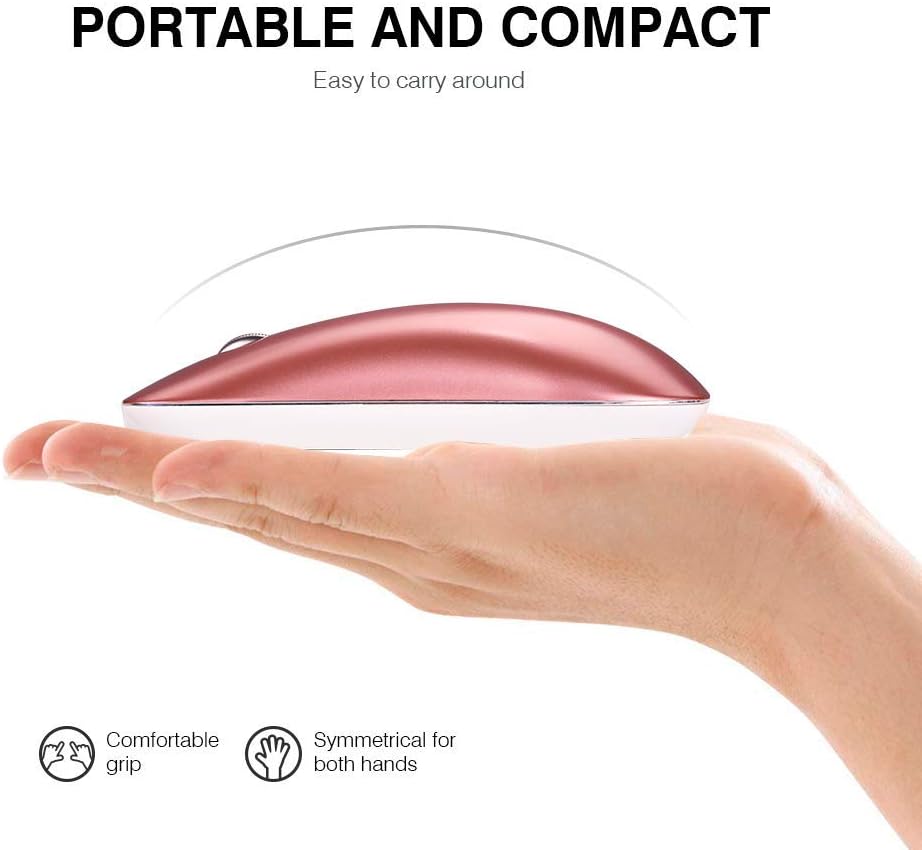
Image: A user operating the mouse quietly, with an icon indicating silent operation, highlighting the silent click feature.
- وضع السكون التلقائي:
To conserve battery life, the mouse will automatically enter sleep mode after 3 minutes of inactivity. To wake the mouse, simply move it gently. For extended periods of non-use, it is recommended to turn off the mouse using the ON/OFF switch on the bottom.
صيانة
- تنظيف: استخدم قطعة قماش ناعمة وجافة لتنظيف الفأرة. تجنب استخدام المواد الكيميائية القاسية أو المواد الكاشطة.
- تخزين: When not in use, store the USB Nano-receiver in its dedicated slot on the bottom of the mouse to prevent loss. Store the mouse in a cool, dry place.
- العناية بالبطارية: Recharge the mouse regularly to maintain battery health. Avoid fully depleting the battery frequently.
استكشاف الأخطاء وإصلاحها
- الفأرة لا تستجيب:
- تأكد من تشغيل الماوس.
- Check if the USB Nano-receiver is securely plugged into your computer's USB port.
- حاول توصيل جهاز الاستقبال بمنفذ USB مختلف.
- قم بإعادة شحن الماوس إذا كانت البطارية منخفضة.
- اتصال متقطع:
- تأكد من أن الماوس موجود ضمن نطاق تشغيل جهاز الاستقبال الذي يبلغ 10 أمتار.
- تجنب استخدام الماوس على الأسطح المعدنية، لأنها قد تتداخل مع الإشارة اللاسلكية.
- Remove any large metal objects between the mouse and the receiver.
- حركة المؤشر غير منتظمة:
- قم بتنظيف المستشعر البصري الموجود في الجزء السفلي من الماوس.
- جرب استخدام الماوس على سطح مختلف أو على لوحة الماوس.
- اضبط إعداد DPI على قيمة أقل إذا كان المؤشر حساسًا للغاية.
تحديد
| ميزة | التفاصيل |
|---|---|
| رقم الموديل | ب م-9 |
| تكنولوجيا الاتصال | لاسلكي بتردد 2.4 جيجا هرتز (مستقبل USB) |
| كشف الحركة | بصري |
| مستويات DPI | 1000 / 1200 / 1600 (قابل للتعديل) |
| أزرار | 3 (يسار، يمين، عجلة التمرير) |
| نوع البطارية | قابلة للشحن ليثيوم ايون |
| وقت الشحن | 2-3 ساعات |
| عمر البطارية | حتى 500 ساعات (بعد الشحن الكامل) |
| لاسلكي المدى | حتى 10 مترا (33 قدما) |
| أبعاد المنتج | 4.33 × 2.48 × 0.91 بوصة (110 × 63 × 23 مم) |
| وزن العنصر | 2.57 أونصة (72.86 جرام) |
| التوافق | Windows 10/8/7/XP, Vista, Linux, Mac OS |
الضمان والدعم
The INPHIC PM-9 Wireless Mouse comes with a standard warranty. For specific warranty details, returns, or technical support, please refer to the product packaging or contact your retailer. You may also visit the official INPHIC webالموقع للحصول على مزيد من المساعدة.


